

LAMMPS logfile reader
Tool to read a logfile produced by LAMMPS into a python data structure.
Installation
From pypi (preferred/stable)
pip install lammps-logfile
Depending on your python installation, you may have to use pip3 instead of pip. This is usualy the case if you need to run python3 rather than python to run python version 3.
Install using pip directly from github to get the latest (possibly unstable) version:
pip install git+https://github.com/henriasv/lammps-logfile.git
Or by cloning the repository:
git clone https://github.com/henriasv/lammps-logfile.git
cd lammps-logfile
pip3 install .
Usage (Recommended)
The recommended way to read log files is using the read_log function, which returns a pandas DataFrame containing all thermodynamic data from all runs in the log file.
from lammps_logfile import read_log
import matplotlib.pyplot as plt

# Read the log file into a DataFrame
# This example uses the 'crack_log.lammps' file found in 'examples/logfiles/'
df = read_log("crack_log.lammps")

# The DataFrame contains data from all runs, with a 'run_num' column distinguishing them
print(df.head())

# Plot Temperature vs Step
plt.figure(figsize=(10, 6))
plt.plot(df['Step'], df['Temp'])
plt.xlabel('Step')
plt.ylabel('Temperature')
plt.show()
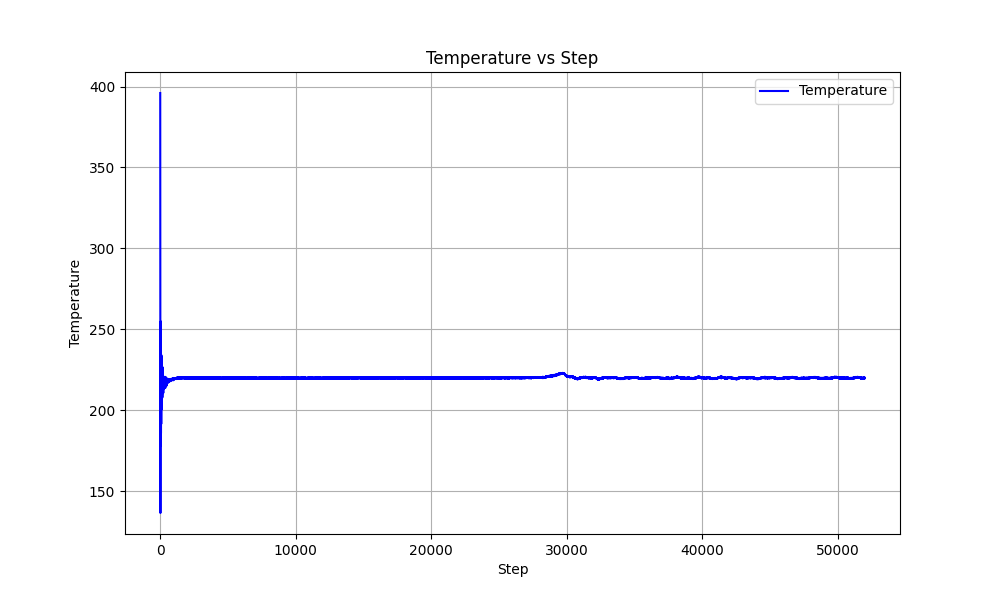
Benchmarks
lammps-logfile is highly optimized for large files. These benchmarks were run on a standard laptop (MacBook Pro M1).
| Simulation | Runs | Steps | Memory (MB) | Time (s) |
|---|---|---|---|---|
| 01_fcc_thermo_multi | 3 | 29 | 0.36 | 0.01 |
| 02_bcc_custom_thermo | 4 | 108 | 0.30 | 0.01 |
| 03_fcc_custom_longlog | 4 | 30004 | 21.05 | 0.07 |
| 04_bcc_multi_then_custom | 5 | 62 | 0.27 | 0.01 |
| 1 GB Log File | 1 | 23,600,000 | 2560.08 | 10.10 |
It uses a memory-mapped parser (backed by the Pandas C engine) to blazing fast performance while keeping memory usage proportional to the output data size.
Legacy Interface
The File class interface is kept for backward compatibility but is considered legacy.
import lammps_logfile

log = lammps_logfile.File("path/to/logfile")

x = log.get("Time")
y = log.get("Temp")

import matplotlib.pyplot as plt
plt.plot(x, y)
plt.show()
This will give the concatenated log entries of all the runs where the style of the thermo output didn't change with respect to the last run. I.e. if the entries in the thermo_style was not changed between runs it will contain the log data for all the timesteps. If the thermo_style was changed, x and y will contain the data from all the timesteps after the thermo_style was changed for the last time.
Multiple runs in the same log file (Legacy)
If multiple run statements have been made in a simulation, these can be retrieved bu supplying the run_num keyword to the get()-function
import lammps_logfile

log = lammps_logfile.File("path/to/logfile")

x = log.get("Time", run_num=N)
y = log.get("Temp", run_num=N)

import matplotlib.pyplot as plt
plt.plot(x, y)
plt.show()
In this case, x and y will contain the log data from the N'th run command in LAMMPS, counting from 0.
Any invalid call to the get()-function will result in the function returning None. This happes if the user asks for a thermo propery that does not exist in the log file, or if the user asks for a run_num larger than the number of runs in the logfile.
1 maintainer

Download files
Download the file for your platform. If you're not sure which to choose, learn more about installing packages.
Source Distribution
Built Distribution
Filter files by name, interpreter, ABI, and platform.
If you're not sure about the file name format, learn more about wheel file names.
Copy a direct link to the current filters
File details
Details for the file lammps_logfile-1.1.4.tar.gz.
File metadata
- Download URL: lammps_logfile-1.1.4.tar.gz
- Upload date:
- Size: 27.5 kB
- Tags: Source
- Uploaded using Trusted Publishing? Yes
- Uploaded via:
twine/7.0.0 CPython/3.13.14
File hashes
| Algorithm | Hash digest | |
|---|---|---|
| SHA256 |
b730ae2f3c58a1105cf07cf18824f6e1951702d5249be5eb24f6cddb9acaa101
|
|
| MD5 |
e940f37a995ae7031a8686b6191dbea2
|
|
| BLAKE2b-256 |
1d18d777c49508d5b73ac2412c08d14a3040271ae7604fd7a26fd0170644b2e6
|
Provenance
The following attestation bundles were made for lammps_logfile-1.1.4.tar.gz:
Publisher:
release.yml on henriasv/lammps-logfile
-
Statement:
-
Statement type:
https://in-toto.io/Statement/v1 -
Predicate type:
https://docs.pypi.org/attestations/publish/v1 -
Subject name:
lammps_logfile-1.1.4.tar.gz -
Subject digest:
b730ae2f3c58a1105cf07cf18824f6e1951702d5249be5eb24f6cddb9acaa101 - Sigstore transparency entry: 2624551972
- Sigstore integration time:
-
Permalink:
henriasv/lammps-logfile@4f127a3f3025fcf01e7ccf15bd7ff1cdd9fa25f9 -
Branch / Tag:
refs/tags/v1.1.4 - Owner: https://github.com/henriasv
-
Access:
public
-
Token Issuer:
https://token.actions.githubusercontent.com -
Runner Environment:
github-hosted -
Publication workflow:
release.yml@4f127a3f3025fcf01e7ccf15bd7ff1cdd9fa25f9 -
Trigger Event:
push
-
Statement type:
File details
Details for the file lammps_logfile-1.1.4-py3-none-any.whl.
File metadata
- Download URL: lammps_logfile-1.1.4-py3-none-any.whl
- Upload date:
- Size: 28.6 kB
- Tags: Python 3
- Uploaded using Trusted Publishing? Yes
- Uploaded via:
twine/7.0.0 CPython/3.13.14
File hashes
| Algorithm | Hash digest | |
|---|---|---|
| SHA256 |
bbf287c4d8fc9b4202fe46e62bd70e9e10a6284154d426987c7f3424f9c96db1
|
|
| MD5 |
196cbca5f3506762a16a671b47958e89
|
|
| BLAKE2b-256 |
aa56336f0a0ce3971c070ade02dd0189128c8a0a5d8cb38df576d9df4a7e9b25
|
Provenance
The following attestation bundles were made for lammps_logfile-1.1.4-py3-none-any.whl:
Publisher:
release.yml on henriasv/lammps-logfile
-
Statement:
-
Statement type:
https://in-toto.io/Statement/v1 -
Predicate type:
https://docs.pypi.org/attestations/publish/v1 -
Subject name:
lammps_logfile-1.1.4-py3-none-any.whl -
Subject digest:
bbf287c4d8fc9b4202fe46e62bd70e9e10a6284154d426987c7f3424f9c96db1 - Sigstore transparency entry: 2624551985
- Sigstore integration time:
-
Permalink:
henriasv/lammps-logfile@4f127a3f3025fcf01e7ccf15bd7ff1cdd9fa25f9 -
Branch / Tag:
refs/tags/v1.1.4 - Owner: https://github.com/henriasv
-
Access:
public
-
Token Issuer:
https://token.actions.githubusercontent.com -
Runner Environment:
github-hosted -
Publication workflow:
release.yml@4f127a3f3025fcf01e7ccf15bd7ff1cdd9fa25f9 -
Trigger Event:
push
-
Statement type:














