

lanestyle
Lane-level road maps from Python.
Every lane drawn at its real width, with painted lane lines, turns, and a click that shows where a lane leads. One offline HTML file.





Install · Quickstart · Gallery · What goes in · Documentation
Why lanestyle
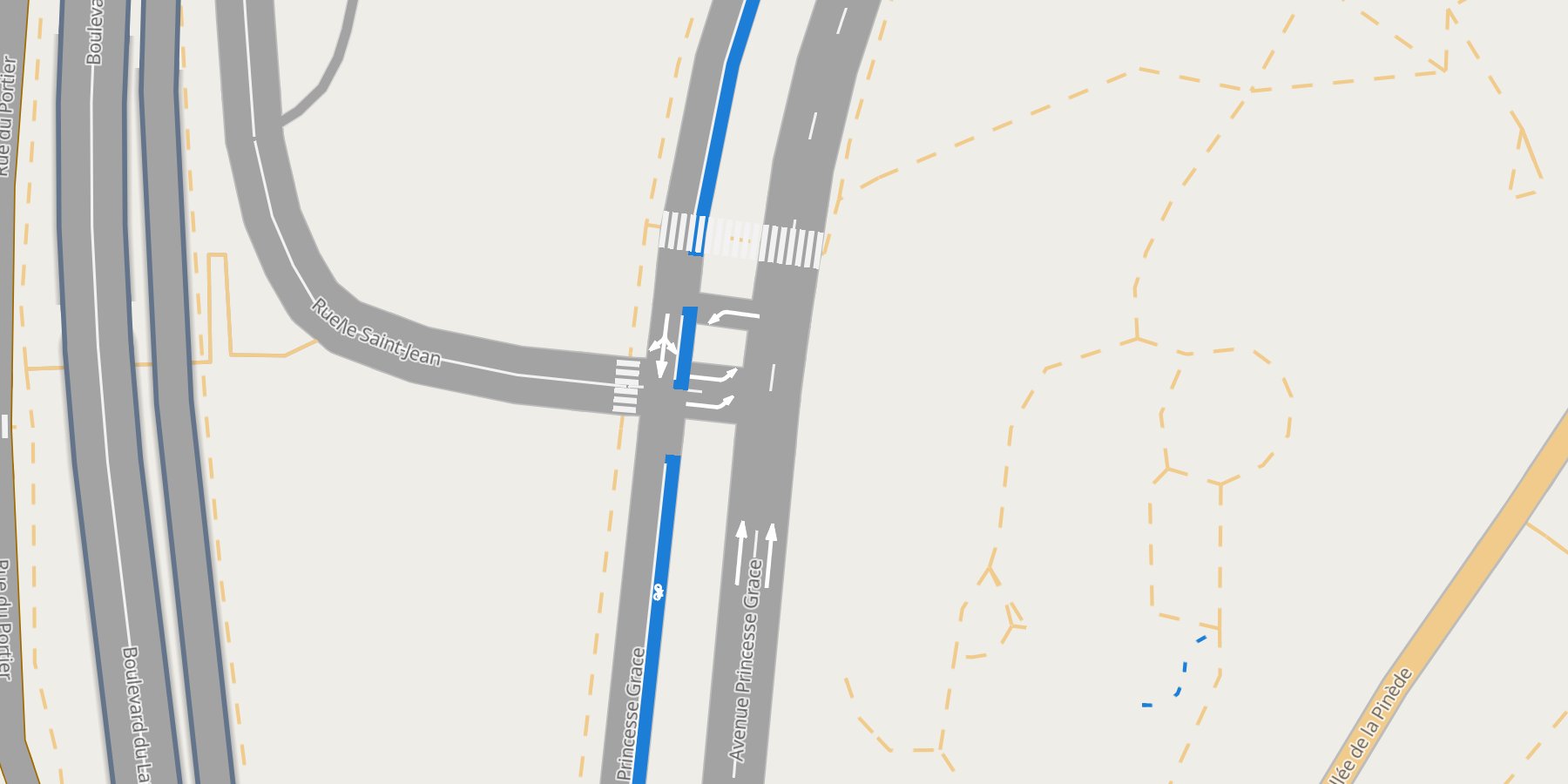
- Lanes, not roads. Each lane is its own line, exactly its width in metres from zoom 16 on (3.25 m where OSM says nothing), so neighbours sit side by side with no gap and no overlap.
- Painted lane lines. Dashed dividers between lanes of one direction, a solid centre line between the two directions, grey edges: drawn to scale, cut at junctions, styled per type.
- Turns you can see. Click a lane: it turns red, the lanes it leads into green, U-turns purple.
Every lane carries its turn label (
left + thru,right,fork,merge,end). - Built on roadstyle. Bridges over, tunnels under
(from the OSM
layertag), base maps, the filter box, popups, arrows and thers*JavaScript API come with it. lanestyle is to lanes what mapstyle is to the full base map. - From OpenStreetMap. duckOSM places the lanes and works
out the lane-to-lane turns as a GMNS database;
from_gmnsreads it. Any other lane table draws too. - One offline file. Map, data and styling in a single HTML page: open it, serve it, embed it.
Install
pip install lanestyle
Python ≥ 3.10. Brings roadstyle ≥ 0.11 (line widths in metres), geopandas, shapely 2, duckdb and pandas.
Quickstart
No data needed. Monaco's lanes ship with the repo as GeoParquet
(docs/data/, 1 MB):
import geopandas as gpd, pandas as pd
import lanestyle as ls

lanes = gpd.read_parquet("docs/data/monaco_lanes.parquet")
turns = pd.read_parquet("docs/data/monaco_turns.parquet")
ls.render_lanes(lanes, turns=turns).save("monaco.html")     # open it: no server needed
Your own area, with duckOSM (pip install "duckosm @ git+https://github.com/Khoshkhah/duckOSM"):
duckosm build --pbf monaco-latest.osm.pbf -o monaco.duckdb -m driving
duckosm gmns monaco.duckdb -m driving -o monaco_gmns.duckdb
lanes, turns = ls.from_gmns("monaco_gmns.duckdb", source_db="monaco.duckdb")   # + levels, boundary
ls.render_lanes(lanes, turns=turns, boundary=ls.read_boundary("monaco.duckdb")).save("monaco.html")
Or from the shell: python render_lanes.py monaco_gmns.duckdb monaco.html --source-db monaco.duckdb.
The whole chain from a raw .osm.pbf: From OSM to lanes.
More looks: every roadstyle keyword passes through.
ls.render_lanes(lanes, turns=turns, basemap="dark_matter")                              # dark
ls.render_lanes(lanes, turns=turns, settings={"lanes": {"colors": {"bus": "#d35400"}}})  # your colours
ls.render_lanes(lanes, settings={"lanes": {"lines": False, "type_label_zoom": None}})     # plain lanes
ls.render_lanes(lanes, turns=turns, overlays=[rs.Overlay(route_gdf, label="route")])     # a lane route on top
Gallery
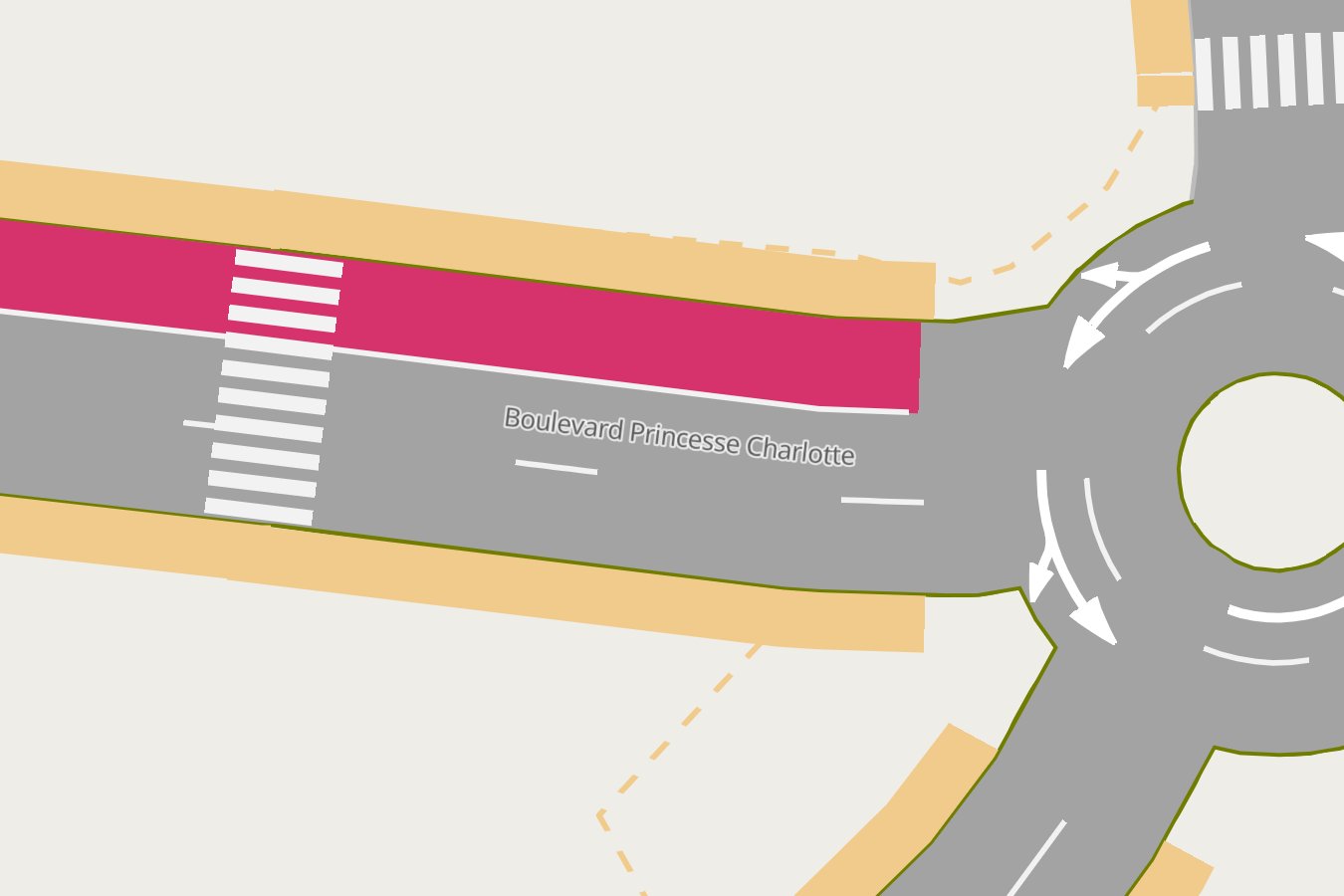 Lane lines dividers, centre line, edges, to scale |
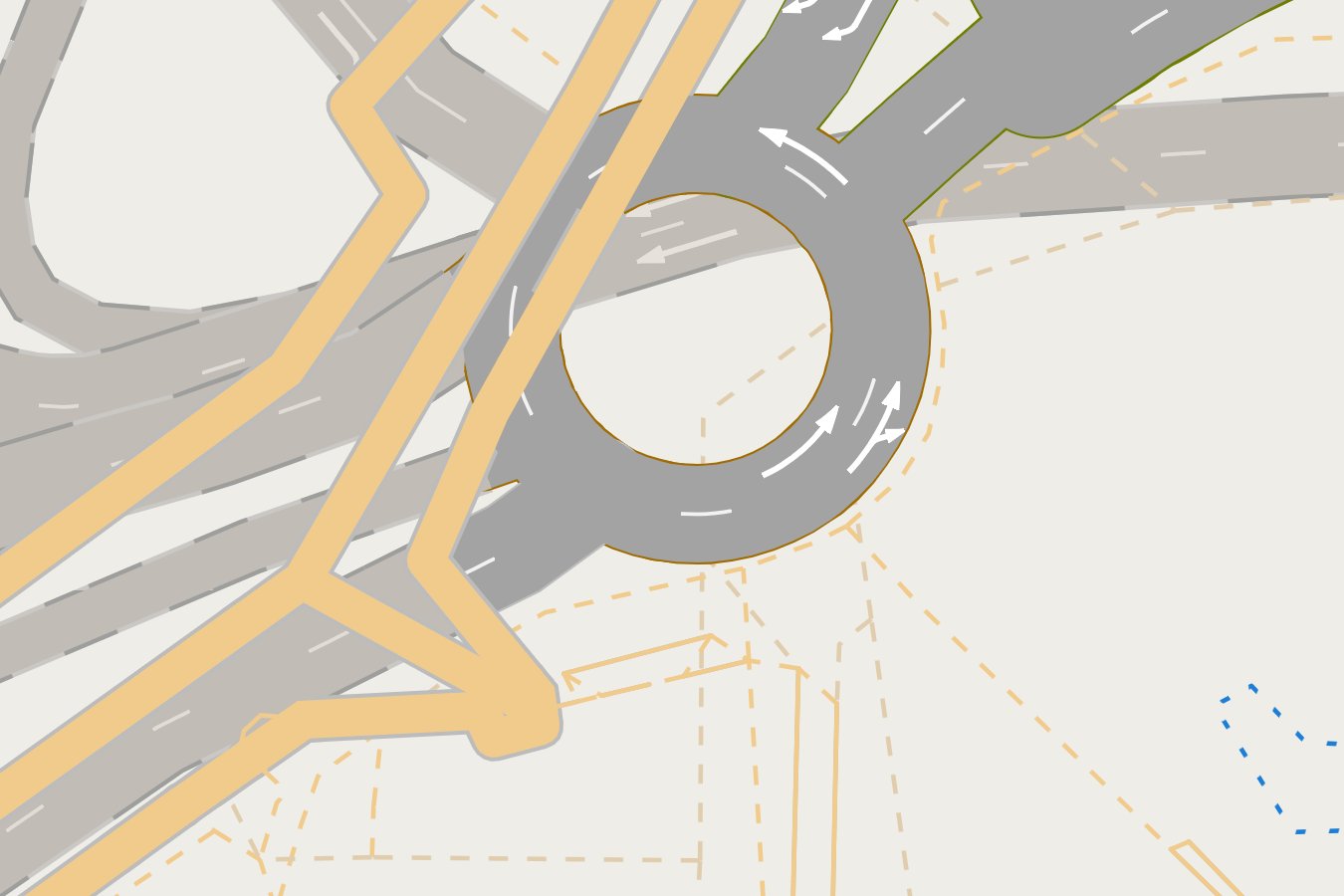 A roundabout one ring, one road |
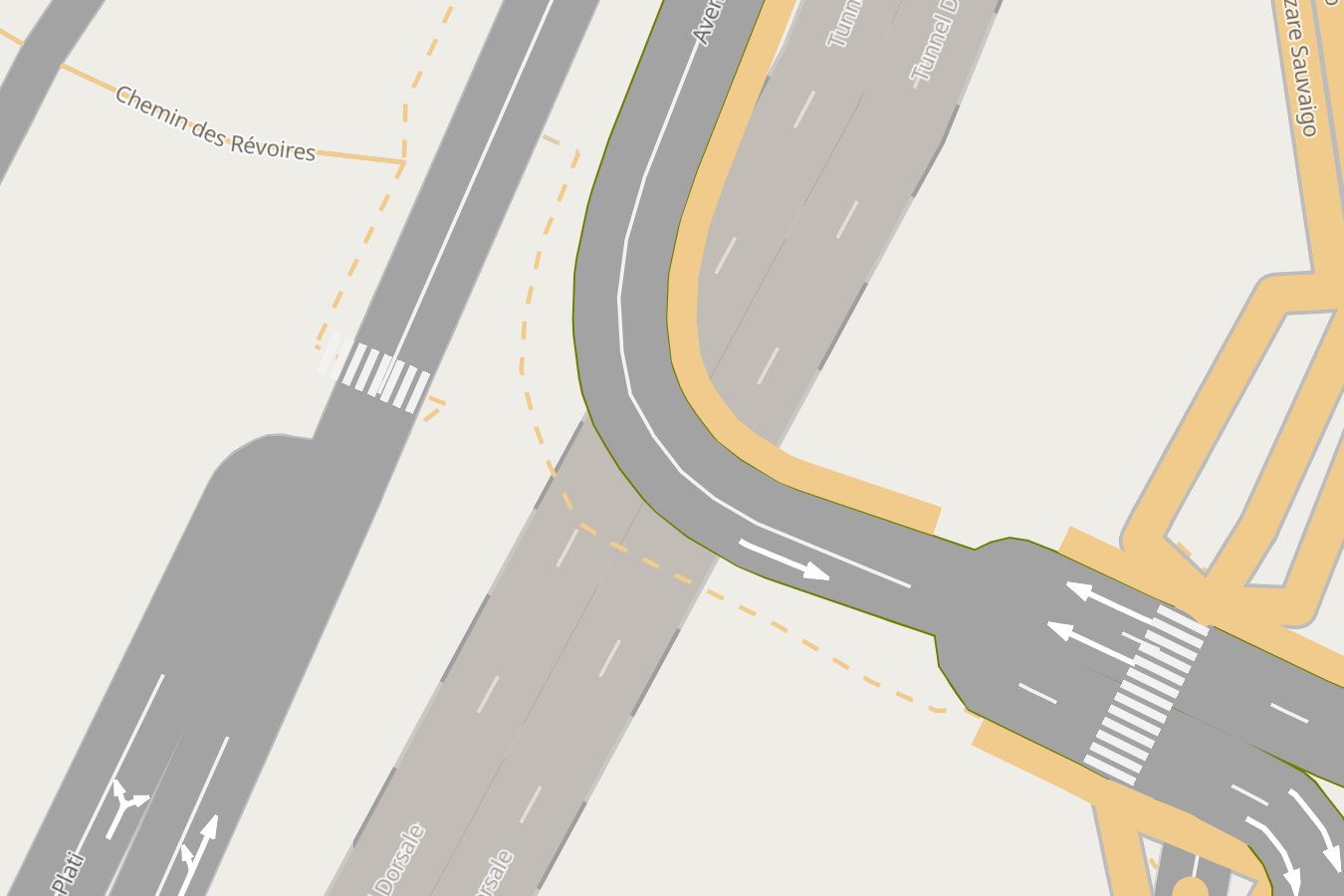 A tunnel under the street, from the layer tag |
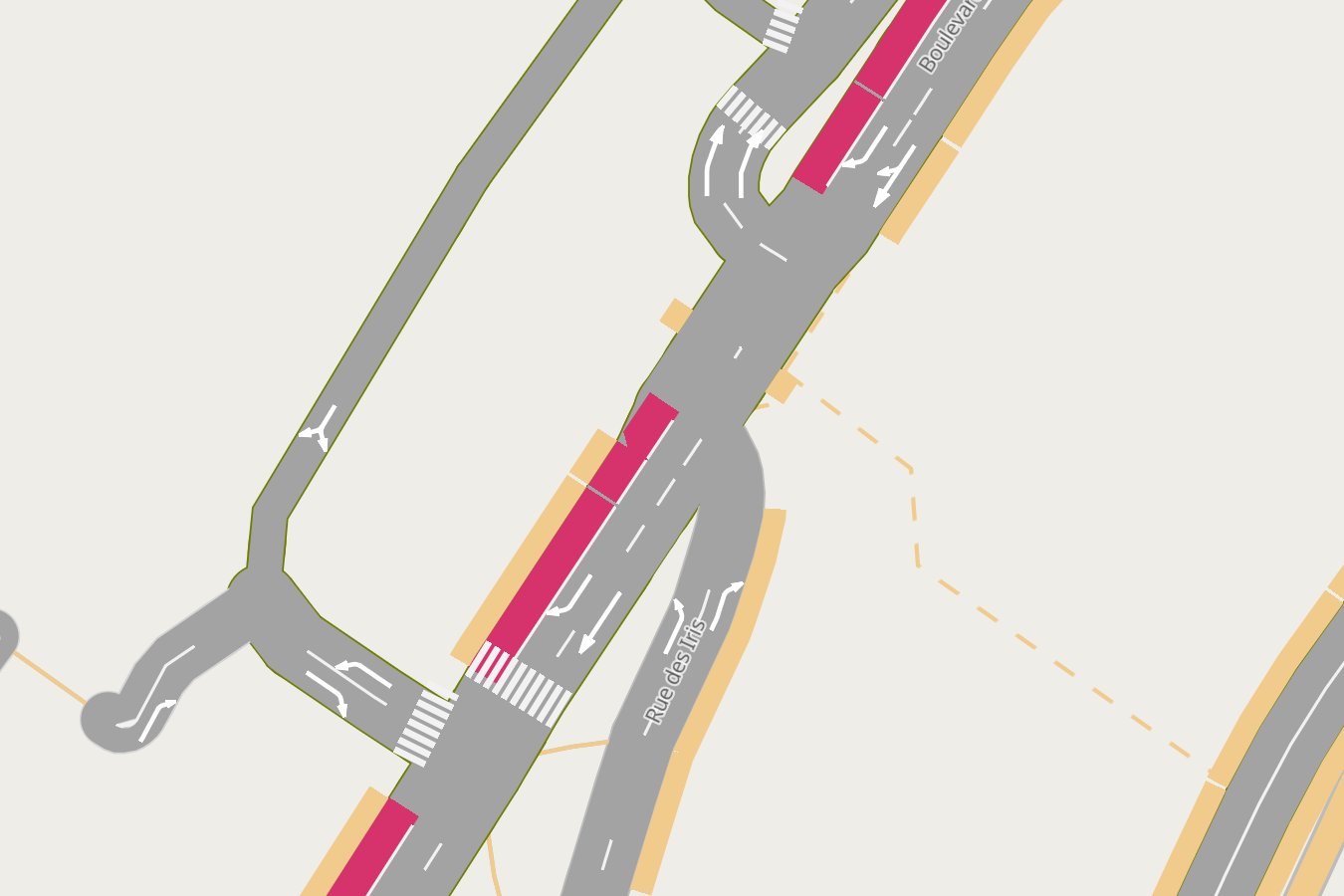 Bus lanes painted over the palette, a row in the Roads box |
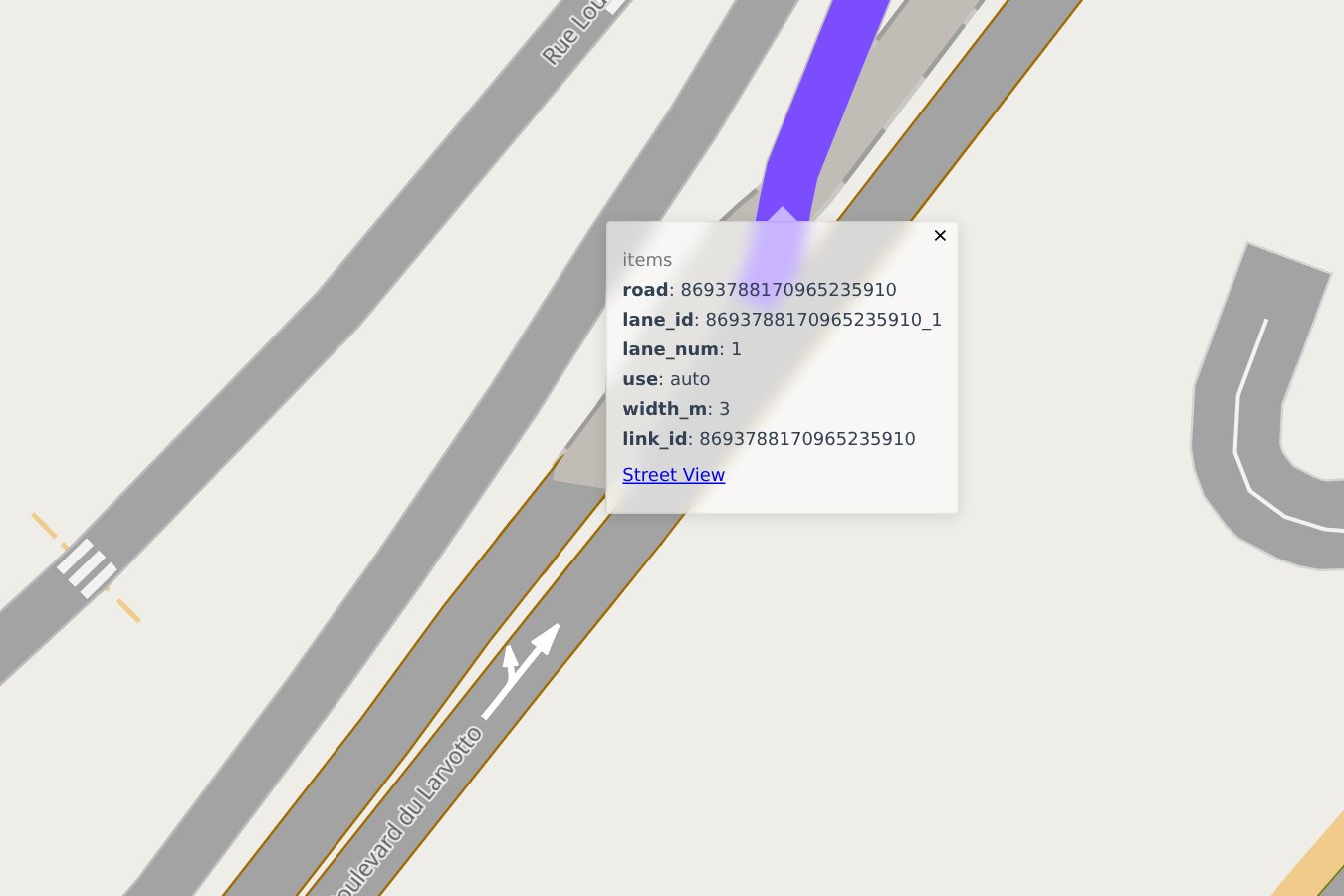 Click a lane red, into green, U-turns purple |
 Zoomed out roadstyle's class widths below zoom 16 |
Every look with its code: the gallery.
What goes in
lanes is a GeoDataFrame, one row per lane, each line in the direction of travel. Three columns
are required; the others switch features on:
| Column | Powers |
|---|---|
lane_id, geometry, highway |
the lane: unique id, centre line, road class (colour, filter box) |
width_m |
its width in metres (3.25 where null) |
use |
auto, bus or bike: bus and bike lanes are painted over the palette |
bridge / tunnel / layer |
grade separation, read as roadstyle reads them |
name |
the street label (set it on one lane per road) |
link_id, lane_num (+ reverse_link_id, from_node_id, to_node_id) |
the lane lines: which lanes share a road, which road is the other direction, where junctions are |
connector, from_lane, to_lane |
lane connectors: the curves through a junction, drawn like lanes |
| anything else | shown in the popup |
turns (optional) has from_lane, to_lane and a type (thru, left, right, uturn,
diverge, merge): the click colours, the lane type labels, and turns_in / turns_out in the
popup. Lane 1 is the leftmost lane (right-hand traffic). Details:
The lane table.
Settings
roadstyle's settings apply as they are; lanestyle adds a lanes key
(defaults): the lane and click colours, the three lane line
types (color, width_m, dash_m), junction_trim_m, type_label_zoom, default_width_m,
width_m_zoom. Override them the roadstyle way, a lanestyle.json in the current folder or
settings={"lanes": {...}}, stating only what changes.
Drive it from JavaScript
A lanestyle page is a roadstyle page, so the whole window.rs* API is there, with the lane table's
columns as properties:
const bus = rsQuery(p => p.use === "bus");  rsColor(bus, "#ff8800");  rsFocus(bus);
rsSelect(rsQuery(p => p.lane_id === "8121729169906061189_2")[0]);     // click a lane by id
Fidelity
Lane geometry is duckOSM's drive-side offset centre line, one continuous curve along a road.
Widths are the 3.25 m default wherever OSM lacks width:lanes, which today is nearly everywhere.
Lane-to-lane turns follow turn:lanes where tagged and osm2gmns's defaults elsewhere. A lane-level
map, not a survey-grade HD map.
Documentation
khoshkhah.github.io/lanestyle: get started, guides (the lane table, lane lines, turns and clicks, the duckOSM pipeline, websites), the gallery, the Python API, settings, the command line, and the design notes.
License
MIT.
1 maintainer

Metadata
1 maintainer
Release files for lanestyle 0.1.0
For a detailed explanation of source distributions (sdists) and built distributions (wheels), please see the package formats documentation.
Source distribution (sdist)
| File | Size | Uploaded | |
|---|---|---|---|
| lanestyle-0.1.0.tar.gz | 29.1 kB | Details |
Built distribution (wheel)
| File | Interpreter | ABI | Platform | Reset |
|---|---|---|---|---|
| lanestyle-0.1.0-py3-none-any.whl | Python 3 | none | any | Details |
Total release size: 52.6 kB
Release files / lanestyle-0.1.0.tar.gz
| Download URL | lanestyle-0.1.0.tar.gz |
|---|---|
| Size | 29.1 kB |
| Tags | Source |
|
SHA-256 checksum How to use checksums |
225b78efa4a9068e4e98ffb4482a2da38c5861dd2ed34f610a60739691418d34
|
|
BLAKE2b-256 checksum How to use checksums |
c360eb44f67e675ca18efebf3d438f6c20ebc4bfd3e8a3211e638689a84388be
|
| Upload date | |
|
Uploaded using Trusted Publishing? What is trusted publishing? |
Yes |
| Uploaded via |
twine/7.0.0 CPython/3.13.14
|
Provenance
Provenance describes where a file came from. On PyPI, provenance is shared via attestations, which provide a verifiable record of the build or publishing details. View details, limitations and caveats.


PyPI Publish Attestation
PyPI verified that this artifact, at this checksum, originated from the publisher listed below.
Signed by GitHub Actions, verified by PyPI on Oct 1, 2026.
Transparency logRelease files / lanestyle-0.1.0-py3-none-any.whl
| Download URL | lanestyle-0.1.0-py3-none-any.whl |
|---|---|
| Size | 23.5 kB |
| Tags | Python 3 |
|
SHA-256 checksum How to use checksums |
d825c529da6dddc2504251b89d18257de6786a7e995a63c735f02d3e47791f4d
|
|
BLAKE2b-256 checksum How to use checksums |
3207d4ef7a85e9461ea949990ddf9c56ed04ceeaf5b0338a4541db6b3a231ca5
|
| Upload date | |
|
Uploaded using Trusted Publishing? What is trusted publishing? |
Yes |
| Uploaded via |
twine/7.0.0 CPython/3.13.14
|
Provenance
Provenance describes where a file came from. On PyPI, provenance is shared via attestations, which provide a verifiable record of the build or publishing details. View details, limitations and caveats.
PyPI Publish Attestation
PyPI verified that this artifact, at this checksum, originated from the publisher listed below.
Signed by GitHub Actions, verified by PyPI on Oct 1, 2026.
Transparency log













