
Use Scrapeless in LangChain




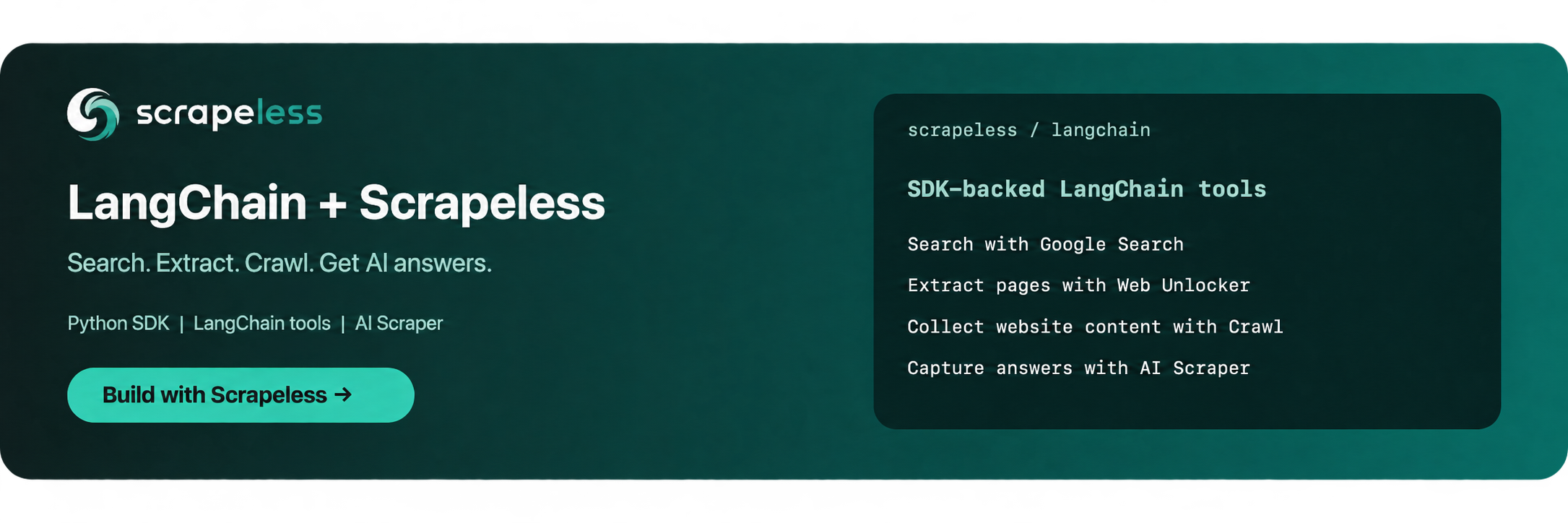
Use Scrapeless tools in LangChain workflows to search Google, extract pages with Web Unlocker, collect website content with Crawl, and capture AI-generated answers with AI Scraper through the Python SDK.
Get your Scrapeless API key with $5 Free credits!
- Documentation: Scrapeless LangChain integration page
langchain-scrapeless is designed for seamless integration with LangChain, enabling you to:
- Retrieve structured Google Search results.
- Extract webpage content with Web Unlocker.
- Collect individual pages, batches of pages, or linked website pages with Crawl.
- Collect AI-generated answers and available source data from supported AI Scraper engines.
- Compose these tools into LangChain workflows and agents.
📦 Installation
Use Python 3.10 or later. Install this release from PyPI:
python -m pip install "langchain-scrapeless==0.1.4"
To install from a source checkout, run python -m pip install . from the directory containing pyproject.toml.
For the optional LangChain 1.x agent examples, also install:
python -m pip install "langchain>=1,<2" "langchain-openai>=1,<2"
✅ Prerequisites
You should configure the credentials for the Scrapeless API in your environment variables.
SCRAPELESS_API_KEY: Your Scrapeless API key.OPENAI_API_KEY: Required only for the optionalChatOpenAIagent examples.
On macOS or Linux, set the required key before running a tool:
export SCRAPELESS_API_KEY="YOUR_SCRAPELESS_API_KEY"
In PowerShell, use $env:SCRAPELESS_API_KEY = "YOUR_SCRAPELESS_API_KEY".
For the agent examples, also set OPENAI_API_KEY in the same terminal.
If you don't have an API key, you can register at here and learn how to get your API key in Scrapeless documentation.
🛠️ Available Tools
🔍 Scraping API
🌐 ScrapelessDeepSerpGoogleSearchTool
Perform Google search queries and get the results.
from langchain_scrapeless import ScrapelessDeepSerpGoogleSearchTool

tool = ScrapelessDeepSerpGoogleSearchTool()

# Basic usage
# result = tool.invoke("I want to know Scrapeless")
# print(result)

# Advanced usage
result = tool.invoke({
    "q": "Scrapeless",
    "hl": "en",
    "google_domain": "google.com"
})
print(result)

# With LangChain
from langchain_openai import ChatOpenAI
from langchain_scrapeless import ScrapelessDeepSerpGoogleSearchTool
from langchain.agents import create_agent

llm = ChatOpenAI()

tool = ScrapelessDeepSerpGoogleSearchTool()

# Use the tool with an agent
tools = [tool]
agent = create_agent(llm, tools)

for chunk in agent.stream(
        {"messages": [("human", "I want to what is Scrapeless")]},
        stream_mode="values"
):
    chunk["messages"][-1].pretty_print()
You can visit here to learn more customizations options.
🔓 Web Unlocker (ScrapelessUniversalScrapingTool)
Access any website at scale and say goodbye to blocks.
from langchain_scrapeless import ScrapelessUniversalScrapingTool

tool = ScrapelessUniversalScrapingTool()

# Basic usage
# result = tool.invoke("https://example.com")
# print(result)

# Advanced usage
result = tool.invoke({
    "url": "https://example.com",
    "response_type": "markdown"
})
print(result)

# With LangChain
from langchain_openai import ChatOpenAI
from langchain_scrapeless import ScrapelessUniversalScrapingTool
from langchain.agents import create_agent

llm = ChatOpenAI()

tool = ScrapelessUniversalScrapingTool()

# Use the tool with an agent
tools = [tool]
agent = create_agent(llm, tools)

for chunk in agent.stream(
        {"messages": [("human", "Use the scrapeless scraping tool to fetch https://www.scrapeless.com/en and extract the h1 tag.")]},
        stream_mode="values"
):
    chunk["messages"][-1].pretty_print()
You can visit here to learn more customizations options.
🕷️ Crawl
🌐 ScrapelessCrawlerCrawlTool
Crawl a website and its linked pages to extract comprehensive data
from langchain_scrapeless import ScrapelessCrawlerCrawlTool

tool = ScrapelessCrawlerCrawlTool()

# Basic
# result = tool.invoke("https://example.com")
# print(result)

# Advanced usage
result = tool.invoke({
    "url": "https://example.com",
    "limit": 4
})
print(result)

# With LangChain
from langchain_openai import ChatOpenAI
from langchain_scrapeless import ScrapelessCrawlerCrawlTool
from langchain.agents import create_agent

llm = ChatOpenAI()

tool = ScrapelessCrawlerCrawlTool()

# Use the tool with an agent
tools = [tool]
agent = create_agent(llm, tools)

for chunk in agent.stream(
        {"messages": [("human", "Use the scrapeless crawler crawl tool to crawl the website https://example.com and output the markdown content as a string.")]},
        stream_mode="values"
):
    chunk["messages"][-1].pretty_print()
You can visit here to learn more customizations options.
🌐 ScrapelessCrawlerScrapeTool
Extract data from a single or multiple webpages.
from langchain_scrapeless import ScrapelessCrawlerScrapeTool

tool = ScrapelessCrawlerScrapeTool()

result = tool.invoke({
    "urls": ["https://example.com", "https://www.scrapeless.com/en"],
    "formats": ["markdown"]
})
print(result)

# With LangChain
from langchain_openai import ChatOpenAI
from langchain_scrapeless import ScrapelessCrawlerScrapeTool
from langchain.agents import create_agent

llm = ChatOpenAI()

tool = ScrapelessCrawlerScrapeTool()

# Use the tool with an agent
tools = [tool]
agent = create_agent(llm, tools)

for chunk in agent.stream(
        {"messages": [("human", "Use the scrapeless crawler scrape tool to get the website content of https://example.com and output the html content as a string.")]},
        stream_mode="values"
):
    chunk["messages"][-1].pretty_print()
🤖 AI Scraper
Collect AI-generated answers and available source data from ChatGPT, Perplexity, Microsoft Copilot, Gemini, Google AI Mode, Google AI Overview, Grok, and Amazon Alexa through the Scrapeless Python SDK.
The tools use SCRAPELESS_API_KEY and wait for task completion by default. ChatGPT returns answer text by default; set output_format="json" for the full task response. The other AI Scraper tools return the full task response by default. Result fields vary by engine. Google AI Overview may complete successfully without generating an overview.
Engine tools
🌐 ScrapelessChatGPTScraperTool
Collect ChatGPT answers, search links, and attribution data.
from langchain_scrapeless import ScrapelessChatGPTScraperTool

tool = ScrapelessChatGPTScraperTool()

# Basic usage
# result = tool.invoke({"prompt": "Explain HTTP caching."})
# print(result)

# Advanced usage
result = tool.invoke({
    "prompt": "Explain how HTTP caching works.",
    "country": "US",
    "web_search": True,
    "shopping": False,
    "output_format": "json"
})
print(result)

# With LangChain
from langchain_openai import ChatOpenAI
from langchain_scrapeless import ScrapelessChatGPTScraperTool
from langchain.agents import create_agent

llm = ChatOpenAI()

tool = ScrapelessChatGPTScraperTool()

# Use the tool with an agent
tools = [tool]
agent = create_agent(llm, tools)

for chunk in agent.stream(
        {"messages": [("human", "Use the ChatGPT scraper to explain HTTP caching.")]},
        stream_mode="values"
):
    chunk["messages"][-1].pretty_print()
You can visit here to learn more customization options.
🌐 ScrapelessPerplexityScraperTool
Collect Perplexity answers, citations, and related questions.
from langchain_scrapeless import ScrapelessPerplexityScraperTool

tool = ScrapelessPerplexityScraperTool()

# Basic usage
# result = tool.invoke({"prompt": "Explain HTTP caching."})
# print(result)

# Advanced usage
result = tool.invoke({
    "prompt": "Explain how HTTP caching works.",
    "country": "US",
    "web_search": True
})
print(result)

# With LangChain
from langchain_openai import ChatOpenAI
from langchain_scrapeless import ScrapelessPerplexityScraperTool
from langchain.agents import create_agent

llm = ChatOpenAI()

tool = ScrapelessPerplexityScraperTool()

# Use the tool with an agent
tools = [tool]
agent = create_agent(llm, tools)

for chunk in agent.stream(
        {"messages": [("human", "Use the Perplexity scraper to explain HTTP caching.")]},
        stream_mode="values"
):
    chunk["messages"][-1].pretty_print()
You can visit here to learn more customization options.
🌐 ScrapelessCopilotScraperTool
Collect Microsoft Copilot answers and citations in the selected mode.
from langchain_scrapeless import ScrapelessCopilotScraperTool

tool = ScrapelessCopilotScraperTool()

# Basic usage
# result = tool.invoke({"prompt": "Explain HTTP caching.", "mode": "search"})
# print(result)

# Advanced usage
result = tool.invoke({
    "prompt": "Explain how HTTP caching works.",
    "country": "US",
    "mode": "search"
})
print(result)

# With LangChain
from langchain_openai import ChatOpenAI
from langchain_scrapeless import ScrapelessCopilotScraperTool
from langchain.agents import create_agent

llm = ChatOpenAI()

tool = ScrapelessCopilotScraperTool()

# Use the tool with an agent
tools = [tool]
agent = create_agent(llm, tools)

for chunk in agent.stream(
        {"messages": [("human", "Use the Microsoft Copilot scraper to explain HTTP caching.")]},
        stream_mode="values"
):
    chunk["messages"][-1].pretty_print()
You can visit here to learn more customization options.
🌐 ScrapelessGeminiScraperTool
Collect Gemini answers and structured citation metadata.
from langchain_scrapeless import ScrapelessGeminiScraperTool

tool = ScrapelessGeminiScraperTool()

# Basic usage
# result = tool.invoke({"prompt": "Explain HTTP caching."})
# print(result)

# Advanced usage
result = tool.invoke({
    "prompt": "Explain how HTTP caching works.",
    "country": "US",
    "shopping": False
})
print(result)

# With LangChain
from langchain_openai import ChatOpenAI
from langchain_scrapeless import ScrapelessGeminiScraperTool
from langchain.agents import create_agent

llm = ChatOpenAI()

tool = ScrapelessGeminiScraperTool()

# Use the tool with an agent
tools = [tool]
agent = create_agent(llm, tools)

for chunk in agent.stream(
        {"messages": [("human", "Use the Gemini scraper to explain HTTP caching.")]},
        stream_mode="values"
):
    chunk["messages"][-1].pretty_print()
You can visit here to learn more customization options.
🌐 ScrapelessGoogleAIModeScraperTool
Collect Google AI Mode answers and citation data.
from langchain_scrapeless import ScrapelessGoogleAIModeScraperTool

tool = ScrapelessGoogleAIModeScraperTool()

# Basic usage
# result = tool.invoke({"prompt": "Explain HTTP caching.", "country": "US"})
# print(result)

# Advanced usage
result = tool.invoke({
    "prompt": "Explain how HTTP caching works.",
    "country": "US",
    "shopping": False
})
print(result)

# With LangChain
from langchain_openai import ChatOpenAI
from langchain_scrapeless import ScrapelessGoogleAIModeScraperTool
from langchain.agents import create_agent

llm = ChatOpenAI()

tool = ScrapelessGoogleAIModeScraperTool()

# Use the tool with an agent
tools = [tool]
agent = create_agent(llm, tools)

for chunk in agent.stream(
        {"messages": [("human", "Use the Google AI Mode scraper to explain HTTP caching.")]},
        stream_mode="values"
):
    chunk["messages"][-1].pretty_print()
You can visit here to learn more customization options.
🌐 ScrapelessGoogleAIOverviewScraperTool
Collect Google AI Overview content and web sources when an overview is available.
from langchain_scrapeless import ScrapelessGoogleAIOverviewScraperTool

tool = ScrapelessGoogleAIOverviewScraperTool()

# Basic usage
# result = tool.invoke({"prompt": "Explain HTTP caching."})
# print(result)

# Advanced usage
result = tool.invoke({
    "prompt": "What is HTTP caching?",
    "country": "US",
    "shopping": False
})
print(result)

# With LangChain
from langchain_openai import ChatOpenAI
from langchain_scrapeless import ScrapelessGoogleAIOverviewScraperTool
from langchain.agents import create_agent

llm = ChatOpenAI()

tool = ScrapelessGoogleAIOverviewScraperTool()

# Use the tool with an agent
tools = [tool]
agent = create_agent(llm, tools)

for chunk in agent.stream(
        {"messages": [("human", "Use the Google AI Overview scraper to research HTTP caching.")]},
        stream_mode="values"
):
    chunk["messages"][-1].pretty_print()
You can visit here to learn more customization options.
🌐 ScrapelessGrokScraperTool
Collect Grok answers, web and X search results, and footnotes.
from langchain_scrapeless import ScrapelessGrokScraperTool

tool = ScrapelessGrokScraperTool()

# Basic usage
# result = tool.invoke({"prompt": "Explain HTTP caching."})
# print(result)

# Advanced usage
result = tool.invoke({
    "prompt": "Explain how HTTP caching works.",
    "country": "US"
})
print(result)

# With LangChain
from langchain_openai import ChatOpenAI
from langchain_scrapeless import ScrapelessGrokScraperTool
from langchain.agents import create_agent

llm = ChatOpenAI()

tool = ScrapelessGrokScraperTool()

# Use the tool with an agent
tools = [tool]
agent = create_agent(llm, tools)

for chunk in agent.stream(
        {"messages": [("human", "Use the Grok scraper to explain HTTP caching.")]},
        stream_mode="values"
):
    chunk["messages"][-1].pretty_print()
You can visit here to learn more customization options.
🌐 ScrapelessAlexaScraperTool
Collect Amazon Alexa answers and source references.
from langchain_scrapeless import ScrapelessAlexaScraperTool

tool = ScrapelessAlexaScraperTool()

# Basic usage
# result = tool.invoke({"prompt": "Explain HTTP caching."})
# print(result)

# Advanced usage
result = tool.invoke({
    "prompt": "Explain how HTTP caching works.",
    "country": "US"
})
print(result)

# With LangChain
from langchain_openai import ChatOpenAI
from langchain_scrapeless import ScrapelessAlexaScraperTool
from langchain.agents import create_agent

llm = ChatOpenAI()

tool = ScrapelessAlexaScraperTool()

# Use the tool with an agent
tools = [tool]
agent = create_agent(llm, tools)

for chunk in agent.stream(
        {"messages": [("human", "Use the Amazon Alexa scraper to explain HTTP caching.")]},
        stream_mode="values"
):
    chunk["messages"][-1].pretty_print()
You can visit here to learn more customization options.
Unified invocation and result lookup
🌐 ScrapelessAIScraperTool
Select an AI Scraper engine through one tool. Supported engine values are chatgpt, perplexity, copilot, gemini, aimode, overview, grok, and alexa.
from langchain_scrapeless import ScrapelessAIScraperTool

tool = ScrapelessAIScraperTool()

result = tool.invoke({
    "engine": "perplexity",
    "input": {
        "prompt": "Explain how HTTP caching works.",
        "country": "US",
        "web_search": True,
        "output_format": "json"
    }
})
print(result)

# With LangChain
from langchain_openai import ChatOpenAI
from langchain.agents import create_agent

llm = ChatOpenAI()

tools = [tool]
agent = create_agent(llm, tools)

for chunk in agent.stream(
        {"messages": [("human", "Use Perplexity to explain HTTP caching.")]},
        stream_mode="values"
):
    chunk["messages"][-1].pretty_print()
You can visit here to learn more customization options.
🌐 ScrapelessAIScraperResultTool
Retrieve an existing AI Scraper task without creating a new task. Set wait=False when submitting a task to receive its task ID, then use that ID to retrieve the result. The poll_timeout and poll_interval options control local waiting.
from langchain_scrapeless import (
    ScrapelessAIScraperResultTool,
    ScrapelessPerplexityScraperTool,
)

tool = ScrapelessPerplexityScraperTool()

task = tool.invoke({
    "prompt": "Explain how HTTP caching works.",
    "country": "US",
    "wait": False
})
print(task)

result_tool = ScrapelessAIScraperResultTool()
result = result_tool.invoke({
    "task_id": task["task_id"],
    "engine": "perplexity",
    "output_format": "json",
    "poll_timeout": 180,
    "poll_interval": 5
})
print(result)
You can visit here to learn more customization options.
1 maintainer

Metadata
1 maintainer
Release files for langchain-scrapeless 0.1.4
For a detailed explanation of source distributions (sdists) and built distributions (wheels), please see the package formats documentation.
Source distribution (sdist)
| File | Size | Uploaded | Provenance | Actions |
|---|---|---|---|---|
| langchain_scrapeless-0.1.4.tar.gz | 30.7 kB | With provenance | Details for langchain_scrapeless-0.1.4.tar.gz |
Built distribution (wheel)
| File | Interpreter | ABI | Platform | Actions Reset |
|---|---|---|---|---|
| langchain_scrapeless-0.1.4-py3-none-any.whl | Python 3 | none | any | Details for langchain_scrapeless-0.1.4-py3-none-any.whl |
Total release size: 62.0 kB
Release files / langchain_scrapeless-0.1.4.tar.gz
| Download URL | langchain_scrapeless-0.1.4.tar.gz |
|---|---|
| Size | 30.7 kB |
| Tags | Source |
|
SHA-256 checksum How to use checksums |
05cc1295d4a8638c1cf8b2af600abaeffdfa9b8a945fd33bfba1e7a9e06f1444
|
|
BLAKE2b-256 checksum How to use checksums |
bc05b521feed9c0276d02522f73fff1c2f8496cd9dd980f1ca02e9c490db2304
|
| Upload date | |
|
Uploaded using Trusted Publishing? What is trusted publishing? |
Yes |
| Uploaded via |
twine/7.0.0 CPython/3.13.16
|
Provenance
Provenance describes where a file came from. On PyPI, provenance is shared via attestations, which provide a verifiable record of the build or publishing details. View details, limitations and caveats.


PyPI Publish Attestation
PyPI verified that this artifact, at this checksum, originated from the publisher listed below.
Signed by GitHub Actions, verified by PyPI on Nov 6, 2026.
Transparency logRelease files / langchain_scrapeless-0.1.4-py3-none-any.whl
| Download URL | langchain_scrapeless-0.1.4-py3-none-any.whl |
|---|---|
| Size | 31.2 kB |
| Tags | Python 3 |
|
SHA-256 checksum How to use checksums |
d8ac2ca599d1c8964c8eb4db62f36f365f0d45bb77b27b6f7919aa8d06986208
|
|
BLAKE2b-256 checksum How to use checksums |
4042e3a2de479acd70099d5c56449dbff8e24f4536266b59fa662f6facb30bfc
|
| Upload date | |
|
Uploaded using Trusted Publishing? What is trusted publishing? |
Yes |
| Uploaded via |
twine/7.0.0 CPython/3.13.16
|
Provenance
Provenance describes where a file came from. On PyPI, provenance is shared via attestations, which provide a verifiable record of the build or publishing details. View details, limitations and caveats.
PyPI Publish Attestation
PyPI verified that this artifact, at this checksum, originated from the publisher listed below.
Signed by GitHub Actions, verified by PyPI on Nov 6, 2026.
Transparency logSecurity for langchain-scrapeless 0.1.4
Provenance
Provenance describes where a file came from. On PyPI, provenance is shared via attestations, which provide a verifiable record of the build or publishing details. View details, limitations and caveats.
Full provenance
Both files in this release have been uploaded with provenance metadata.
Attestation for langchain_scrapeless-0.1.4.tar.gz
PyPI Publish Attestation
PyPI verified that this artifact, at this checksum, originated from the publisher listed below.
Signed by GitHub Actions, verified by PyPI on Nov 6, 2026.
Transparency logA note on package security
PyPI is a repository for distributing packages, not a service for auditing them. While third-party security researchers and our staff do their best to detect and remove malicious packages, PyPI cannot guarantee the quality, security or suitability of any given package.
To learn more about protecting yourself from malicious actors, visit our package security documentation.














