
A Python package with a built-in web application


Project description







Langflow is a powerful platform for building and deploying AI-powered agents and workflows. It provides developers with both a visual authoring experience and built-in API and MCP servers that turn every workflow into a tool that can be integrated into applications built on any framework or stack. Langflow comes with batteries included and supports all major LLMs, vector databases and a growing library of AI tools.
✨ Highlight features
- Visual builder interface to quickly get started and iterate.
- Source code access lets you customize any component using Python.
- Interactive playground to immediately test and refine your flows with step-by-step control.
- Multi-agent orchestration with conversation management and retrieval.
- Deploy as an API or export as JSON for Python apps.
- Deploy as an MCP server and turn your flows into tools for MCP clients.
- Observability with LangSmith, LangFuse and other integrations.
- Enterprise-ready security and scalability.
🖥️ Langflow Desktop
Langflow Desktop is the easiest way to get started with Langflow. All dependencies are included, so you don't need to manage Python environments or install packages manually. Available for Windows and macOS.
⚡️ Quickstart
Install locally (recommended)
Requires Python 3.10–3.13 and uv (recommended package manager).
Install
From a fresh directory, run:
uv pip install langflow -U
The latest Langflow package is installed. For more information, see Install and run the Langflow OSS Python package.
Run
To start Langflow, run:
uv run langflow run
Langflow starts at http://127.0.0.1:7860.
That's it! You're ready to build with Langflow! 🎉
📦 Other install options
Run from source
If you've cloned this repository and want to contribute, run this command from the repository root:
make run_cli
For more information, see DEVELOPMENT.md.
Docker
Start a Langflow container with default settings:
docker run -p 7860:7860 langflowai/langflow:latest
Langflow is available at http://localhost:7860/. For configuration options, see the Docker deployment guide.
[!CAUTION]
- Users must update to Langflow >= 1.7.1 to protect against CVE-2025-68477 and CVE-2025-68478.
- Langflow version 1.7.0 has a critical bug where persisted state (flows, projects, and global variables) cannot be found when upgrading. Version 1.7.0 was yanked and replaced with version 1.7.1, which includes a fix for this bug. DO NOT upgrade to version 1.7.0. Instead, upgrade directly to version 1.7.1.
- Langflow versions 1.6.0 through 1.6.3 have a critical bug where
.envfiles are not read, potentially causing security vulnerabilities. DO NOT upgrade to these versions if you use.envfiles for configuration. Instead, upgrade to 1.6.4, which includes a fix for this bug.- Windows users of Langflow Desktop should not use the in-app update feature to upgrade to Langflow version 1.6.0. For upgrade instructions, see Windows Desktop update issue.
- Users must update to Langflow >= 1.3 to protect against CVE-2025-3248
- Users must update to Langflow >= 1.5.1 to protect against CVE-2025-57760
For security information, see our Security Policy and Security Advisories.
🚀 Deployment
Langflow is completely open source and you can deploy it to all major deployment clouds. To learn how to deploy Langflow, see our Langflow deployment guides.
⭐ Stay up-to-date
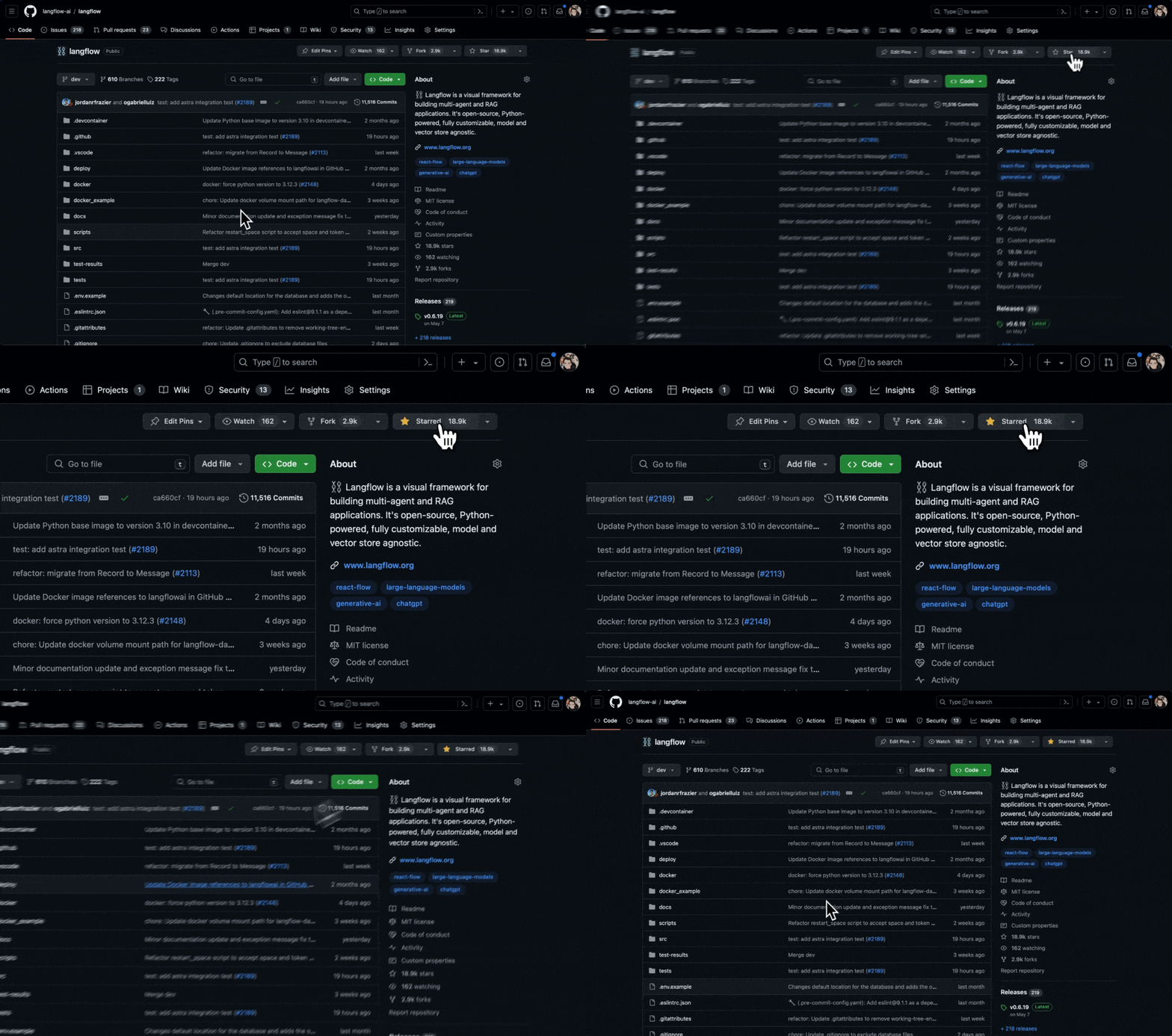
Star Langflow on GitHub to be instantly notified of new releases.
👋 Contribute
We welcome contributions from developers of all levels. If you'd like to contribute, please check our contributing guidelines and help make Langflow more accessible.
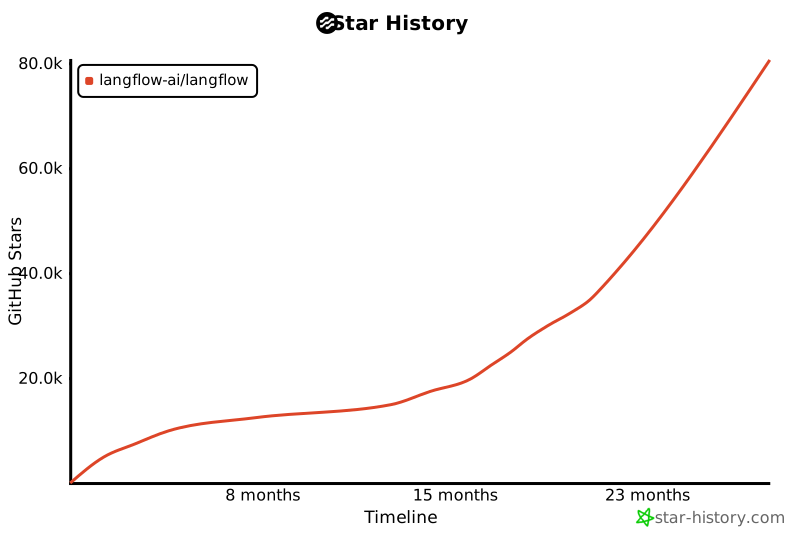
❤️ Contributors

Release history Release notifications | RSS feed


Download files
Download the file for your platform. If you're not sure which to choose, learn more about installing packages.
Source Distributions
Built Distribution
Filter files by name, interpreter, ABI, and platform.
If you're not sure about the file name format, learn more about wheel file names.
Copy a direct link to the current filters
File details
Details for the file langflow-1.8.2-py3-none-any.whl.
File metadata
- Download URL: langflow-1.8.2-py3-none-any.whl
- Upload date:
- Size: 6.1 kB
- Tags: Python 3
- Uploaded using Trusted Publishing? No
- Uploaded via: uv/0.10.12 {"installer":{"name":"uv","version":"0.10.12","subcommand":["publish"]},"python":null,"implementation":{"name":null,"version":null},"distro":{"name":"Ubuntu","version":"24.04","id":"noble","libc":null},"system":{"name":null,"release":null},"cpu":null,"openssl_version":null,"setuptools_version":null,"rustc_version":null,"ci":true}
File hashes
| Algorithm | Hash digest | |
|---|---|---|
| SHA256 |
068cb944133539d0bb1148a4db2a5c4214a7726b4fb45daa3a3c25a9f4538653
|
|
| MD5 |
23862f5aa4f608ecf45866ffb32d4907
|
|
| BLAKE2b-256 |
d7aab474c56f3ff6cd0d9646e27c8f1afe10b7efbc8cdd56dc9d8c7101a79104
|






