
langfuse-agent-cli (lf)
Ask your coding agent about your LLM app in plain English, such as "Why did my agent fail in the last
hour?" or "What did we spend on each model this week?", and it answers from your
Langfuse data with lf. You get failing traces with their error messages, a
trace as a tree, conversations, cost, latency, prompts, datasets and scores. lf is a command-line tool
plus an agent skill that teaches your agent the commands.
Status: beta. Langfuse ships an official CLI,
@langfuse/cli, which covers the whole API, and official agent skills,langfuse/skills. This project tries out agent-oriented features on the same API. RFC.md describes which of them it proposes upstream.
Requirements
- Python 3.10 or newer
- Langfuse v4, self-hosted or Cloud. The trace commands read
/api/public/v2/observations;lf doctorreports if a server does not have it. - Node.js 22.20 or newer, only for installing or removing the agent skill
Install
Option 1: one line (macOS and Linux)
curl -fsSL https://tns15june.github.io/langfuse-agent-cli/install.sh | sh
It installs lf with uv or pipx (and installs uv first when you have neither), then runs lf setup.
Option 2: with uv or pipx
uv tool install langfuse-agent-cli    # or: pipx install langfuse-agent-cli
lf setup
Option 3: let your coding agent install it
Give your agent this prompt:
Install langfuse-agent-cli using https://tns15june.github.io/langfuse-agent-cli/AGENTS.md
The agent installs lf and runs lf setup --yes, which never prompts. If no credentials are
configured, it asks you to run lf setup in your own terminal, which asks for the host and the keys.
What lf setup does
- Credentials. It keeps working credentials that it finds. When no profile is saved, or the saved
profile's keys are rejected, it asks for the host and the keys (the secret is not echoed) and saves
them. It never replaces saved keys when the server is merely unreachable, and keys from
LANGFUSE_*variables,--env-fileor key flags, which take precedence over profiles, are left for you to fix. - Agent skill. It installs the
langfuse-agent-cliskill with the skills CLI, which asks which coding agents to install it for when it finds more than one. The skill comes from the release tag that matches yourlfversion. - Check. It runs
lf doctorand suggests questions to try.
It is safe to run again: steps that are already done are skipped. For a second Langfuse instance, run
lf setup --profile-name staging --host https://langfuse.example.com; the new profile becomes the
current one, and lf auth switch default switches back.
Verify
lf doctor
It shows where lf is installed and whether a newer version exists, checks the host, the keys and the
API, and lists where the skill is installed.
Try it
Start a new session of your coding agent and ask, for example:
- "Why did my LLM app fail in the last hour?"
- "Which tool fails most often this week, and since when?"
- "What did we spend on each model this week?"
- "Which step of my agent is the slowest?"
- "Walk me through the conversation in session sess-42."
- "Which version of the welcome-bot prompt is live, and how does it read for Alice?"
More questions, with the commands your agent runs for them: Agent examples.
Upgrade and uninstall
lf upgrade              # upgrades lf with uv or pipx, then installs the matching skill
lf uninstall --dry-run  # lists the skill, the saved profiles and lf itself
lf uninstall            # removes them after you confirm
Credentials
lf takes the host and both keys from one source; the first match wins:
--env-file <path>--profile <name>orLANGFUSE_PROFILELANGFUSE_PUBLIC_KEYorLANGFUSE_SECRET_KEY(either one selects this source), with the host fromLANGFUSE_BASE_URL, thenLANGFUSE_HOST(defaulthttps://cloud.langfuse.com)- The saved current profile
--host, --public-key and --secret-key override single values; prefer environment variables or a
profile over passing keys on the command line, where they end up in shell history. lf reads a
.env file only when it is passed with --env-file.
To save another profile (the keys are prompted for, and the secret is not echoed):
lf auth login --profile-name local --host http://localhost:3000 --default
lf doctor
Profiles live in ~/.config/langfuse/profiles.json, readable only by you (mode 0600).
Commands
Data commands print JSON by default and short lines with -o text; doctor, setup, upgrade,
uninstall, auth and help-map print text. Three options keep JSON small:
--compactdrops null and empty fields.--agent-fields name,levelkeeps only the listed fields of each row.--output-summarywrites JSON output over 16 KB to a file and prints the file's path, size and keys instead.
# Failing traces, one entry per trace, with each error message
lf trace list --status error --limit 10 --compact

# One trace as a tree; add --io for short inputs and outputs
lf trace get <trace-id> --timeline

# A trace with its inputs and outputs; over 16 KB it goes to a file
lf trace get <trace-id> --io --output-summary

# The traces of a session, oldest first (the newest 1000)
lf trace session <session-id> --compact

# Recent traces, filtered
lf trace list --user-id user-42 --from-ts 2026-10-24T00:00:00Z --limit 20

# Cost, tokens, latency and error counts, aggregated (the last 24 hours unless --from-ts is given)
lf metrics --metric totalCost,totalTokens --by providedModelName --from-ts 2026-10-20T00:00:00Z
lf metrics --metric latency:p95 --by name --order-by p95_latency
lf metrics --where level=ERROR --by name --granularity hour -o text

# Prompts
lf prompt list -o text
lf prompt get support/greeter
lf prompt get welcome-bot --vars '{"user_name": "Alice", "plan": "pro"}' -o text
lf prompt push welcome-bot --text 'Hello {{user_name}}!' --labels staging

# Datasets and scores
lf dataset list
lf dataset get intent-classification-evals
lf score create --trace-id <trace-id> --name accuracy --value 1

# Discover commands and options
lf help-map
lf help "trace get"
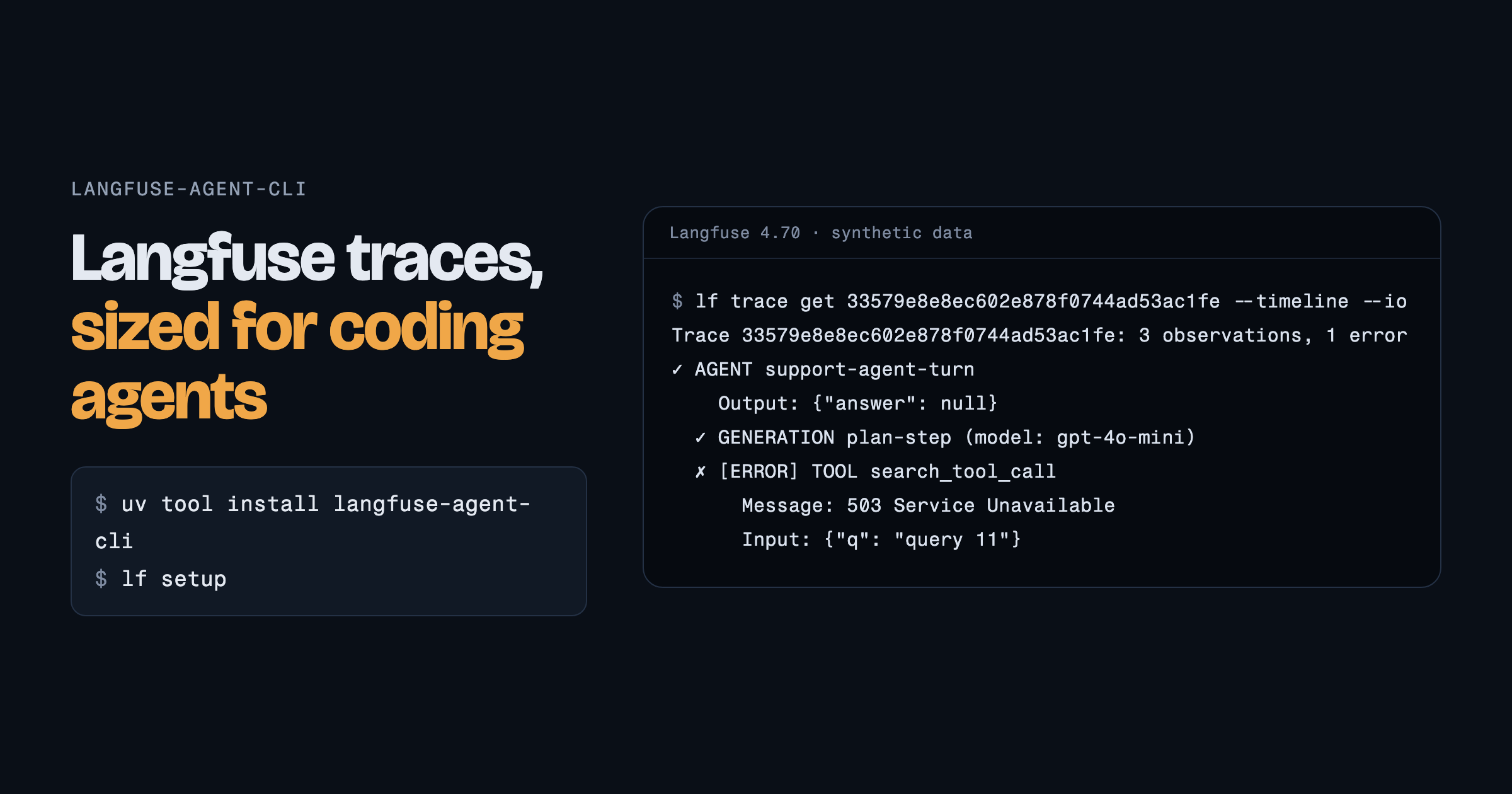
A timeline, from synthetic data:
Trace 33579e8e8ec602e878f0744ad53ac1fe: 3 observations, 1 error
✓ AGENT support-agent-turn
  ✓ GENERATION plan-step (model: gpt-4o-mini)
  ✗ [ERROR] TOOL search_tool_call
      Message: 503 Service Unavailable
Observations with a measured duration show it in brackets, such as [1.24s]. Langfuse 4.70 reports
no duration for observations of zero length, like these synthetic ones.
Exit codes: 0 success, 1 API or configuration error, 2 invalid command, 130 Ctrl-C at a prompt.
The reason for a failure is on stderr, except that doctor, setup --yes and auth status print their
whole report, failures included, on stdout. setup also exits 1 when the skill was not installed.
Troubleshooting
| What you see | What to do |
|---|---|
command not found: lf |
lf is in ~/.local/bin. Run uv tool update-shell or pipx ensurepath, then open a new terminal. |
HTTP 401: Invalid credentials |
The keys do not belong to that host. Run lf setup; lf doctor shows where the keys came from. |
| "is a login page or proxy answering instead of Langfuse?" | The host is a company login page or proxy. Use the address of the Langfuse API. |
| "This server has no /api/public/v2/observations" | The server predates Langfuse v4. The trace commands need an upgraded server. |
| "npx not found" or "Skill not installed" | Install Node.js 22.20 or later, then run lf setup. |
| Your saved profile is ignored | LANGFUSE_PUBLIC_KEY or LANGFUSE_SECRET_KEY is set; environment variables take precedence over profiles. |
| "The installed skill is v…" (an older version) | Run lf setup to install the skill that matches your lf version. |
API endpoints used
| Command | Endpoint |
|---|---|
trace list |
GET /api/public/v2/observations?isRootObservation=true |
trace list --status error |
GET /api/public/v2/observations?level=ERROR, grouped by trace |
trace get |
GET /api/public/v2/observations?traceId=…, all pages |
trace session |
GET /api/public/v2/observations?sessionId=…&isRootObservation=true |
metrics |
GET /api/public/v2/metrics |
prompt list, prompt get, prompt push |
/api/public/v2/prompts |
dataset list, dataset get |
/api/public/v2/datasets, /api/public/dataset-items |
score create |
POST /api/public/scores |
doctor |
/api/public/health, /api/public/projects, /api/public/v2/observations?limit=1, and PyPI for the version check (LF_NO_UPDATE_CHECK=1 turns it off) |
auth login, auth status |
/api/public/projects |
setup |
/api/public/projects, then the doctor requests |
Development
pip install -e ".[dev]"
ruff check .
pytest -q
The unit tests replay responses recorded from Langfuse 4.70.0 (synthetic data). The live tests run
every command against a real instance, for example one started from Langfuse's official
docker-compose.yml:
export LANGFUSE_BASE_URL=http://localhost:3000 LANGFUSE_PUBLIC_KEY=pk-lf-... LANGFUSE_SECRET_KEY=sk-lf-...
pip install langfuse
python scripts/seed_langfuse.py   # synthetic prompts, a dataset and traces: use a throwaway project
LF_LIVE=1 pytest tests/test_live.py -v
CI runs the unit tests on Python 3.10 to 3.13, shellcheck on the installer, and the live tests against the latest Langfuse release, on every push and weekly.
Releasing
The Publish workflow uploads to PyPI with trusted publishing, so no token is stored; the PyPI project
lists publish.yml and the GitHub environment pypi as its trusted publisher. main accepts changes
only through pull requests, so bump __version__ in langfuse_cli/__init__.py in a pull request,
merge it, then tag the merge commit right away and push the tag:
git fetch origin && git tag v0.5.0 origin/main && git push origin v0.5.0
gh release create v0.5.0 --title "lf 0.5.0" --notes-file release-notes.md
The workflow checks that the tag matches the version, runs the tests, builds and checks the
distributions, installs the wheel, and uploads the wheel and the source archive. Tag as soon as the
version bump is merged: lf setup and lf doctor point at the skill under the tag that matches the
version on main.
Feedback
Questions, bugs and ideas: GitHub issues.
Prior art
The command map (lf help-map), the --output-summary option, lf setup, the one-line installer and
the agent install guide follow Atlassian's
Teamwork Graph CLI,
whose --select option does what lf's --agent-fields does.
License
MIT
1 maintainer

Metadata
1 maintainer
Release files for langfuse-agent-cli 0.4.1
For a detailed explanation of source distributions (sdists) and built distributions (wheels), please see the package formats documentation.
Source distribution (sdist)
| File | Size | Uploaded | Provenance | Actions |
|---|---|---|---|---|
| langfuse_agent_cli-0.4.1.tar.gz | 55.5 kB | With provenance | Details for langfuse_agent_cli-0.4.1.tar.gz |
Built distribution (wheel)
| File | Interpreter | ABI | Platform | Actions Reset |
|---|---|---|---|---|
| langfuse_agent_cli-0.4.1-py3-none-any.whl | Python 3 | none | any | Details for langfuse_agent_cli-0.4.1-py3-none-any.whl |
Total release size: 96.6 kB
Release files / langfuse_agent_cli-0.4.1.tar.gz
| Download URL | langfuse_agent_cli-0.4.1.tar.gz |
|---|---|
| Size | 55.5 kB |
| Tags | Source |
|
SHA-256 checksum How to use checksums |
409c015aafd1df2fdebf9e511300d5f88772c3981a3492120ce7e585391ab404
|
|
BLAKE2b-256 checksum How to use checksums |
aed0ec6a9144baf904502c7878795b69cb2101c1a7b35b6f9c9189f660dc5606
|
| Upload date | |
|
Uploaded using Trusted Publishing? What is trusted publishing? |
Yes |
| Uploaded via |
twine/7.0.0 CPython/3.13.16
|
Provenance
Provenance describes where a file came from. On PyPI, provenance is shared via attestations, which provide a verifiable record of the build or publishing details. View details, limitations and caveats.


PyPI Publish Attestation
PyPI verified that this artifact, at this checksum, originated from the publisher listed below.
Signed by GitHub Actions, verified by PyPI on Oct 26, 2026.
Transparency logRelease files / langfuse_agent_cli-0.4.1-py3-none-any.whl
| Download URL | langfuse_agent_cli-0.4.1-py3-none-any.whl |
|---|---|
| Size | 41.1 kB |
| Tags | Python 3 |
|
SHA-256 checksum How to use checksums |
88397d040525ab1c5e87625a7e5c9a181a461598b9675c2162a048720a601f03
|
|
BLAKE2b-256 checksum How to use checksums |
2480232cb17ac8df1bee141a683373135465aabc03f28808bc66648bfb514698
|
| Upload date | |
|
Uploaded using Trusted Publishing? What is trusted publishing? |
Yes |
| Uploaded via |
twine/7.0.0 CPython/3.13.16
|
Provenance
Provenance describes where a file came from. On PyPI, provenance is shared via attestations, which provide a verifiable record of the build or publishing details. View details, limitations and caveats.
PyPI Publish Attestation
PyPI verified that this artifact, at this checksum, originated from the publisher listed below.
Signed by GitHub Actions, verified by PyPI on Oct 26, 2026.
Transparency logSecurity for langfuse-agent-cli 0.4.1
Provenance
Provenance describes where a file came from. On PyPI, provenance is shared via attestations, which provide a verifiable record of the build or publishing details. View details, limitations and caveats.
Full provenance
All 2 files in this release have been uploaded with provenance metadata.
Attestation for langfuse_agent_cli-0.4.1.tar.gz
PyPI Publish Attestation
PyPI verified that this artifact, at this checksum, originated from the publisher listed below.
Signed by GitHub Actions, verified by PyPI on Oct 26, 2026.
Transparency logA note on package security
PyPI is a repository for distributing packages, not a service for auditing them. While third-party security researchers and our staff do their best to detect and remove malicious packages, PyPI cannot guarantee the quality, security or suitability of any given package.
To learn more about protecting yourself from malicious actors, visit our package security documentation.














