
LangGraphics is a live visualization tool for LangGraph-based agent orchestration frameworks such as LangGraph and DeepAgents. It's especially useful when working with large networks: graphs with many nodes, branching conditions, and cycles are hard to reason about from the logs alone.
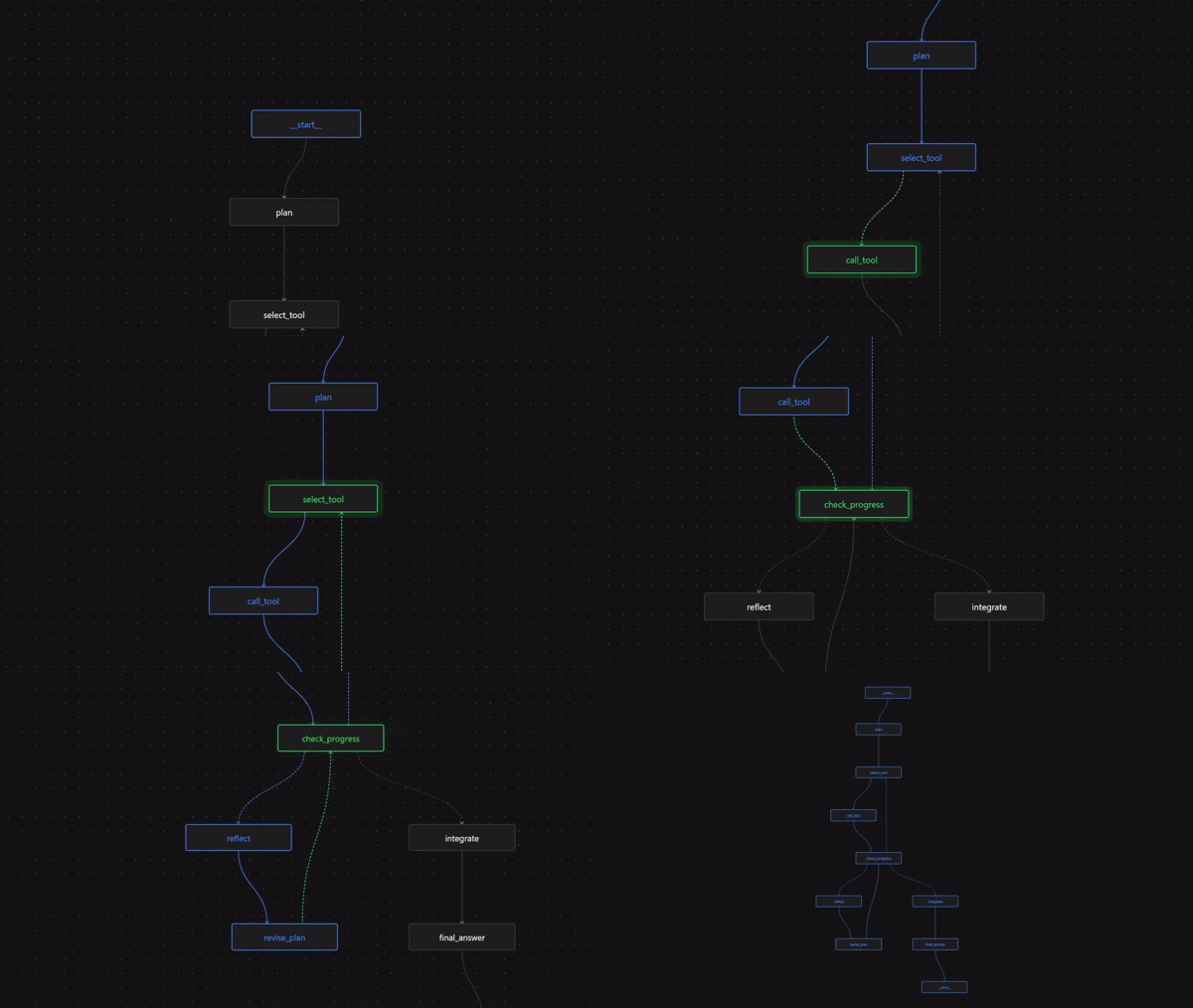
Why it helps
Seeing the execution path visually makes it immediately obvious which branches were taken, where loops occurred, and where the agent got stuck or failed. It also helps when onboarding to an unfamiliar graph - a single run tells you more about the workflow than reading the graph definition ever could.

How to use
One line is all it takes - wrap the compiled graph of your agent workflow with LangGraphics' watch function before
invoking it, the visualization opens in your browser automatically, tracks the agent in real time, and makes tracing
easy using the inspect panel.
from langgraph.graph import StateGraph, MessagesState
from langgraphics import watch

workflow = StateGraph(MessagesState)
workflow.add_node(...)
workflow.add_edge(...)

graph = watch(workflow.compile())

await graph.ainvoke({"messages": [...]})
Works with LangGraph-based agents of any level of complexity. Just add it during a debugging session, or keep it in while you're actively building - it does not affect how the agent behaves or what it returns.
Features
| Feature | LangGraphics | LangFuse | LangSmith |
|---|---|---|---|
| Fully local |  |
 |
|
| Standalone | |
|
|
| Replay mode | |
|
|
| Easy to learn | |
|
|
| One-line setup | |
|
|
| Data stays local | |
|
|
| No API key required | |
|
|
| Live execution graph | |
|
|
| Subgraph visualization | |
|
|
| No refactoring required | |
|
|
| Self-hosted | |
|
|
| No vendor lock-in | |
|
|
| Unlimited free usage | |
|
|
| Graph visualization | |
|
|
| Cost & latency tracking | |
|
|
| Prompt evaluation | |
|
|
Contribute
Any contribution is welcome. Feel free to open an issue or a discussion if you have any questions not covered here. If you have any ideas or suggestions, please open a pull request.
License
Copyright (C) 2026 Artyom Vancyan. MIT
1 maintainer

Metadata
1 maintainer
Release files for langgraphics-coze 0.2.0
For a detailed explanation of source distributions (sdists) and built distributions (wheels), please see the package formats documentation.
Source distribution (sdist)
| File | Size | Uploaded | |
|---|---|---|---|
| langgraphics_coze-0.2.0.tar.gz | 437.8 kB | Details |
Built distribution (wheel)
| File | Interpreter | ABI | Platform | Reset |
|---|---|---|---|---|
| langgraphics_coze-0.2.0-py3-none-any.whl | Python 3 | none | any | Details |
Total release size: 885.8 kB
Release files / langgraphics_coze-0.2.0.tar.gz
| Download URL | langgraphics_coze-0.2.0.tar.gz |
|---|---|
| Size | 437.8 kB |
| Tags | Source |
|
SHA-256 checksum How to use checksums |
2c1f3e4cbc8dc2fbb6631104650a324c645a3dec8e683aa5e4171bc446600144
|
|
BLAKE2b-256 checksum How to use checksums |
36043da8294adb9d9760800e6796dbdbae682f847cd042d252901a9a48203627
|
| Upload date | |
|
Uploaded using Trusted Publishing? What is trusted publishing? |
No |
| Uploaded via |
twine/7.0.0 CPython/3.13.11
|
Release files / langgraphics_coze-0.2.0-py3-none-any.whl
| Download URL | langgraphics_coze-0.2.0-py3-none-any.whl |
|---|---|
| Size | 447.9 kB |
| Tags | Python 3 |
|
SHA-256 checksum How to use checksums |
e7eb8a7386f0e4f3e1169f25e1678714b091d96f972d4dc5792fe55b9aa54e96
|
|
BLAKE2b-256 checksum How to use checksums |
11da6866ce0fc05e91056d917751cf7650a9e7719a5997ed371fc0800bbab4e2
|
| Upload date | |
|
Uploaded using Trusted Publishing? What is trusted publishing? |
No |
| Uploaded via |
twine/7.0.0 CPython/3.13.11
|













