
LangHuAn
Language Human Annotations, a frontend for tagging AI project labels, drived by pandas dataframe data.
From Chinese word 琅嬛[langhuan] (Legendary realm where god curates books)
Here's a 5 minutes youtube video explaining how langhuan works
Installation
pip install langhuan
Minimun configuration walk through
langhuan start a flask application from pandas dataframe 🐼 !
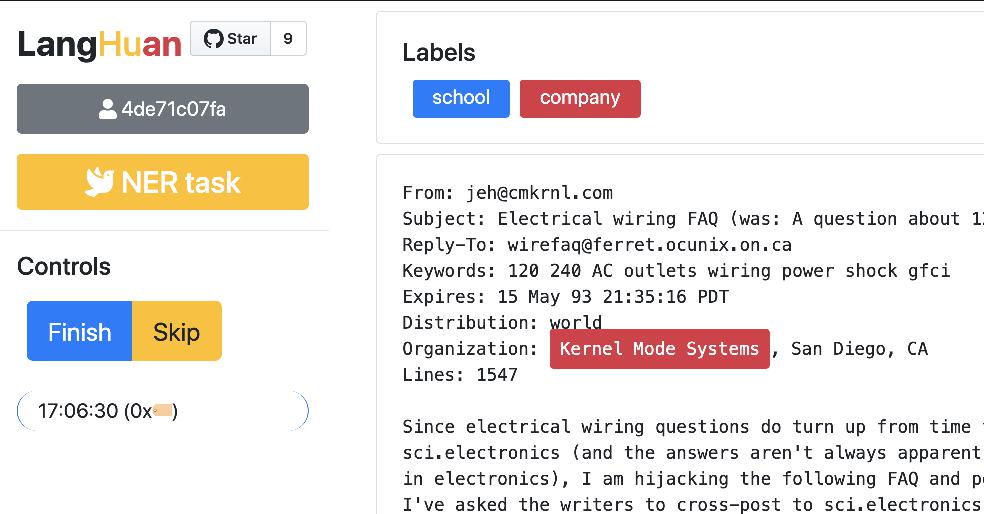
Simplest configuration for NER task 🚀
from langhuan import NERTask

app = NERTask.from_df(
    df, text_col="description",
    options=["institution", "company", "name"])
app.run("0.0.0.0", port=5000)
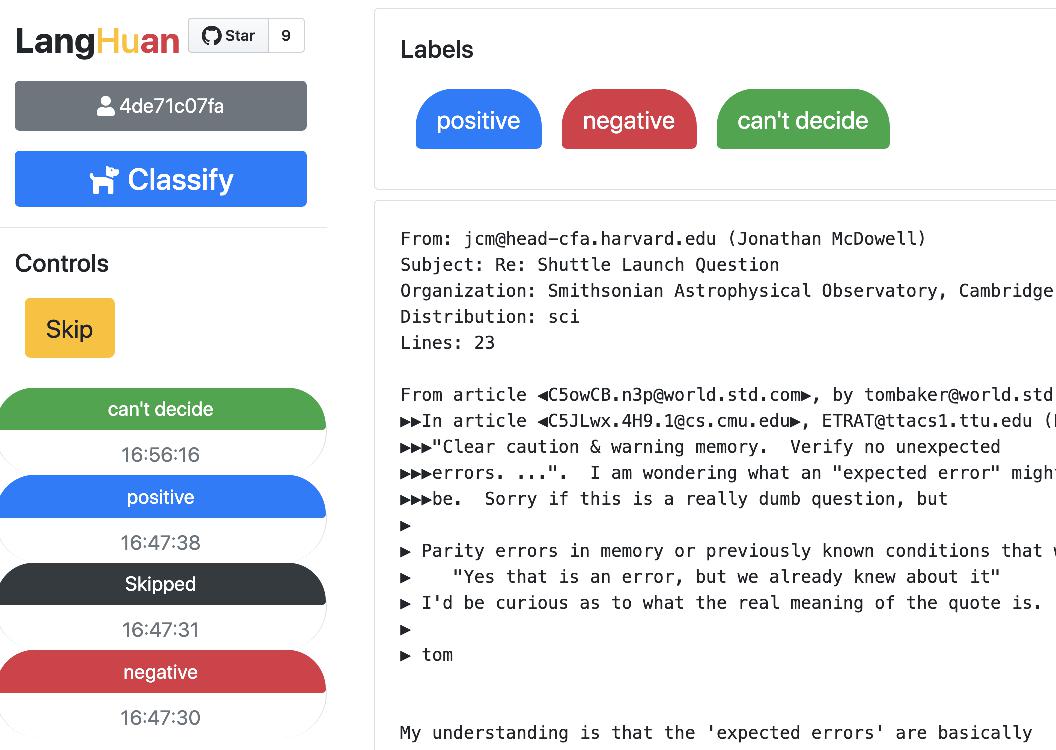
Simplest configuration for Classify task 🚀
from langhuan import ClassifyTask

app = ClassifyTask.from_df(
    df, text_col="comment",
    options=["positive", "negative", "unbiased", "not sure"])
app.run("0.0.0.0", port=5000)
Frontend
You can visit following pages for this app.
Tagging
http://[ip]:[port]/ is for our hard working taggers to visit.
Admin
http://[ip]:[port]/admin is a page where you can 👮🏽♂️:
- See the progress of each user.
- Force save the progress, (or it will only save according to
save_frequency, default 42 entries) - Download the tagged entries
Advanced settings
Validation
You can set minimun verification number: cross_verify_num, aka, how each entry will be validated, default is 1
If you set cross_verify_num to 2, and you have 5 taggers, each entry will be seen by 2 taggers
app = ClassifyTask.from_df(
    df, text_col="comment",
    options=["positive", "negative", "unbiased", "not sure"],
    cross_verify_num=2,)
Preset the tagging
You can set a column in dataframe, eg. called guessed_tags, to preset the tagging result.
Each cell can contain the format of tagging result, eg.
{"tags":[
    {"text": "Genomicare Bio Tech", "offset":32, "label":"company"},
    {"text": "East China University of Politic Science & Law", "offset":96, "label":"company"},
    ]}
Then you can run the app with preset tag column
app = NERTask.from_df(
    df, text_col="description",
    options=["institution", "company", "name"],
    preset_tag_col="guessed_tags")
app.run("0.0.0.0", port=5000)
Order strategy
The order of which text got tagged first is according to order_strategy.
Default is set to "forward_match", you can try pincer or trident
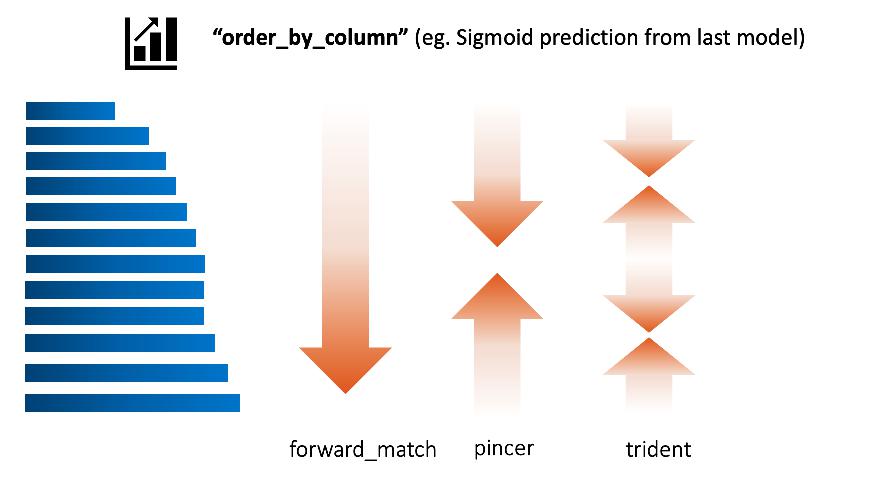
Assume the order_by_column is set to the prediction of last batch of deep learning model:
- trident means the taggers tag the most confident positive, most confident negative, most unsure ones first.
Load History
If your service stopped, you can recover the progress from cache.
Previous cache will be at $HOME/.cache/langhuan/{task_name}
You can change the save_frequency to suit your task, default is 42 entries.
app = NERTask.from_df(
    df, text_col="description",
    options=["institution", "company", "name"],
    save_frequency=128,
    load_history=True,
    task_name="task_NER_210123_110327"
    )
Admin Control
This application assumes internal use within organization, hence the mininum security. If you set admin_control, all the admin related page will require
adminkey, the key will appear in the console prompt
app = NERTask.from_df(
    df, text_col="description",
    options=["institution", "company", "name"],
    admin_control=True,
    )
From downloaded data => pytorch dataset
For downloaded NER data tags, you can create a dataloader with the json file automatically:
- pytorch + huggingface tokenizer
- tensorflow + huggingface tokenizer, development pending
Gunicorn support
This is a light weight solution. When move things to gunicorn, multithreads is acceptable, but multiworkers will cause chaos.
gunicorn --workers=1 --threads=5 app:app
Compatibility 💍
Well, this library hasn't been tested vigorously against many browsers with many versions, so far
- compatible with chrome, firefox, safari if version not too old.
1 maintainer

Metadata
1 maintainer
Release files for langhuan 0.1.12
For a detailed explanation of source distributions (sdists) and built distributions (wheels), please see the package formats documentation.
Source distribution (sdist)
| File | Size | Uploaded | Provenance | |
|---|---|---|---|---|
| langhuan-0.1.12.tar.gz | 736.0 kB | Without provenance | Details |
Built distribution (wheel)
| File | Interpreter | ABI | Platform | Reset |
|---|---|---|---|---|
| langhuan-0.1.12-py3-none-any.whl | Python 3 | none | any | Details |
Total release size: 1.5 MB
Release files / langhuan-0.1.12.tar.gz
| Download URL | langhuan-0.1.12.tar.gz |
|---|---|
| Size | 736.0 kB |
| Tags | Source |
|
SHA-256 checksum How to use checksums |
17b90e7282c3f848d685b164e18b42419ede9b015352ece1838e72283612825e
|
|
BLAKE2b-256 checksum How to use checksums |
e9ab5bb42a04d5bb5d16d089fb90f3a621147c03c65f393528ca9c0fb1653e05
|
| Upload date | |
|
Uploaded using Trusted Publishing? What is trusted publishing? |
No |
| Uploaded via |
twine/3.1.1 pkginfo/1.5.0.1 requests/2.22.0 setuptools/47.3.1 requests-toolbelt/0.9.1 tqdm/4.48.2 CPython/3.7.4
|
Release files / langhuan-0.1.12-py3-none-any.whl
| Download URL | langhuan-0.1.12-py3-none-any.whl |
|---|---|
| Size | 745.9 kB |
| Tags | Python 3 |
|
SHA-256 checksum How to use checksums |
0c60f961109244112b8ddc18b57aba818e699590efafe145343fe120ff530bcb
|
|
BLAKE2b-256 checksum How to use checksums |
142919ffb9e518873306b32b90107cd6bf68a1d775ecc3d4b8bff8da7642f8f8
|
| Upload date | |
|
Uploaded using Trusted Publishing? What is trusted publishing? |
No |
| Uploaded via |
twine/3.1.1 pkginfo/1.5.0.1 requests/2.22.0 setuptools/47.3.1 requests-toolbelt/0.9.1 tqdm/4.48.2 CPython/3.7.4
|
Security for langhuan 0.1.12
Provenance
Provenance describes where a file came from. On PyPI, provenance is shared via attestations, which provide a verifiable record of the build or publishing details. View details, limitations and caveats.
No provenance found
None of the files in this release were uploaded with provenance metadata.
A note on package security
PyPI is a repository for distributing packages, not a service for auditing them. While third-party security researchers and our staff do their best to detect and remove malicious packages, PyPI cannot guarantee the quality, security or suitability of any given package.
To learn more about protecting yourself from malicious actors, visit our package security documentation.














