
MCP server for Langsmith SDK integration
Verified details
These details have been verified by PyPIProject links
GitHub Statistics
Maintainers

Project description
🦜🛠️ LangSmith MCP Server
[!WARNING] LangSmith MCP Server is under active development and many features are not yet implemented.
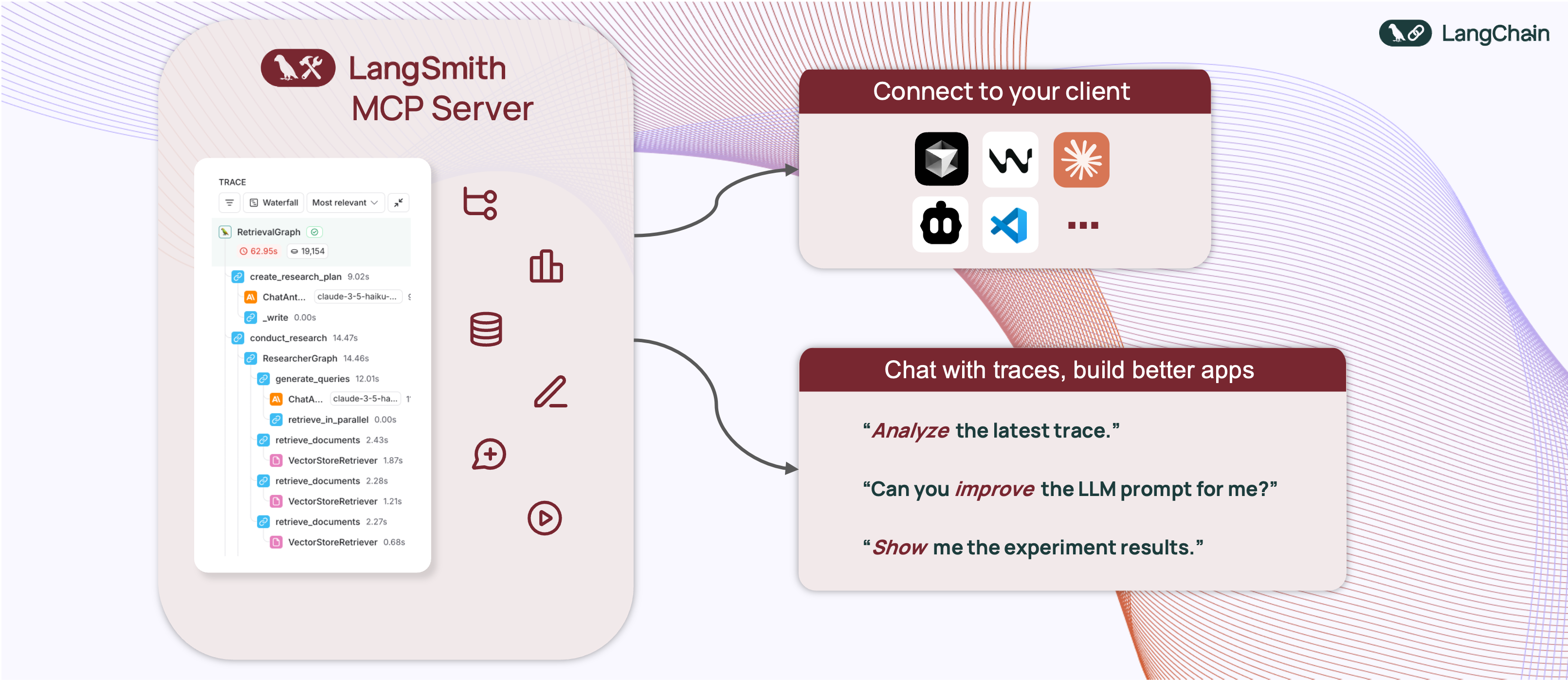


A production-ready Model Context Protocol (MCP) server that provides seamless integration with the LangSmith observability platform. This server enables language models to fetch conversation history and prompts from LangSmith.
📋 Overview
The LangSmith MCP Server bridges the gap between language models and the LangSmith platform, enabling advanced capabilities for conversation tracking, prompt management, and analytics integration.
🛠️ Installation Options
📝 General Prerequisites
-
Install uv (a fast Python package installer and resolver):
curl -LsSf https://astral.sh/uv/install.sh | sh
-
Clone this repository and navigate to the project directory:
git clone https://github.com/langchain-ai/langsmith-mcp-server.git
cd langsmith-mcp-server
🔌 MCP Client Integration
Once you have the LangSmith MCP Server, you can integrate it with various MCP-compatible clients. You have two installation options:
📦 From PyPI
-
Install the package:
uv run pip install --upgrade langsmith-mcp-server
-
Add to your client MCP config:
{
    "mcpServers": {
        "LangSmith API MCP Server": {
            "command": "/path/to/uvx",
            "args": [
                "langsmith-mcp-server"
            ],
            "env": {
                "LANGSMITH_API_KEY": "your_langsmith_api_key"
            }
        }
    }
}
⚙️ From Source
Add the following configuration to your MCP client settings:
{
    "mcpServers": {
        "LangSmith API MCP Server": {
            "command": "/path/to/uvx",
            "args": [
                "--directory",
                "/path/to/langsmith-mcp-server/langsmith_mcp_server",
                "run",
                "server.py"
            ],
            "env": {
                "LANGSMITH_API_KEY": "your_langsmith_api_key"
            }
        }
    }
}
Replace the following placeholders:
/path/to/uv: The absolute path to your uv installation (e.g.,/Users/username/.local/bin/uv). You can find it runningwhich uv./path/to/langsmith-mcp-server: The absolute path to your langsmith-mcp project directoryyour_langsmith_api_key: Your LangSmith API key
Example configuration:
{
    "mcpServers": {
        "LangSmith API MCP Server": {
            "command": "/Users/mperini/.local/bin/uvx",
            "args": [
                "langsmith-mcp-server"
            ],
            "env": {
                "LANGSMITH_API_KEY": "lsv2_pt_1234"
            }
        }
    }
}
Copy this configuration in Cursor > MCP Settings.

🧪 Development and Contributing 🤝
If you want to develop or contribute to the LangSmith MCP Server, follow these steps:
-
Create a virtual environment and install dependencies:
uv sync -
To include test dependencies:
uv sync --group test
-
View available MCP commands:
uvx langsmith-mcp-server -
For development, run the MCP inspector:
uv run mcp dev langsmith_mcp_server/server.py
- This will start the MCP inspector on a network port
- Install any required libraries when prompted
- The MCP inspector will be available in your browser
- Set the
LANGSMITH_API_KEYenvironment variable in the inspector - Connect to the server
- Navigate to the "Tools" tab to see all available tools
-
Before submitting your changes, run the linting and formatting checks:
make lint
make format
🚀 Example Use Cases
The server enables powerful capabilities including:
- 💬 Conversation History: "Fetch the history of my conversation with the AI assistant from thread 'thread-123' in project 'my-chatbot'"
- 📚 Prompt Management: "Get all public prompts in my workspace"
- 🔍 Smart Search: "Find private prompts containing the word 'joke'"
- 📝 Template Access: "Pull the template for the 'legal-case-summarizer' prompt"
- 🔧 Configuration: "Get the system message from a specific prompt template"
🛠️ Available Tools
The LangSmith MCP Server provides the following tools for integration with LangSmith:
| Tool Name | Description |
|---|---|
list_prompts |
Fetch prompts from LangSmith with optional filtering. Filter by visibility (public/private) and limit results. |
get_prompt_by_name |
Get a specific prompt by its exact name, returning the prompt details and template. |
get_thread_history |
Retrieve the message history for a specific conversation thread, returning messages in chronological order. |
get_project_runs_stats |
Get statistics about runs in a LangSmith project, either for the last run or overall project stats. |
fetch_trace |
Fetch trace content for debugging and analyzing LangSmith runs using project name or trace ID. |
list_datasets |
Fetch LangSmith datasets with filtering options by ID, type, name, or metadata. |
list_examples |
Fetch examples from a LangSmith dataset with advanced filtering options. |
read_dataset |
Read a specific dataset from LangSmith using dataset ID or name. |
read_example |
Read a specific example from LangSmith using the example ID and optional version information. |
📄 License
This project is distributed under the MIT License. For detailed terms and conditions, please refer to the LICENSE file.
Made with ❤️ by the LangChain Team
Project details
Verified details
These details have been verified by PyPIProject links
GitHub Statistics
Maintainers
Release history Release notifications | RSS feed


Download files
Download the file for your platform. If you're not sure which to choose, learn more about installing packages.
Source Distribution
Built Distribution
Filter files by name, interpreter, ABI, and platform.
If you're not sure about the file name format, learn more about wheel file names.
Copy a direct link to the current filters
File details
Details for the file langsmith_mcp_server-0.0.4.tar.gz.
File metadata
- Download URL: langsmith_mcp_server-0.0.4.tar.gz
- Upload date:
- Size: 18.1 kB
- Tags: Source
- Uploaded using Trusted Publishing? Yes
- Uploaded via: twine/6.1.0 CPython/3.12.9
File hashes
| Algorithm | Hash digest | |
|---|---|---|
| SHA256 |
c37740ee1a96b1b02f1b36f20ee8e1b70bb53e590febbdaa7e42881e7c653378
|
|
| MD5 |
7212ec4d9d81d1e37b28efee64d7df42
|
|
| BLAKE2b-256 |
6d6d14ea463255bb470ff14021e1d12f664050318cf89d166c86e38fd23618a8
|
File details
Details for the file langsmith_mcp_server-0.0.4-py3-none-any.whl.
File metadata
- Download URL: langsmith_mcp_server-0.0.4-py3-none-any.whl
- Upload date:
- Size: 17.3 kB
- Tags: Python 3
- Uploaded using Trusted Publishing? Yes
- Uploaded via: twine/6.1.0 CPython/3.12.9
File hashes
| Algorithm | Hash digest | |
|---|---|---|
| SHA256 |
75ca1a31f62c54e85271a4ce4ef3b37e487e985b6ca9d6aeaf08d5fa52c831fe
|
|
| MD5 |
2f189bf4f2012739cd048a7f40d47429
|
|
| BLAKE2b-256 |
5bf42b2fe64953b13e5a0fa7cad5cdd28263a9d4987da6c2e31b741e9dcea040
|






