
A python based local network scanner

Project description
LANscape
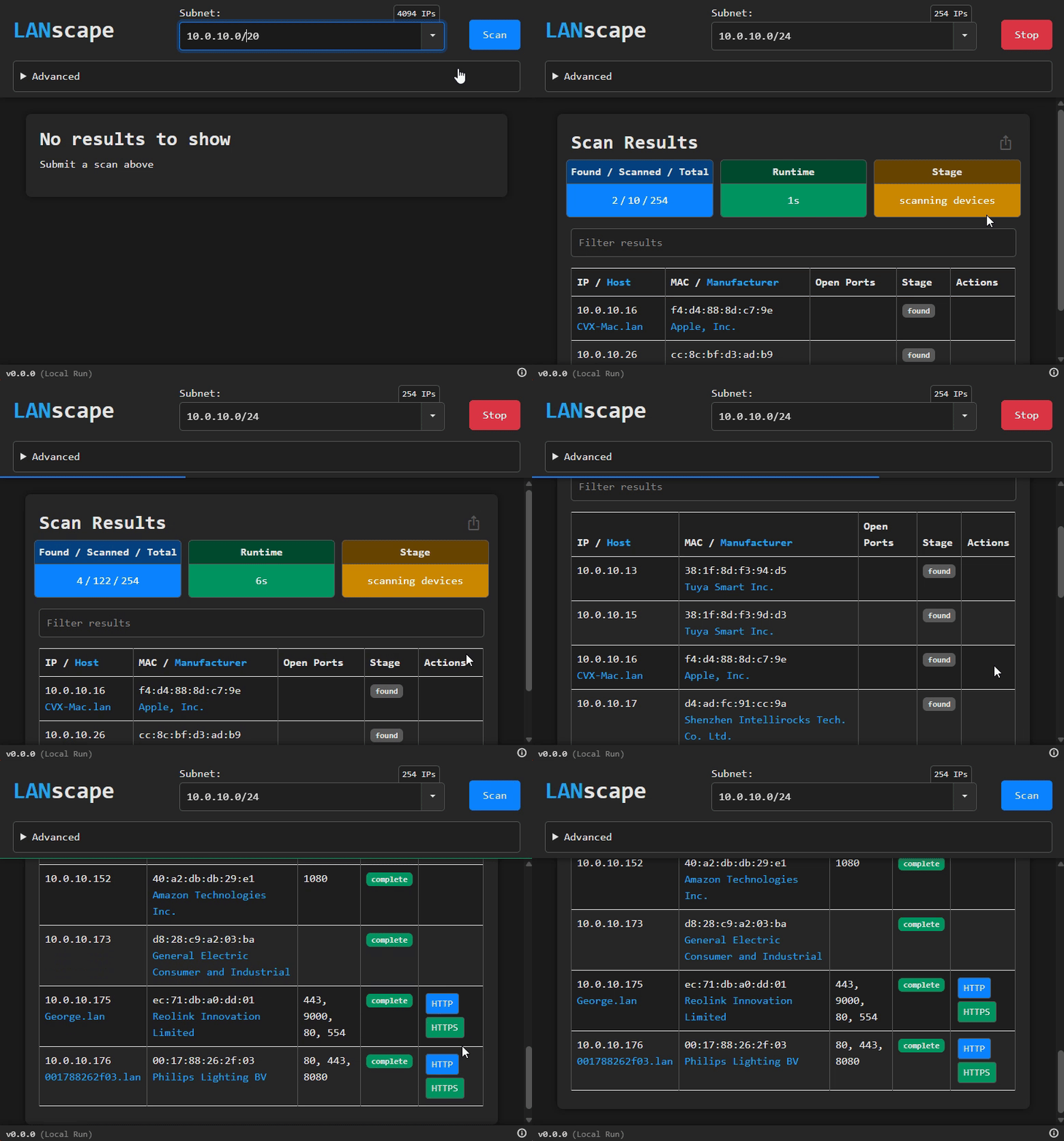
A python based local network scanner.
Local Run
pip install lanscape
python -m lanscape
Flags
--port <port number>port of the flask app (default: automagic)--persistentdont shutdown server when browser tab is closed (default: false)--reloaderessentially flask debug mode- good for local development (default: false)--logfilesave log output to lanscape.log--loglevel <level>set the logger's log level (default: INFO)--flask-loggingturn on flask logging (default: false)
Examples:
python -m lanscape --reloader
python -m lanscape --port 5002
python -m lanscape --logfile --loglevel DEBUG
Troubleshooting
MAC Address / Manufacturer is inaccurate/unknown
The program does an ARP lookup to determine the MAC address. This lookup can sometimes require admin-level permissions to retrieve accurate results. Try elevating your shell before execution.
Message "WARNING: No libpcap provider available ! pcap won't be used"
This is a missing dependency related to the ARP lookup. This is handled in the code, but you would get marginally faster/better results with this installed: npcap download
The accuracy of the devices found is low
I use a combination of ARP and Ping to determine if a device is online. This method drops in stability when used in many threads. Recommendations:
- Drop parallelism value (advanced dropdown)
- Use python > 3.10 im noticing threadpool improvements after this version
- Create a bug - I'm curious
Something else
Feel free to submit a github issue detailing your experience.
Release history Release notifications | RSS feed


Download files
Download the file for your platform. If you're not sure which to choose, learn more about installing packages.
Source Distribution
Built Distribution
Filter files by name, interpreter, ABI, and platform.
If you're not sure about the file name format, learn more about wheel file names.
Copy a direct link to the current filters
File details
Details for the file lanscape-1.3.2.tar.gz.
File metadata
- Download URL: lanscape-1.3.2.tar.gz
- Upload date:
- Size: 1.1 MB
- Tags: Source
- Uploaded using Trusted Publishing? No
- Uploaded via: twine/6.1.0 CPython/3.12.11
File hashes
| Algorithm | Hash digest | |
|---|---|---|
| SHA256 |
22f071be27fc876f9a08cb6e85ff40af303e4b75608230f8f1fd0be96f09ac0d
|
|
| MD5 |
38a47f8c6f3a89b0ba9627e8f4fe957b
|
|
| BLAKE2b-256 |
d6d6edd9d1eef8ad867c6db0a0bf556f7425753a7ea21ff2d11f722aa5be054f
|
File details
Details for the file lanscape-1.3.2-py3-none-any.whl.
File metadata
- Download URL: lanscape-1.3.2-py3-none-any.whl
- Upload date:
- Size: 1.1 MB
- Tags: Python 3
- Uploaded using Trusted Publishing? No
- Uploaded via: twine/6.1.0 CPython/3.12.11
File hashes
| Algorithm | Hash digest | |
|---|---|---|
| SHA256 |
895b65d08a9000d9747fb7d2b5468f10cc8ca9e1ed202d05765333f94e0bc007
|
|
| MD5 |
48acd78bdc4d22c106c1a9d1ea7c90c5
|
|
| BLAKE2b-256 |
2793b7128581c099f106064b56507237f527552de26e961f12d3c84f8a9b6575
|






