
A TUI chat application for your terminal

Project description
Lantern
A curses based chat client and server.

Screenshots
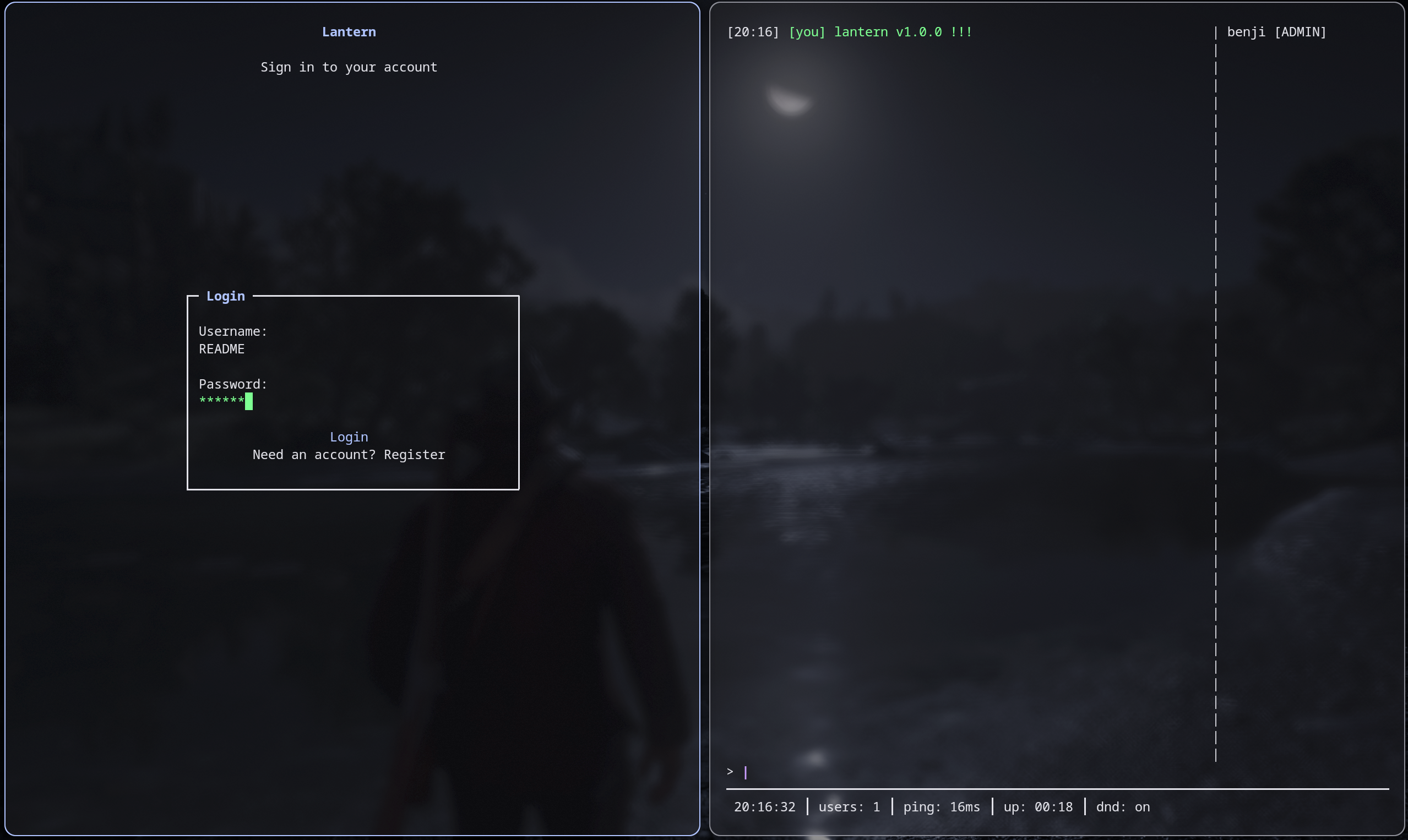
Getting Started
Note: Lantern is not designed to be hugely secure, so don't use it for anything you care about. Please ... Additionally, this has been tested primarily on Linux, so there are likely to be some issues on other platforms. If you find any, please report them or better yet, fix them and make a pull request. I am unable to test on Windows so I would appreciate any PR's that add support for it.
Prerequisites
- Python
- Pip package manager
- a brain
Installation
pip install lantern-chat
Usage
To start the server, run:
lantern-server
You can specify a custom port with the -p flag, for example:
lantern-server -p 12345
To start the client, run:
lantern
You can specify the server host and port with the -s and -p flags, for example:
lantern -s 1.1.1.1 -p 12345
The default port is 6000 and default server host is localhost.
All client and server config is saved to ~/.config/lantern/config.json and ~/.config/lantern/server_config.json respectively.
In the server config, you can set the server admins, port, message and fetch cooldown.
Details
Lantern requires a server to be running at the configured host and port for clients to be able to connect and communicate. This can either be locally (using default server IP and port in client config) which will allow you to communicate across a LAN or by setting up the server on a public facing IP (eg using a VPS) or by tunnelling a port on your local network to a publicly accessible IP.
Contributing
Just make a pull req. lol
Release history Release notifications | RSS feed


Download files
Download the file for your platform. If you're not sure which to choose, learn more about installing packages.
Source Distribution
Built Distribution
Filter files by name, interpreter, ABI, and platform.
If you're not sure about the file name format, learn more about wheel file names.
Copy a direct link to the current filters
File details
Details for the file lantern_chat-1.4.0.tar.gz.
File metadata
- Download URL: lantern_chat-1.4.0.tar.gz
- Upload date:
- Size: 41.8 kB
- Tags: Source
- Uploaded using Trusted Publishing? No
- Uploaded via: twine/6.2.0 CPython/3.13.12
File hashes
| Algorithm | Hash digest | |
|---|---|---|
| SHA256 |
3dc3bb737f91d560bbc55bc81acd18a5697fe2af48c0ccb94304eee544d89e6b
|
|
| MD5 |
18fd1a54ebc2d1c992faf440ce52d4f4
|
|
| BLAKE2b-256 |
a848f431d65528dd5d2f94eb5fe74d00f555c56b9773f76136981b061c77cd9c
|
File details
Details for the file lantern_chat-1.4.0-py3-none-any.whl.
File metadata
- Download URL: lantern_chat-1.4.0-py3-none-any.whl
- Upload date:
- Size: 46.1 kB
- Tags: Python 3
- Uploaded using Trusted Publishing? No
- Uploaded via: twine/6.2.0 CPython/3.13.12
File hashes
| Algorithm | Hash digest | |
|---|---|---|
| SHA256 |
05f729ea5be65b66542e19508db159dc1f91402be2bde65720def031090a8981
|
|
| MD5 |
aac98d6bbdb416b986ce12585ca443b7
|
|
| BLAKE2b-256 |
e1b734ea7e12697b988d8f28a1dc452f3966e198b69fd60aed8770e464a17022
|






