
laterite-outcrop
An outcrop is where the ground shows itself. This library is where AGS4 data does: import outcrop.
Matplotlib plots for AGS4 geotechnical data.
-
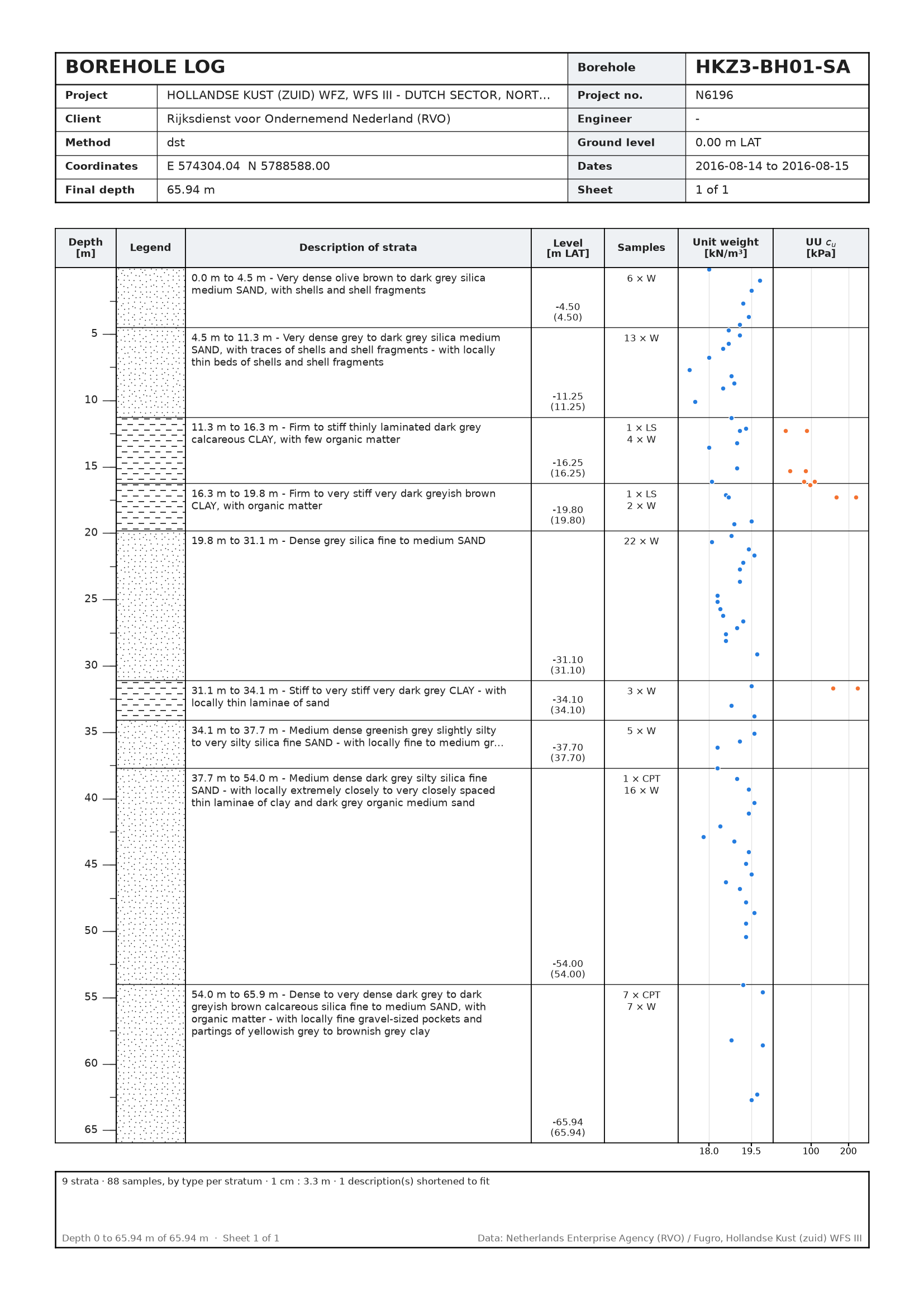
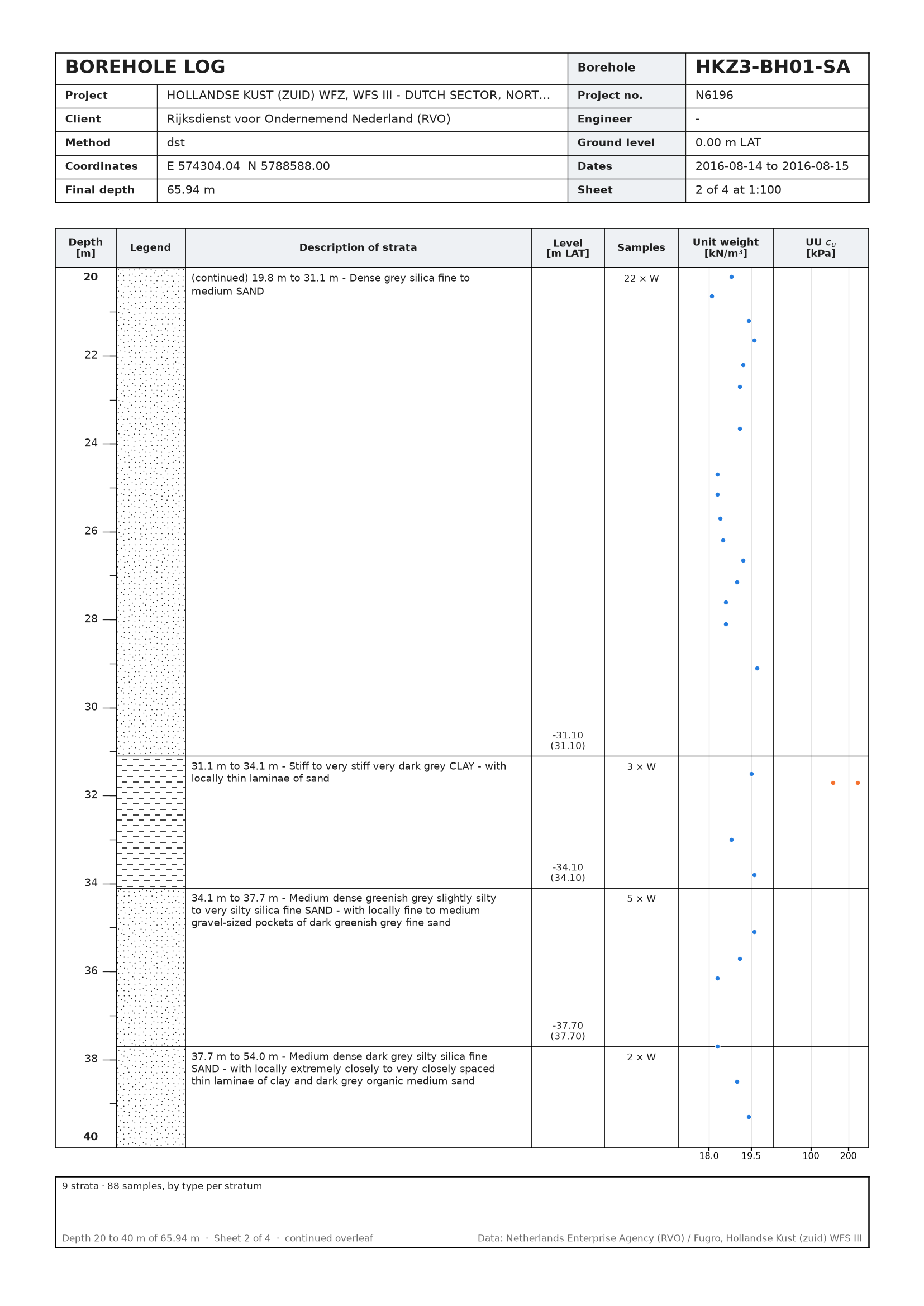
borehole_log(geol, proj=..., tracks=[...]): a one-page borehole log with a project header and test results against depth.borehole_log_pagesdraws the same at a true scale over several sheets. -
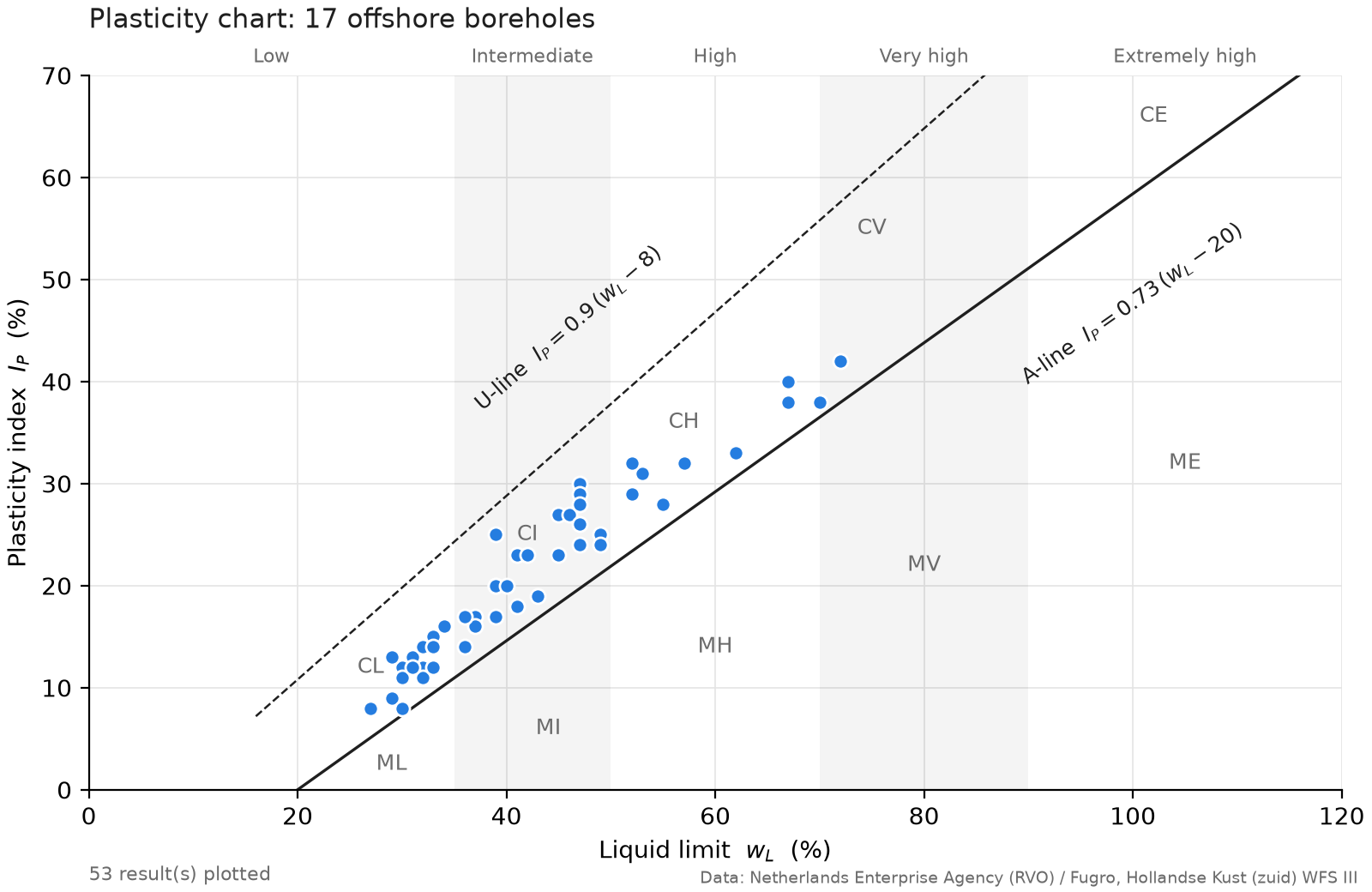
plasticity_chart(llpl): plasticity index against liquid limit, with the A-line, the U-line and the BS 5930 plasticity zones. -
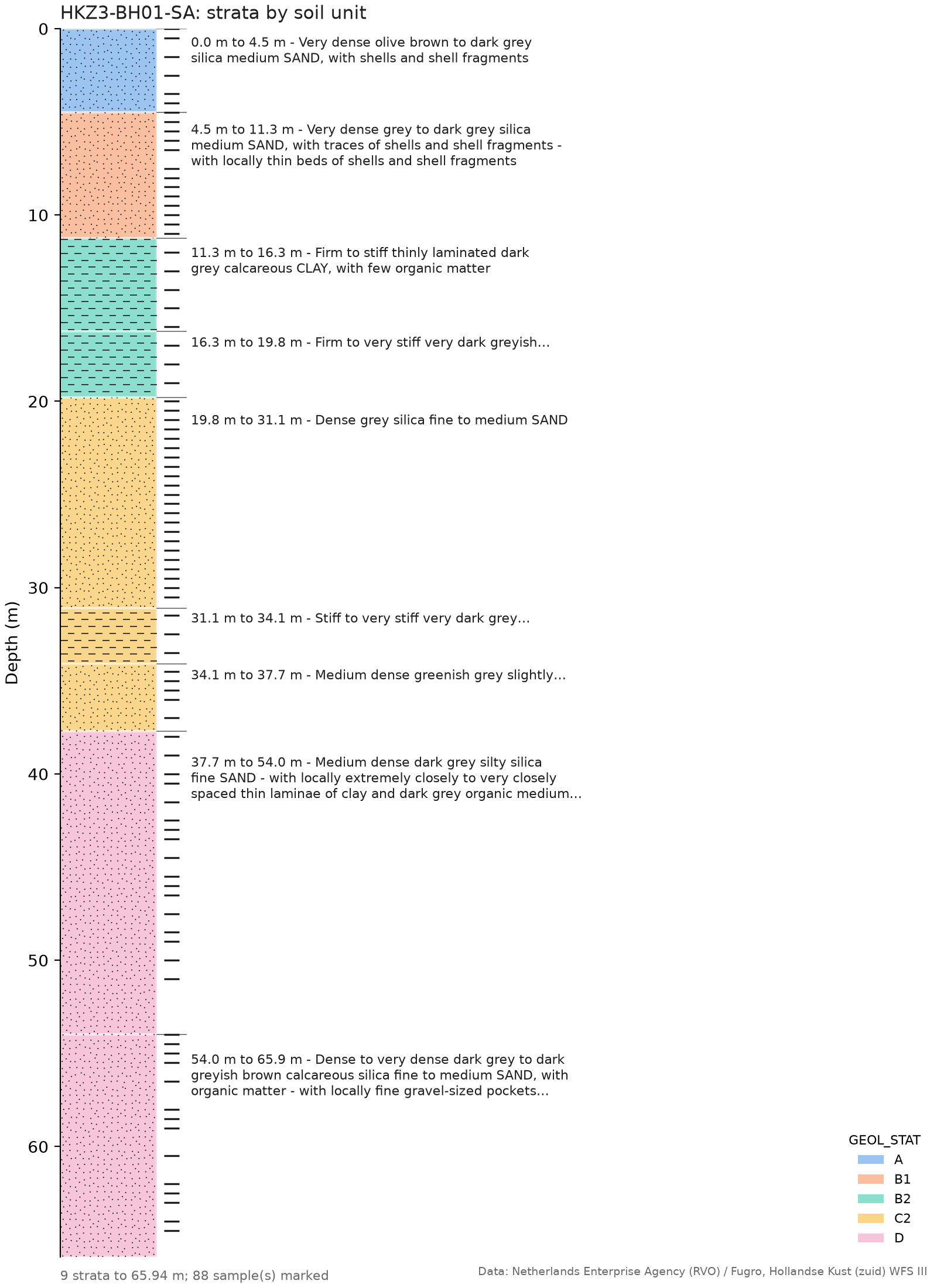
strip_log(geol): one borehole's strata as a column against depth, with sample depths marked. Strata described as CLAY, SILT, SAND or GRAVEL are hatched with that soil's pattern.
All default to the AGS4 heading names, and return what they drew so you can keep
styling: the axes from plasticity_chart and strip_log, the figure from
borehole_log. A missing value (a null, an empty string or NaN) is never
drawn as a value. Numbers typed as text are read as numbers; rows that cannot be
plotted are left out and counted under the plot.
Status: early release. The API may still change between 0.x versions.
pip install laterite-outcrop
Try it with uv
Draw all three plots from a public dataset, with nothing installed first:
uv run https://raw.githubusercontent.com/niko86/laterite-outcrop/main/examples/hkz3.py
The script declares its own dependencies, so uv builds a throwaway
environment for it. It writes borehole_log.png, striplog.png and
plasticity.png to the current directory.
Add it to a uv project:
uv add laterite-outcrop laterite # laterite reads the AGS4 files
Or use it for one command without a project:
uv run --with laterite --with laterite-outcrop python my_plot.py
Use
import laterite
from outcrop import Track, borehole_log, plasticity_chart, strip_log

ags = laterite.read("site.ags")
frames = ags.at("LOCA", ["BH01"]).frames()  # {group: frame} for one hole

borehole_log(
    frames,
    proj=ags["PROJ"],
    tracks=[Track(frames["ISPT"], "ISPT_TOP", "ISPT_NVAL", "SPT N")],
).savefig("log.pdf")

strip_log(frames).figure.savefig("strip.png", dpi=200)
plasticity_chart(ags["LLPL"], by="LOCA_ID").figure.savefig("plasticity.png", dpi=200)
Each plot takes either one group's frame or the whole {group: frame} dict
that laterite's .frames() returns, and finds GEOL, LOCA, SAMP, PROJ
or LLPL in it. A log is of one hole: if the data holds several, pass
hole="BH01".
Straight from a file
With the optional laterite extra, the same plots take a file and a hole ID:
uv add "laterite-outcrop[laterite]" # or: pip install "laterite-outcrop[laterite]"
from outcrop import Track, ags

ags.borehole_log(
    "site.ags", "BH01", tracks=[Track("ISPT", "ISPT_TOP", "ISPT_NVAL", "SPT N")]
).savefig("BH01.pdf")
ags.strip_log("site.ags", "BH01")
ags.plasticity_chart("site.ags", by="LOCA_ID")
A Track can name its group by code, as above, whenever the log is drawn from
a file or a dict of groups.
Without the extra, outcrop does not import laterite. It reads named columns from whatever it is
given, so laterite's polars frames work, as do the pandas frames and pyarrow
tables from laterite.compat, and a plain dict of lists.
Gallery
borehole_log draws a log sheet: a ruled header of project and hole details
from PROJ and LOCA, then depth, a hatched legend, the descriptions, levels,
samples, groundwater strikes from WSTG, and any test results you add as
columns. The legend is hatched by each stratum's principal soil or rock;
colour=True also tints it by legend code.
| The whole hole on one sheet | Sheet 2 of 4 at 1:100 |
|---|---|
 |
 |
plasticity_chart |
strip_log |
|---|---|
 |
 |
Data in all three: Netherlands Enterprise Agency (RVO) / Fugro, Hollandse Kust (zuid) Wind Farm Site III.
examples/hkz3.py is the script behind the gallery. It fetches its data with
laterite-quarry.
Deep holes: a log over several sheets
borehole_log fits the whole hole on one sheet. For a hole too deep to read
that way, borehole_log_pages draws it at a true scale over as many A4 sheets
as it needs:
from outcrop import borehole_log_pages, save_pages

sheets = borehole_log_pages(frames, proj=ags["PROJ"], scale=50)  # 1:50, 10 m a sheet
save_pages(sheets, "BH01.pdf")
Each sheet is numbered and carries the header. A stratum that crosses a sheet boundary is marked "(continued)" on the next sheet, its base is printed once, where it lies, and the last sheet rules off the end of the hole. Hatching and the test columns' value scales carry on unbroken from sheet to sheet.
What this is not
A drawing-office log. A description too long for its stratum is cut short and counted, not carried over to a continuation sheet. The legend has patterns for made ground, topsoil, concrete, clay, silt, sand, gravel, cobbles, boulders, peat, chalk, limestone, mudstone, siltstone and sandstone, chosen by the principal constituent alone: a "sandy CLAY" is hatched as clay.
Related
- laterite: read, validate and query AGS4.
- laterite-quarry: fetch public AGS4 datasets.
- laterite-forge: generate synthetic AGS4.
Developing
uv sync
uv run ruff check . && uv run ruff format --check . && uv run ty check && uv run pytest -q
uv run examples/hkz3.py docs   # redraw the gallery
To release: bump version in pyproject.toml, date the changelog entry,
merge to main, then run the Release workflow from the Actions tab. It
publishes to PyPI and then tags the commit.
MIT licensed.
1 maintainer

Metadata
1 maintainer
Release files for laterite-outcrop 0.1.0
For a detailed explanation of source distributions (sdists) and built distributions (wheels), please see the package formats documentation.
Source distribution (sdist)
| File | Size | Uploaded | Provenance | Actions |
|---|---|---|---|---|
| laterite_outcrop-0.1.0.tar.gz | 1.2 MB | With provenance | Details for laterite_outcrop-0.1.0.tar.gz |
Built distribution (wheel)
| File | Interpreter | ABI | Platform | Actions Reset |
|---|---|---|---|---|
| laterite_outcrop-0.1.0-py3-none-any.whl | Python 3 | none | any | Details for laterite_outcrop-0.1.0-py3-none-any.whl |
Total release size: 1.2 MB
Release files / laterite_outcrop-0.1.0.tar.gz
| Download URL | laterite_outcrop-0.1.0.tar.gz |
|---|---|
| Size | 1.2 MB |
| Tags | Source |
|
SHA-256 checksum How to use checksums |
0452d0c9804fc805410047c6c97e25f63aff1afb89b8ec4e3538712bbea1a313
|
|
BLAKE2b-256 checksum How to use checksums |
d0621a490419989aee2851f7176233f2d6702818c65f4b8d88cb780a252499bb
|
| Upload date | |
|
Uploaded using Trusted Publishing? What is trusted publishing? |
Yes |
| Uploaded via |
twine/7.0.0 CPython/3.13.16
|
Provenance
Provenance describes where a file came from. On PyPI, provenance is shared via attestations, which provide a verifiable record of the build or publishing details. View details, limitations and caveats.


PyPI Publish Attestation
PyPI verified that this artifact, at this checksum, originated from the publisher listed below.
Signed by GitHub Actions, verified by PyPI on Nov 28, 2026.
Transparency logRelease files / laterite_outcrop-0.1.0-py3-none-any.whl
| Download URL | laterite_outcrop-0.1.0-py3-none-any.whl |
|---|---|
| Size | 27.5 kB |
| Tags | Python 3 |
|
SHA-256 checksum How to use checksums |
efd1bea5e014c04878b42f81192ae739ef11682ecf0b9634d751826c58a7e5ed
|
|
BLAKE2b-256 checksum How to use checksums |
6bcd751d4ef2558dfaba65da4041b67abc3fe954eb31080be613a59dc6bcde1c
|
| Upload date | |
|
Uploaded using Trusted Publishing? What is trusted publishing? |
Yes |
| Uploaded via |
twine/7.0.0 CPython/3.13.16
|
Provenance
Provenance describes where a file came from. On PyPI, provenance is shared via attestations, which provide a verifiable record of the build or publishing details. View details, limitations and caveats.
PyPI Publish Attestation
PyPI verified that this artifact, at this checksum, originated from the publisher listed below.
Signed by GitHub Actions, verified by PyPI on Nov 28, 2026.
Transparency logSecurity for laterite-outcrop 0.1.0
Provenance
Provenance describes where a file came from. On PyPI, provenance is shared via attestations, which provide a verifiable record of the build or publishing details. View details, limitations and caveats.
Full provenance
Both files in this release have been uploaded with provenance metadata.
Attestation for laterite_outcrop-0.1.0.tar.gz
PyPI Publish Attestation
PyPI verified that this artifact, at this checksum, originated from the publisher listed below.
Signed by GitHub Actions, verified by PyPI on Nov 28, 2026.
Transparency logA note on package security
PyPI is a repository for distributing packages, not a service for auditing them. While third-party security researchers and our staff do their best to detect and remove malicious packages, PyPI cannot guarantee the quality, security or suitability of any given package.
To learn more about protecting yourself from malicious actors, visit our package security documentation.













