
English | Français

Write your document. Save. Your PDF appears. That's it.




Quick start • Templates • Profile • Build • Help • Commands • VS Code extension

What is LaTeX Forge?
You need to hand in a report, a CV, or a paper in LaTeX, and you'd rather spend your time writing than fighting with packages, compilers, and configuration.
LaTeX Forge is a small tool you install once. One command then creates a complete, ready-to-write document project: the folder structure, the styles, the bibliography setup, and a pre-configured VS Code workspace. Open it, type, save: the PDF rebuilds automatically in a side panel.
No LaTeX knowledge required to get started. And if you already live in a terminal, everything is scriptable.
Quick start
# 1. install latex-forge and LaTeX (one time — no admin rights, no Python needed)
curl -LsSf https://raw.githubusercontent.com/thmsgo18/latex-forge/main/install.sh | sh

# 2. create your first project
latex-forge create --name my-report --template project-report-en

# 3. open it and start writing
code my-report
On Windows, step 1 is (in PowerShell):
powershell -ExecutionPolicy ByPass -c "irm https://raw.githubusercontent.com/thmsgo18/latex-forge/main/install.ps1 | iex"
Using VS Code? Install the LaTeX Forge extension instead: it sets everything up in one click.
The installer gets uv (which brings its own Python), installs the latex-forge command with it, then asks which LaTeX distribution you want and checks that a test document compiles.
Which LaTeX distribution? (light, full, system)
| What you get | Size | Admin rights | |
|---|---|---|---|
| Light (default) | TinyTeX in your home folder. Every LaTeX package a document needs is installed automatically the first time you compile it | ~500 MB, a few minutes | No |
| Full | All of TeX Live in your home folder, everything available offline | ~2 GB download | No |
| System | MacTeX (Homebrew), MiKTeX (winget) or TeX Live (apt/dnf/pacman) | 5+ GB, 20–30 min | Yes |
A LaTeX distribution you already have (MacTeX, TeX Live, MiKTeX…) is detected and never touched. Change your mind later with latex-forge setup --tex full (upgrades a light install), or remove the light/full one with latex-forge setup --remove-tex.
Already use uv or pipx? Install by hand
uv tool install latex-forge      # or: pipx install latex-forge  (Python 3.10+)
latex-forge setup                # installs LaTeX (asks which one) and checks it works
Features
- One-command projects: complete folder structure, embedded styles, zero external dependencies
- Live PDF preview: generated projects are pre-wired for LaTeX Workshop: save in VS Code, see the PDF
- Terminal compilation:
latex-forge buildandlatex-forge watchwork without any editor, and missing LaTeX packages, fonts and bibliography styles are installed automatically - 80+ templates: CVs, theses, papers, posters, slides… installable from the gallery in one command, plus your own with
--engine - Your profile, auto-filled: set your name, email, and university once; every new project starts personalized
- Git-ready:
latex-forge create --repo createinitializes git and creates the GitHub repository for you - Submission-ready exports:
latex-forge exportbundles your sources and PDF into a clean ZIP - One-step setup, no admin rights:
latex-forge setupinstalls LaTeX in your home folder and proves it works with a test compile;latex-forge diagnosetells you what's wrong - AI-friendly: every project ships an
AGENTS.mdbriefing so any AI assistant can contribute immediately - Cross-platform: macOS, Linux, Windows
How it feels

Write on one side. See your document on the other. Every save refreshes the result.
Templates
Six templates are built in:
| Template | Language | Description |
|---|---|---|
blank |
English | Minimal document: title, one section, ready to grow |
project-report-en |
English | ISO/IEEE project report: requirements, architecture, testing, bibliography |
project-report-fr |
French | AFNOR/ISO project report: cahier des charges, architecture, tests, bibliographie |
research |
English | Two-column research article: related work, methodology, experiments, bibliography |
cv-en |
English | CV / résumé: education, experience, projects, skills |
cv-fr |
French | CV: formation, expérience, projets, compétences |
latex-forge list-templates
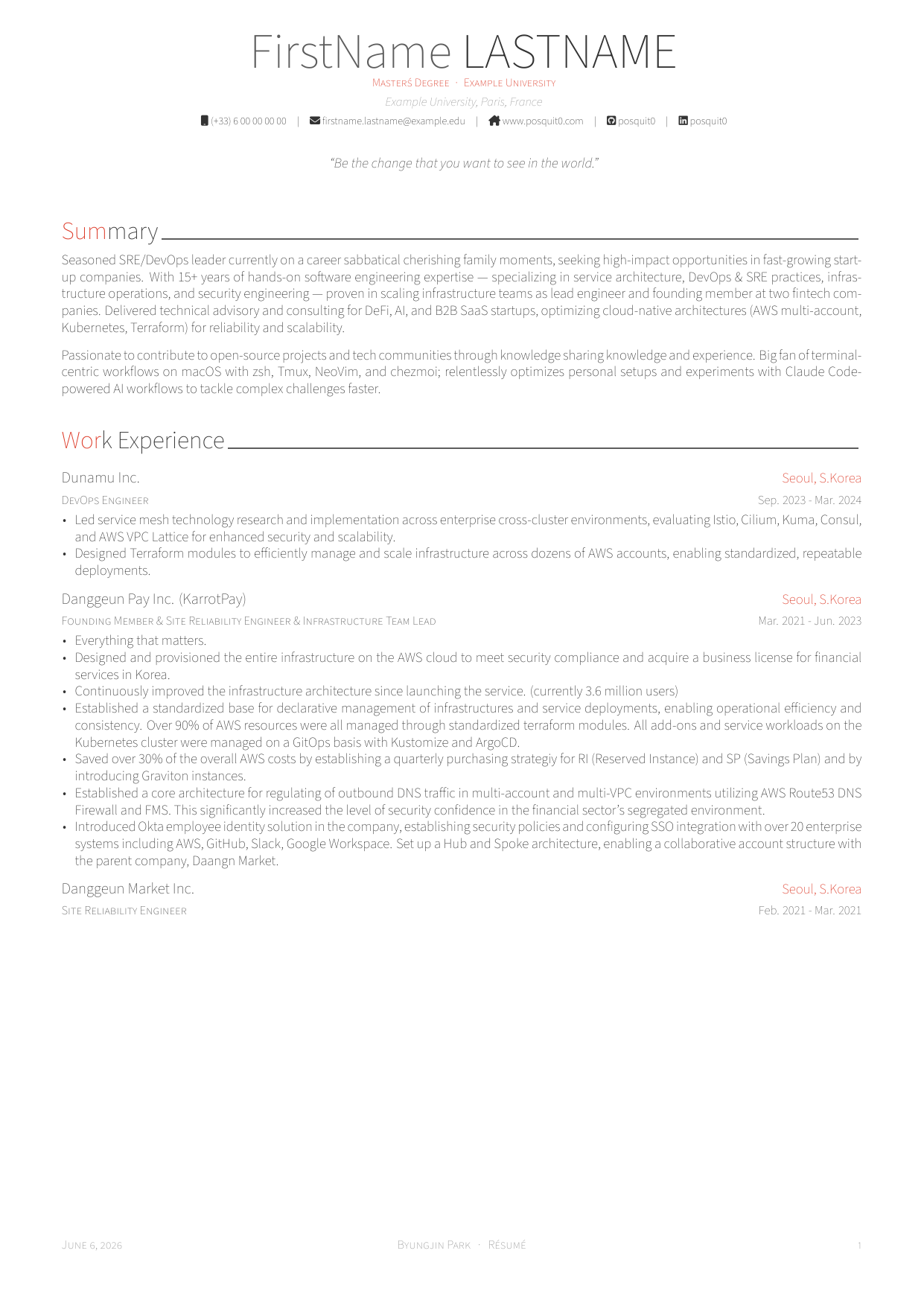
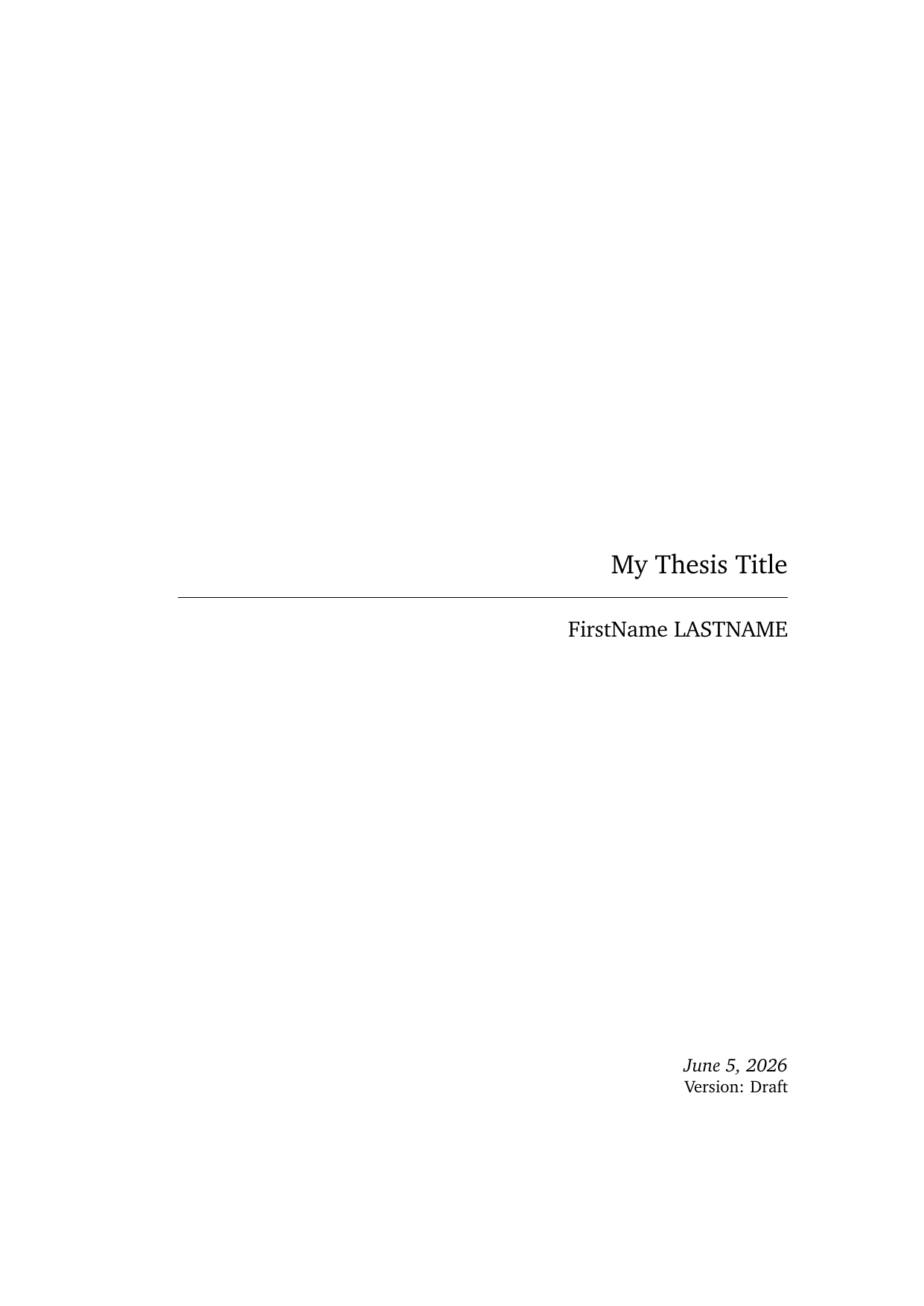
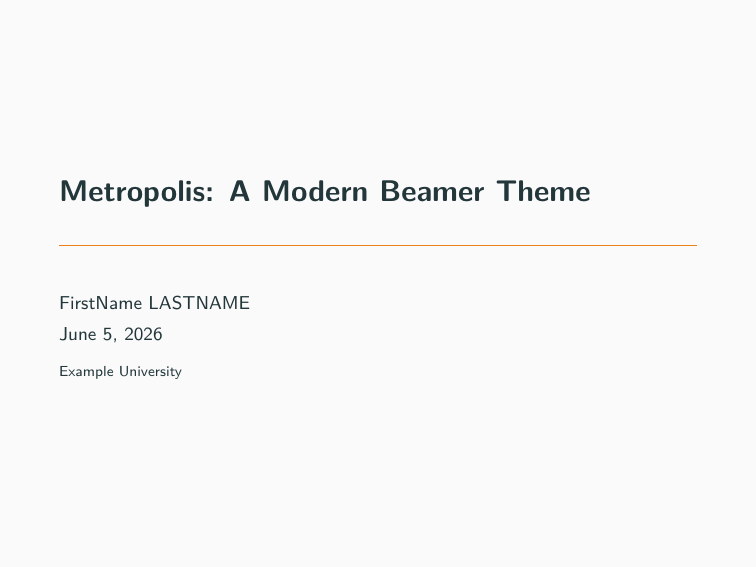
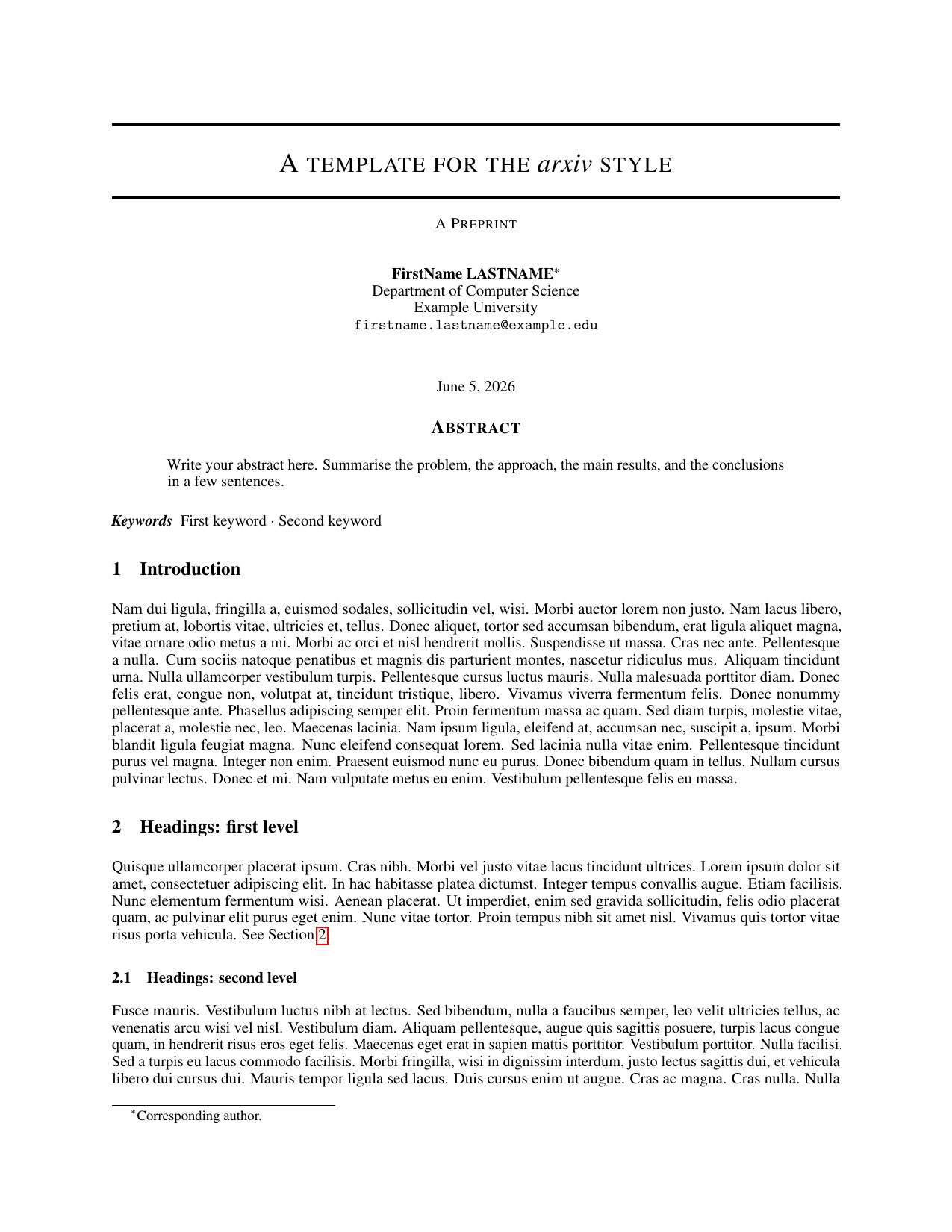
The gallery (80+ more)
Browse the template gallery with previews, then install any template in one command:
# install a template from the gallery
latex-forge template install https://github.com/thmsgo18/latex-forge-gallery/tree/main/templates/thesis/clean-thesis

# create a project from it
latex-forge create --template clean-thesis --name my-thesis

# manage installed templates
latex-forge template list
latex-forge template update          # pull new versions from the gallery
latex-forge template remove clean-thesis
You can also install your own templates from any GitHub repo, ZIP file, or local folder. The only requirement is a main.tex at the root:
latex-forge template install https://github.com/someone/their-template
latex-forge template install ~/my-templates/lab-notes --name lab-notes

# declare the LaTeX engine if the template doesn't already (pdflatex/xelatex/lualatex)
latex-forge template install https://github.com/someone/their-template --engine xelatex
See TEMPLATE_COMPATIBILITY.md for how to get profile auto-fill (name, email, university…) working with your own templates too.
Prefer clicking to typing? The VS Code extension has a built-in gallery browser with previews and one-click install.
Your profile
Tell LaTeX Forge who you are once, and every new project is pre-filled with your name, email, university, and more:
latex-forge profile set      # interactive: name, email, phone, university…
latex-forge profile show
latex-forge profile clear
Works with the built-in templates and the gallery ones (CVs get your contact details, reports get your university and supervisor).
Compile from the terminal
No VS Code? No problem.

latex-forge build            # compile once → build/<name>.pdf
latex-forge build --clean    # wipe build artifacts first
latex-forge watch            # recompile on every save (Ctrl+C to stop)
The right LaTeX engine is detected from the project itself: nothing to configure.
Usage
Interactive mode
$ latex-forge create

Project name: my-report
Available templates:
  1. blank
  2. cv-en
  3. cv-fr
  4. project-report-en
  5. project-report-fr
  6. research
Choose a template [1-6]: 4
Create project in [/Users/alice/Desktop]:

Project created: /Users/alice/Desktop/my-report
Open project in VS Code? [y/N]
With flags
latex-forge create --name my-report --template project-report-en
latex-forge create --name my-paper --template research --output ~/Desktop
Rename a project
latex-forge rename old-name new-name   # from the parent directory
latex-forge rename new-name            # from inside the project
Configuration
# ~/.latex-forge.toml
default_template = "project-report-en"
default_output_dir = "~/Documents/projects"
| Key | Description |
|---|---|
default_template |
Template used when --template is omitted |
default_output_dir |
Output directory used when --output is omitted |
Shell completion
Tab completion for commands, flags, and template names for bash (~/.bashrc) or zsh (~/.zshrc):
eval "$(latex-forge completion)"
Filling in your project
Open frontmatter/metadata.tex to set the title, authors, and course:
\newcommand{\reporttitle}{Audio Fingerprinting Study}
\newcommand{\coursename}{Machine Learning}

\resetauthors
\addauthor{Alice Martin}{}
\addauthor{Bob Durand}{}
Save the main .tex file: the PDF rebuilds instantly in VS Code (or run latex-forge build).
Generated project structure
my-project/
├── my-project.tex            ← main file (named after the project)
├── frontmatter/
│   ├── metadata.tex          ← title, authors, course (start here)
│   └── toc.tex
├── sections/                 ← one .tex file per section
├── backmatter/               ← acknowledgements, appendices
├── bibliography/
│   └── references.bib
├── figures/  images/  assets/logos/
├── styles/packages/          ← embedded styles, no external dependency
├── .vscode/                  ← pre-configured for live PDF preview
├── GETTING_STARTED.md        ← guide for you
├── AGENTS.md                 ← briefing for AI assistants
└── .gitignore
The project is fully self-contained: it compiles, shares, and versions independently, with no dependency on this repository. Every project also ships AGENTS.md, a briefing that lets any AI assistant open the project cold and contribute correctly.
Need help?
Start with the doctor, which checks everything and tells you what to fix:
latex-forge diagnose
| Problem | Fix |
|---|---|
latex-forge: command not found |
Open a new terminal (the installer added ~/.local/bin to your PATH) |
| Nothing compiles / no PDF | latex-forge setup --install-tex installs LaTeX (no admin rights needed) |
Package X not found |
latex-forge build installs it and recompiles; with a system TeX Live it prints the sudo tlmgr install command |
| New TeX Live year, packages won't install | latex-forge setup --reinstall-tex upgrades the light/full install, keeping your packages |
| Compilation stuck | latex-forge build --clean, then try again |
| Something else | Open an issue with the output of latex-forge diagnose |
Command reference
| Command | Description |
|---|---|
latex-forge create |
Create a project (interactive) |
latex-forge create --name N --template T --output DIR [--repo MODE] |
Create with explicit arguments (--repo create/existing/none) |
latex-forge build [DIR] [--clean] [--verbose] |
Compile to PDF with latexmk (installs missing packages, fonts and styles, then recompiles) |
latex-forge watch [DIR] |
Recompile on every save |
latex-forge export [DIR] [--output FILE] |
Bundle sources + PDF into a clean ZIP for submission |
latex-forge rename [OLD] NEW |
Rename a project (folder + main file + artifacts) |
latex-forge list-templates |
List available templates |
latex-forge template install SOURCE [--name N] [--force] [--engine E] |
Install a template (GitHub URL, ZIP, local path) |
latex-forge template list [--json] |
List built-in and installed templates |
latex-forge template update [NAME] [--json] |
Update installed gallery templates |
latex-forge template remove NAME |
Remove an installed template |
latex-forge profile set / show / clear |
Manage your auto-fill profile |
latex-forge setup [--install-tex] [--tex light|full|system] [--yes] [--verify] |
Install LaTeX (no admin rights by default) and check it works |
latex-forge setup --check-only / --reinstall-tex / --remove-tex |
Only check / repair / uninstall the LaTeX managed by latex-forge |
latex-forge diagnose [--json] |
Environment health check |
latex-forge completion [--shell SHELL] |
Print shell completion code |
latex-forge --version |
Show version |
Versioning your documents
Each project is self-contained, so you can version it independently:
cd my-project
git init && git add . && git commit -m "Initial report"
Contributing
See CONTRIBUTING.md. The demo GIFs are generated with vhs: ./docs/demo/record.sh.
Related projects
- latex-forge-vscode: do everything from VS Code: create projects, browse the gallery with previews, one-click template install (no terminal needed)
- latex-forge-gallery: the curated template gallery (80+ templates) and its browsable website
- latex-forge-skill: a Claude skill that drives the whole workflow from a conversation: scaffold, write, build and export documents
Author
Made by thmsgo18
1 maintainer

Metadata
1 maintainer
Release files for latex-forge 0.8.0
For a detailed explanation of source distributions (sdists) and built distributions (wheels), please see the package formats documentation.
Source distribution (sdist)
| File | Size | Uploaded | |
|---|---|---|---|
| latex_forge-0.8.0.tar.gz | 2.1 MB | Details |
Built distribution (wheel)
| File | Interpreter | ABI | Platform | Reset |
|---|---|---|---|---|
| latex_forge-0.8.0-py3-none-any.whl | Python 3 | none | any | Details |
Total release size: 2.4 MB
Release files / latex_forge-0.8.0.tar.gz
| Download URL | latex_forge-0.8.0.tar.gz |
|---|---|
| Size | 2.1 MB |
| Tags | Source |
|
SHA-256 checksum How to use checksums |
6476e862f61fb8495cf633a87906113c7bd722bf93efbdb80f1d5f11b774e85b
|
|
BLAKE2b-256 checksum How to use checksums |
4fa029e812bc50c701a09dfbe7c879d55e4905d201a7b5cb035c94554e77d23c
|
| Upload date | |
|
Uploaded using Trusted Publishing? What is trusted publishing? |
Yes |
| Uploaded via |
twine/7.0.0 CPython/3.13.14
|
Provenance
Provenance describes where a file came from. On PyPI, provenance is shared via attestations, which provide a verifiable record of the build or publishing details. View details, limitations and caveats.


PyPI Publish Attestation
PyPI verified that this artifact, at this checksum, originated from the publisher listed below.
Signed by GitHub Actions, verified by PyPI on Oct 4, 2026.
Transparency logRelease files / latex_forge-0.8.0-py3-none-any.whl
| Download URL | latex_forge-0.8.0-py3-none-any.whl |
|---|---|
| Size | 302.3 kB |
| Tags | Python 3 |
|
SHA-256 checksum How to use checksums |
d9a4dd8e589932d8ffc7e8a6b58d49765c05959685411808bdf14292d030ad0e
|
|
BLAKE2b-256 checksum How to use checksums |
2f95667c9aba33e613259b0eca5fd2793fc3019228d3b04a5d8361793143b2e9
|
| Upload date | |
|
Uploaded using Trusted Publishing? What is trusted publishing? |
Yes |
| Uploaded via |
twine/7.0.0 CPython/3.13.14
|
Provenance
Provenance describes where a file came from. On PyPI, provenance is shared via attestations, which provide a verifiable record of the build or publishing details. View details, limitations and caveats.
PyPI Publish Attestation
PyPI verified that this artifact, at this checksum, originated from the publisher listed below.
Signed by GitHub Actions, verified by PyPI on Oct 4, 2026.
Transparency log













