
LClip
LClip script helps you search clipboard data on your Ubuntu GNOME favourite browser.
Features
- Open Source
- Makes search easier.
- Browser Google or Firefox or Chromium
- Search on google.com or duckduckgo.com
Installation and Usage
- Python3 required
- Install lclip
pip3 install lclip
- lclip setup
lclip -s
-
Not Implemented Error:
"Pyperclip could not find a copy/paste mechanism for your system"
sudo apt-get install xsel
to install the xsel utility.
How can it helps?
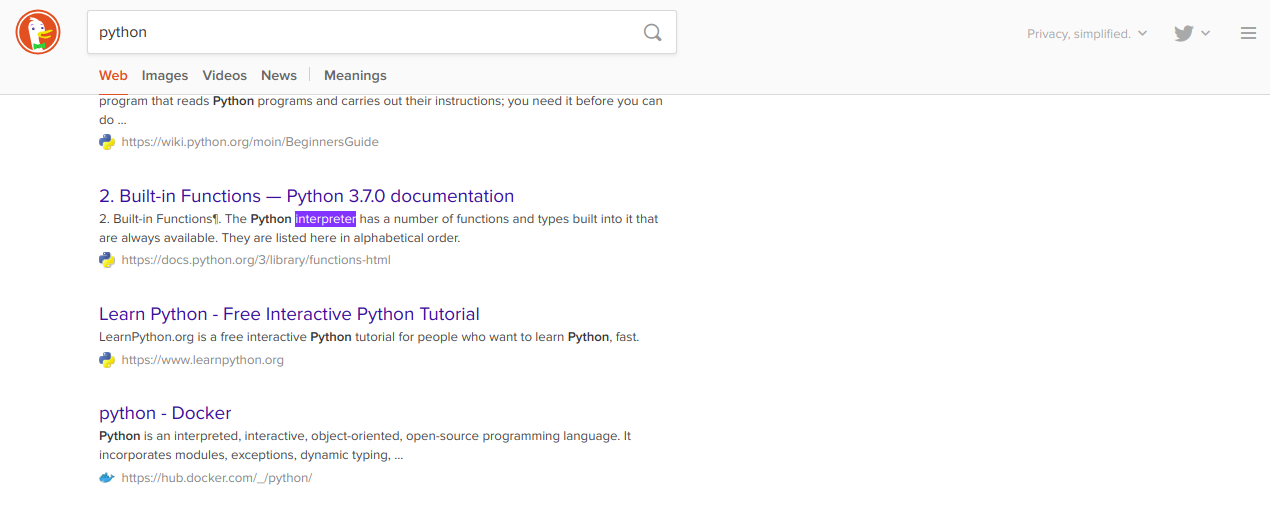
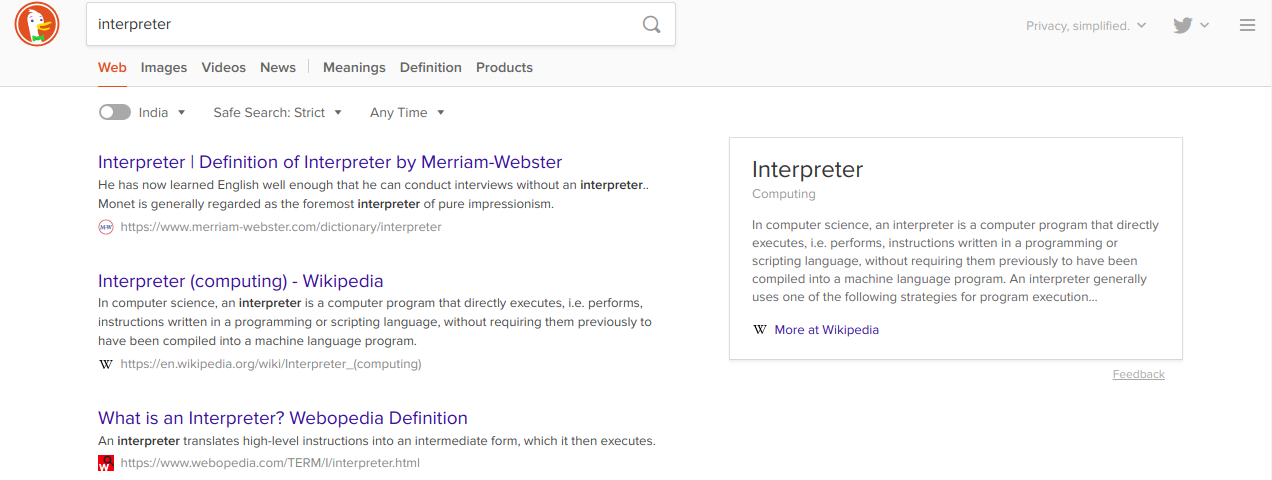
When using keyboard shortcut to run the script, it is lot easier to search any keyword or url that you read on book, website etc.
Example: Copy any keyword or url.
Ctrl + c
Run script with keyboard shortcut and search on browser's new tab.
Ctrl + Shift + x
Screenshot
Other Distro
- Remove set_up_keyboard_shortcut from lclip file
- Install python packages
pip3 install validators pyperclip
- Run script
python3 lclip
- Create keyboard shortcut manually with command
python3 ~/.lclip/xbrowser.py
Suggestions
Open to any suggestions and help provided.
1 maintainer

Download files
Download the file for your platform. If you're not sure which to choose, learn more about installing packages.
Source Distributions
Built Distribution
Filter files by name, interpreter, ABI, and platform.
If you're not sure about the file name format, learn more about wheel file names.
Copy a direct link to the current filters
File details
Details for the file lclip-0.1.3-py3-none-any.whl.
File metadata
- Download URL: lclip-0.1.3-py3-none-any.whl
- Upload date:
- Size: 3.5 kB
- Tags: Python 3
- Uploaded using Trusted Publishing? No
- Uploaded via:
twine/3.2.0 pkginfo/1.5.0.1 requests/2.24.0 setuptools/45.2.0 requests-toolbelt/0.9.1 tqdm/4.49.0 CPython/3.8.2
File hashes
| Algorithm | Hash digest | |
|---|---|---|
| SHA256 |
3eb45a5f28caff6e6406acc3a54f8133e1edb77b4cac6e3d0dbae23b035e2a50
|
|
| MD5 |
a163c81795831a1fbbdf70526e5d1cc3
|
|
| BLAKE2b-256 |
dd8174d9e3d0205ac44e145e4c634db0cb9f7f19b9e63e370086c719b1456a94
|














