
A modern CLI for syncing local directories with Overleaf projects.
Verified details
These details have been verified by PyPIProject links
GitHub Statistics
Maintainers

Project description
LeafLink
A CLI for syncing local folders with Overleaf and cn.overleaf projects





Browser login, clone, pull, push, PDF download, and pseudo real-time sync in one tool.
Overview
LeafLink is an open source command-line tool for synchronizing a local directory with an Overleaf project without relying on Overleaf's paid Git bridge.
It is inspired by the product shape of overleaf-sync, but it is not a fork. LeafLink is a clean-room rewrite built for:
- clearer architecture
- maintainable Python packaging
- browser-based authentication
- reliable local/remote state tracking
- easier testing and long-term extension
Why Rewrite Instead of Fork
- To decouple authentication, client, sync engine, and CLI from the start
- To support both
overleaf.comandcn.overleaf.comas first-class targets - To add a
synccommand for local watch + remote polling collaboration - To make the project easier to test, release, and maintain as a real PyPI package
Highlights
- Browser login with persisted session cookies
- Manual cookie import as a fallback auth flow
- List all accessible projects
- Clone by project URL, project ID, or exact project name
- Pull remote changes into a local working tree
- Push local changes to the remote project
- Download the latest compiled PDF
- Inspect local vs remote status without applying changes
synccommand for pseudo real-time collaboration- Three-way text merge powered by
merge3 - Binary-safe syncing for images, PDFs, archives, BibTeX files, style files, and more
Supported URLs
https://www.overleaf.com/project/...https://cn.overleaf.com/project/...
Installation
Install from PyPI
pip install leaflink
Then run:
leaflink --help
Install optional extras
pip install "leaflink[browser,watch]"
browser: installs Playwright for browser login and remote discoverywatch: installswatchdogforleaflink sync
Install from source
git clone https://github.com/xiongqi123123/LeafLink.git
cd LeafLink
pip install .
First-time Playwright setup
playwright install chromium
Authentication
LeafLink stores reusable session data, not plaintext usernames or passwords.
Default config locations:
~/.config/leaflink/auth.json~/.config/leaflink/config.toml
Browser login
leaflink login
leaflink login --base-url https://cn.overleaf.com
Example output:
[auth] Complete login in the browser window. leaflink will detect the session automatically and close the browser.
[ok] Saved session for https://cn.overleaf.com
Import cookies manually
leaflink auth import --base-url https://www.overleaf.com --cookie-file cookies.json
Example output:
[ok] Imported cookies for https://www.overleaf.com
Logout
leaflink logout
Example output:
[ok] Removed saved auth session.
Quick Start
leaflink login --base-url https://cn.overleaf.com
leaflink list
leaflink clone "Sample Paper Draft"
cd sample-paper-draft
leaflink status
leaflink pull
leaflink push
leaflink download --output build/output.pdf
leaflink sync
Commands and Sample Output
All project names, IDs, paths, and file contents below are fictional examples.
leaflink list
Lists all Overleaf projects accessible to the current account. It is useful before cloning so you can confirm project names, IDs, and recent update times.
leaflink list
Name                         Project ID                Updated
---------------------------  ------------------------  ------------------------
Sample Paper Draft          a1b2c3d4e5f60718293a4b5c  2026-03-27T09:16:42.180Z
Research Notes              b2c3d4e5f60718293a4b5c6d  2026-03-24T12:08:09.011Z
Resume Template CN          c3d4e5f60718293a4b5c6d7e  2026-03-21T07:45:33.501Z
leaflink clone
Clones a remote project into a local directory and initializes the .leaflink/ metadata used to track the mapping between the local workspace and the remote project.
leaflink clone a1b2c3d4e5f60718293a4b5c
leaflink clone "Sample Paper Draft"
leaflink clone https://www.overleaf.com/project/a1b2c3d4e5f60718293a4b5c ./paper-demo
[ok] Cloned Sample Paper Draft into sample-paper-draft
leaflink status
Analyzes local and remote changes without applying anything. Use it to preview added, modified, deleted, and conflicting files before a pull or push.
leaflink status
[local] added: figures/overview.pdf
[local] modified: main.tex
[local] deleted: -
[remote] added: appendix.tex
[remote] modified: refs.bib
[remote] deleted: drafts/old-outline.tex
[conflicts] -
leaflink pull
Pulls the latest remote changes into the local project directory. It handles additions, updates, deletions, and enters conflict resolution when overlapping text edits are detected.
leaflink pull
leaflink pull --conflict-strategy keep-remote
[2026-03-27 14:06:11] [remote] changed: refs.bib (saved 2026-03-27 14:05:57, by collaborator)
[2026-03-27 14:06:11] [pull] updated: refs.bib (saved 2026-03-27 14:05:57, by collaborator)
[2026-03-27 14:06:11] [pull] added: appendix.tex
Conflict example:
[2026-03-27 14:06:11] [conflict] main.tex
Local and remote edits overlap in the same text region.
...
<<<<<<< local/main.tex
\title{Sample Paper Draft v2}
||||||| base/main.tex
\title{Sample Paper Draft}
=======
\title{Sample Paper Draft Revised}
>>>>>>> remote/main.tex
Choose a resolution:
1. keep remote
2. keep local
3. duplicate both
leaflink push
Pushes local changes to the remote project. It tries to upload only changed files and works for common binary assets as well as text sources.
leaflink push
leaflink push --dry-run
[2026-03-27 14:07:42] [push] uploaded: main.tex (saved 2026-03-27 14:07:38)
[2026-03-27 14:07:42] [push] uploaded: figures/overview.pdf (saved 2026-03-27 14:07:11)
leaflink download
Downloads the most recent compiled PDF from the remote project. This is useful for local archiving, submission workflows, or build pipelines.
leaflink download
leaflink download --output build/paper.pdf
[ok] Downloaded PDF to /path/to/project/build/paper.pdf
leaflink sync
Starts the pseudo real-time sync loop. It watches local file changes and pushes them automatically, while polling the remote project on an interval and pulling remote changes when safe.
leaflink sync
leaflink sync --interval 15 --debounce 2.0
leaflink sync --once
[2026-03-27 13:21:23] [sync] Preparing sync service for Sample Paper Draft.
[2026-03-27 13:21:23] [sync] Project lock acquired for Sample Paper Draft.
[2026-03-27 13:21:23] [sync] Starting local watcher.
[2026-03-27 13:21:23] [sync] Sync service started. Watching /path/to/project (remote poll: 10.0s, debounce: 1.5s).
[2026-03-27 13:21:31] [local] modified: main.tex (saved 2026-03-27 13:21:30)
[2026-03-27 13:21:33] [push] uploaded: main.tex (saved 2026-03-27 13:21:30)
[2026-03-27 13:21:43] [sync] Checking remote changes.
[2026-03-27 13:21:44] [remote] changed: refs.bib (saved 2026-03-27 13:21:40, by collaborator)
[2026-03-27 13:21:44] [pull] updated: refs.bib (saved 2026-03-27 13:21:40, by collaborator)
.leafignore Example
# LeafLink metadata
.leaflink/

# Git
.git/

# macOS
.DS_Store

# LaTeX temporary files
*.aux
*.log
*.out
*.fls
*.fdb_latexmk
*.synctex.gz
*.synctex(busy)

# Custom rules
build/
dist/
See examples/leafignore.example for a complete example.
Conflict Handling
LeafLink uses three-way merge with:
- a shared base snapshot
- the current local file
- the current remote file
Behavior:
- non-overlapping text edits are merged when possible
- overlapping text edits enter conflict resolution
- binary files are not auto-merged
Available strategies:
keep remotekeep localduplicate both
How sync Works and Its Limits
leaflink sync is pseudo real-time sync, not true live collaborative editing.
It works by:
- watching the local directory with
watchdog - debouncing bursts of local writes
- polling the remote project at intervals
- applying automatic push / pull when safe
- entering conflict resolution when overlapping edits are detected
Limitations:
- remote changes are discovered by polling, not server push
- text files are better candidates for auto-merge than binary files
- if Overleaf private web APIs change, some write paths may need updates
Local Metadata
Each cloned project stores internal metadata in:
.leaflink/
  project.json
  state.json
  lock
  cache/
  logs/
Security Notes
- LeafLink does not store plaintext passwords
- only required session cookies and metadata are persisted
- logs avoid printing sensitive auth values by default
- storing sessions is best done on trusted personal devices only
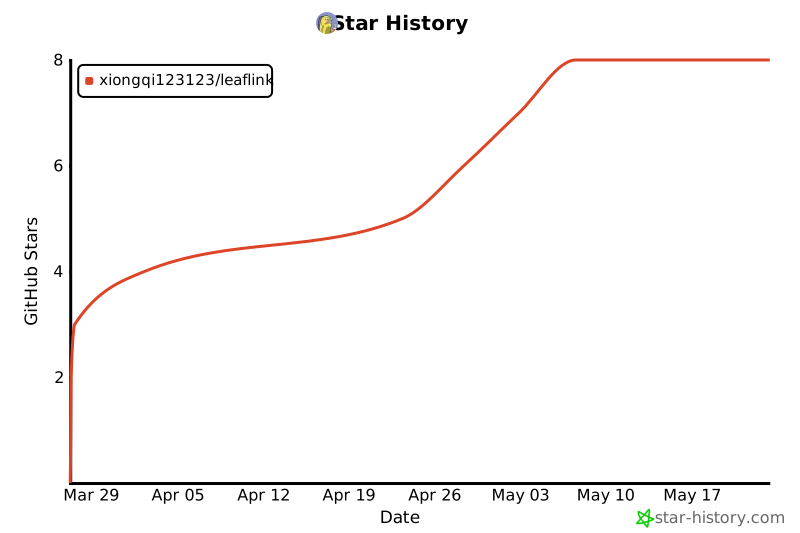
Star History
Development and Release
- install dev dependencies:
pip install -e ".[dev,browser,watch]" - run tests:
python -m unittest discover -s tests -v - build locally:
python scripts/build_dist.py - GitHub Actions:
- CI:
.github/workflows/ci.yml - Publish:
.github/workflows/publish.yml
- CI:
License
This project is licensed under the Apache License 2.0.
Project details
Verified details
These details have been verified by PyPIProject links
GitHub Statistics
Maintainers
Release history Release notifications | RSS feed


Download files
Download the file for your platform. If you're not sure which to choose, learn more about installing packages.
Source Distribution
Built Distribution
Filter files by name, interpreter, ABI, and platform.
If you're not sure about the file name format, learn more about wheel file names.
Copy a direct link to the current filters
File details
Details for the file leaflink-0.2.0.tar.gz.
File metadata
- Download URL: leaflink-0.2.0.tar.gz
- Upload date:
- Size: 1.4 MB
- Tags: Source
- Uploaded using Trusted Publishing? Yes
- Uploaded via: twine/6.1.0 CPython/3.13.12
File hashes
| Algorithm | Hash digest | |
|---|---|---|
| SHA256 |
f155744dc18eb241489cbd69554849f0ba3ecc6e8157a25bf140f3b08a1bb917
|
|
| MD5 |
43187ead9e11833f97d54e38bb595b48
|
|
| BLAKE2b-256 |
76e4de1c984b89d350b9bd26b9a5e0f0d848ab4030eadc36231aa910f4000591
|
Provenance
The following attestation bundles were made for leaflink-0.2.0.tar.gz:
Publisher:
publish.yml on xiongqi123123/LeafLink
-
Statement:
-
Statement type:
https://in-toto.io/Statement/v1 -
Predicate type:
https://docs.pypi.org/attestations/publish/v1 -
Subject name:
leaflink-0.2.0.tar.gz -
Subject digest:
f155744dc18eb241489cbd69554849f0ba3ecc6e8157a25bf140f3b08a1bb917 - Sigstore transparency entry: 1883902691
- Sigstore integration time:
-
Permalink:
xiongqi123123/LeafLink@fa62dcaf22038e1b7027b9d911df360ebb862efd -
Branch / Tag:
refs/tags/v0.2.0 - Owner: https://github.com/xiongqi123123
-
Access:
public
-
Token Issuer:
https://token.actions.githubusercontent.com -
Runner Environment:
github-hosted -
Publication workflow:
publish.yml@fa62dcaf22038e1b7027b9d911df360ebb862efd -
Trigger Event:
push
-
Statement type:
File details
Details for the file leaflink-0.2.0-py3-none-any.whl.
File metadata
- Download URL: leaflink-0.2.0-py3-none-any.whl
- Upload date:
- Size: 46.4 kB
- Tags: Python 3
- Uploaded using Trusted Publishing? Yes
- Uploaded via: twine/6.1.0 CPython/3.13.12
File hashes
| Algorithm | Hash digest | |
|---|---|---|
| SHA256 |
0798a75305882f8098355eb4cde76c091b58252a0122a59993d499903f843f49
|
|
| MD5 |
f5f0ac941f888cf4455791261d85a503
|
|
| BLAKE2b-256 |
c56a9c07fc8bede931246a4b5bab284425f64ecf80e0bc300eff0d0e1c2604dd
|
Provenance
The following attestation bundles were made for leaflink-0.2.0-py3-none-any.whl:
Publisher:
publish.yml on xiongqi123123/LeafLink
-
Statement:
-
Statement type:
https://in-toto.io/Statement/v1 -
Predicate type:
https://docs.pypi.org/attestations/publish/v1 -
Subject name:
leaflink-0.2.0-py3-none-any.whl -
Subject digest:
0798a75305882f8098355eb4cde76c091b58252a0122a59993d499903f843f49 - Sigstore transparency entry: 1883902805
- Sigstore integration time:
-
Permalink:
xiongqi123123/LeafLink@fa62dcaf22038e1b7027b9d911df360ebb862efd -
Branch / Tag:
refs/tags/v0.2.0 - Owner: https://github.com/xiongqi123123
-
Access:
public
-
Token Issuer:
https://token.actions.githubusercontent.com -
Runner Environment:
github-hosted -
Publication workflow:
publish.yml@fa62dcaf22038e1b7027b9d911df360ebb862efd -
Trigger Event:
push
-
Statement type:






