
Leaxp
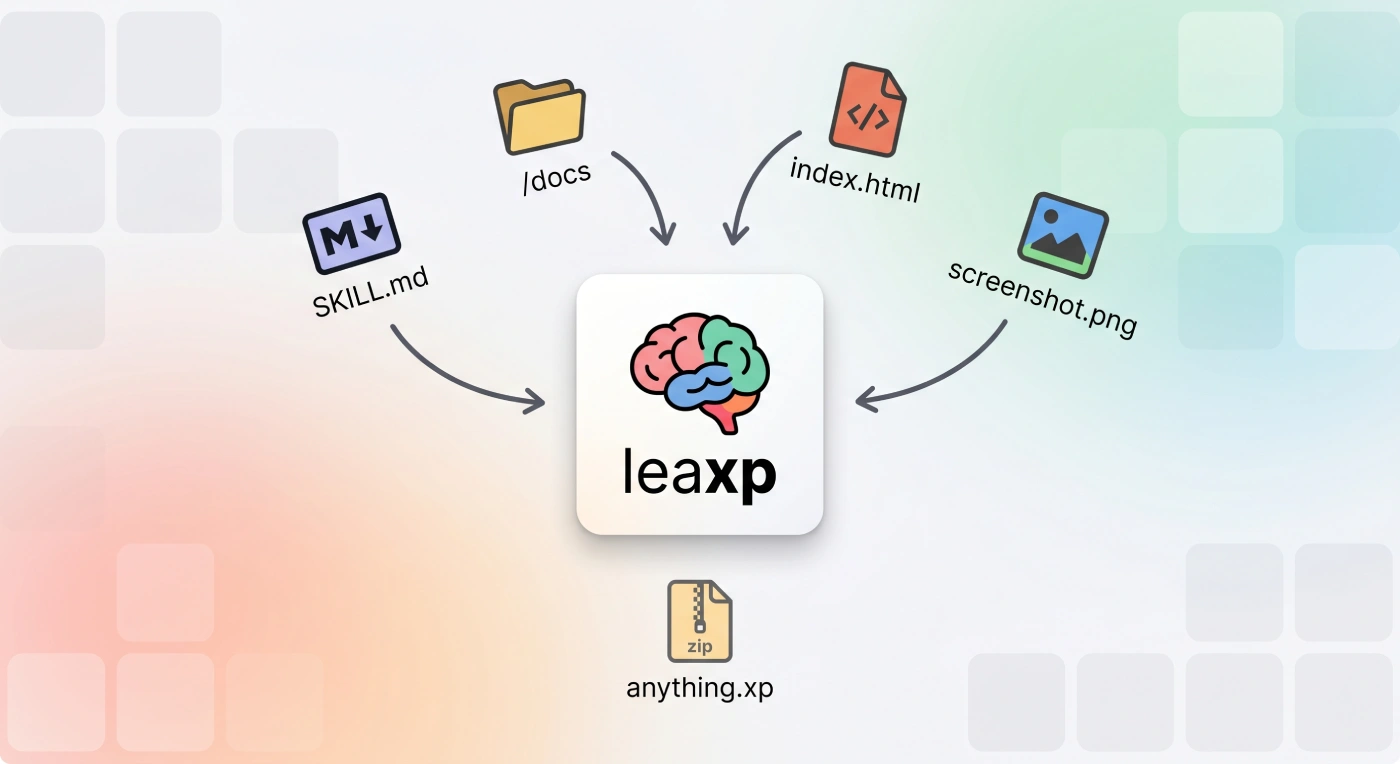





Learn -> experience — a bridge sharing experience between agentic sessions.
Leaxp gives your coding agent a memory it can carry between sessions — and lets you package that memory as a file other projects can install.
Every new agent session starts from zero: it greps the same files, rediscovers the same conventions, and repeats the mistake the last session already worked out. Leaxp fixes that with a per-project knowledge database — .xp/, plain Markdown records indexed by a small local embedding model — that agents search, read and write through five MCP tools.
| Leaxp | |
|---|---|
| Where knowledge lives | Markdown files in .xp/, git-tracked and human-editable |
| Who writes it | your own agent CLI (claude / codex) and your agent at runtime |
| How it is searched | a small local ONNX embedding model — vectors in index.npy |
| What it costs | no LLM API, no API keys, no services, no torch |
| How it travels | .xp files — zip of Markdown + a sha256 manifest, installable anywhere |
The payoff: smaller context, cheaper inference, model-agnostic knowledge, and 3–5 turns of orientation instead of a full-repo grep.
Status: MVP — file and GitHub repository installs work end-to-end; the hosted registry is coming.
How it works
  your codebase                                        teammate / another project
       │                                                          ▲
       │ exp learn / exp forge / exp fuse                         │ exp install
       ▼                                                          │
  your agent CLI  ───────►  .xp/local/*.md  ───── exp share ─────► my-skills.xp
  (claude / codex)          (Markdown, yours)                     (zip + sha256)
                                   │
                                   ▼  local embeddings
                            index.npy + index.json
                                   │
                                   ▼  recall / expand / read / remember / forget  (MCP)
                            your agent, every next session
Install
pip install leaxp
Python 3.11+. Search runs on a small local ONNX embedding model (fastembed) that downloads itself on first use — no torch, no services, no API keys.
Quickstart
Four commands take you from an empty project to an agent with memory.
1. Wire Leaxp into your agent
exp use --with claude
Creates .xp/, leaxp.toml and leaxp.lock, then registers the MCP server and the prompt hook in .mcp.json and .claude/settings.json. Claude Code is the supported target today.
Run it from the environment Leaxp is installed in — the wiring stores that environment's absolute
exppath, because your coding agent runs outside the project's virtualenv. Start a fresh agent session afterwards to pick it up.
2. Teach it your codebase
exp learn --goal "onboard new contributors"
Drives your own claude / codex CLI over the repo. It distills the recurring patterns into one Markdown record per topic under .xp/local/, and Leaxp indexes whatever appeared. The records are yours: git-tracked, reviewable in a PR, editable in your editor.
3. Install from GitHub
exp install https://github.com/org/repo               # a knowledge repository, or every skill it publishes
exp install https://github.com/org/repo --skill name  # one skill of a skill repository
exp install https://github.com/org/repo --self        # adopt the records into .xp/local/ instead
What lands depends on what the repository is:
- a Leaxp knowledge repository — it has a
leaxp.tomlat its root. Its.xp/local/records install as one package named after the repo's own[project].name, and the[[packages]]that repo declares are merged into yourleaxp.toml(exp syncinstalls them). Nothing needs to be cloned or packed by hand; the repo's own.xp/share/is ignored, because those are its dependencies and Leaxp resolves them for you; - a skill repository — every directory holding a
SKILL.mdbecomes a record under.xp/share/org-repo/, and--skillnarrows it to one.
Either way the package is declared in leaxp.toml + leaxp.lock, unless --self adopted the records into .xp/local/ as your own.
4. Upgrade an installed package
exp install https://github.com/org/repo --upgrade
Re-resolves the source to its newest version and moves the lock to it. Without --upgrade, installs replay the locked version, so they stay reproducible.
That is the whole loop. From here your agent gets a memory recall on its first prompt of every session and writes back what it learns.
Repository knowledge management
Day-to-day upkeep once memory is in place.
| Command | Reach for it when |
|---|---|
exp sync --upgrade |
you pulled a leaxp.toml change, edited records by hand, or want newer skill releases |
exp share -o pkg.xp |
you want to hand your project's knowledge to a teammate or another repo |
exp install -f pkg.xp |
you received an .xp file and want it in this project |
exp exec "…" |
you want to see exactly what an agent gets back for a query |
exp forge |
memory has drifted: duplicates, stale statements, rules buried in long records |
exp fuse |
you adopted several packages about the same job and want one guided package out of them |
Keep dependencies and the index current
exp sync             # install declared packages at their locked version, then reindex .xp/
exp sync --upgrade   # ...and check every unpinned package for a newer version
Three steps in one pass: install every [[packages]] entry that is missing or drifted from the lock → with --upgrade, re-resolve unpinned packages against their source → reindex .xp/, so hand-edited records become searchable too.
Share your project's knowledge
exp share -o my-project.xp
Packs .xp/local/ into a portable .xp file — a zip of the Markdown plus a sha256-signed manifest. Embeddings are not shipped; they are recomputed on install, so the same pack works with any embedding model. The project's own [[packages]] travel in the manifest, so whoever installs the archive declares the packages this knowledge builds on.
Pushing the project to GitHub works just as well: a repo with a leaxp.toml and a .xp/local/ folder installs directly with exp install <url> — no packing step at all.
Install from a file
exp install -f my-project.xp          # → .xp/share/<name>/ — a read-only dependency
exp install -f my-project.xp --self   # → .xp/local/ — adopted as your own, editable
See exactly what your agent sees
exp exec "create stripe subscription"
exp exec "define new cli subcommand" -s "error handling" -n 5
Prints the raw recall tool output, byte for byte what a connected agent receives — the fastest loop for tuning record titles and descriptions.
Consolidate memory that drifted
exp forge
remember keeps the database consistent one write at a time, but a long series of sessions still drifts: near-duplicates accumulate, statements go stale against the code they describe, and rules stay buried in long records instead of being flagged as conventions.
exp forge is the periodic repair pass. It drives your own agent through a consolidation flow:
- cluster
.xp/local/by file name; - write the clusters down as a plan in
.xp/consolidation-<dtime>.md; - walk that plan — grounding every statement in the real codebase, merging duplicates found via
recall, splitting rules out as one-paragraph conventions; - run the full
exp syncpass, so the reshaped memory is reindexed.
The plan file doubles as a review log: every cluster gets a Consolidation Result, plus Consolidation Gaps where the agent noticed knowledge that is missing.
Fuse many sources into one guided package
exp install -f ui-design-a.xp --self   # adopt each source into .xp/local/
exp install -f ui-design-b.xp --self
exp fuse
Install a dozen skills for the same job and .xp/local/ holds a dozen authors' takes on it: the same rule stated three ways, two flows that contradict each other, and no order to read them in. exp fuse rewrites that pile as one coherent package:
- cluster
.xp/local/by subject and write the clusters down as a plan in.xp/fusion-<dtime>.md; - fuse each cluster into
.xp/temp/— duplicates merged, every contradiction resolved autonomously in favour of the better-grounded, better-argued, more specific instruction; - write one workbook record last: the table of contents and end-to-end execution flow of the fused package;
- replace
.xp/local/with the staged package and run the fullexp syncpass.
The agent stages into .xp/temp/ rather than editing in place, so a fusion that dies halfway leaves your memory untouched — the swap only happens if records were actually produced. The plan file doubles as a review log: per cluster, a Fusion Result, the Resolved Conflicts and why each winner won, plus any Fusion Gaps.
What your agent sees
Once wired, agents get an initial memory recall on their first prompt and five tools:
| Tool | What it does |
|---|---|
recall(query, subquery?, limit?) |
Search records. Returns scored titles + expected outcomes, grouped into <package> blocks, low-relevance hits already filtered out. Conventional records come fully expanded as <rule> entries in a separate <conventions> block; the workbook of every package that matched is listed collapsed in a <guides> block. |
expand(id | [ids]) |
Fetch full Markdown bodies — one record or several at once. |
read(name) |
Fetch a record by file name, with or without .md — how a workbook's links are followed. |
remember(title, description, content, id?, convention?) |
Write new knowledge, or update a record in place by passing its id. Pass convention=true for a one-paragraph rule. |
forget(id | [ids]) |
Delete records that became duplicates or went out of date. |
Two things make this a consistent memory rather than an append-only log:
rememberreviews itself. Its answer replays arecallagainst the title just written, so duplicates and stale neighbours surface at write time instead of piling up — the agent is told to merge them andforgetthe leftovers.- Only
localis writable.rememberandforgetrefuse ids from installed packages and say why; shared records are dependency content thatexp syncwould restore anyway.
Concepts
Record
One Markdown file with YAML frontmatter, under .xp/local/ (yours, git-tracked) or .xp/share/<pkg>/ (installed, git-ignored):
---
index: create stripe subscription
description: Know which helper to call and which webhook confirms the charge
tags: []
---

# create stripe subscription

Call `billing.subscribe(customer, plan)` — never the Stripe SDK directly.

## Confirming the charge

...
Titles follow [action] [package|entity] [subject?] — create stripe subscription, define new cli subcommand, downgrade alembic migration — so queries and titles speak the same language. One topic per file; 5–20 focused records beat one huge dump.
Convention
A record flagged convention: true: a single short paragraph stating one rule (naming, structure, which tool or skill to use) plus its rationale. Conventions are searched separately and rendered in full on every matching recall, no expand needed — which is how a project rule gets followed instead of merely found.
Workbook
A record flagged workbook: true: a package's guide, written by exp fuse — the table of contents plus the end-to-end flow of executing a task with that package (read this, then that, then decide), linking its records by file name so the agent follows them with read. One per package, and it never competes in search: it surfaces collapsed in a <guides> block whenever any record of its package matched, so the flow is offered exactly when the package becomes relevant.
Index
index.npy + index.json. Exactly one vector per Markdown-heading breadcrumb (Stripe API > Webhooks > Error Handling), searched by cosine similarity with a relevance floor so agents never wade through noise. Results are grouped by package and labelled with its description — from leaxp.toml for local, from the install manifest for shared packages.
Record ids are row numbers, and rows never move: rewriting a record reuses its rows, forgetting one tombstones them. An id an agent recalled keeps pointing at the same record until the next full reindex.
.xp file
A zip of record Markdown plus a sha256-signed manifest (xp_version, name, version, digest, record counts, declared packages). Portable and model-agnostic — embeddings are recomputed locally on install.
Knowledge repository
A git repository that is a Leaxp project: a leaxp.toml at its root and (usually) a .xp/local/ folder. exp install <github-url> installs it directly — no clone, no exp share, no .xp file to pass around. Its records become one package, its leaxp.toml is the package metadata, and its dependencies become yours.
Dependency
A [[packages]] entry in leaxp.toml (what you declare) resolved into a leaxp.lock entry (what is installed: version, exact ref, digest). exp sync installs whatever is missing or drifted at the locked version; --upgrade re-resolves each unpinned package.
Dependencies are transitive: every package carries the [[packages]] its own project declared, and installing or syncing it merges those into your leaxp.toml and installs them in the same pass. When both sides declare the same package, the newer version wins — an entry with no pinned version counts as the newest, since it floats to whatever its source resolves.
Skill repos have no versioning convention, so a GitHub package's version is its newest release tag (v1.2.3) when it publishes one, and the default branch's commit sha otherwise. Pin a specific one with /tree/<ref> in the source or version = "…" in leaxp.toml — --upgrade leaves pins alone.
Wiring
exp use writes .mcp.json and .claude/settings.json with the absolute launcher of the environment it ran in (<venv>/bin/exp mcp, or <python> -m leaxp mcp when no console script exists). A bare exp would only work for a global install, since your coding agent runs outside the project's virtualenv.
That makes the wiring machine-specific: after cloning, run exp use once in your own environment — it repoints a stale command instead of adding a second one.
What lives where
your-project/
├── leaxp.toml                 # what you declare: project meta, models, packages
├── leaxp.lock                 # what is installed: version, exact ref, digest
├── .mcp.json                  # MCP wiring (absolute launcher) — written by `exp use`
└── .xp/
    ├── .gitignore             # written by `exp use` — tracks local/, ignores everything else
    ├── local/                 # your records — git-tracked, editable, the only writable package
    │   └── create-stripe-subscription.md
    ├── share/                 # installed packages — git-ignored, read-only
    │   └── org-repo/
    ├── index.npy              # one vector per heading breadcrumb
    ├── index.json             # record metadata + package descriptions
    ├── .sessions/             # once-per-session hook markers
    ├── consolidation-*.md     # one review log per `exp forge` run
    └── fusion-*.md            # one review log per `exp fuse` run
exp fuse also stages the package it is building in .xp/temp/, and removes that folder once it has replaced .xp/local/.
Command reference
| Command | What it does |
|---|---|
exp use --with claude |
Create .xp/, config and lock; wire the MCP server + prompt hook. |
exp learn [--goal …] [--agent …] |
Drive your agent CLI over the codebase into .xp/local/, then index. |
exp forge [--agent …] |
Consolidate .xp/local/ — verify, dedupe, split conventions — then sync. |
exp fuse [--agent …] |
Fuse .xp/local/ into one deduplicated, conflict-free package led by a workbook. |
exp share -o pkg.xp |
Pack .xp/local/ into a shareable .xp archive. |
exp install <url|name> [--skill …] [--self] [-U] |
Install a GitHub knowledge/skill repo or a registry package; index and lock it. |
exp install -f pkg.xp [--self] |
Install from a local archive; --self adopts it into .xp/local/. |
exp sync [-U] |
Install declared packages, optionally upgrade, reindex .xp/. |
exp exec "<query>" [-s …] [-n …] |
Print the raw recall output for a query. |
exp mcp [-t stdio|http] |
Run the MCP server (your agent does this for you). |
exp --version |
Print the installed version. |
Every command accepts --path to target a project directory other than the current one.
Docs
| Document | Contents |
|---|---|
| CLAUDE.md | Package architecture overview — modules, data flow, key abstractions |
| AGENTS.md | Ground rules for coding agents working on this repo |
| CHANGELOG.md | Per-version release notes |
| RELEASING.md | How a new version gets published |
Development
uv sync                                  # create venv, install deps
uv run pre-commit install                # enable hooks
uv run ruff check . && uv run pyright    # lint + typecheck (pyright strict)
uv run pytest --cov                      # tests with coverage (100% gate)
uv run exp --help
License
Apache-2.0 — see LICENSE.txt.
1 maintainer

Download files
Download the file for your platform. If you're not sure which to choose, learn more about installing packages.
Source Distribution
Built Distribution
Filter files by name, interpreter, ABI, and platform.
If you're not sure about the file name format, learn more about wheel file names.
Copy a direct link to the current filters
File details
Details for the file leaxp-0.5.1.tar.gz.
File metadata
- Download URL: leaxp-0.5.1.tar.gz
- Upload date:
- Size: 100.5 kB
- Tags: Source
- Uploaded using Trusted Publishing? Yes
- Uploaded via:
twine/7.0.0 CPython/3.13.14
File hashes
| Algorithm | Hash digest | |
|---|---|---|
| SHA256 |
2e1ce7d8d25c4f2665b7136027b0cb7f6fd366750e9db27585c8b4d9e7e7a868
|
|
| MD5 |
306748fcd5d67b6fb24c6febfd8f8b45
|
|
| BLAKE2b-256 |
e089eb484f1285de715739f458230bdc0097c78e6f51bd9e63d80d72c38ff1e0
|
Provenance
The following attestation bundles were made for leaxp-0.5.1.tar.gz:
Publisher:
release.yml on vunone/leaxp
-
Statement:
-
Statement type:
https://in-toto.io/Statement/v1 -
Predicate type:
https://docs.pypi.org/attestations/publish/v1 -
Subject name:
leaxp-0.5.1.tar.gz -
Subject digest:
2e1ce7d8d25c4f2665b7136027b0cb7f6fd366750e9db27585c8b4d9e7e7a868 - Sigstore transparency entry: 2310514858
- Sigstore integration time:
-
Permalink:
vunone/leaxp@1ed5d1630969dd86f4f9397340d62ba2f5247839 -
Branch / Tag:
refs/tags/v0.5.1 - Owner: https://github.com/vunone
-
Access:
public
-
Token Issuer:
https://token.actions.githubusercontent.com -
Runner Environment:
github-hosted -
Publication workflow:
release.yml@1ed5d1630969dd86f4f9397340d62ba2f5247839 -
Trigger Event:
push
-
Statement type:
File details
Details for the file leaxp-0.5.1-py3-none-any.whl.
File metadata
- Download URL: leaxp-0.5.1-py3-none-any.whl
- Upload date:
- Size: 97.0 kB
- Tags: Python 3
- Uploaded using Trusted Publishing? Yes
- Uploaded via:
twine/7.0.0 CPython/3.13.14
File hashes
| Algorithm | Hash digest | |
|---|---|---|
| SHA256 |
da61d8d024d00be0d94341b02cc3a6252a09c8bae06b584fee19c260d80ef8e0
|
|
| MD5 |
3124437bfe03748e9bb6ac9f64ec9b58
|
|
| BLAKE2b-256 |
75032d76af45b0597d3bd2c22b47e5f9d0e852e7fe33466f698a73abeb2010af
|
Provenance
The following attestation bundles were made for leaxp-0.5.1-py3-none-any.whl:
Publisher:
release.yml on vunone/leaxp
-
Statement:
-
Statement type:
https://in-toto.io/Statement/v1 -
Predicate type:
https://docs.pypi.org/attestations/publish/v1 -
Subject name:
leaxp-0.5.1-py3-none-any.whl -
Subject digest:
da61d8d024d00be0d94341b02cc3a6252a09c8bae06b584fee19c260d80ef8e0 - Sigstore transparency entry: 2310514870
- Sigstore integration time:
-
Permalink:
vunone/leaxp@1ed5d1630969dd86f4f9397340d62ba2f5247839 -
Branch / Tag:
refs/tags/v0.5.1 - Owner: https://github.com/vunone
-
Access:
public
-
Token Issuer:
https://token.actions.githubusercontent.com -
Runner Environment:
github-hosted -
Publication workflow:
release.yml@1ed5d1630969dd86f4f9397340d62ba2f5247839 -
Trigger Event:
push
-
Statement type:














