
Lightup Airflow provider.

Project description
Airflow Provider for Lightup
Airflow configuration
Add the required connection
Go to Admin > Connections and add connection:
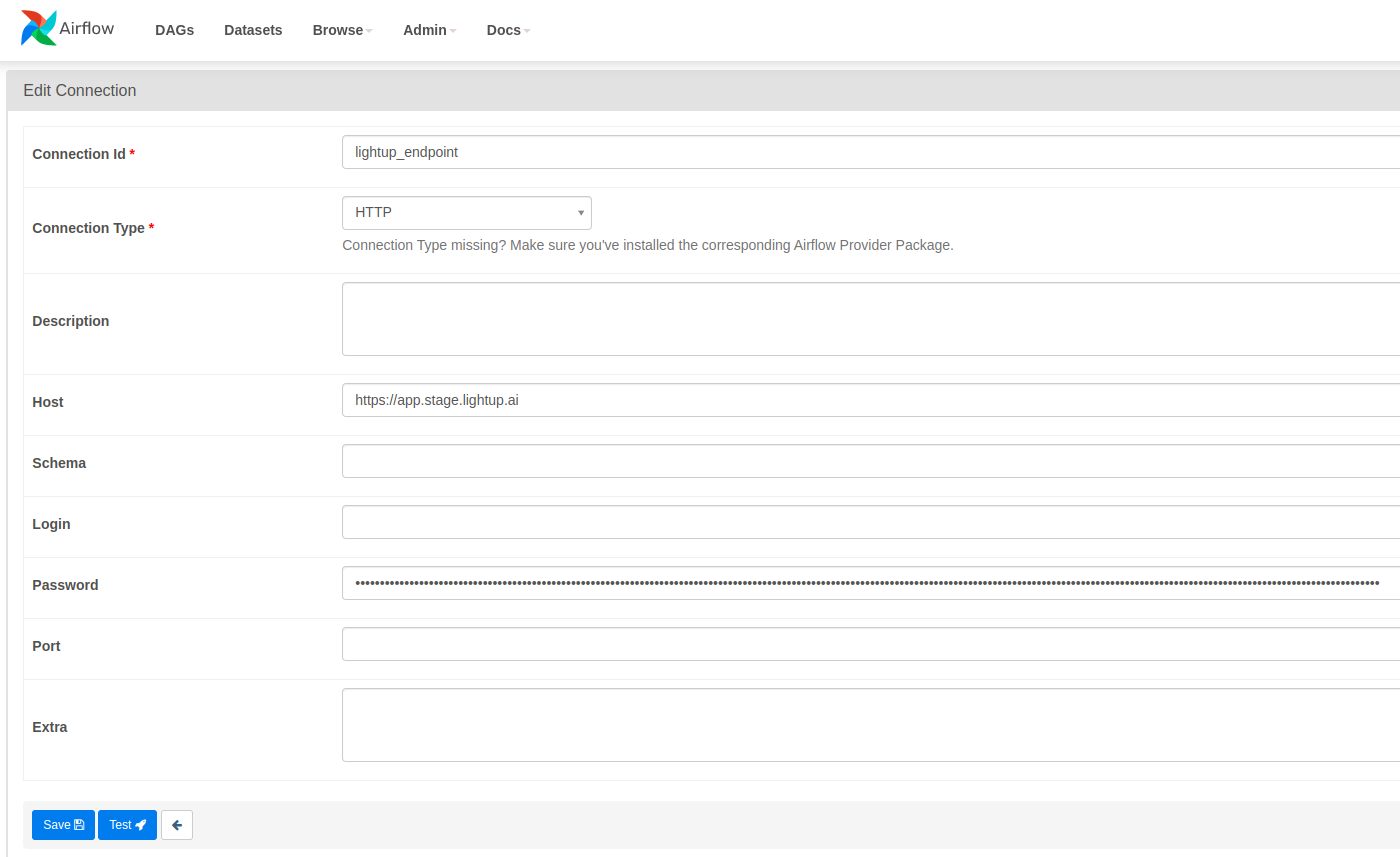
Put refresh token (https://docs.lightup.ai/reference/post_api-v1-token-refresh) into Password section, and save.
Add the required variables
Go to Admin > Variables and add connection:
- Key: lightup_api_version
- Val: v1
Operators
LightupTriggerOperator: Triggers the Lightup platform based on configuration to collect metrics and evaluate them.
Sensors
LightupTriggerResultSensor: Connects to the Lightup platform and checks the progress of the trigger operator. Returns when the trigger operation has been processed by the platform. Once the sensor returns, results can be pulled using the LightupTriggerResultOperator.
Release history Release notifications | RSS feed


Download files
Download the file for your platform. If you're not sure which to choose, learn more about installing packages.
Source Distribution
File details
Details for the file lightup-airflow-provider-1.0.2.tar.gz.
File metadata
- Download URL: lightup-airflow-provider-1.0.2.tar.gz
- Upload date:
- Size: 7.6 kB
- Tags: Source
- Uploaded using Trusted Publishing? No
- Uploaded via: twine/4.0.2 CPython/3.10.12
File hashes
| Algorithm | Hash digest | |
|---|---|---|
| SHA256 |
9e8c92ab6679932a9b13b84abb54ab6218b1cdb2adc0eb9a2cc20020d376dd7d
|
|
| MD5 |
c7c9dc1f355d915cdf185bb7e8b68514
|
|
| BLAKE2b-256 |
7e56d45991c0e4e79a68365107fb1200e306f75fedd8df7fa548ad367e47f5d5
|






