
Simple and Clean Slack Chatbot

Project description
A Slack chatbot

Installation
Clone the repo
Create a bot user if you don’t have one yet, and copy the API Token
export SLACK_TOKEN=”your-api-token”
make run (or make repl for local testing)
Invite Limbo into any channels you want it in, or just message it in #general. Try typing !gif dubstep cat to test it out
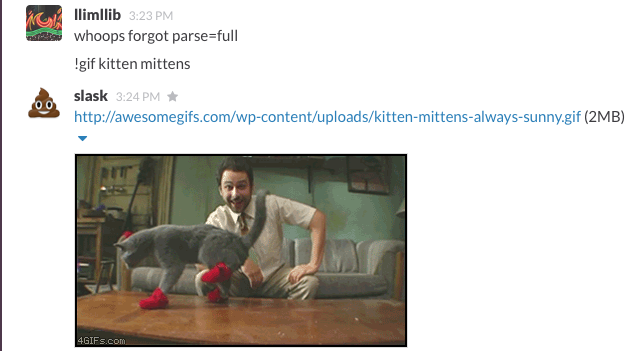
kitten mittens
Command Arguments
–test, -t: Enter command line mode to enter a limbo repl.
–hook: Specify the hook to test. (Defaults to “message”).
-c: Run a single command.
–database, -d: Where to store the limbo sqlite3 database. Defaults to limbo.sqlite3.
–pluginpath, -pp: The path where limbo should look to find its plugins (defaults to /plugins).
Environment Variables
SLACK_TOKEN: Slack API token. Required.
LIMBO_LOGLEVEL: The logging level. Defaults to INFO.
LIMBO_LOGFILE: File to log info to. Defaults to none.
LIMBO_LOGFORMAT: Format for log messages. Defaults to %(asctime)s:%(levelname)s:%(name)s:%(message)s.
LIMBO_PLUGINS: Comma-delimited string of plugins to load. Defaults to loading all plugins in the plugins directory (which defaults to “limbo/plugins”)
Commands
It’s super easy to add your own commands! Just create a python file in the plugins directory with an on_message function that returns a string.
You can use the !help command to print out all available commands and a brief help message about them. !help <plugin> will return just the help for a particular plugin.
By default, plugins won’t react to messages from other bots (just messages from humans). Define an on_bot_message function to handle bot messages too. See the example plugins for an easy way to define these functions.
These are the current default plugins:
Docker
How do I try out Limbo via docker?
@PeterGrace maintains a public build of limbo, available from the docker registry. Executing make docker_run will start the default bot.
make docker_stop will stop the bot
When I start the docker container, I see an error about unable to source limbo.env. Is this a problem?
No. The limbo.env file only exists when using Kubernetes with the included opaque secret recipe for storing your environment variables.
I’d like to develop plugins for Limbo, but would still like to use Docker to run the bot. Is there a quick way to add plugins to the bot?
Yes! Use the included Dockerfile.dev as a template, and simply build via make docker_build You’ll then need to start the bot with your new_image_name, for example docker run -d -e SLACK_TOKEN=<your_token> new_image_name
Contributors
[@fsalum](https://github.com/fsalum)
[@rodvodka](https://github.com/rodvodka)
[@mattfora](https://github.com/mattfora)
[@dguido](https://github.com/dguido)
[@JoeGermuska](https://github.com/JoeGermuska)
[@MathyV](https://github.com/MathyV)
[@stopspazzing](https://github.com/stopspazzing)
[@noise](https://github.com/noise)
[@drewp](https://github.com/drewp)
[@TetraEtc](https://github.com/TetraEtc)
[@LivingInSyn](https://github.com/LivingInSyn)
[@reversegremlin](https://github.com/reversegremlin)
[@adamghill](https://github.com/adamghill)
[@PeterGrace](https://github.com/PeterGrace)
[@SkiftCreative](https://github.com/SkiftCreative)
[@diceone](https://github.com/diceone)
[@rnagle](https://github.com/rnagle)
[@topher200](https://github.com/topher200)
[@StewPoll](https://github.com/StewPoll)
[@eSoares](https://github.com/eSoares)
Release history Release notifications | RSS feed


Download files
Download the file for your platform. If you're not sure which to choose, learn more about installing packages.
Source Distribution
File details
Details for the file limbo-6.2.0.tar.gz.
File metadata
- Download URL: limbo-6.2.0.tar.gz
- Upload date:
- Size: 34.2 kB
- Tags: Source
- Uploaded using Trusted Publishing? No
File hashes
| Algorithm | Hash digest | |
|---|---|---|
| SHA256 |
e15dbdf1344a0d6352323cde559e247c2aca5b4e6d1dadf1f5bee1d866fb6c53
|
|
| MD5 |
f67eeb85df586b6cc8a00c23a45461ad
|
|
| BLAKE2b-256 |
674c48b1b422c5bc25eddf236d5adbcb0ea9ef07c81efa94c576393b454894c3
|






