
This release is a pre-release and may not be stable for production use.
Lispyn




Write complex experiments. Make them easy to understand, reuse, and share.
Great experiments deserve to be understood—not just executed. Whether you're exploring new AI models, fine-tuning neural networks, or running advanced training pipelines, you often need to show others what you built, how it works, and what you learned.
Lispyn uses Lisp-based Hy macros to turn repetitive steps into concise, reusable building blocks. Prepare datasets, train with PyTorch, document your choices in Markdown, and generate plots—all from a readable Lisp source that becomes a standard Python Jupyter notebook.
Spend less time rewriting boilerplate and more time experimenting. When your dataset, model, or training strategy changes, adapt the macro and reuse the workflow. Lisp for expressive experiments. Python for the ecosystem. Jupyter for sharing results.
Quick installation
Install Lispyn directly from PyPI:
python -m pip install lispyn

# Recommended for notebooks and Matplotlib plots
python -m pip install "lispyn[notebook,plots]"

# Check your current Python and available dependencies
lispyn doctor
Lispyn needs Python 3.10+. Basic installation includes Hy, so you can import and use standard Python modules immediately. PyTorch, TorchVision, and GPU-specific libraries are optional; install compatible versions for your hardware before running AI training examples.
Your first Lispyn notebook
Create a file named hello.hy:
(require lispyn.macros [md])
(md "# My first Lispyn experiment"
    "Synthetic training curves, generated with reusable Lisp macros.")

(require lispyn.macros [defcurve])
(setv history {"train_loss" [1.4 1.0 0.7 0.5]
               "val_loss" [1.5 1.2 0.9 0.75]})
(defcurve my-style :theme "docusaurus-dark"
  :palette "turquoise-spectrum")
(my-style history :metric "loss"
  :title "Training curves" :save "training.png")
Then run:
# Translate Lispyn/Hy into ordinary Python Jupyter cells
lispyn build hello.hy

# Execute the notebook, keeping its real outputs
lispyn execute hello.hy

# Or run a Hy file directly (without creating a notebook)
lispyn run hello.hy
hello.ipynb is a standard Jupyter notebook with real Markdown and Python
cells. The synthetic graph is written to training.png. All plots are
generated with Matplotlib; no new language interpreter or special kernel
is needed. After a Markdown cell, repeat (require lispyn.macros [...])
for any macros used in a later cell because Hy code cells compile independently.
Developing Lispyn itself? Clone the repository and use
python -m pip install -e ".[dev,notebook,plots]" instead.
See the technical guide
and release instructions.
Matplotlib with reusable Lisp macros
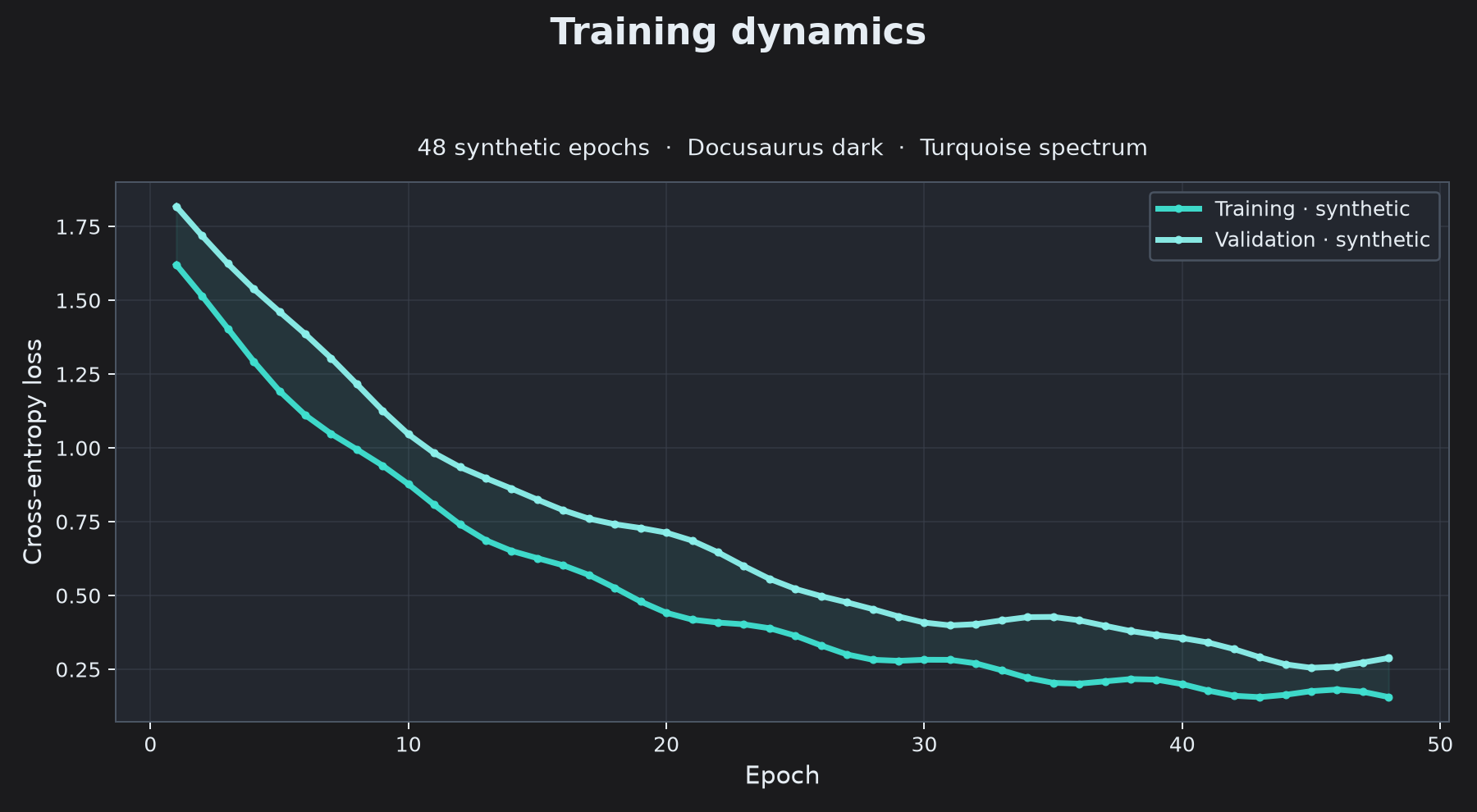
Define a design once and apply it to any recorded history. This short example uses a dark gray background inspired by Docusaurus and the seven-color turquoise-spectrum palette:
(require lispyn.macros [defcurve compare-curves])
(setv history {"train_loss" [1.5 1.1 0.8 0.55]
               "val_loss" [1.6 1.2 0.95 0.76]})
(defcurve turquoise-dark
  :theme "docusaurus-dark"
  :palette "turquoise-spectrum"
  :train-color "#40E0D0" :val-color "#8CF0EB"
  :title-size 18 :line-width 2.8 :fill-alpha 0.08)
(turquoise-dark history
  :metric "loss" :title "Training dynamics"
  :subtitle "Synthetic example · 4 epochs"
  :save "training.png")
Generated from Lispyn + Matplotlib using synthetic values, not a trained model.
The same Lisp file can compare several named runs, automatically assigning distinct colors from the palette:
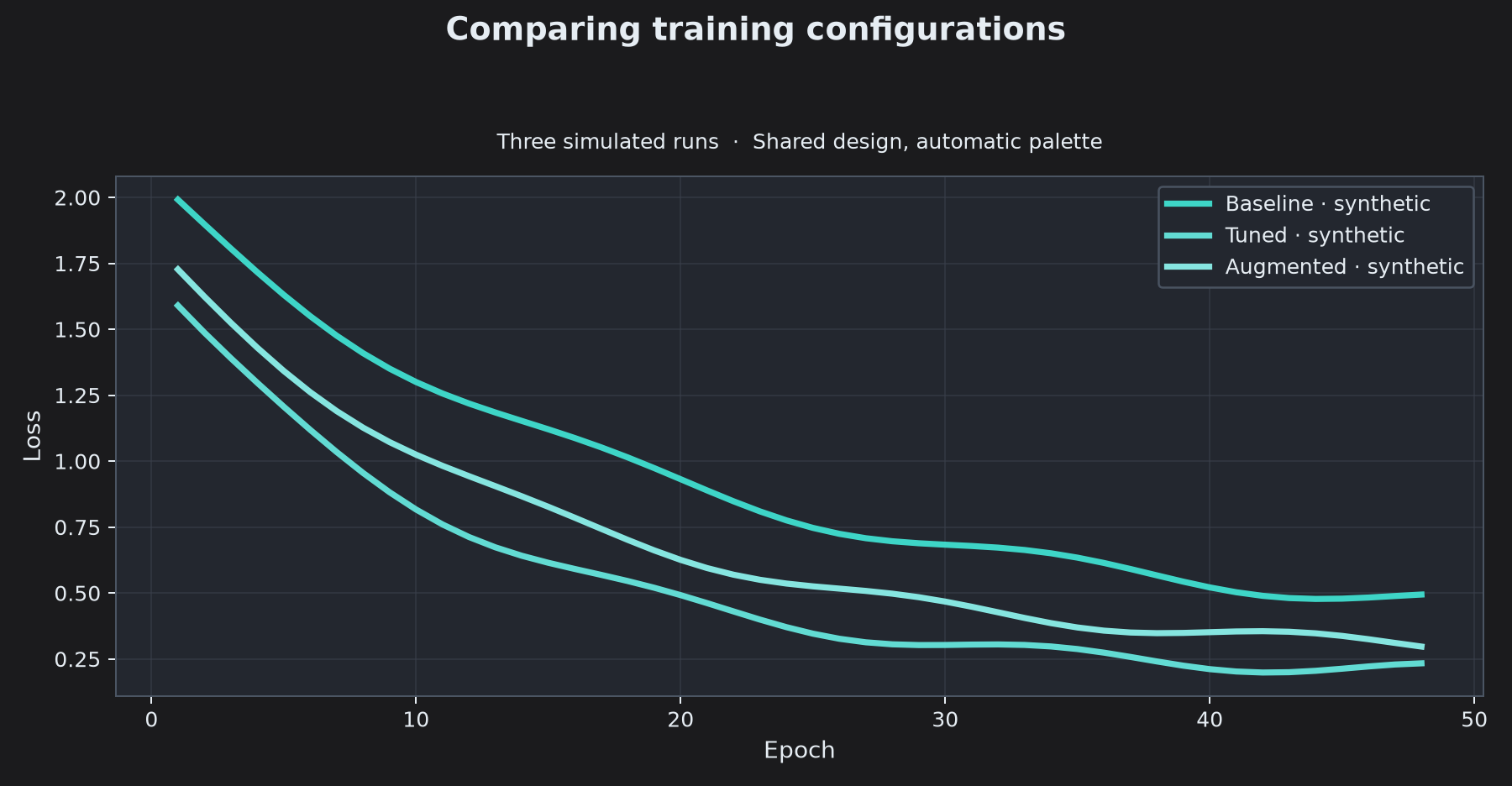
Full reproducible source: synthetic_curves.hy
· generated Jupyter notebook.
Regenerate the figures with lispyn run examples/synthetic_curves.hy.
Classification reports are equally concise: the new defconfusion macro
creates a reusable dark-themed confusion matrix from actual and predicted labels.
See the Lisp example
and its generated figure.
The example uses synthetic class labels, not real model predictions.
Compare experiments and share classification reports
Compare two recorded training runs without rewriting plotting code:
lispyn compare runs/baseline runs/finetuned --metric loss --split val \
  --output comparison.md --plot comparison.svg
lispyn compare also exports CSV or JSON and reports the best metric,
its epoch, and the final value for each run. No model execution is needed.
Create per-class precision, recall, F1 and support metrics from predictions:
(require lispyn.macros [classification-report])
(setv scores (classification-report ["cat" "dog" "cat"]
                                    ["cat" "dog" "dog"]
                                    :save "classification.md"))
(print (get scores "accuracy"))
These calculations need neither scikit-learn nor Matplotlib. The synthetic classification example generates a Markdown metrics table alongside its turquoise confusion matrix.
New in 0.20.0a1: safer dataset splits and measurable gains
Keep related samples together to avoid validation leakage from the same person, speaker, patient or session. Both APIs are seeded and do not require scikit-learn:
from lispyn.data import train_validation_split, split_dataset

# DataFrames: preserve the classes across partitions
train_df, val_df = train_validation_split(frame, stratify="label", seed=42)

# DataFrames: keep a whole subject in only one partition
train_df, val_df = train_validation_split(frame, group="subject_id", seed=42)

# Indexable PyTorch datasets: one group ID per sample
train_set, val_set = split_dataset(dataset, groups=subject_ids, seed=42)
Stratified and grouped modes are separate options. Group-aware splitting prioritizes no shared groups over an exact validation fraction; at least two distinct groups are required. Stratification requires at least two rows per class.
To compare a new experiment against a recorded baseline, use:
lispyn compare runs/baseline runs/finetuned --baseline baseline \
  --metric loss --output comparison.csv
The optional best_gain and final_gain columns measure absolute metric
improvement, where a positive gain is always better: lower loss or higher
accuracy. Existing comparison output stays unchanged without --baseline.
Chronological splits and walk-forward CV in Lisp (0.23.0a1)
For time-dependent datasets, random k-fold can leak future observations into training. Lispyn now offers Hy-first time-series macros that preserve chronological order, optionally leave a sample-level gap between sets, and support both expanding and fixed-size rolling windows.
(require lispyn.macros
  [temporal-train-val-test temporal-folds cross-validate-temporal])

; `dataset` is an indexable PyTorch dataset ordered oldest to newest.
(setv partitions (temporal-train-val-test dataset
  :validation-fraction 0.2 :test-fraction 0.1 :gap 2))
(setv history (get partitions 0))
(setv final-test (get partitions 2)) ; untouched during model selection

; Each fold trains only on observations earlier than its validation window.
(for [[fold-train fold-valid]
      (temporal-folds history
        :n-splits 3 :test-size 4 :gap 1 :max-train-size 12)]
  (print "Train / validation:" (len fold-train) (len fold-valid)))

; The callback makes a fresh model per fold and returns one finite score.
(setv report (cross-validate-temporal history score-window
  :n-splits 3 :test-size 4 :gap 1 :metric "val_loss"))
(print (get report "mean"))
The temporal-train-val-test, temporal-folds, and
cross-validate-temporal macros work with native PyTorch datasets. Pandas
users have temporal-table-split, temporal-table-folds and
cross-validate-temporal-table; pass :time-column "date" to sort
ascending by a unique, nonmissing timestamp. Without :time-column,
the existing row order is treated as chronological.
An optional :gap N excludes N samples immediately before every validation
window (and before the final test partition in a three-way split).
The gap counts rows, not elapsed time, and cannot protect against features
already constructed using future information. Three-way fractions apply after
removing two gaps. For CV, :max-train-size N enables rolling rather than
expanding windows; the earliest training prefix is not validated. Time-series
CV is not standard k-fold: each validation block is evaluated exactly
once in temporal order, and training can reuse past observations.
The Hy callback must initialize a fresh model and optimizer for each fold.
See the complete Hy/PyTorch recipe,
also compiled to a Jupyter notebook by lispyn gallery. Previous random,
stratified, grouped and repeated CV macros are unchanged.
Repeated cross-validation from Lisp macros (0.22.0a1)
Lispyn's new cross-validate macro runs a Hy callback on each
training/validation fold and returns a compact JSON-ready report. The callback
creates a fresh model and optimizer per fold; PyTorch remains a native backend.
Nothing from the held-out test set is passed to cross-validation.
(require lispyn.macros [cross-validate train-until save-cross-validation])
(import torch)

; `training` and `train-labels` come from a previous train-val-test split.
(defn score-fold [fold-training fold-validation fold repeat]
  (setv model (torch.nn.Linear 2 2)) ; new model for every fold
  (setv run (train-until model fold-training 2
    :validation fold-validation
    :loss-fn (torch.nn.CrossEntropyLoss)
    :metrics "accuracy"
    :epochs 4 :batch-size 8
    :seed (+ 42 (* repeat 100) fold)))
  (get (get run.history "val_accuracy") -1))

(setv summary (cross-validate training score-fold
  :n-splits 4 :n-repeats 2 :labels train-labels
  :metric "val_accuracy" :seed 42))
(print "Fold mean:" (get summary "mean"))
(print "Weighted mean:" (get summary "weighted_mean"))
(save-cross-validation summary "runs/cv_report.json")
The cross-validate and cross-validate-table macros support one-off and
repeated k-fold, optional stratification and group-aware folds. Repeated
splits use different deterministic seeds. Each sample is held out exactly once
per repeat. weighted_mean accounts for different validation fold sizes,
which can arise with indivisible subjects/sessions. Reports include repeat,
fold, split sizes, metric and aggregate scores, not dataset rows or model
predictions. A score callback must return one finite real number; it should
create a new model and optimizer each time.
For lower-level control use repeated-cross-validation-folds (PyTorch) or
repeated-tabular-folds (pandas), yielding
[repeat fold training validation]. Tabular convenience macros
tabular-train-val-test and tabular-cross-validation-folds are also
available. Group labels and class labels are mutually exclusive, and must
align with the input dataset; when working on a PyTorch Subset, select
the appropriate labels or groups by its indices.
See the full Hy example, compiled
by lispyn gallery, or run it directly using
lispyn run examples/repeated_cross_validation.hy (requires PyTorch).
Train/validation/test and k-fold cross-validation (0.21.0a1)
Author experiments in Hy (Lisp), with Lispyn macros as the main interface.
Python/PyTorch implements the underlying data operations, and the resulting
.hy source can be compiled into an ordinary Jupyter notebook.
(require lispyn.macros [train-val-test cross-validation-folds])
(import torch)

; Small synthetic PyTorch dataset; no downloads.
(setv labels (+ (* [0] 15) (* [1] 15)))
(setv dataset (torch.utils.data.TensorDataset
               (torch.arange 30) (torch.tensor labels)))

; Reserve an untouched test set before cross-validation.
(setv splits (train-val-test dataset
              :labels labels
              :validation-fraction 0.2
              :test-fraction 0.1
              :seed 42))
(setv training (get splits 0))
(setv validation (get splits 1))
(setv testing (get splits 2))
(print "Train/val/test:" (len training) (len validation) (len testing))

; Labels must align with the training subset, not the original dataset.
(setv train-labels
  (lfor index (getattr training "indices") (get labels index)))
(for [[fold-train fold-val]
      (cross-validation-folds training
        :n-splits 5 :labels train-labels :seed 42)]
  ; Create a fresh model and optimizer for each fold here.
  (print "Fold sizes:" (len fold-train) (len fold-val)))

; Evaluate on testing only once, after model selection.
train-val-test and cross-validation-folds are real macros from
lispyn.macros, not new Python syntax. They expand to the PyTorch dataset
splitters at compile time. Use lispyn build examples/cross_validation.hy
to generate a notebook from the Hy source.
Leakage-safe groups: supply :groups subject-ids to train-val-test.
To run group-aware k-fold on its training subset, pass a matching sequence
of training-group IDs to cross-validation-folds rather than :labels.
Grouped and stratified modes are mutually exclusive. Each class needs at
least n_splits examples for stratified k-fold, and grouped k-fold needs
at least n_splits distinct groups. Three-way splitting requires at least
three class samples or groups; group boundaries may make sizes approximate.
Tabular DataFrames can also be used directly from Hy, without Python source files:
(import lispyn.data [train-validation-test-split k-fold-split])
(setv splits (train-validation-test-split frame
              :stratify "label" :test-fraction 0.1 :seed 42))
(setv training-frame (get splits 0))
(for [[fold-train fold-val]
      (k-fold-split training-frame :n-splits 5 :stratify "label")]
  (print (len fold-train) (len fold-val)))
This is ordinary Hy syntax calling interoperable pandas functionality; the PyTorch workflow above uses dedicated Lispyn macros.
For a quick summary of numerical fold metrics:
lispyn cv-summary 0.81 0.84 0.83 0.86 0.82 --metric accuracy --output folds.json
The summary reports mean, population standard deviation and range of the provided fold scores. It does not train models or touch the held-out test set.
Structure Jupyter cells from Lisp
Use literal macros for native Jupyter metadata and raw cells:
(require lispyn.macros [md raw-cell cell-tags])
(md "## Hyperparameters" "Keep experiment settings in a tagged code cell.")
(raw-cell "<!-- Exporter note: retained as a raw Jupyter cell -->")
(require lispyn.macros [cell-tags])
(cell-tags "parameters")
(setv learning-rate 0.001)
cell-tags tags the next code cell (use parameters or hide-input).
raw-cell creates a raw Jupyter cell without executing its text. Both
remain harmless no-ops when you run trusted Hy directly. The
example notebook
shows the resulting cell types and tags.
Train smarter with one Lisp macro
Long PyTorch experiments can stop when a selected validation metric stops
improving. The new train-until macro handles this policy while keeping
checkpoints, histories, and the exact number of completed epochs:
(require lispyn.macros [train-until])
(setv run
  (train-until model training-data 8
    :validation validation-data
    :loss-fn loss-function
    :epochs 300
    :min-delta 0.0005
    :experiment-dir "runs/experiment"))
300 is the maximum: if the monitored loss does not improve by more
than min-delta for eight consecutive epochs, training stops early.
With an experiment directory, the run records best.pt, last.pt,
history.json, and a summary of the completed epochs in manifest.json.
The model returned by the run remains at the last epoch; the best
weights can be restored explicitly with load_checkpoint.
Try the offline early-stopping notebook or its Lisp source.
Advanced training: accumulate gradients, schedule learning rates
Lispyn now supports native PyTorch gradient accumulation, optional global gradient clipping and per-epoch learning-rate schedulers. Express the policy once in Lisp and use the same Matplotlib styles to present real results:
(require lispyn.macros [train-accumulating learning-rate-curve])
(setv run
  (train-accumulating model training-data 4
    :validation validation-data
    :loss-fn criterion
    :epochs 100
    :lr 0.001
    :gradient-clip 1.0
    :scheduler "cosine"
    :experiment-dir "runs/optimized"))

(learning-rate-curve run
  :theme "docusaurus-dark"
  :palette "turquoise-spectrum"
  :save "runs/optimized/learning_rate.svg")
accumulation-steps changes the optimizer update frequency, not the
number of training examples; the last partial group is handled correctly.
gradient-clip applies after accumulating gradients. Schedulers include
cosine, step, and plateau, plus native PyTorch scheduler factories.
Learning rates are recorded in history.json and the returned Run.
An offline working example and its generated notebook show the full process with a tiny CPU PyTorch classifier and dark turquoise training/learning-rate plots.
Full experiment — ResNet18, two-stage fine-tuning
The following is the complete source of examples/resnet_finetune_300.hy, including its Markdown cells. Put your images in examples/data/resnet_images/<class_name>/*.jpg (or .png); each class needs multiple images. The first stage trains the classifier for 10 epochs, then the second unfreezes all layers for 300 epochs.
; ResNet18 experiment: all results are Python/Jupyter notebook cells.
; Required actual images: examples/data/resnet_images/class_name/*.jpg or *.png
; This source is NOT executed in CI (300 epochs need a real dataset/GPU).
(require lispyn.macros [md])

(md "# ResNet18 — transfer learning + full fine-tuning"
    "An end-to-end **PyTorch** experiment written in Lispyn. It loads labeled images, splits by class, runs head-only tuning, then unfreezes the backbone for **300 epochs**, and produces publication-ready curves."
    "**Author:** Eduardo J. Barrios · **Source:** Lispyn.")

(md "## Install required libraries"
    "The **pip-install** macro generates a dedicated Python notebook setup cell. Already available packages report *Requirement already installed in this environment*; only missing packages are installed in the current kernel."
    "Python standard-library modules such as `math` need no installation. For CUDA/accelerator setups, install matching PyTorch/TorchVision builds beforehand. Installing native packages may require a kernel restart.")

(require lispyn.macros [pip-install])
(pip-install "torch" "torchvision" "matplotlib>=3.8")

(require lispyn.macros [use-package])
(setv math (use-package "math" :install False))
(print "math.sqrt(16):" (math.sqrt 16))

(md "## Load and split the image dataset"
    "Use the original TorchVision preprocessing for the pretrained ResNet18 weights. Classes come from your own image folders; samples are split reproducibly into training and validation.")
(import torch)
(import torchvision)
(import lispyn.media [image-folder])
(import lispyn.data [split-dataset])
(import lispyn.reproducibility [seed-all])

(seed-all 42)
(setv weights torchvision.models.ResNet18_Weights.DEFAULT)
(setv dataset (image-folder "data/resnet_images" :transform (weights.transforms)))
(setv groups (split-dataset dataset :stratify True :validation-fraction 0.2 :seed 42))
(setv training (get groups 0))
(setv validation (get groups 1))
(setv model (torchvision.models.resnet18 :weights weights))
(setv model.fc (torch.nn.Linear model.fc.in_features (len dataset.classes)))
(print "Classes:" dataset.classes)
(print "Train/validation:" (len training) (len validation))

(md "## Phase 1 — classifier fine-tuning"
    "Freeze the pretrained ResNet18 backbone and optimize only `model.fc` for **10 epochs**. The class split is reproducible and separate from the training set."
    "**Note:** This example needs at least two labeled images per class. For correlated images from the same subject, use a *group-aware split* instead.")

(require lispyn.macros [head-tune])
(setv head-run
  (head-tune model training "fc"
    :validation validation
    :loss-fn (torch.nn.CrossEntropyLoss)
    :epochs 10
    :batch-size 16
    :lr 0.001
    :seed 42
    :metrics "accuracy"
    :experiment-dir "runs/resnet/head"))
(print "Head validation accuracy:" (get head-run.history "val_accuracy"))

(md "## Phase 2 — deep/full fine-tuning: 300 epochs"
    "Unfreeze **every ResNet18 layer**, create a new optimizer with a smaller learning rate, and train for **300 epochs**. This is full fine-tuning of pretrained weights, **not** training from scratch."
    "A real 300-epoch run may take hours and require a GPU. Run it only with your own dataset and appropriate resources.")

(require lispyn.macros [full-tune])
(setv deep-run
  (full-tune head-run.model training
    :validation validation
    :loss-fn (torch.nn.CrossEntropyLoss)
    :epochs 300
    :batch-size 16
    :lr 0.00001
    :seed 42
    :metrics "accuracy"
    :experiment-dir "runs/resnet/deep"))
(print "Full tuning best accuracy:" (max (get deep-run.history "val_accuracy")))

(md "## Curves and export"
    "Use one Lisp macro to define a consistent Matplotlib style for **both** training curves. The best checkpoints and JSON histories are saved under `runs/resnet/`.")

(require lispyn.macros [defcurve])
(defcurve resnet-curve
  :theme "paper"
  :train-color "#2563EB"
  :val-color "#D97706"
  :xlabel "Epoch"
  :train-label "Train"
  :val-label "Validation"
  :figsize [9 4])

(resnet-curve deep-run :metric "loss"
  :title "ResNet18 — 300-epoch loss"
  :ylabel "Cross-entropy loss"
  :save "runs/resnet/deep/loss.png")

(resnet-curve deep-run :metric "accuracy"
  :title "ResNet18 — 300-epoch accuracy"
  :ylabel "Top-1 accuracy"
  :save "runs/resnet/deep/accuracy.png")
(print "Saved ResNet18 plots, histories, and best checkpoints.")
Generated notebook
Open the generated ResNet18 notebook in example_generated_notebooks/. It contains real Markdown and translated Python code cells, but no simulated losses or training outputs. Use lispyn gallery to regenerate the examples without running training.
To install Lispyn from this repository, use python -m pip install -e ".[notebook,plots]". Run lispyn build examples/resnet_finetune_300.hy to regenerate the notebook, or lispyn execute examples/resnet_finetune_300.hy -o example_generated_notebooks/resnet_finetune_300.ipynb to actually train and save the outputs.
The pip-install macro creates a dedicated dependency cell that checks availability when the notebook runs, not when it compiles. Available packages print Requirement already installed in this environment. Missing named packages can be installed through the notebook kernel’s Python interpreter. Python's standard-library math module requires no pip install. GPU-compatible PyTorch builds should normally be installed separately in advance; installing packages into a running kernel may require a restart.
This experiment has not been trained for 300 epochs in CI. It needs an image dataset and may require substantial compute. Stratified sample-level splitting is not group-aware; use a grouped split when images come from the same subjects, patients or sessions.
More capabilities, examples and package options are in the technical guide. Created by Eduardo J. Barrios. Apache-2.0 licensed; see LICENSE and NOTICE.
1 maintainer

Metadata
1 maintainer
Release files for lispyn 0.23.0a1
For a detailed explanation of source distributions (sdists) and built distributions (wheels), please see the package formats documentation.
Source distribution (sdist)
| File | Size | Uploaded | Provenance | Actions |
|---|---|---|---|---|
| lispyn-0.23.0a1.tar.gz | 99.5 kB | With provenance | Details for lispyn-0.23.0a1.tar.gz |
Built distribution (wheel)
| File | Interpreter | ABI | Platform | Actions Reset |
|---|---|---|---|---|
| lispyn-0.23.0a1-py3-none-any.whl | Python 3 | none | any | Details for lispyn-0.23.0a1-py3-none-any.whl |
Total release size: 166.4 kB
Release files / lispyn-0.23.0a1.tar.gz
| Download URL | lispyn-0.23.0a1.tar.gz |
|---|---|
| Size | 99.5 kB |
| Tags | Source |
|
SHA-256 checksum How to use checksums |
73442d2b533888c7726e5995d4f5ab78e2ec8eac3723df6ea08f973fb5f284d8
|
|
BLAKE2b-256 checksum How to use checksums |
c8805bb9c8a159bcb03b245d45a86bd76b751201625e389893de090d12148a4d
|
| Upload date | |
|
Uploaded using Trusted Publishing? What is trusted publishing? |
Yes |
| Uploaded via |
twine/7.0.0 CPython/3.13.16
|
Provenance
Provenance describes where a file came from. On PyPI, provenance is shared via attestations, which provide a verifiable record of the build or publishing details. View details, limitations and caveats.


PyPI Publish Attestation
PyPI verified that this artifact, at this checksum, originated from the publisher listed below.
Signed by GitHub Actions, verified by PyPI on Nov 13, 2026.
Transparency logRelease files / lispyn-0.23.0a1-py3-none-any.whl
| Download URL | lispyn-0.23.0a1-py3-none-any.whl |
|---|---|
| Size | 67.0 kB |
| Tags | Python 3 |
|
SHA-256 checksum How to use checksums |
1bb335f1b5ba3c715feaeefc94fd25fcb1ff6e408c68a8ccb1d01876baadf4ba
|
|
BLAKE2b-256 checksum How to use checksums |
2dde646c7ac81ff388246e0d55f6da46bea10995a6f404212a741715749c4740
|
| Upload date | |
|
Uploaded using Trusted Publishing? What is trusted publishing? |
Yes |
| Uploaded via |
twine/7.0.0 CPython/3.13.16
|
Provenance
Provenance describes where a file came from. On PyPI, provenance is shared via attestations, which provide a verifiable record of the build or publishing details. View details, limitations and caveats.
PyPI Publish Attestation
PyPI verified that this artifact, at this checksum, originated from the publisher listed below.
Signed by GitHub Actions, verified by PyPI on Nov 13, 2026.
Transparency logSecurity for lispyn 0.23.0a1
Provenance
Provenance describes where a file came from. On PyPI, provenance is shared via attestations, which provide a verifiable record of the build or publishing details. View details, limitations and caveats.
Full provenance
Both files in this release have been uploaded with provenance metadata.
Attestation for lispyn-0.23.0a1.tar.gz
PyPI Publish Attestation
PyPI verified that this artifact, at this checksum, originated from the publisher listed below.
Signed by GitHub Actions, verified by PyPI on Nov 13, 2026.
Transparency logA note on package security
PyPI is a repository for distributing packages, not a service for auditing them. While third-party security researchers and our staff do their best to detect and remove malicious packages, PyPI cannot guarantee the quality, security or suitability of any given package.
To learn more about protecting yourself from malicious actors, visit our package security documentation.















