
Lightweight enhancement kits for vanilla dev tools (spec-kit, etc.)

Project description
🌈 LITE-KITS 🎒




Lightweight enhancement kits for spec-driven development.
What is this?
lite-kits adds modular enhancement kits to vanilla spec-driven development workflows built on GitHub Spec-Kit.
Spec-Kit is a framework for AI-driven collaborative development (spec → plan → tasks → implement) using markdown prompts and scripts. Think "vibe coding" but with structure.
lite-kits adds three optional enhancement kits to vanilla spec-kit projects:
- 🎯 project-kit - Agent orientation (
/orientcommand) - 🔧 git-kit - Smart git workflows (
/commit,/pr,/cleanup) - 🤝 multiagent-kit - Multi-agent coordination (
/sync, collaboration directories)
Each kit installs .md prompt files for AI assistants (Claude Code, GitHub Copilot, Copilot CLI) and optional scripts.
Installation
Prerequisites
-
GitHub Spec-Kit - Install the
specifyCLI tool:# See: https://github.com/github/spec-kit npm install -g @github/specify # Or use pipx, etc.
-
Create a spec-kit project (if you don't have one):
specify init my-project
cd my-project
-
Python 3.11+ - For lite-kits itself
-
AI Assistant - At least one: GitHub Copilot, GitHub Copilot CLI, Claude Code, Claude Code VSCode Extension
Install lite-kits
Via pip (when published):
pip install lite-kits
From source (current):
# Clone repository
git clone https://github.com/tmorgan181/lite-kits.git
cd lite-kits

# Build the package
uv build

# Install with uv (recommended)
uv tool install dist/lite_kits-0.1.0-py3-none-any.whl

# Or with pip
pip install dist/lite_kits-0.1.0-py3-none-any.whl
✨ Beautiful CLI Experience
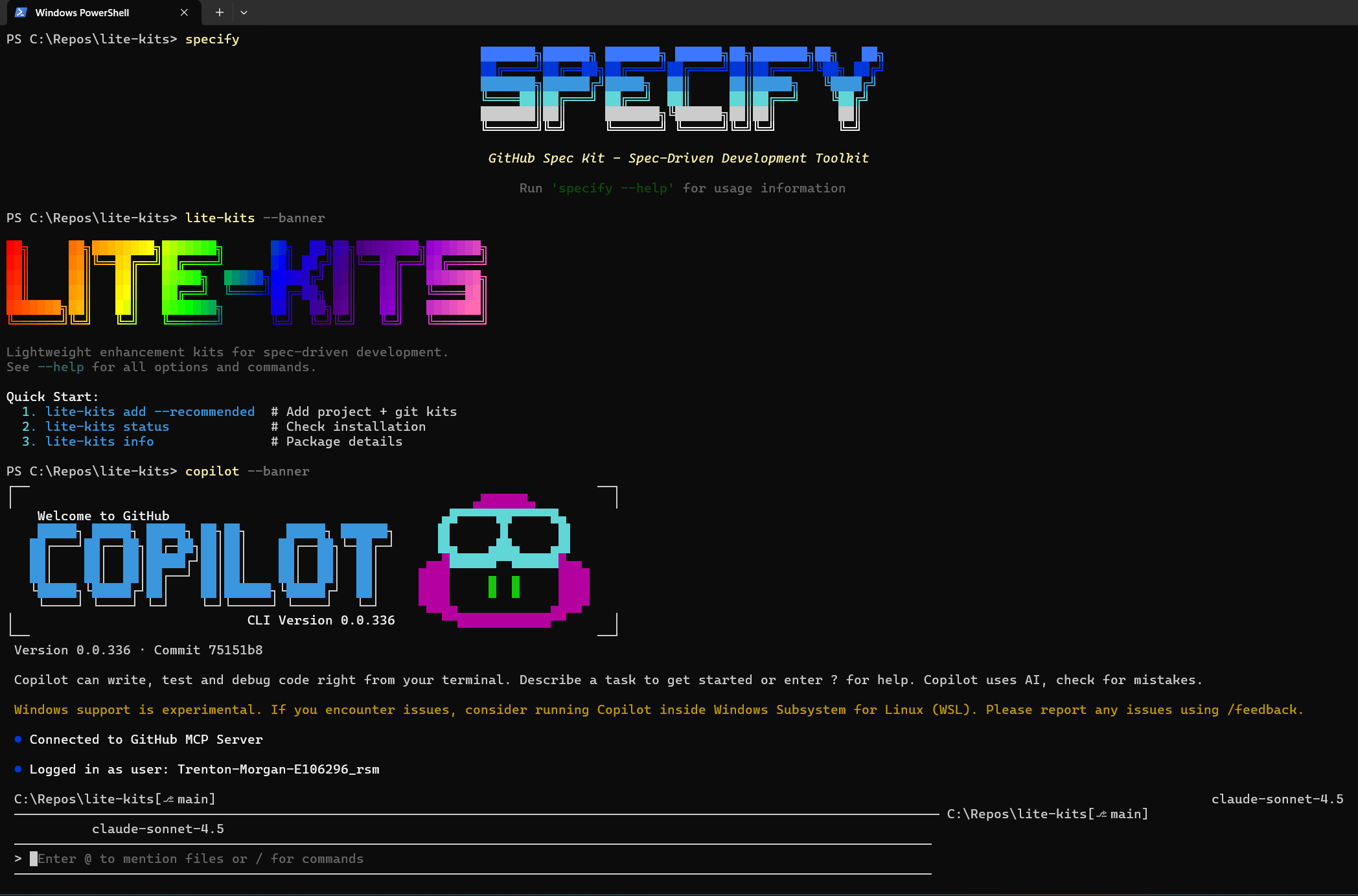
lite-kits v0.1.1 features a stunning ASCII banner system with UV-inspired modern CLI patterns:
- 🎨 Beautiful ASCII Art - LITE-KITS branding with professional charm
- ⚡ Smart Display Modes - Static banners for daily use, animated for special moments
- 🚀 UV-Style Commands - Modern global options (
--version/-V,--quiet/-q,--verbose/-v) - 📊 Professional Tables - Clean information displays and status reports
- 🎯 Context-Aware - Shows installed kits and project status intelligently
Vibe coding with professional polish! ✨
Key Features
🔧 Git-Kit
Smart git workflow commands:
/commit - Intelligent commits with staging proposals
- Combined staging + commit message approval
- Multi-commit suggestions for large changesets
- Conventional commits with feature numbers
- Agent attribution tracking
/pr - Pull request creation with auto-push
- Automatic branch pushing before PR
- PR status checking (prevents duplicates)
- Smart description generation from commits
- Modular PR scope (only describes current work)
/cleanup - Safe branch cleanup
- Delete merged branches safely
- Optional remote deletion
- Current branch detection
- Protected branch safety
🎯 Project-Kit
/orient - Agent orientation command
- Reads project documentation
- Checks current git state
- Determines agent role
- Provides concise context
🤝 Multiagent-Kit
/sync - Multi-agent coordination status
- Visual sync status display
- Agent activity tracking
- Collaboration structure detection
Collaboration directories for multi-agent coordination:
specs/NNN-feature/collaboration/
├── active/          # Current work
│   ├── sessions/    # Work session logs
│   └── decisions/   # Handoffs, proposals
├── archive/         # Historical (YYYY-MM/)
└── results/         # Completed deliverables
Memory guides:
- PR Workflow Guide - How AI agents create pull requests
- Git Worktrees Protocol - Parallel development with worktrees
Quick Start
1. Add kits to your spec-kit project
cd your-spec-kit-project
lite-kits add --here --dry-run --recommended  # Preview changes
lite-kits add --here --recommended            # Add project + git kits
What gets added:
- Git workflow commands (
/commit,/pr,/cleanup) - Project orientation command (
/orient) - Multi-agent coordination tools (
/sync, collaboration structure) - optional - Memory guides (PR workflow, git worktrees protocol) - optional
2. Use the commands in your AI assistant
# In Claude Code or GitHub Copilot
/orient     # Get project context
/commit     # Smart commit with staging
/pr         # Create PR with auto-push
/cleanup    # Clean up merged branches
/sync       # Check multi-agent status
3. Start building
# Standard spec-kit workflow with enhanced git commands
/specify Build a user authentication system
/plan
/tasks
/implement
/commit     # Use smart commit
/pr         # Auto-push and create PR
Usage
CLI Commands
Beautiful Banner Experience:
# Welcome screen with static banner + quick start
lite-kits                                    # Show banner and quick start guide

# Animated celebration banner
lite-kits --banner                           # Special animated ASCII art

# Banner integrated into all commands
lite-kits status                             # Beautiful status display
lite-kits info                               # Professional info tables
Kit Management:
# Add kits to a project (working directory by default)
lite-kits add --recommended                  # Add project + git kits
lite-kits add --kit project                  # Add specific kit
lite-kits add --dry-run --recommended        # Preview changes
lite-kits add --directory /path/to/project   # Specify different directory

# Check status with beautiful display
lite-kits status                             # Show installed kits with banner

# Validate installation
lite-kits validate                           # Verify kit installation

# Remove kits
lite-kits remove --kit git                   # Remove specific kit
lite-kits remove --all                       # Remove all kits
Package Management:
# Get package info with professional tables
lite-kits info                               # Show version, kits, quick start

# Uninstall instructions
lite-kits uninstall                          # How to remove package

# Version and global options (UV-style)
lite-kits --version / -V                     # Show version only
lite-kits --quiet / -q                       # Suppress banners
lite-kits --verbose / -v                     # Extra output
lite-kits --directory <path>                 # Set working directory
Git Workflow Example
# Make changes to your code

# Smart commit with combined staging + message approval
/commit
# Shows: staging plan + commit message in one prompt
# Options: y (approve), es (edit staging), em (edit message)

# Create PR (auto-pushes branch first!)
/pr
# Checks: No existing PR, pushes branch, creates PR
# Description: Only describes commits in THIS PR (modular scope)

# Clean up merged branches
/cleanup
# Safe deletion with protection for current/base/unmerged branches
# Optional: --remote flag to delete from remote too
Multi-Agent Workflow Example
Scenario: Claude Code (backend) + GitHub Copilot (frontend) building a blog.
-
Claude Code: Creates spec and plan
/specify Build a blog platform with auth
/plan
-
Claude Code: Creates handoff document
specs/002-blog/collaboration/active/decisions/agent-split.md - Claude: Backend (API, database, auth) - Copilot: Frontend (React, UI, components) -
Both agents: Work in parallel with git worktrees
# Claude
git worktree add ../blog-backend 002-blog

# Copilot
git worktree add ../blog-frontend 002-blog
-
Both agents: Commit with attribution
/commit # Message includes: via claude-sonnet-4.5 @ claude-code -
Check sync status:
/sync # Shows: agent activity, collaboration status, recommendations -
Integration: Test together, create PR with
/pr
Architecture
Add-on Design (Not a Fork)
lite-kits is an add-on for vanilla spec-kit, not a fork or replacement:
- ✅ Vanilla spec-kit stays vanilla - Your
specifyworkflow is unchanged - ✅ Get upstream updates - Benefit from spec-kit improvements automatically
- ✅ Modular kits - Add/remove individual kits as needed
- ✅ No file replacements - Only adds new files, never modifies spec-kit core
What Gets Added
When you run lite-kits add, it installs .md prompt files and optional scripts:
Kit commands (markdown prompts for AI assistants):
.claude/commands/*.md- Claude Code slash commands.github/prompts/*.prompt.md- GitHub Copilot prompt files
Memory guides (multiagent-kit only):
.specify/memory/pr-workflow-guide.md- How AI agents should create PRs.specify/memory/git-worktrees-protocol.md- Parallel dev with worktrees
Collaboration structure (multiagent-kit only):
specs/NNN-feature/collaboration/- Session logs, handoffs, decisions
No modifications to existing spec-kit files like .specify/, vanilla prompts, etc.
Project Structure
lite-kits/
├── src/lite_kits/
│   ├── __init__.py
│   ├── cli.py              # CLI commands
│   ├── installer.py        # Installation logic
│   └── kits/               # Enhancement kits
│       ├── git/            # Git workflow commands
│       ├── project/        # Project orientation
│       └── multiagent/     # Multi-agent coordination
├── examples/               # Example projects
├── docs/                   # Documentation
├── pyproject.toml          # Package metadata
└── README.md
Development
Setup
# Clone repository
git clone https://github.com/tmorgan181/lite-kits.git
cd lite-kits

# Install with dev dependencies
uv tool install -e ".[dev]"
Building
# Build package
uv build

# Install locally
uv tool install dist/lite_kits-0.1.0-py3-none-any.whl
Testing (TODO)
pytest
pytest --cov=src/lite_kits
Roadmap
✅ Phase 1: Foundation (v0.1.0)
- Package structure with constants and clean architecture
- Kit-based modular architecture
- Git-kit (/commit, /pr, /cleanup)
- Project-kit (/orient)
- Multiagent-kit (/sync, collaboration)
- Cross-platform support (Bash + PowerShell)
- Windows encoding fixes (ASCII-safe status indicators)
- CLI with Kit Management and Package Management sections
- Shell completion disabled (no profile modifications)
- Proper pip/uv tool installation
Phase 2: Polish & Publish (Next - v0.2.0)
- Complete CLI rebrand (
install→add, proper flags) - Fix installer kit mappings (sync in multiagent, cleanup in git)
- Add examples directory with sample projects
- PyPI publication
- Documentation improvements (architecture docs, guides)
Phase 3: Expansion (Future - v0.3.0)
- Additional kits for other vanilla tools
- Template library expansion
- Test suite (pytest)
- CI/CD automation
- Plugin system for custom kits
Contributing
Contributions welcome! See CONTRIBUTING.md for guidelines.
License
MIT License - see LICENSE for details.
Related Projects
- GitHub spec-kit - Spec-driven development framework
- Claude Code - AI coding assistant
- GitHub Copilot - AI pair programmer
Support
- Issues: GitHub Issues
- Discussions: GitHub Discussions
Acknowledgments
Built to enhance GitHub Spec-Kit, a framework for spec-driven development with AI agents.
Status: Alpha (v0.1.0) - APIs may change
Philosophy: Enhance, don't replace. lite-kits adds features to vanilla spec-kit without forking or modifying core files.


Download files
Download the file for your platform. If you're not sure which to choose, learn more about installing packages.
Source Distribution
Built Distribution
Filter files by name, interpreter, ABI, and platform.
If you're not sure about the file name format, learn more about wheel file names.
Copy a direct link to the current filters
File details
Details for the file lite_kits-0.1.1.tar.gz.
File metadata
- Download URL: lite_kits-0.1.1.tar.gz
- Upload date:
- Size: 116.8 kB
- Tags: Source
- Uploaded using Trusted Publishing? No
- Uploaded via: uv/0.8.22
File hashes
| Algorithm | Hash digest | |
|---|---|---|
| SHA256 |
04cc93dae1929cbc5c21ca9744e731e471428aee45623a607bd4e3e07140cb67
|
|
| MD5 |
bbcb7b166854a3314af7514a0b7c758f
|
|
| BLAKE2b-256 |
577a00395b4cd809f1b07077299542e5ed43c2a9c15fddd7d9893e411d87e5aa
|
File details
Details for the file lite_kits-0.1.1-py3-none-any.whl.
File metadata
- Download URL: lite_kits-0.1.1-py3-none-any.whl
- Upload date:
- Size: 156.9 kB
- Tags: Python 3
- Uploaded using Trusted Publishing? No
- Uploaded via: uv/0.8.22
File hashes
| Algorithm | Hash digest | |
|---|---|---|
| SHA256 |
eb40e4faa05fed87953901450958e8ddd0ee831c135256fd63472c9946e66e84
|
|
| MD5 |
72041fcb908f32f500556c9eb2b77f8b
|
|
| BLAKE2b-256 |
ed926450af68c94c0b8e37345e50ace5e41a3c28f9bc6ff680627bf00cd022d0
|






