
litestar-workflows
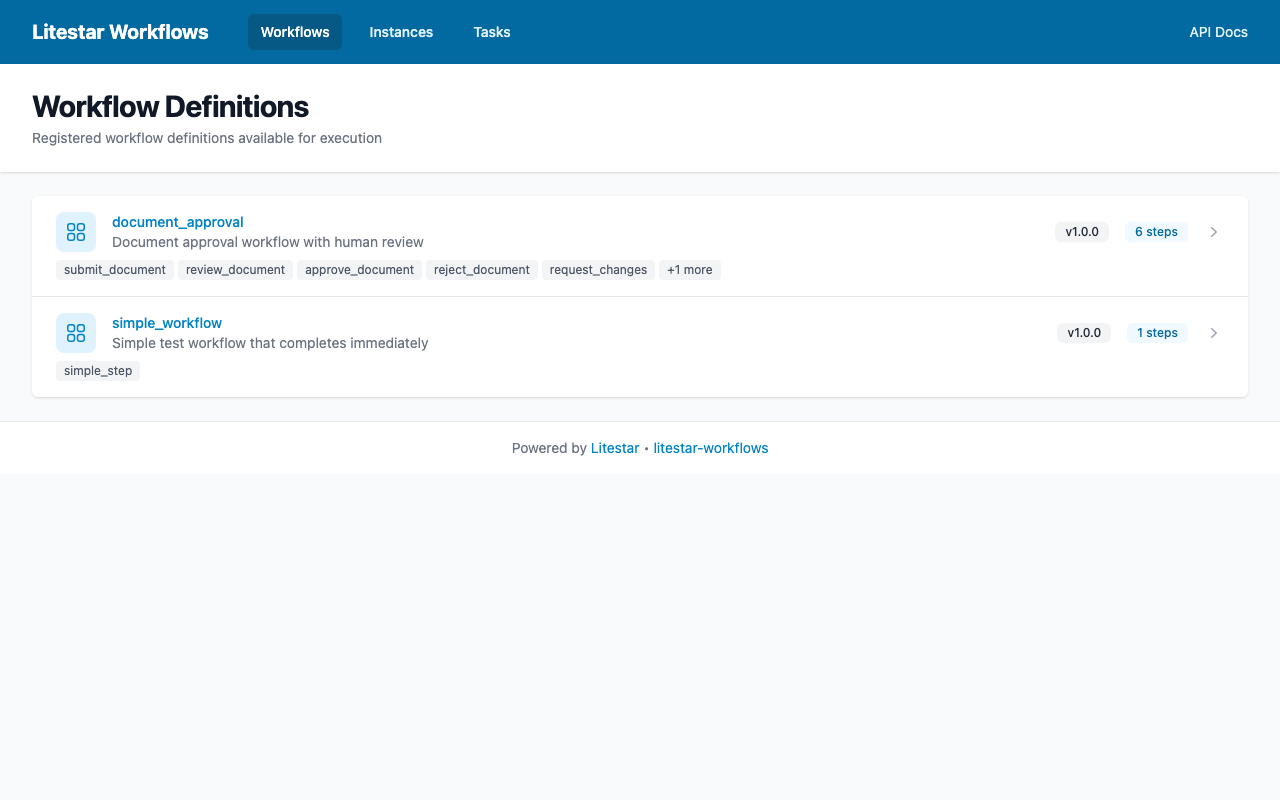
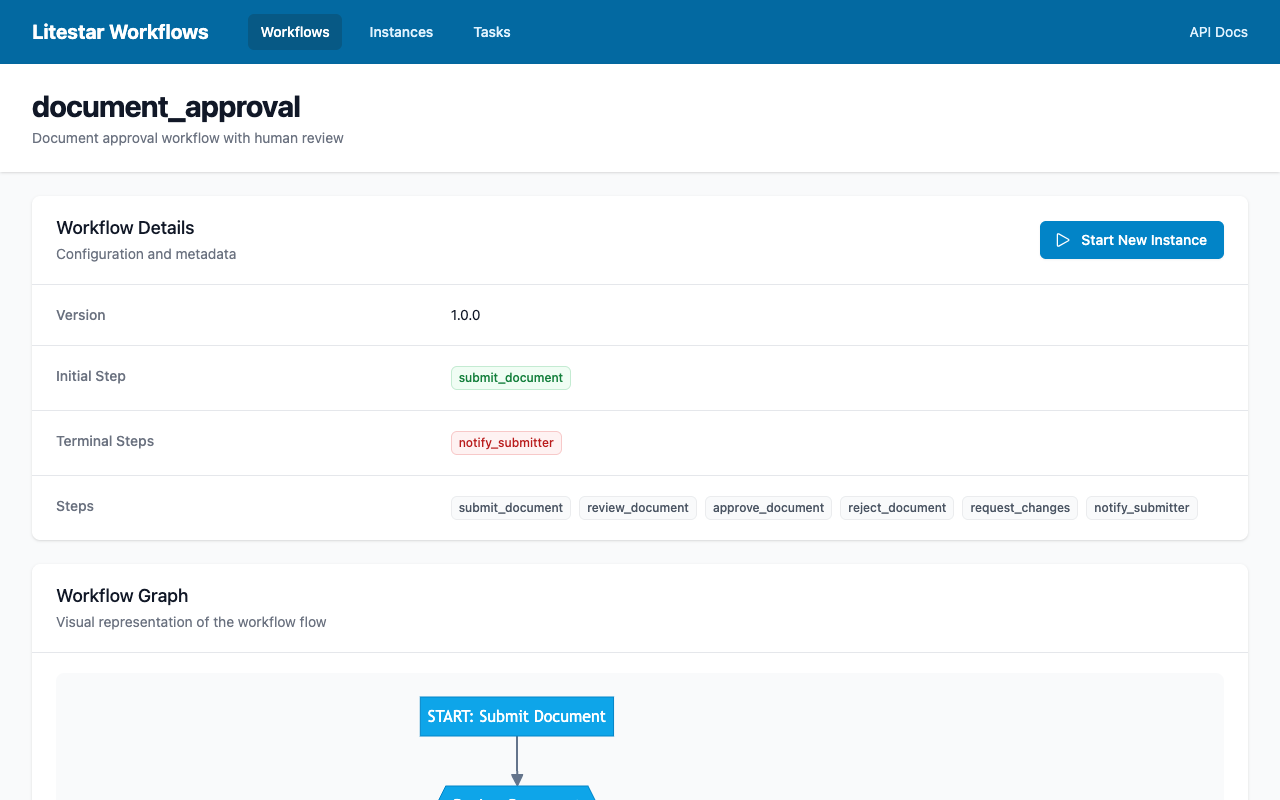
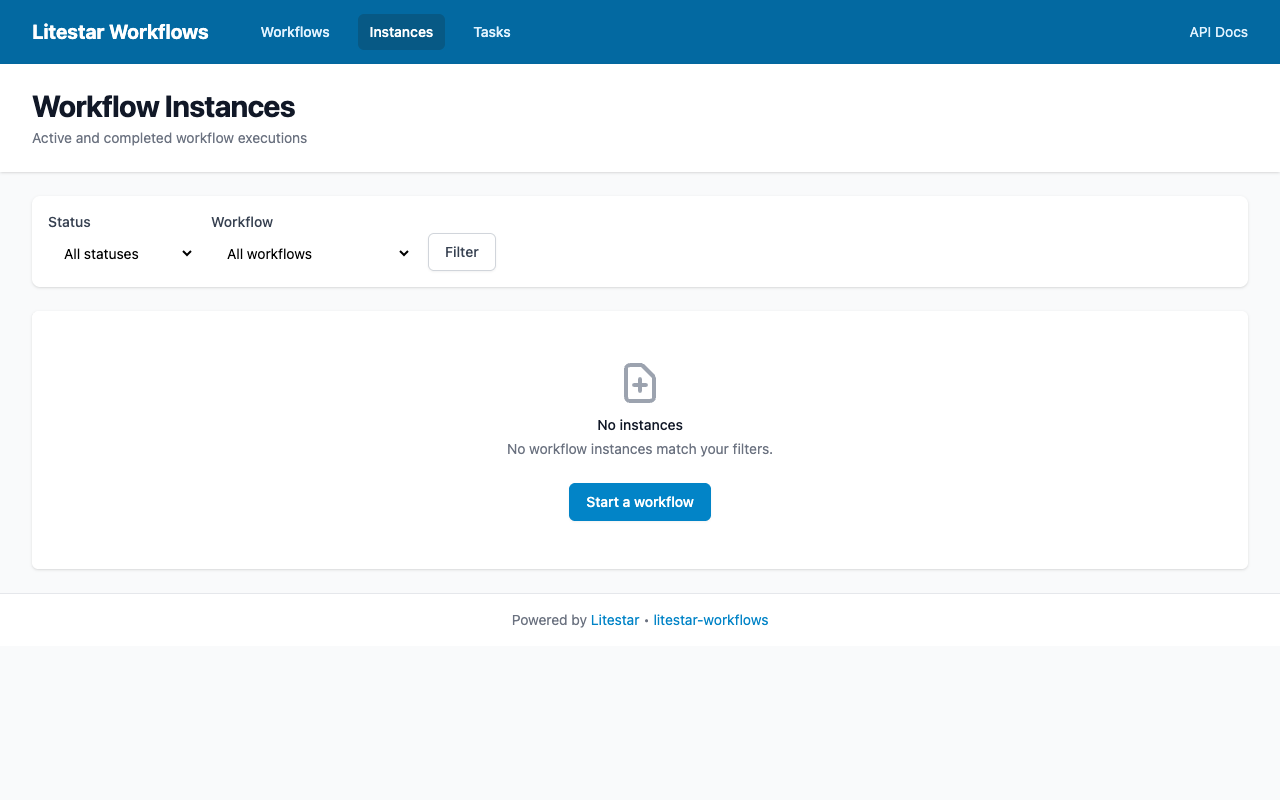
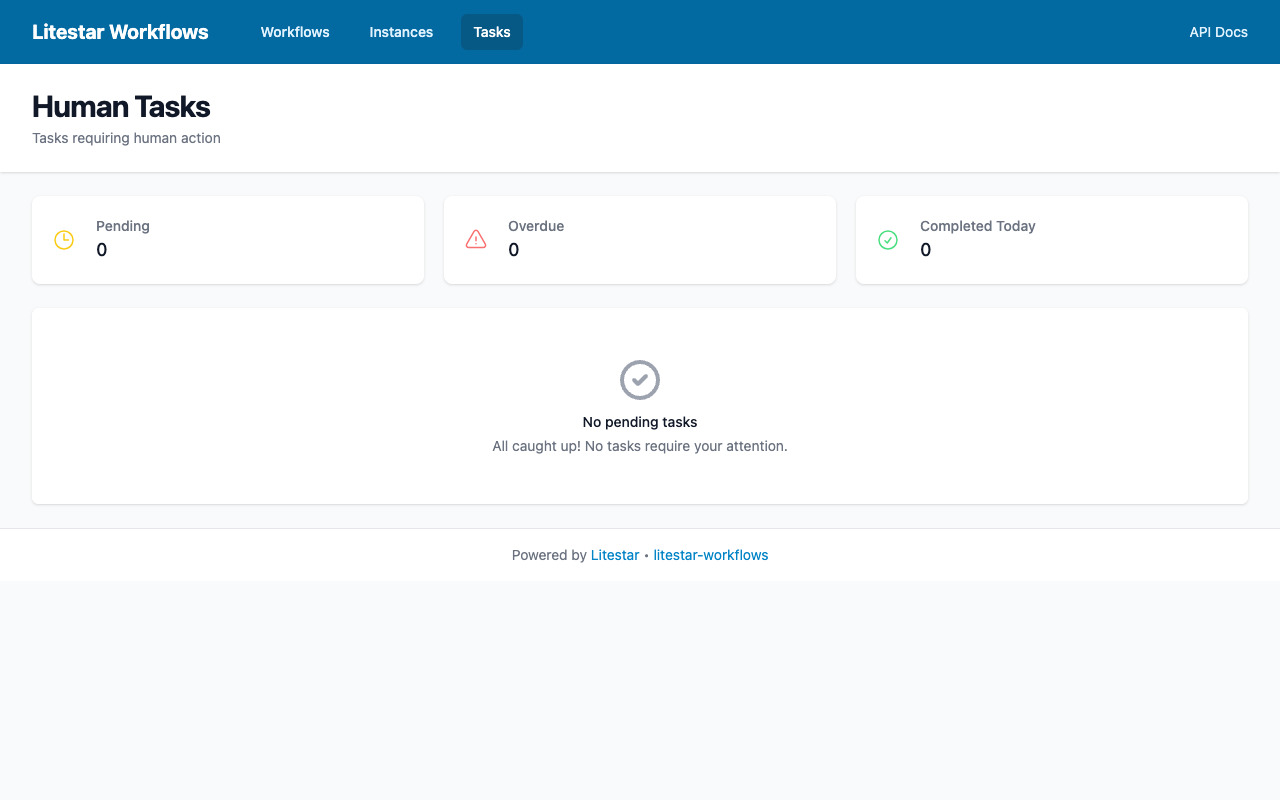
Workflow automation for Litestar with human approval chains, automated pipelines, and web-based workflow management.





Documentation: https://jacobcoffee.github.io/litestar-workflows
Source Code: https://github.com/JacobCoffee/litestar-workflows
Overview
litestar-workflows is a flexible, async-first workflow automation framework built specifically for the Litestar ecosystem. It enables you to define complex business processes as code, combining automated steps with human approval checkpoints.
Screenshots
Key Features
- Async-First Design: Native
async/awaitthroughout, leveraging Litestar's async foundation - Human + Machine Tasks: Combine automated processing with human approval checkpoints
- Composable Workflows: Build complex workflows from simple, reusable primitives
- Type-Safe: Full typing with Protocol-based interfaces for IDE support
- Litestar Integration: Deep integration with Litestar's DI, guards, and plugin system
- Flexible Execution: Local execution engine with optional distributed backends (Celery, SAQ)
- Visual Debugging: MermaidJS workflow visualization support
Use Cases
- Approval Workflows: Expense reports, vacation requests, document reviews
- Multi-Stage Pipelines: Feature releases requiring team, QA, and product approval
- Provisioning Workflows: VM creation, access requests with manager approval
- Content Publishing: Blog posts requiring editorial review before publication
- Any Sequential Process: Anything with an arbitrary series of steps and approvals
Installation
Install using pip:
pip install litestar-workflows
Or with optional extras:
# With database persistence (SQLAlchemy)
pip install litestar-workflows[db]

# With web UI templates
pip install litestar-workflows[ui]

# All extras
pip install litestar-workflows[db,ui]
Quick Start
Here's a simple approval workflow that demonstrates the core concepts:
from litestar_workflows import (
    WorkflowDefinition,
    Edge,
    BaseMachineStep,
    BaseHumanStep,
    LocalExecutionEngine,
    WorkflowRegistry,
    WorkflowContext,
)


# Define automated steps
class SubmitRequest(BaseMachineStep):
    """Initial submission step - runs automatically."""

    name = "submit"
    description = "Submit a new request for processing"

    async def execute(self, context: WorkflowContext) -> None:
        # Record submission timestamp
        context.set("submitted", True)
        context.set("submitted_by", context.user_id)


# Define human approval steps
class ManagerApproval(BaseHumanStep):
    """Human task - waits for manager input."""

    name = "manager_approval"
    title = "Approve Request"
    description = "Manager reviews and approves or rejects the request"
    form_schema = {
        "type": "object",
        "properties": {
            "approved": {"type": "boolean", "title": "Approve this request?"},
            "comments": {"type": "string", "title": "Comments"},
        },
        "required": ["approved"],
    }


class ProcessRequest(BaseMachineStep):
    """Final processing step - runs after approval."""

    name = "process"
    description = "Process the approved request"

    async def execute(self, context: WorkflowContext) -> None:
        if context.get("approved"):
            context.set("status", "processed")
            # Perform actual processing here
        else:
            context.set("status", "rejected")


# Create workflow definition
definition = WorkflowDefinition(
    name="approval_workflow",
    version="1.0.0",
    description="Simple request approval workflow",
    steps={
        "submit": SubmitRequest(),
        "manager_approval": ManagerApproval(),
        "process": ProcessRequest(),
    },
    edges=[
        Edge("submit", "manager_approval"),
        Edge("manager_approval", "process"),
    ],
    initial_step="submit",
    terminal_steps={"process"},
)

# Register and run
registry = WorkflowRegistry()
registry.register_definition(definition)

engine = LocalExecutionEngine(registry)


# Start a new workflow instance
async def main():
    instance = await engine.start_workflow(
        "approval_workflow",
        initial_data={"request_id": "REQ-001", "amount": 500.00},
    )
    print(f"Workflow started: {instance.id}")
    print(f"Current step: {instance.current_step}")  # "manager_approval"

    # Later, when a manager completes the approval...
    await engine.complete_human_task(
        instance_id=instance.id,
        step_name="manager_approval",
        user_id="manager@example.com",
        data={"approved": True, "comments": "Looks good!"},
    )
Documentation
For comprehensive documentation, tutorials, and API reference, visit: https://jacobcoffee.github.io/litestar-workflows
Quick Links
Versioning
This project uses Semantic Versioning.
- Major versions introduce breaking changes
- Major versions support the currently supported version(s) of Litestar
- See the Litestar Versioning Policy for details
Contributing
Contributions are welcome! Please see CONTRIBUTING.rst for guidelines.
Development Setup
# Clone the repository
git clone https://github.com/JacobCoffee/litestar-workflows.git
cd litestar-workflows

# Install with development dependencies
pip install -e ".[dev-lint,dev-test]"

# Run tests
pytest tests

# Run linting
pre-commit run --all-files
License
This project is licensed under the MIT License. See LICENSE for details.
Acknowledgments
This library draws inspiration from:
- Joeflow - Human/machine task model and lean automation philosophy
- Prefect - Dynamic execution and event-driven patterns
- Celery Canvas - Composable task primitives
1 maintainer

Release files for litestar-workflows 0.3.1
For a detailed explanation of source distributions (sdists) and built distributions (wheels), please see the package formats documentation.
Source distribution (sdist)
| File | Size | Uploaded | |
|---|---|---|---|
| litestar_workflows-0.3.1.tar.gz | 67.3 kB | Details |
Built distribution (wheel)
| File | Interpreter | ABI | Platform | Reset |
|---|---|---|---|---|
| litestar_workflows-0.3.1-py3-none-any.whl | Python 3 | none | any | Details |
Total release size: 161.3 kB
Release files / litestar_workflows-0.3.1.tar.gz
| Download URL | litestar_workflows-0.3.1.tar.gz |
|---|---|
| Size | 67.3 kB |
| Tags | Source |
|
SHA-256 checksum How to use checksums |
1f64ad37d45395360908ba5650ce92cf3f529e823ac2e0b074bdf4c3c21532be
|
|
BLAKE2b-256 checksum How to use checksums |
ca47452d1512ee3f35bff7d6c8328add047517b3320c4f7106ffea122db02802
|
| Upload date | |
|
Uploaded using Trusted Publishing? What is trusted publishing? |
Yes |
| Uploaded via |
twine/5.1.1 CPython/3.12.7
|
Provenance
Provenance describes where a file came from. On PyPI, provenance is shared via attestations, which provide a verifiable record of the build or publishing details. View details, limitations and caveats.


PyPI Publish Attestation
PyPI verified that this artifact, at this checksum, originated from the publisher listed below.
Signed by GitHub Actions, verified by PyPI on Nov 26, 2025.
Transparency logRelease files / litestar_workflows-0.3.1-py3-none-any.whl
| Download URL | litestar_workflows-0.3.1-py3-none-any.whl |
|---|---|
| Size | 94.1 kB |
| Tags | Python 3 |
|
SHA-256 checksum How to use checksums |
e98575ec60fb267ba0a7345cb31da2998bcce60cfb6073d055ee89a5ccc740c0
|
|
BLAKE2b-256 checksum How to use checksums |
e5ed13a5bcc1eba4b196e084fc3d2decead2f2d719f960a66323582e67b20918
|
| Upload date | |
|
Uploaded using Trusted Publishing? What is trusted publishing? |
Yes |
| Uploaded via |
twine/5.1.1 CPython/3.12.7
|
Provenance
Provenance describes where a file came from. On PyPI, provenance is shared via attestations, which provide a verifiable record of the build or publishing details. View details, limitations and caveats.
PyPI Publish Attestation
PyPI verified that this artifact, at this checksum, originated from the publisher listed below.
Signed by GitHub Actions, verified by PyPI on Nov 26, 2025.
Transparency log













