
litesurf
A simple Python CLI tool to create a basic web browser.



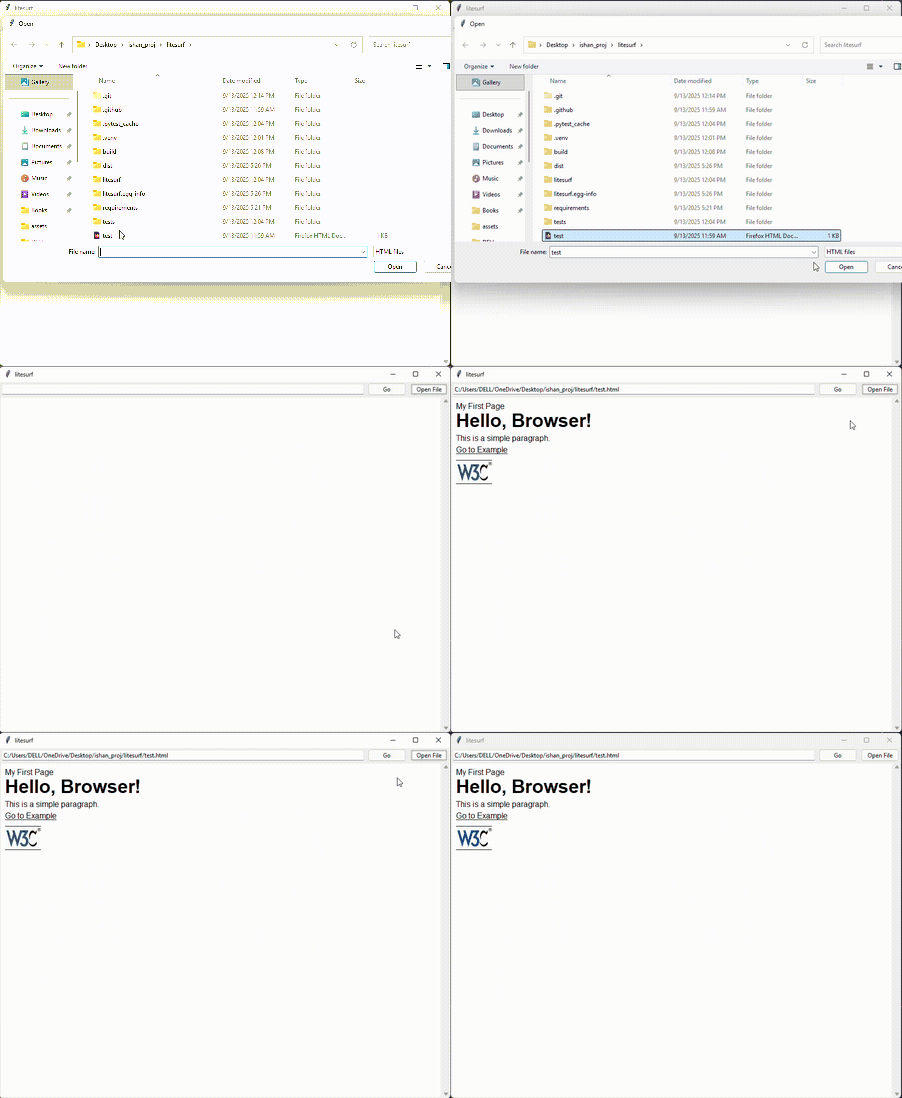
Table of Contents
Installation
-
Clone the repository:
git clone https://github.com/bhatishan2003/litesurf
cd litesurf
Create and activate a virtual environment:
-
Create a Virtual Environment [Optional, but recommended]
Run the following command to create a virtual environment:
python3 -m venv .venv
-
Activate:
-
Windows (PowerShell):
.venv\Scripts\activate
-
Linux/Mac (Bash):
source .venv/bin/activate
-
-
Deactivate:
deactivate
-
Install the package:
pip install .
-
For development (editable mode):
pip install -e .
Usage
Command Line Usage
-
Following commands should be entered to get a pop-up browse.
```bash
litesurf
litesurf --file test.html
```
Building Standalone Executables with PyInstaller
You can generate platform-specific standalone executables for your litesurf project using PyInstaller.
1. Install PyInstaller
pip install pyinstaller
-
Windows
pyinstaller --name litesurf --onefile run_litesurf.py
-
MacOS
pyinstaller --name litesurf --onefile --windowed run_litesurf.py
-
Convert the .app into a .dmg for distribution:
hdiutil create -volname litesurf -srcfolder dist/litesurf.app -ov -format UDZO litesurf.dmg
-
-
Linux
-
You can create a cross-platform source distribution from Windows (or Linux):
python setup.py sdist
-
Linux users can install it via:
pip install litesurf-0.0.1.tar.gz
-
1 maintainer

Download files
Download the file for your platform. If you're not sure which to choose, learn more about installing packages.
Source Distribution
Built Distribution
Filter files by name, interpreter, ABI, and platform.
If you're not sure about the file name format, learn more about wheel file names.
Copy a direct link to the current filters
File details
Details for the file litesurf-0.0.2.tar.gz.
File metadata
- Download URL: litesurf-0.0.2.tar.gz
- Upload date:
- Size: 10.1 kB
- Tags: Source
- Uploaded using Trusted Publishing? No
- Uploaded via:
twine/6.2.0 CPython/3.11.0
File hashes
| Algorithm | Hash digest | |
|---|---|---|
| SHA256 |
e5f89fcc6d6e1817e70635e9f41e148a703b1ae14f31cc845dbec71acd03a990
|
|
| MD5 |
4a58b2c7814af6b8b9a2047ae0252ffb
|
|
| BLAKE2b-256 |
4c5656b13acb604f07273952634bbe0e8904801f24968b0cc30f80feb752e8b7
|
File details
Details for the file litesurf-0.0.2-py3-none-any.whl.
File metadata
- Download URL: litesurf-0.0.2-py3-none-any.whl
- Upload date:
- Size: 8.2 kB
- Tags: Python 3
- Uploaded using Trusted Publishing? No
- Uploaded via:
twine/6.2.0 CPython/3.11.0
File hashes
| Algorithm | Hash digest | |
|---|---|---|
| SHA256 |
af39e2707c03133f9f6adc5913b9d217807bc21804ca2b6b9cd5a13c19c73c16
|
|
| MD5 |
7ecda1f21793f8fc1dc4b1c415e2837d
|
|
| BLAKE2b-256 |
17f868867aa97c7161bc6b7d466249d5aaede559a884a46f06d2efb2761cec73
|














