
Real-time Vision Language Model interaction web interface
Verified details
These details have been verified by PyPIProject links
GitHub Statistics
Maintainers

Project description
Live VLM WebUI






A universal web interface for real-time Vision Language Model interaction and benchmarking.
Stream your webcam to any VLM and get live AI-powered analysis - perfect for testing models, benchmarking performance, and exploring vision AI capabilities across multiple domains and hardware platforms.

[!TIP] ⭐ If you find this project useful, please consider giving it a star! It helps others discover this tool and motivates us to keep improving it. Thank you for your support! 🙏
📢 Share this project:



🚀 Quick Start (Easiest Way!)
For PC, Mac, DGX, and Jetson systems:
pip install live-vlm-webui
live-vlm-webui
Access the WebUI: Open https://localhost:8090 in your browser
[!WARNING] PyPI package coming soon! Works on all platforms including Jetson (requires openssl). For now, use Jetson Quick Start for platform-specific instructions or Development Installation below.
[!NOTE] Requirements:
- OpenSSL - Required for SSL certificate generation (webcam access needs HTTPS)
- Pre-installed on most systems (Ubuntu, macOS, WSL2, Jetson, DGX)
- If missing, the server will provide clear installation instructions
- VLM Backend - Ollama, vLLM, or cloud API. See VLM Backend Setup below
SSL certificates auto-generate on first run. Accept the browser security warning to proceed.
Platforms supported:
- ✅ Linux (x86_64, ARM64)
- ✅ macOS (Intel & Apple Silicon)
- ✅ Windows (via WSL2)
- ⚠️ Jetson (Orin, Thor) - pip works but Docker is simpler. See Jetson Quick Start below
🤖 Jetson Quick Start
[!IMPORTANT] Requires JetPack 6.x (Python 3.10+) or JetPack 7.0 (Python 3.12). JetPack 5.x has Python 3.8 which is not supported - use Docker or upgrade.
Option 1: Docker (Recommended - Works Out of the Box)
For all Jetson platforms (Orin, Thor):
# Clone the repository
git clone https://github.com/nvidia-ai-iot/live-vlm-webui.git
cd live-vlm-webui

# Run the auto-detection script
./scripts/start_container.sh
The script will:
- ✅ Auto-detect your Jetson platform (Orin or Thor)
- ✅ Pull the appropriate pre-built image from GitHub Container Registry
- ✅ Configure GPU access automatically
- ✅ Start the container with correct settings
Why Docker is recommended:
- ✅ Works immediately - no platform-specific setup
- ✅ Isolated environment - no system package conflicts
- ✅ Full GPU monitoring included
- ✅ Production-ready
- ✅ No Python version conflicts
Access the WebUI: Open https://localhost:8090 in your browser
Option 2: pip install (Advanced)
For Jetson AGX Orin and Jetson Orin Nano (JetPack 6.x / r36.x):
# Install dependencies
sudo apt install openssl python3-pip

# Install jetson-stats for GPU monitoring (optional but recommended)
# Note: Use --break-system-packages if on newer JetPack with Python 3.12
sudo pip3 install -U jetson-stats

# Install the package
python3 -m pip install --user live-vlm-webui

# Add to PATH (one-time setup)
echo 'export PATH="$HOME/.local/bin:$PATH"' >> ~/.bashrc
source ~/.bashrc

# Run it
live-vlm-webui
For Jetson Thor (JetPack 7.0 / r38.2+):
# Install dependencies
sudo apt install openssl pipx

# Ensure PATH for pipx
pipx ensurepath
source ~/.bashrc

# Install the package using pipx (required for Python 3.12)
pipx install live-vlm-webui

# Install jetson-stats for GPU monitoring (from GitHub - PyPI version doesn't support Thor yet)
# Step 1: Install system-wide for the jtop service
sudo pip3 install --break-system-packages git+https://github.com/rbonghi/jetson_stats.git
sudo jtop --install-service

# Step 2: Inject into pipx environment so live-vlm-webui can use it
pipx inject live-vlm-webui git+https://github.com/rbonghi/jetson_stats.git

# Step 3: Reboot for jtop service permissions to take effect
sudo reboot

# After reboot, run it
live-vlm-webui
[!WARNING] Ollama 0.12.10 incompatible with Jetson Thor (JetPack 7.0)
Ollama version 0.12.10 does not work on Thor - GPU inference will fail.
Solution: Use Ollama 0.12.9 or earlier:
curl -fsSL https://ollama.com/install.sh | OLLAMA_VERSION=0.12.9 shSee troubleshooting guide for details and alternatives.
[!NOTE] Jetson Thor GPU Monitoring: Thor support is in the latest jetson-stats on GitHub but not yet released to PyPI.
Why two installations?
- System-wide (
sudo pip3) - Runs the jtop background service- Pipx environment (
pipx inject) - Allows live-vlm-webui to access jtop dataThe reboot ensures proper socket permissions for jtop access.
[!TIP] Jetson Thor (Python 3.12): Use
pipxinstead ofpipdue to PEP 668 protection. pipx automatically creates isolated environments for applications.GPU Monitoring: Installing
jetson-statsenables proper hardware detection and GPU/VRAM monitoring.
Access the WebUI: Open https://localhost:8090 in your browser
Benefits of pip install:
- ✅ Editable code for development
- ✅ Direct access to logs and debugging
- ✅ No container overhead
- ✅ Fine-grained control
Note: pip installation requires platform-specific setup steps. For production or simpler setup, use Docker (Option 1).
🎥 WebUI Usage
Once the server is running, access the web interface at https://localhost:8090
Accepting the SSL Certificate
| 1️⃣ Click "Advanced" button | 2️⃣ Click "Proceed to localhost (unsafe)" | 3️⃣ Allow camera access when prompted |
|---|---|---|
 |
 |
 |
Interface Overview
Left Sidebar Controls:

🌐 VLM API Configuration
- Set API Base URL, API Key, and Model
- 🔄 Refresh models button - Auto-detect available models
- ➕ Download button (coming soon)
📹 Camera Control
- Dropdown menu lists all detected cameras
- Switch cameras on-the-fly without restarting
- START/STOP buttons for analysis control
- Frame Interval: Process every N frames (1-3600)
- Lower (5-30) = more frequent, higher GPU usage
- Higher (60-300) = less frequent, power saving
✍️ Prompt Editor
- 10+ preset prompts (scene description, object detection, safety, OCR, etc.)
- Write custom prompts
- Adjust Max Tokens for response length (1-4096)

Main Content Area:
🤖 VLM Output Info - Real-time analysis results:
- Model name and inference latency metrics ⏱️
- Current prompt display (gray box)
- Generated text output
🖼️ Video Feed - Live webcam
- mirror toggle button 🔄
📈 System Stats Card - Live monitoring:
- System info: Hardware name with hostname with GPU info
- GPU utilization and VRAM with progress bars
- CPU and RAM stats
- Sparkline graphs
Header:

- Connection Status - WebSocket connectivity indicator
- ⚙️ Settings - Advanced configuration modal (WebRTC, latency thresholds, debugging)
- 🌙/☀️ Theme Toggle - Switch between Light/Dark modes
💻 Development Installation (From Source)
For developers, contributors, and those who want full control:
# 1. Clone the repository
git clone https://github.com/nvidia-ai-iot/live-vlm-webui.git
cd live-vlm-webui

# 2. Create virtual environment
python3 -m venv .venv
source .venv/bin/activate

# 3. Upgrade pip and install in editable mode
pip install --upgrade pip setuptools wheel
pip install -e .

# 4. Start the server (SSL certs auto-generate)
./scripts/start_server.sh
Access the WebUI: Open https://localhost:8090
Benefits of source installation:
- ✅ Make code changes that take effect immediately (editable install)
- ✅ Access to development tools and scripts
- ✅ Works on macOS (unlike Docker which doesn't support webcam)
- ✅ Full debugging capabilities
Platforms tested:
- ✅ Linux (x86_64) - fully tested
- ✅ DGX Spark (ARM64) - fully tested
- ✅ Jetson Thor - fully tested
- ✅ Jetson Orin - fully tested
- ✅ macOS (Apple Silicon) - fully tested
- ⚠️ Windows - WSL2 recommended, native Windows requires additional setup (FFmpeg, build tools)
[!TIP] For Jetson, we recommend Docker for production use. Source installation works but requires:
sudo apt install python3.10-venvand careful pip management to avoid JetPack conflicts.
🤖 Setting Up Your VLM Backend
Choose the VLM backend that fits your needs:
Quick Comparison
| Backend | Setup Difficulty | Model Coverage | Speed | GPU Required |
|---|---|---|---|---|
| Ollama ✅ | 🟢 Easy | 14+ vision models (link) | 🟢 Fast | 🏠 Yes (local) |
| vLLM ⚠️ | 🔴 Varies (works best on PC) | Widest HF model support | 🟢🟢 Fastest | 🏠 Yes (local) |
| SGLang ⚠️ | 🔴 Varies (works best on PC) | Widest HF model support | 🟢🟢 Fastest | 🏠 Yes (local) |
| NVIDIA NIM ⚠️ | 🟡 Medium | Limited VLM selection (improving) | 🟢🟢 Fastest | 🏠 Yes (local) |
| NVIDIA API Catalog ✅ | 🟢 Easy | 12+ hosted VLMs | 🟡 Depends | ☁️ No (cloud) |
| OpenAI API ⚠️ | 🟢 Easy | GPT-4o, GPT-4o-mini | 🟡 Depends | ☁️ No (cloud) |
Legend: ✅ Tested | ⚠️ Has auto-detection but not fully validated
Option A: Ollama (Recommended for Beginners)
# Install from https://ollama.ai/download
# Pull a vision model
ollama pull llama3.2-vision:11b

# Start server
ollama serve
Best for: Quick start, easy model management
Option B: vLLM (Recommended for Performance)
# Install vLLM
pip install vllm

# Start server
python -m vllm.entrypoints.openai.api_server \
  --model meta-llama/Llama-3.2-11B-Vision-Instruct \
  --port 8000
Best for: Production deployments, high throughput
Option C: NVIDIA API Catalog (No GPU Required)
- Visit NVIDIA API Catalog
- Get API key on build.nvidia.com page.
- Configure in WebUI:
- API Base:
https://integrate.api.nvidia.com/v1 - API Key:
nvapi-YOUR_KEY - Model:
meta/llama-3.2-90b-vision-instruct
- API Base:
Best for: Cloud-based inference, instant access, free API trial usage
📘 Detailed Guide: VLM Backend Setup
🔧 Alternative Installation Methods
Docker (Recommended for Production & Jetson)
For PC, DGX Spark, and Jetson users who want containerized deployment:
# 1. Clone the repository
git clone https://github.com/nvidia-ai-iot/live-vlm-webui.git
cd live-vlm-webui

# 2. Run the auto-detection script
./scripts/start_container.sh
Benefits:
- ✅ No dependency management
- ✅ Isolated environment
- ✅ Works across all platforms (x86_64, ARM64, Jetson)
- ✅ Production-ready
Available pre-built images:
| Platform | Image Tag | Pull Command |
|---|---|---|
| PC (x86_64) / DGX Spark | latest |
docker pull ghcr.io/nvidia-ai-iot/live-vlm-webui:latest |
| Jetson Orin | latest-jetson-orin |
docker pull ghcr.io/nvidia-ai-iot/live-vlm-webui:latest-jetson-orin |
| Jetson Thor | latest-jetson-thor |
docker pull ghcr.io/nvidia-ai-iot/live-vlm-webui:latest-jetson-thor |
[!TIP] The
latesttag is a multi-arch image that automatically selects the correct architecture:
linux/amd64for x86_64 PC and DGX systemslinux/arm64for DGX Spark (ARM64 SBSA server)
📘 Detailed Guide: Manual Docker Setup
Docker Compose (Complete Stack with VLM Backend)
For PC and DGX Spark users who want VLM + WebUI in one command:
[!TIP]
start_docker_compose.shautomatically detects your platform, checks Docker installation, and selects the correct profile. Just run it!
With Ollama (Easiest, No API Keys Required)
Using the launcher script (recommended):
./scripts/start_docker_compose.sh ollama

# Pull a vision model after startup
docker exec ollama ollama pull llama3.2-vision:11b
Or manually with docker compose:
docker compose --profile ollama up

# Pull a vision model
docker exec ollama ollama pull llama3.2-vision:11b
[!TIP] Backend-centric profiles make it easy:
--profile ollama,--profile vllm(future), etc.
Includes:
- ✅ Ollama for easy model management
- ✅ Live VLM WebUI for real-time interaction
- ✅ No API keys required
With NVIDIA NIM + Cosmos-Reason1-7B (Advanced)
[!TIP] Cosmos-Reason1-7B is the default NIM model because it's the only NVIDIA VLM NIM that supports both x86_64 (PC) and ARM64 (DGX Spark, Jetson Thor) architectures. Other NIM models like Llama-3.2-90B-Vision and Nemotron are x86_64-only.
Using the launcher script (recommended):
# Get NGC API Key from https://org.ngc.nvidia.com/setup/api-key
export NGC_API_KEY=<your-key>

./scripts/start_docker_compose.sh nim
Or manually with docker compose:
export NGC_API_KEY=<your-key>
docker compose --profile nim up
Includes:
- ✅ NVIDIA NIM serving Cosmos-Reason1-7B with reasoning capabilities
- ✅ Production-grade inference
- ✅ Advanced VLM with planning and anomaly detection
[!IMPORTANT] NIM requires NGC API Key and downloads ~10-15GB on first run. Requires NVIDIA driver 565+ (CUDA 12.9 support).
📘 Detailed Guide: Docker Compose Setup Details
📚 Documentation
For Users
- 📖 VLM Backend Setup - Detailed guide for Ollama, vLLM, SGLang, NVIDIA API
- 🐋 Docker Compose Details - Complete stack setup with Ollama or NIM
- 🛠️ Manual Docker Deployment - Advanced Docker configurations
- ⚙️ Advanced Configuration - Performance tuning, custom prompts, API compatibility
For Developers
- 🔨 Building Docker Images - Build platform-specific images for GHCR
- 🧑💻 Contributing Guide - How to contribute to the project
Help & Support
- 🚑 Troubleshooting Guide - Common issues and solutions
- 💬 GitHub Issues - Bug reports and feature requests
- 🌐 NVIDIA Developer Forums - Community support
✨ Key Features
Core Functionality
- 🎥 Real-time WebRTC streaming - Low-latency bidirectional video
- 🔌 OpenAI-compatible API - Works with vLLM, SGLang, Ollama, TGI, or any vision API
- 📝 Interactive prompt editor - 10+ preset prompts + custom prompts
- ⚡ Async processing - Smooth video while VLM processes frames in background
- 🔧 Flexible deployment - Local inference or cloud APIs
UI & Visualization
- 🎨 Modern NVIDIA-themed UI - Professional design with NVIDIA green accents
- 🌓 Light/Dark theme toggle - Automatic preference persistence
- 📊 Live system monitoring - Real-time GPU, VRAM, CPU, RAM stats with sparkline charts
- ⏱️ Inference metrics - Live latency tracking (last, average, total count)
- 🪞 Video mirroring - Toggle button overlay on camera view
- 📱 Compact layout - Single-screen design
Platform Support
- 💻 Cross-platform monitoring - Auto-detects NVIDIA GPUs (NVML), Apple Silicon
- 🖥️ Dynamic system detection - CPU model name and hostname
- 🔒 HTTPS support - Self-signed certificates for secure webcam access
- 🌐 Universal compatibility - PC (x86_64), DGX Spark (ARM64 SBSA), Jetson (Orin, Thor), Mac
- 🏗️ Multi-arch Docker images - Single image works across x86_64 and ARM64 architectures
🗺️ Use Cases
- 🔒 Security - Real-time monitoring and alert generation
- 🤖 Robotics - Visual feedback for robot control
- 🏭 Industrial - Quality control, safety monitoring, automation
- 🏥 Healthcare - Activity monitoring, fall detection
- ♿ Accessibility - Visual assistance for visually impaired users
- 📚 Education - Interactive learning experiences
- 🎬 Content Creation - Live scene analysis for video production
- 🎮 Gaming - AI game master or interactive experiences
🚑 Troubleshooting
Quick Fixes
Camera not accessible?
- Use HTTPS (not HTTP):
./scripts/start_server.shor--ssl-cert cert.pem --ssl-key key.pem - Accept the self-signed certificate warning (Advanced → Proceed)
Can't connect to VLM?
- Check VLM is running:
curl http://localhost:8000/v1/models(vLLM) orcurl http://localhost:11434/v1/models(Ollama) - Use
--network hostin Docker for local VLM services
GPU stats show "N/A"?
- PC: Add
--gpus allwhen running Docker - Jetson: Add
--privileged -v /run/jtop.sock:/run/jtop.sock:ro
Slow performance?
- Use smaller model (gemma3:4b instead of gemma3:11b)
- Increase Frame Processing Interval (60+ frames)
- Reduce Max Tokens (50-100 instead of 512)
🤝 Contributing
We ❤️ contributions from the community! This project is built with passion and we'd love your help making it even better.
How you can help:
- ⭐ Star this repo - It really helps us and takes just 1 second!
- 🐛 Report bugs - Found an issue? Let us know
- 💡 Suggest features - Have an idea? Create a feature request
- 🔧 Submit PRs - Code contributions are always welcome!
- 📢 Share it - Tell others about this project
- 📝 Improve docs - Help us make the documentation better
Areas for improvement:
- 📏 Jetson VRAM utilization - Workaround for measuring GPU memory consumption
- ⚡ Hardware-accelerated video processing on Jetson - Use NVENC/NVDEC
- ➕ Model download UI - Ability to initiate backend's model donwload from Web UI
- 📜 Log functionality - Keep the past analysis results viewable
- 🏆 Benchmark mode - Side-by-side model comparison
- 👥 Multi-session support - Support multiple sessions for hosting
See Contributing Guide for details.
[!IMPORTANT] ⭐ Don't forget to star the repository if you found it helpful! Your support means the world to us and helps demonstrate the value of this work to the community and our organization.
📦 Project Structure
live-vlm-webui/
├── src/
│   └── live_vlm_webui/       # Main Python package
│       ├── __init__.py       # Package initialization
│       ├── server.py         # Main WebRTC server with WebSocket support
│       ├── video_processor.py # Video frame processing and VLM integration
│       ├── gpu_monitor.py    # Cross-platform GPU/system monitoring
│       ├── vlm_service.py    # VLM API integration
│       └── static/
│           └── index.html    # Frontend web UI
│
├── scripts/                  # Bash scripts & utilities
│   ├── start_server.sh      # Quick start script with SSL
│   ├── stop_server.sh       # Stop the server
│   ├── start_container.sh   # Auto-detection Docker launcher
│   ├── stop_container.sh    # Stop Docker container
│   ├── start_docker_compose.sh # Docker Compose launcher
│   ├── generate_cert.sh     # SSL certificate generation
│   ├── build_multiarch.sh   # Multi-arch Docker build
│   └── build_multiarch_cuda.sh
│
├── docker/                   # Docker configuration
│   ├── Dockerfile            # x86_64 PC / DGX Spark (multi-arch)
│   ├── Dockerfile.jetson-orin # Jetson Orin
│   ├── Dockerfile.jetson-thor # Jetson Thor
│   ├── Dockerfile.jetson     # Generic Jetson
│   ├── Dockerfile.mac        # macOS (testing)
│   └── docker-compose.yml    # Unified stack (Ollama + NIM)
│
├── tests/                    # Unit tests
│   └── __init__.py
│
├── prototypes/               # Experimental/prototype scripts (not production)
│   ├── examples.sh
│   ├── test_mac_docker.sh
│   └── test_gpu_monitor_mac.py
│
├── docs/                     # Detailed documentation
│   ├── setup/                # Setup guides
│   ├── usage/                # Usage guides
│   ├── development/          # Developer guides
│   └── troubleshooting.md
│
├── pyproject.toml            # Modern Python packaging (PEP 621)
├── requirements.txt          # Python dependencies
├── requirements-dev.txt      # Development dependencies
├── MANIFEST.in               # Package data includes
├── README.md                 # This file
├── CONTRIBUTING.md           # Contribution guidelines
└── LICENSE                   # Apache 2.0 license
📄 License
This project is licensed under the Apache License 2.0 - see the LICENSE file for details.
SPDX-FileCopyrightText: Copyright (c) 2025 NVIDIA CORPORATION & AFFILIATES. All rights reserved.
SPDX-License-Identifier: Apache-2.0
🙏 Acknowledgments
- Built with aiortc - Python WebRTC implementation
- Compatible with vLLM, SGLang, and Ollama
- Inspired by the growing ecosystem of open-source vision language models, including NanoVLM
📝 Citation
If you use this in your research or project, please cite:
@software{live_vlm_webui,
  title = {Live VLM WebUI: Real-time Vision AI Interaction},
  year = {2025},
  url = {https://github.com/nvidia-ai-iot/live-vlm-webui}
}
⭐ Star History
Thank you to everyone who has starred this project! Your support drives us to keep improving and innovating. 🚀
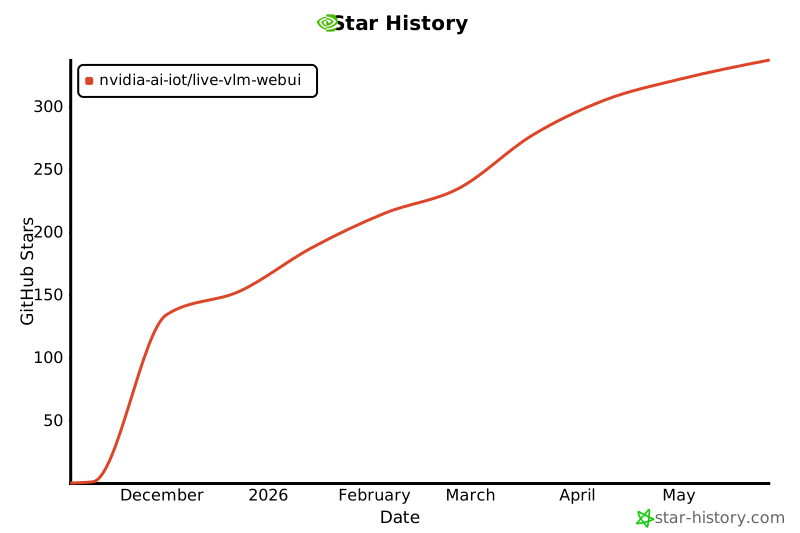
Haven't starred yet? Click here to give us a ⭐ — it takes just a second and helps us tremendously!
Project details
Verified details
These details have been verified by PyPIProject links
GitHub Statistics
Maintainers


Download files
Download the file for your platform. If you're not sure which to choose, learn more about installing packages.
Source Distribution
Built Distribution
Filter files by name, interpreter, ABI, and platform.
If you're not sure about the file name format, learn more about wheel file names.
Copy a direct link to the current filters
File details
Details for the file live_vlm_webui-0.1.0.tar.gz.
File metadata
- Download URL: live_vlm_webui-0.1.0.tar.gz
- Upload date:
- Size: 372.1 kB
- Tags: Source
- Uploaded using Trusted Publishing? Yes
- Uploaded via: twine/6.1.0 CPython/3.13.7
File hashes
| Algorithm | Hash digest | |
|---|---|---|
| SHA256 |
8edd3f67705efb3ba1c840c43c8e2bdc6b0cdb460e92db0d85d1a04a6faf1ea0
|
|
| MD5 |
0fb16789207bcd9d8077c4b0b1fd2e1b
|
|
| BLAKE2b-256 |
a1d6d224a2524455603f6e0d16d5058cd779cd9300ad1de523bfbaf8a4e43643
|
Provenance
The following attestation bundles were made for live_vlm_webui-0.1.0.tar.gz:
Publisher:
build-wheel.yml on NVIDIA-AI-IOT/live-vlm-webui
-
Statement:
-
Statement type:
https://in-toto.io/Statement/v1 -
Predicate type:
https://docs.pypi.org/attestations/publish/v1 -
Subject name:
live_vlm_webui-0.1.0.tar.gz -
Subject digest:
8edd3f67705efb3ba1c840c43c8e2bdc6b0cdb460e92db0d85d1a04a6faf1ea0 - Sigstore transparency entry: 688962528
- Sigstore integration time:
-
Permalink:
NVIDIA-AI-IOT/live-vlm-webui@5a464d7a5671423287f13170b5dbe478da8645a3 -
Branch / Tag:
refs/tags/v0.1.0 - Owner: https://github.com/NVIDIA-AI-IOT
-
Access:
public
-
Token Issuer:
https://token.actions.githubusercontent.com -
Runner Environment:
github-hosted -
Publication workflow:
build-wheel.yml@5a464d7a5671423287f13170b5dbe478da8645a3 -
Trigger Event:
release
-
Statement type:
File details
Details for the file live_vlm_webui-0.1.0-py3-none-any.whl.
File metadata
- Download URL: live_vlm_webui-0.1.0-py3-none-any.whl
- Upload date:
- Size: 361.8 kB
- Tags: Python 3
- Uploaded using Trusted Publishing? Yes
- Uploaded via: twine/6.1.0 CPython/3.13.7
File hashes
| Algorithm | Hash digest | |
|---|---|---|
| SHA256 |
bb726adc08e33c0bcc0557e26174de201c9f22daffed6fd36d06461e7f934fd9
|
|
| MD5 |
eecd1dbf7f7b92b397eecc5ab81c8944
|
|
| BLAKE2b-256 |
1fa0364dbbb10687c88d75c4d90788746c13d7282f204d06336e7fb7344d8dea
|
Provenance
The following attestation bundles were made for live_vlm_webui-0.1.0-py3-none-any.whl:
Publisher:
build-wheel.yml on NVIDIA-AI-IOT/live-vlm-webui
-
Statement:
-
Statement type:
https://in-toto.io/Statement/v1 -
Predicate type:
https://docs.pypi.org/attestations/publish/v1 -
Subject name:
live_vlm_webui-0.1.0-py3-none-any.whl -
Subject digest:
bb726adc08e33c0bcc0557e26174de201c9f22daffed6fd36d06461e7f934fd9 - Sigstore transparency entry: 688962543
- Sigstore integration time:
-
Permalink:
NVIDIA-AI-IOT/live-vlm-webui@5a464d7a5671423287f13170b5dbe478da8645a3 -
Branch / Tag:
refs/tags/v0.1.0 - Owner: https://github.com/NVIDIA-AI-IOT
-
Access:
public
-
Token Issuer:
https://token.actions.githubusercontent.com -
Runner Environment:
github-hosted -
Publication workflow:
build-wheel.yml@5a464d7a5671423287f13170b5dbe478da8645a3 -
Trigger Event:
release
-
Statement type:






