
lkcomputervision
lkcomputervision is a Python package that provides a convenient interface for performing computer vision tasks using the MediaPipe library. It allows you to easily integrate hand tracking, face detection, face mesh analysis, and body pose estimation into your computer vision applications.
Installation
To install lkcomputervision, you can use pip:
pip install lkcomputervision
Usage
Import and initialise the package
from lkcomputervision import MediaPipeHandler
mediapipe_handler = MediaPipeHandler()
Note: draw paramater controls the annotation of the frame, by default it is set to true
Hand Tracking
Hand tracking allows you to detect and track hands in a given frame. You can also visualize the hand landmarks.
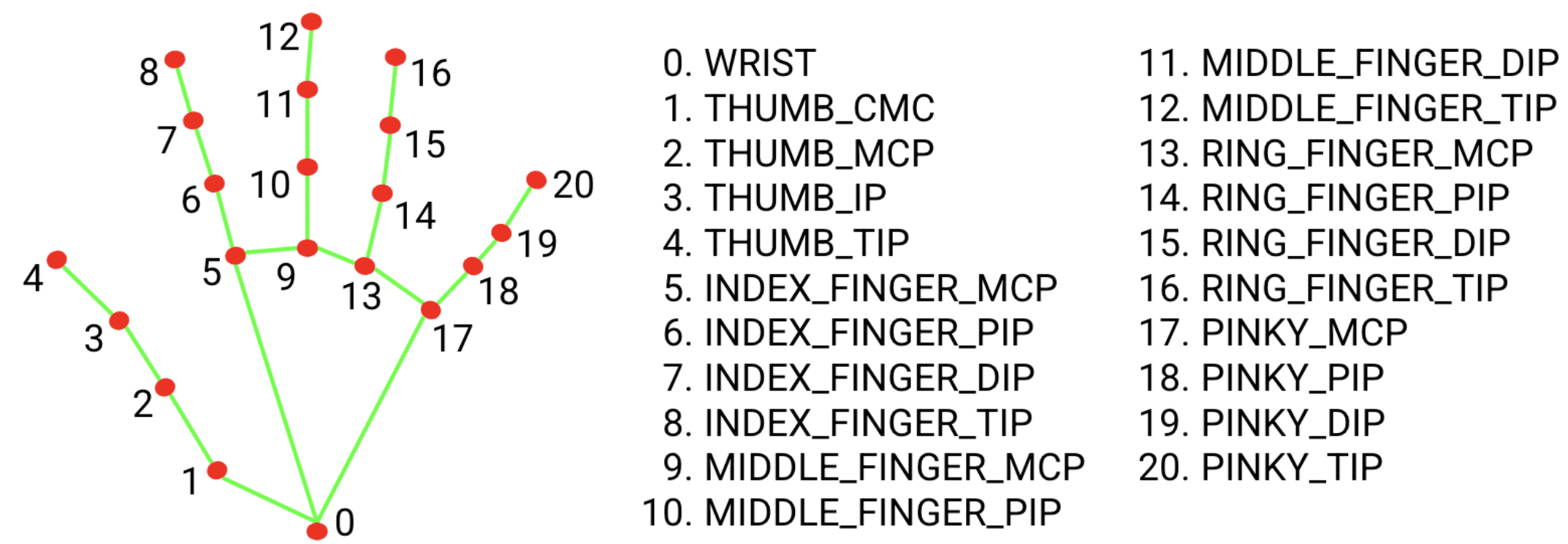
# Track hands in a frame
hand_result = mediapipe_handler.trackHands(frame)

# Access hand landmarks
hand_landmarks = hand_result["landmarks"]

# To visualize the hand landmarks, you can use the following code:
hand_frame = hand_result["frame"]
Face Detection
Face detection enables you to identify and locate faces in a given frame. You can also visualize the detected faces.
# Detect faces in a frame
face_result = mediapipe_handler.detectFace(frame)

# Access face detection information
face_detections = face_result["landmarks"]

# To visualize the detected faces, you can use the following code:
face_frame = face_result["frame"]
Face Mesh
Face mesh analysis allows you to analyze detailed facial features and landmarks in a given frame. You can also visualize the facial landmarks.
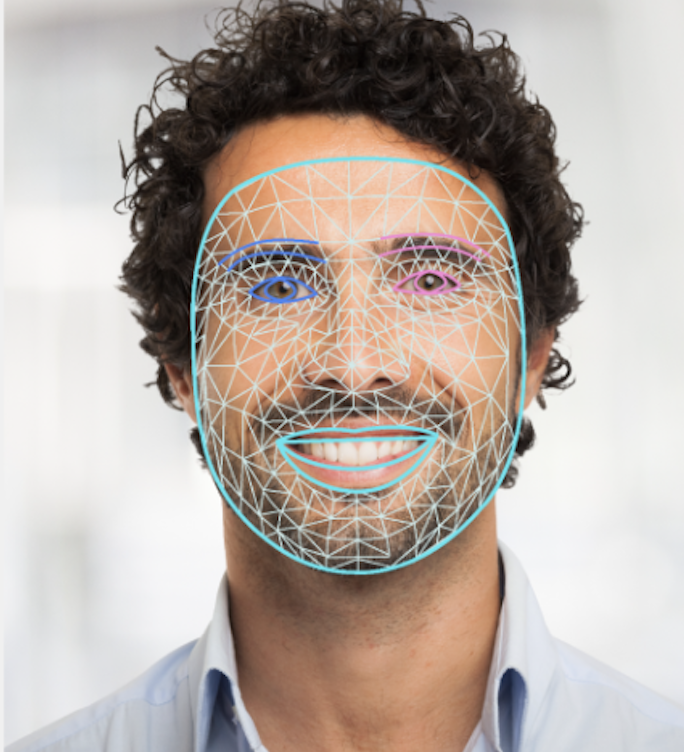
# Analyze face mesh in a frame
mesh_result = mediapipe_handler.faceMesh(frame)

# Access face mesh landmarks
face_mesh_landmarks = mesh_result["landmarks"]

# To visualize the face mesh landmarks, you can use the following code:
face_mesh_frame = mesh_result["frame"]
Body Pose Estimation
Body pose estimation helps you detect and track key body landmarks in a given frame. You can also visualize the body pose landmarks.
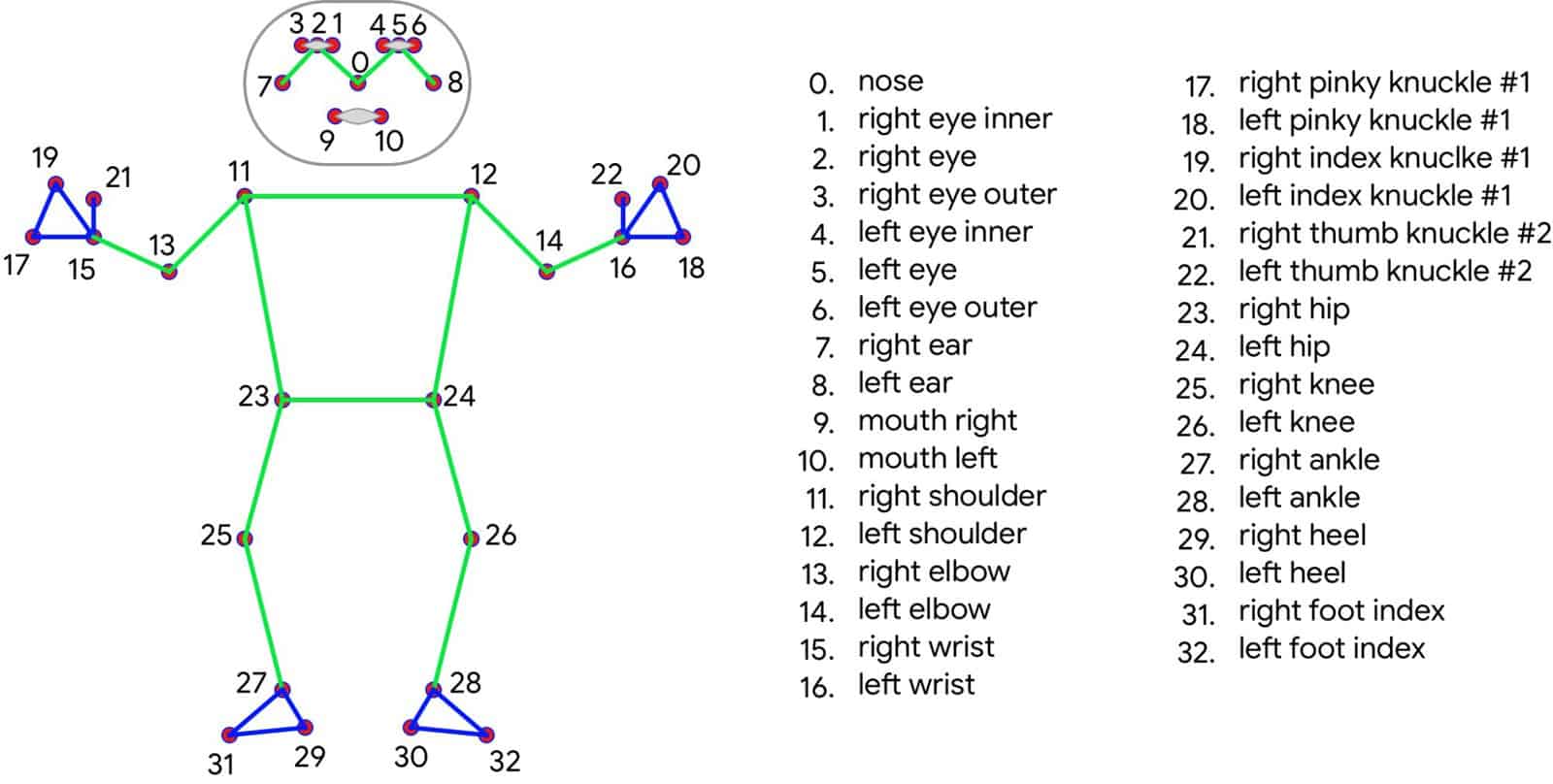
# Detect body pose in a frame
pose_result = mediapipe_handler.detectPose(frame)

# Access body pose landmarks
pose_landmarks = pose_result["landmarks"]

# To visualize the body pose landmarks, you can use the following code:
pose_frame = pose_result["frame"]
Detect All landmarks
You can perform all analyses together in a single call and access the results as a dictionary. Please note that due to the potential impact on frame rate, visualization of the results may not be optimal in real-time applications.
# Perform all analyses together
all_detections = mediapipe_handler.detectAll(frame)

# Access all landmarks
hand_landmarks = all_detections["handTracking"]
face_detections = all_detections["detectFace"]
face_mesh_landmarks = all_detections["faceMesh"]
pose_landmarks = all_detections["detectPose"]
We hope you find lkcomputervision valuable for your computer vision projects. If you have any questions, feedback, or run into any issues, please don't hesitate to reach out. You can contact us at contact@lakshaykumar.tech for inquiries and support. Happy coding!
1 maintainer

Metadata
1 maintainer
Release files for lkcomputervision 0.1.0
For a detailed explanation of source distributions (sdists) and built distributions (wheels), please see the package formats documentation.
Built distribution (wheel)
| File | Interpreter | ABI | Platform | Reset |
|---|---|---|---|---|
| lkcomputervision-0.1.0-py3-none-any.whl | Python 3 | none | any | Details |
Release files / lkcomputervision-0.1.0-py3-none-any.whl
| Download URL | lkcomputervision-0.1.0-py3-none-any.whl |
|---|---|
| Size | 2.4 kB |
| Tags | Python 3 |
|
SHA-256 checksum How to use checksums |
7e41ab98bb052851e4974e818f6cefb1c55aeaff53ae08dbaa904c61cc4d8a04
|
|
BLAKE2b-256 checksum How to use checksums |
6c6297b7ae46bcf393673408ab37e06f2a461d914445be8c02ad726dd4fdb3eb
|
| Upload date | |
|
Uploaded using Trusted Publishing? What is trusted publishing? |
No |
| Uploaded via |
twine/4.0.2 CPython/3.10.7
|













