

Llama Assistant
Local AI Assistant That Respects Your Privacy! 🔒
Website: llama-assistant.nrl.ai






AI-powered assistant to help you with your daily tasks, powered by Llama 3.2. It can recognize your voice, process natural language, and perform various actions based on your commands: summarizing text, rephrasing sentences, answering questions, writing emails, and more.
This assistant can run offline on your local machine, and it respects your privacy by not sending any data to external servers.
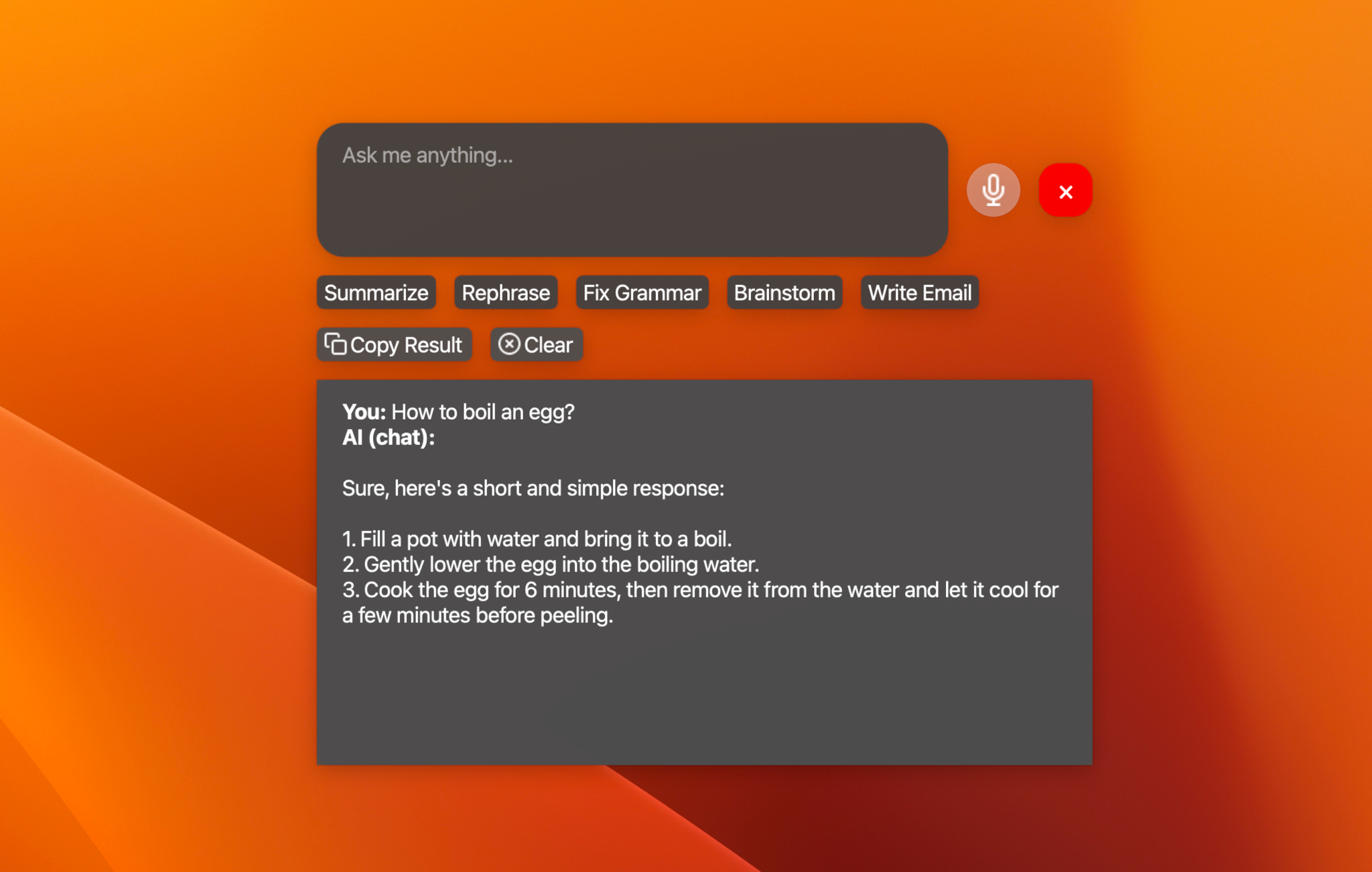
https://github.com/user-attachments/assets/af2c544b-6d46-4c44-87d8-9a051ba213db
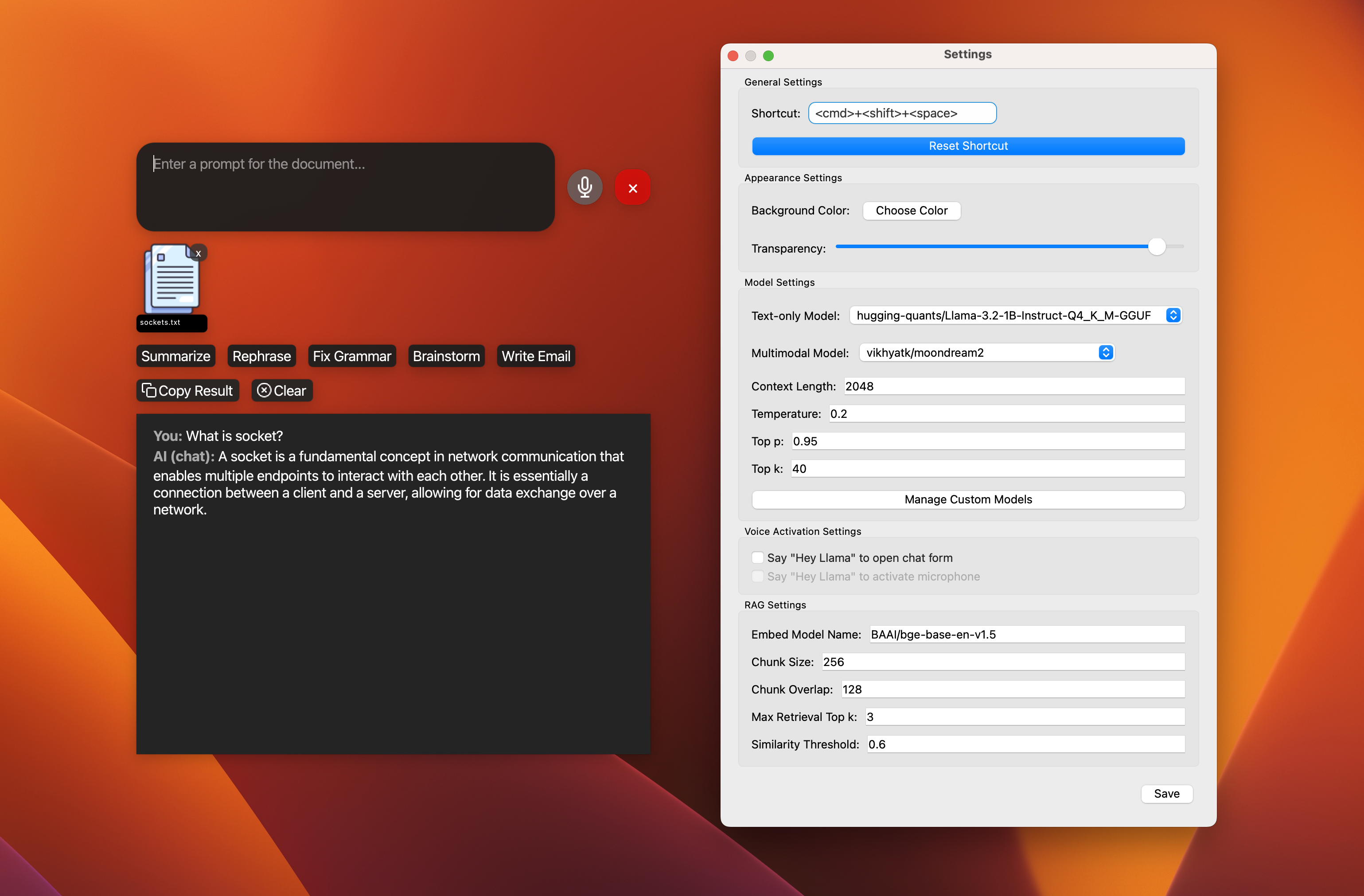
Supported Models
-
📝 Text-only models:
- Llama 3.2 - 1B, 3B (4/8-bit quantized).
- Qwen2.5-0.5B-Instruct (4-bit quantized).
- Qwen2.5-1.5B-Instruct (4-bit quantized).
- gemma-2-2b-it (4-bit quantized).
- And other models that LlamaCPP supports via custom models. See the list.
-
🧠 Text-only with reasoning models:
- DeepSeek-R1-Distill-Qwen-1.5B (4/6-bit quantized).
- DeepSeek-R1-Distill-Llama-8B (4-bit quantized).
-
🖼️ Multimodal models:
- Moondream2.
- MiniCPM-v2.6.
- LLaVA 1.5/1.6.
- Besides supported models, you can try other variants via custom models.
TODO
- 🖼️ Support multimodal model: moondream2.
- 🗣️ Add wake word detection: "Hey Llama!".
- 🛠️ Custom models: Add support for custom models.
- 📚 Support 5 other text models.
- 🖼️ Support 5 other multimodal models.
- ⚡ Streaming support for response.
- 🎙️ Add offline STT support: WhisperCPP.
- 🧠 Knowledge database: LlamaIndex
- ⌖ Screen Spot: Screen capture and analyze with OCR
- 🔌 Plugin system for extensibility.
- 📰 News and weather updates.
- 📧 Email integration with Gmail and Outlook.
- 📝 Note-taking and task management.
- 🎵 Music player and podcast integration.
- 🤖 Workflow with multiple agents.
- 🌐 Multi-language support: English, Spanish, French, German, etc.
- 📦 Package for Windows, Linux, and macOS.
- 🔄 Automated tests and CI/CD pipeline.
Features
- 🎙️ Voice recognition for hands-free interaction.
- 💬 Natural language processing with Llama 3.2.
- 🖼️ Image analysis capabilities (TODO).
- ⚡ Global hotkey for quick access (Cmd+Shift+Space on macOS).
- 🎨 Customizable UI with adjustable transparency.
- ⚙️ Custom Actions: Create, edit, hide, and reorder action buttons with custom prompts. Learn more
Note: This project is a work in progress, and new features are being added regularly.
Technologies Used




Installation
Recommended Python Version: 3.10.
Install PortAudio:
-
For Mac OS X, you can use
Homebrew_::brew install portaudioNote: if you encounter an error when running
pip installthat indicates it can't findportaudio.h, try runningpip installwith the following flags::pip install --global-option='build_ext' \ --global-option='-I/usr/local/include' \ --global-option='-L/usr/local/lib' \ pyaudio -
For Debian / Ubuntu Linux::
apt-get install portaudio19-dev python3-all-dev -
Windows may work without having to install PortAudio explicitly (it will get installed with PyAudio).
For more details, see the PyAudio installation_ page.
.. _PyAudio: https://people.csail.mit.edu/hubert/pyaudio/ .. _PortAudio: http://www.portaudio.com/ .. _PyAudio installation: https://people.csail.mit.edu/hubert/pyaudio/#downloads .. _Homebrew: http://brew.sh
On Windows: Installing the MinGW-w64 toolchain
Install from PyPI:
pip install pyaudio
pip install git+https://github.com/stlukey/whispercpp.py
pip install llama-assistant
Or install from source:
- Clone the repository:
git clone https://github.com/nrl-ai/llama-assistant.git
cd llama-assistant
- Install the required dependencies and install the package:
pip install pyaudio
pip install git+https://github.com/stlukey/whispercpp.py
pip install -r requirements.txt
pip install .
Speed Hack for Apple Silicon (M1, M2, M3) users: 🔥🔥🔥
- Install Xcode:
# check the path of your xcode install
xcode-select -p

# xcode installed returns
# /Applications/Xcode-beta.app/Contents/Developer

# if xcode is missing then install it... it takes ages;
xcode-select --install
- Build
llama-cpp-pythonwith METAL support:
pip uninstall llama-cpp-python -y
CMAKE_ARGS="-DGGML_METAL=on" pip install -U llama-cpp-python --no-cache-dir

# You should now have llama-cpp-python v0.1.62 or higher installed
# llama-cpp-python         0.1.68
Usage
Run the assistant using the following command:
llama-assistant

# Or with a
python -m llama_assistant.main
Use the global hotkey (default: Cmd+Shift+Space) to quickly access the assistant from anywhere on your system.
Configuration
The assistant's settings can be customized by editing the settings.json file located in your home directory: ~/llama_assistant/settings.json.
Contributing
Contributions are welcome! Please feel free to submit a Pull Request.
License
This project is licensed under the GPLv3 License - see the LICENSE file for details.
Acknowledgements
- This project uses llama.cpp, llama-cpp-python for running large language models. The default model is Llama 3.2 by Meta AI Research.
- Speech recognition is powered by whisper.cpp and whispercpp.py.
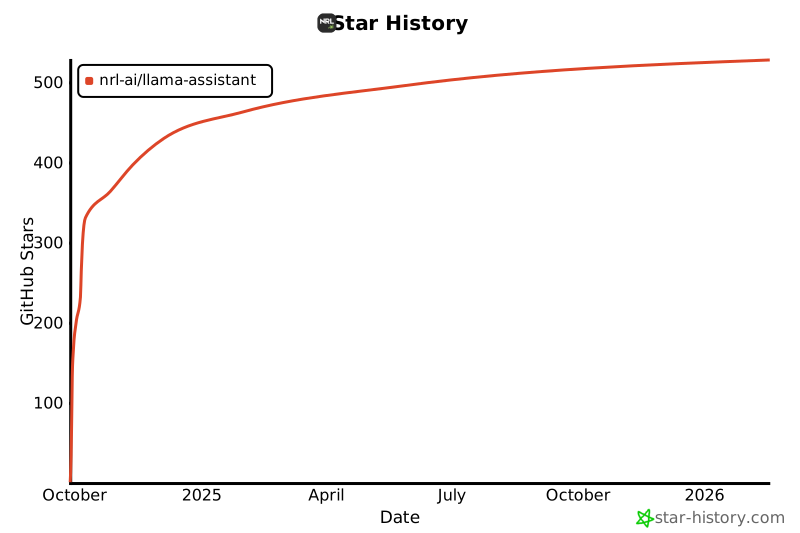
Star History
Contact
- Website: https://llama-assistant.nrl.ai/.
- Contact Form: https://www.nrl.ai/contact.
1 maintainer

Metadata
1 maintainer
Release files for llama-assistant 0.1.44
For a detailed explanation of source distributions (sdists) and built distributions (wheels), please see the package formats documentation.
Source distribution (sdist)
| File | Size | Uploaded | |
|---|---|---|---|
| llama_assistant-0.1.44.tar.gz | 7.2 MB | Details |
Built distribution (wheel)
| File | Interpreter | ABI | Platform | Reset |
|---|---|---|---|---|
| llama_assistant-0.1.44-py3-none-any.whl | Python 3 | none | any | Details |
Total release size: 7.7 MB
Release files / llama_assistant-0.1.44.tar.gz
| Download URL | llama_assistant-0.1.44.tar.gz |
|---|---|
| Size | 7.2 MB |
| Tags | Source |
|
SHA-256 checksum How to use checksums |
36ffdfec34fa13d2457570bf8bbb1d4796c2866320e9214c7f33054f63c4f179
|
|
BLAKE2b-256 checksum How to use checksums |
ccf2f5a1ddebf277d3e426e094afa805a5b06b1f23076c7e07234be046feda58
|
| Upload date | |
|
Uploaded using Trusted Publishing? What is trusted publishing? |
Yes |
| Uploaded via |
twine/6.1.0 CPython/3.13.7
|
Provenance
Provenance describes where a file came from. On PyPI, provenance is shared via attestations, which provide a verifiable record of the build or publishing details. View details, limitations and caveats.


PyPI Publish Attestation
PyPI verified that this artifact, at this checksum, originated from the publisher listed below.
Signed by GitHub Actions, verified by PyPI on Dec 6, 2025.
Transparency logRelease files / llama_assistant-0.1.44-py3-none-any.whl
| Download URL | llama_assistant-0.1.44-py3-none-any.whl |
|---|---|
| Size | 483.0 kB |
| Tags | Python 3 |
|
SHA-256 checksum How to use checksums |
d819ffaa05cb4f88aa3f6545c3755ce5e3a4f1854135f2e519264bd4f3524821
|
|
BLAKE2b-256 checksum How to use checksums |
cfdfd06062e390efafa79e7bfdbc705042f6da782c604182442ab5b2a3fb8e54
|
| Upload date | |
|
Uploaded using Trusted Publishing? What is trusted publishing? |
Yes |
| Uploaded via |
twine/6.1.0 CPython/3.13.7
|
Provenance
Provenance describes where a file came from. On PyPI, provenance is shared via attestations, which provide a verifiable record of the build or publishing details. View details, limitations and caveats.
PyPI Publish Attestation
PyPI verified that this artifact, at this checksum, originated from the publisher listed below.
Signed by GitHub Actions, verified by PyPI on Dec 6, 2025.
Transparency log













