This release is a pre-release and may not be stable for production use.
llm-openrouter-decisions




A heartfelt thank you to Simon Willison, for the work he has been doing for years to explain AI to everyone, in the open, and for LLM, an exceptional tool that lets anyone use AI models in a smart, convenient and elegant way. This plugin only exists because LLM does.
Use the decision models of the OpenRouter Decisions API with LLM.
Decision models (also called System One models) do not write text. You send them some content, the state, plus a closed question, and they answer with numbers: the probability that a statement is true, a category with a probability for each option, a position on an ordered scale, or a box around something in an image. They are fast and very cheap, which makes them a good fit for classifying, filtering and triaging many items from the command line.
Decision models are not just TypeSafe and OpenAI: there are many of them, from many makers. This plugin registers every model in the OpenRouter decision models catalog, 30 from 13 makers as of October 2026: TypeSafe Jev, OpenAI GPT-6 Luna Decisions, Perplexity Decider, Cloudflare Clef, Liquid d1, Inception Mercury Decide, Upstage Solar Decide, Microsoft Decision-1, the open weight Kev and more. With a single OpenRouter API key you can try them all and compare them on your own data, changing nothing but -m. Models differ in accuracy, speed, price and input types, and their probabilities differ on the same question, so it is worth testing more than one before picking.
- Installation
- Usage
- Yes/no
- Categories
- Scores
- Images
- Several questions in one request
- JSON input
- Classifying the rows of a CSV file
- Large batches from Python
- Things to know
- Further reading
- Development
- Credits
Installation
Install this plugin in the same environment as LLM. It needs LLM 0.36 or later.
llm install llm-openrouter-decisions
Then set an OpenRouter API key, the same one used by llm-openrouter:
llm keys set openrouter
You can also use the OPENROUTER_KEY environment variable. Models are only registered when a key is available.
Usage
Every model is registered with the prefix openrouter-decisions/:
llm models | grep openrouter-decisions
The catalog is downloaded from OpenRouter and cached for an hour in openrouter_decisions_models.json in your LLM user directory.
Supply the content as the prompt, on stdin or as image attachments, and the question with -s/--system. The answer is printed as JSON.
The examples below use Jev 1.14. A shorter name helps:
llm aliases set jev14 openrouter-decisions/typesafe/jev-1.14
Yes/no
The default answer type is noul (from "Bernoulli"): the probability, from 0 to 1, that the statement is true.
llm -m jev14 'Please refund my last payment.' \
  -s 'Does this message explicitly request a refund?'
{"type": "noul", "noul": 0.99}
Optional definitions for true and false can be passed with -o criteria '{"true": "...", "false": "..."}'.
Categories
Use -o answer_type choice and a JSON object that maps category names to descriptions (or null):
llm -m jev14 'Please refund my last payment.' \
  -s 'Which department should handle this message?' \
  -o answer_type choice \
  -o criteria '{
    "billing": "Charges, invoices, refunds",
    "technical": "Problems using the product",
    "other": null
  }'
{"type": "choice", "choice": "billing", "probabilities": {"billing": 1, "technical": 0, "other": 0}, "confidence": 1}
Scores
Use -o answer_type score and a JSON array of 2 to 10 levels, lowest first. The score is a probability-weighted position from 0 to the number of levels minus one:
llm -m jev14 'Please refund my last payment.' \
  -s 'How urgent is this message?' \
  -o answer_type score \
  -o criteria '["low", "medium", "high"]'
{"type": "score", "score": 0.94, "legend": {"0": "low", "1": "medium", "2": "high"}, "probabilities": {"0": 0.17, "1": 0.72, "2": 0.11}, "confidence": 0.58}
Images
Models that read images accept them with -a, as a local path or a URL. The image is added to the state, after any text, and can be the whole state:
llm -m jev14 -a https://static.simonwillison.net/static/2025/two-pelicans.jpg \
  -s 'Does this image contain birds?' ''
{"type": "noul", "noul": 0.97}
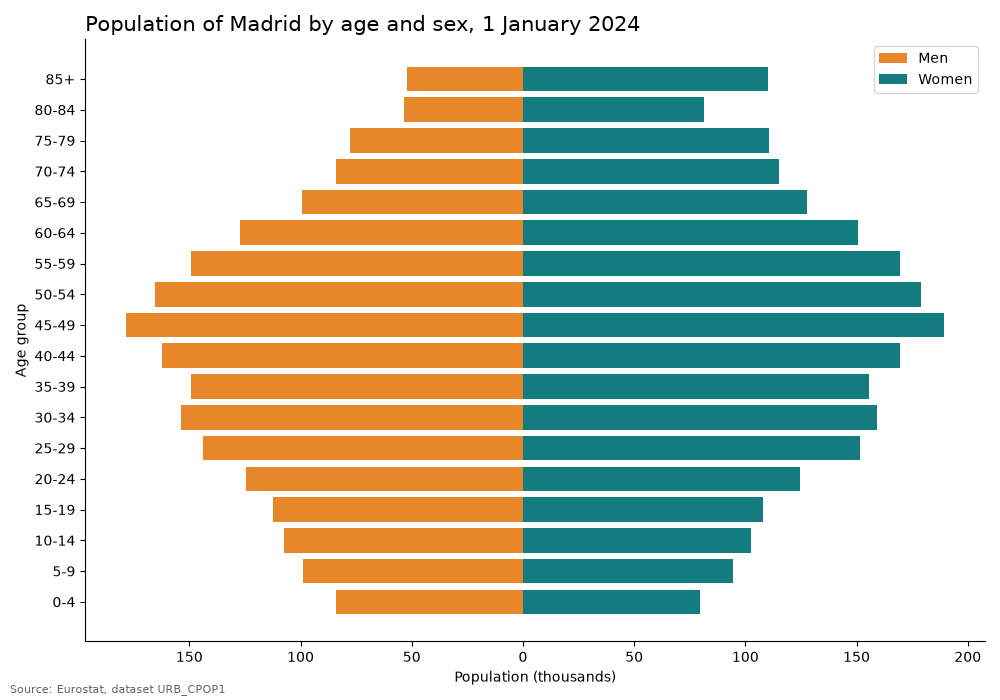
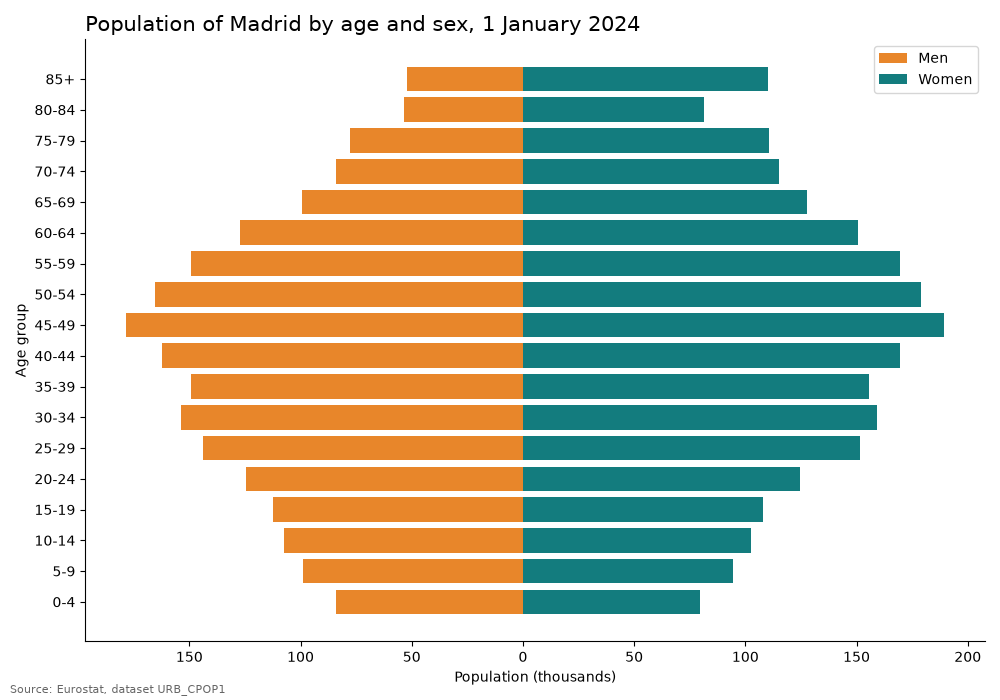
Jev 1.14 also answers box questions: where in the image is the thing described. The answer gives the edges as fractions of the image width and height, from the top-left corner. Here is examples/chart.png:
llm -m jev14 -a examples/chart.png -s 'the legend of the chart' -o answer_type box ''
{"type": "box", "box": {"top": 0.06, "bottom": 0.15, "left": 0.86, "right": 0.93}, "confidence": 0.69}
Drawn on the image (red rectangle), the box finds the legend, but covers only its left half: the color swatches and part of the labels.
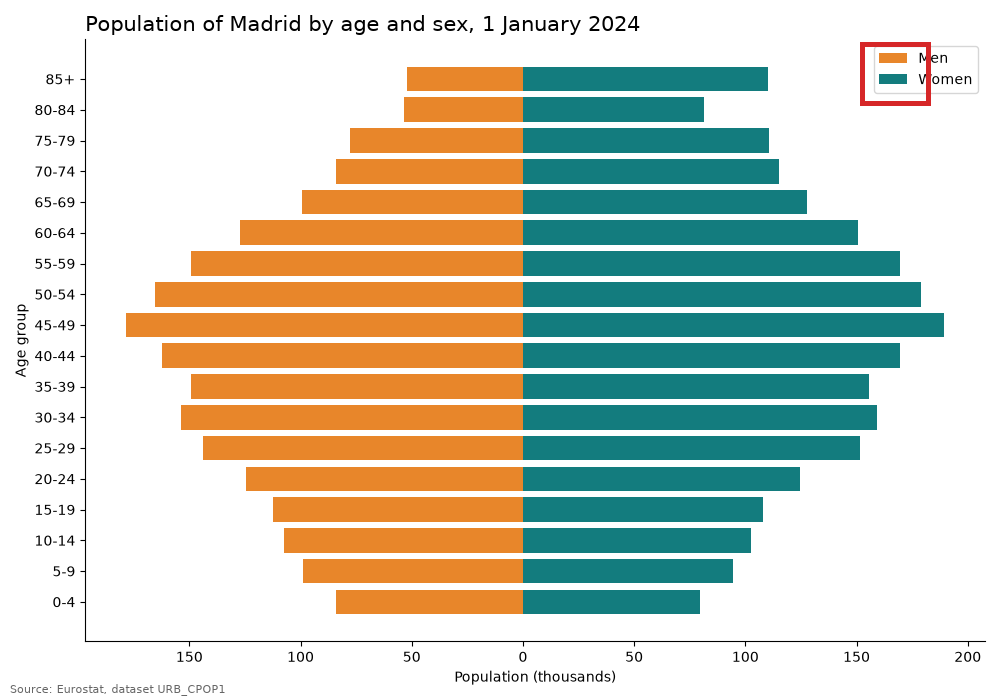
Boxes are approximate, and a box question always returns a box, even when the target is not in the image. Ask a yes/no question about it in the same request (see the next section) and only trust the box when that answer is high.
Images are sent as base64 data URLs; LLM downloads remote images first, because OpenRouter does not fetch URLs. PNG, JPEG and WebP are accepted, but Jev only reads PNG and JPEG, and wants images between 256 and 1,568 pixels on each side. Text-only models reject attachments before any request is made. See Multimodal Decisions for the limits of each model.
Several questions in one request
Decision models evaluate many questions about the same state in parallel, so asking them together is faster and cheaper than one call per question. Use -o questions with a JSON object of named questions, each with a type, instructions and optional criteria, instead of -s. The output is an object with one answer per question:
llm -m jev14 -a examples/chart.png -o questions '{
  "is_chart": {"type": "noul", "instructions": "The image is a data chart."},
  "chart_type": {
    "type": "choice",
    "instructions": "What kind of chart is it?",
    "criteria": {"population pyramid": null, "line chart": null, "bar chart": null, "pie chart": null, "map": null}
  },
  "has_legend": {"type": "noul", "instructions": "The chart has a legend."},
  "legend": {"type": "box", "instructions": "the legend of the chart"}
}' ''
{
  "is_chart": {"type": "noul", "noul": 0.95},
  "chart_type": {"type": "choice", "choice": "population pyramid", "probabilities": {"population pyramid": 0.99, "line chart": 0, "bar chart": 0.01, "pie chart": 0, "map": 0}, "confidence": 0.99},
  "has_legend": {"type": "noul", "noul": 0.99},
  "legend": {"type": "box", "box": {"top": 0.06, "bottom": 0.15, "left": 0.86, "right": 0.93}, "confidence": 0.69}
}
That request cost $0.00009. The question object is passed to the API as it is, so it follows the Decisions API request format.
JSON input
With -o input_format json the prompt is parsed as JSON and sent as a structured state (a string, an object or an array). This is handy for a record with several fields:
echo '{"id": 1791, "channel": "email", "text": "Strong smell of gas in the street next to the elementary school."}' | \
  llm -m jev14 -o input_format json \
  -s 'The report describes an immediate danger to people'"'"'s safety.'
Classifying the rows of a CSV file
examples/city_reports.csv holds 16 made-up reports sent by residents to a city, and examples/questions.json asks three questions about each one: which department should handle it, whether it is urgent, and whether it contains personal data. This loop turns every row into a JSON object with DuckDB, asks the questions and keeps the answers with jq:
cd examples
duckdb -noheader -list -c "select to_json(t) from 'city_reports.csv' t" |
while IFS= read -r row; do
  llm -m jev14 -o input_format json -o questions "$(cat questions.json)" "$row" </dev/null |
  jq -c --argjson r "$row" '{text: $r.text[0:50], department: .department.choice,
    confidence: .department.confidence, urgent: .urgent.noul, personal_data: .personal_data.noul}'
done > answers.jsonl
duckdb -c "select * from 'answers.jsonl' order by urgent desc limit 6"
The </dev/null matters: without it llm reads the rest of the loop input from stdin and adds it to the first prompt.
| text | department | confidence | urgent | personal_data |
|---|---|---|---|---|
| Huge pothole in the road outside number 12, a scoo | public works | 1.0 | 0.95 | 0.02 |
| A tree is about to fall after yesterday's storm, a | public works | 1.0 | 0.94 | 0.02 |
| The pedestrian traffic light outside the hospital | public works | 1.0 | 0.89 | 0.02 |
| Strong smell of gas in the street next to the elem | public works | 0.47 | 0.88 | 0.02 |
| The street light on the corner has been out for th | public works | 1.0 | 0.61 | 0.02 |
| Recycling bins have been full for days, there is a | environment | 0.99 | 0.56 | 0.02 |
All 16 rows, three questions each, cost $0.00033. The report with a social security number got personal_data 0.99, every other row 0.04 or less. Note the gas leak: it is urgent, but the department confidence is only 0.47, because none of the categories is a good fit for a utility. Sorting by confidence is a cheap way to find the rows a person should look at.
You can save a question as an LLM template and reuse it:
llm -m jev14 -s 'The report describes an immediate danger to people'"'"'s safety.' --save urgent
cat report.txt | llm -t urgent
Large batches from Python
Each llm call in a shell loop starts a new process, about four seconds per row in the loop above. For thousands of rows use the async Python API, which sends the requests concurrently:
import asyncio, csv, json
import llm

model = llm.get_async_model("openrouter-decisions/typesafe/jev-1.14")
QUESTION = "The publication is about the quality of open government data."

async def ask(title, sem):
    async with sem:
        response = model.prompt(title, system=QUESTION)
        return title, json.loads(await response.text())["noul"]

async def main():
    titles = [row["title"] for row in csv.DictReader(open("publications.csv"))]
    sem = asyncio.Semaphore(8)
    for title, p in await asyncio.gather(*(ask(t, sem) for t in titles)):
        print(f"{p:.2f}  {title}")

asyncio.run(main())
On 145 publication titles from OpenAlex this took 5.4 seconds.
Things to know
- Single-turn only. These models cannot continue a conversation:
llm -candllm chatare rejected. - The answer is a number, not an explanation. If you need a reason, ask a chat model afterwards, or send the low confidence rows to a person.
- Confidence is not calibrated. Use it to rank answers, and pick thresholds on a few hundred labelled examples for each model and question. Probabilities differ between models for the same question.
- Free models. The
:freemodels are excluded when your OpenRouter privacy settings do not allow providers to train on your data. The request fails with HTTP 404 andFree model training violation. - Rolling aliases. IDs that start with
~, such as~typesafe/jev-latest, follow the newest release, so answers can change over time. Use a pinned ID for repeatable results. - Model-specific shapes. Box questions are Jev 1.14 only. ScaleDown Classify-1 and Respan Span-01 expect their own state shapes, and only Cloudflare Clef Omni reads audio and video, which this plugin does not send yet.
- Costs. The full API response, including
usage.costin dollars, is stored in the LLM logs:llm logs --json.
Further reading
- Jev introduces a new shape of LLM, Simon Willison: what decision models are, and why evals and bias checks matter even more than with chat models.
- Small decisions at scale, Nick Hagar: four newsroom experiments, including scoring every Federal Register document of the last 24 hours in a couple of seconds, for under 10 cents in total.
- Can Jev Parse CSV?, Remy Wang: repairing broken CSV files with one yes/no question per comma, 12,044 decisions for 8 cents.
- 24 Ways to Use Jev, Thorsten Meyer: a language check on 78,889 articles for $2.01, and how to test a model on past decisions before using it.
- Can You Trust Jev's Confidence?, Ryan Porter: confidence ranks right and wrong answers well but overstates them by 7 to 15 points; a small isotonic calibration fixes most of it.
- Typed Decision Models on Tabular Data, Zhang, Ye and Zha: at least a third of the decisions on table rows change when rows or columns are reordered.
- Microsoft Decision-1 vs Every Decision Model on OpenRouter, akartit: 14 models on 82 labelled questions, for $0.0195 in total.
- Jev 1.14 vs OpenCV YOLOX: image questions and boxes compared with a classic object detector.
Development
To set up this plugin locally, first checkout the code. Then run the tests with uv:
cd llm-openrouter-decisions
uv run pytest
To run LLM with your in-development plugin:
uv run llm --help
Credits
The request validation, response handling and test structure are derived from llm-typesafe by Simon Willison, released under the Apache License 2.0. The project skeleton comes from the llm-plugin cookiecutter template.
1 maintainer

Metadata
1 maintainer
Release files for llm-openrouter-decisions 0.1a0
For a detailed explanation of source distributions (sdists) and built distributions (wheels), please see the package formats documentation.
Source distribution (sdist)
| File | Size | Uploaded | Provenance | Actions |
|---|---|---|---|---|
| llm_openrouter_decisions-0.1a0.tar.gz | 18.0 kB | Without provenance | Details for llm_openrouter_decisions-0.1a0.tar.gz |
Built distribution (wheel)
| File | Interpreter | ABI | Platform | Actions Reset |
|---|---|---|---|---|
| llm_openrouter_decisions-0.1a0-py3-none-any.whl | Python 3 | none | any | Details for llm_openrouter_decisions-0.1a0-py3-none-any.whl |
Total release size: 33.6 kB
Release files / llm_openrouter_decisions-0.1a0.tar.gz
| Download URL | llm_openrouter_decisions-0.1a0.tar.gz |
|---|---|
| Size | 18.0 kB |
| Tags | Source |
|
SHA-256 checksum How to use checksums |
4b8edf824aec0f1ffc0b75e899893702e18ea188f6b47f9dc0e9a293870d4d92
|
|
BLAKE2b-256 checksum How to use checksums |
303c57915fd80453834dcf8fdca04729bbf612c415794d4dace8d3608ab751f7
|
| Upload date | |
|
Uploaded using Trusted Publishing? What is trusted publishing? |
No |
| Uploaded via |
twine/7.0.0 CPython/3.13.9
|
Release files / llm_openrouter_decisions-0.1a0-py3-none-any.whl
| Download URL | llm_openrouter_decisions-0.1a0-py3-none-any.whl |
|---|---|
| Size | 15.6 kB |
| Tags | Python 3 |
|
SHA-256 checksum How to use checksums |
1a942c0396d8fd1dffe30e7ff917cc65ab611d05ac403edc99bf4fe8d2e6f1ae
|
|
BLAKE2b-256 checksum How to use checksums |
64292ba9e8effbd9325062c4f9af7bcad3c4535b088fac3c54478751a3b65c99
|
| Upload date | |
|
Uploaded using Trusted Publishing? What is trusted publishing? |
No |
| Uploaded via |
twine/7.0.0 CPython/3.13.9
|
Security for llm-openrouter-decisions 0.1a0
Provenance
Provenance describes where a file came from. On PyPI, provenance is shared via attestations, which provide a verifiable record of the build or publishing details. View details, limitations and caveats.
No provenance found
None of the files in this release were uploaded with provenance metadata.
A note on package security
PyPI is a repository for distributing packages, not a service for auditing them. While third-party security researchers and our staff do their best to detect and remove malicious packages, PyPI cannot guarantee the quality, security or suitability of any given package.
To learn more about protecting yourself from malicious actors, visit our package security documentation.