
Lightweight and portable LLM sandbox runtime (code interpreter) Python library

Project description
LLM Sandbox
Securely Execute LLM-Generated Code with Ease





LLM Sandbox is a lightweight and portable sandbox environment designed to run large language model (LLM) generated code in a safe and isolated manner using Docker containers. This project aims to provide an easy-to-use interface for setting up, managing, and executing code in a controlled Docker environment, simplifying the process of running code generated by LLMs.
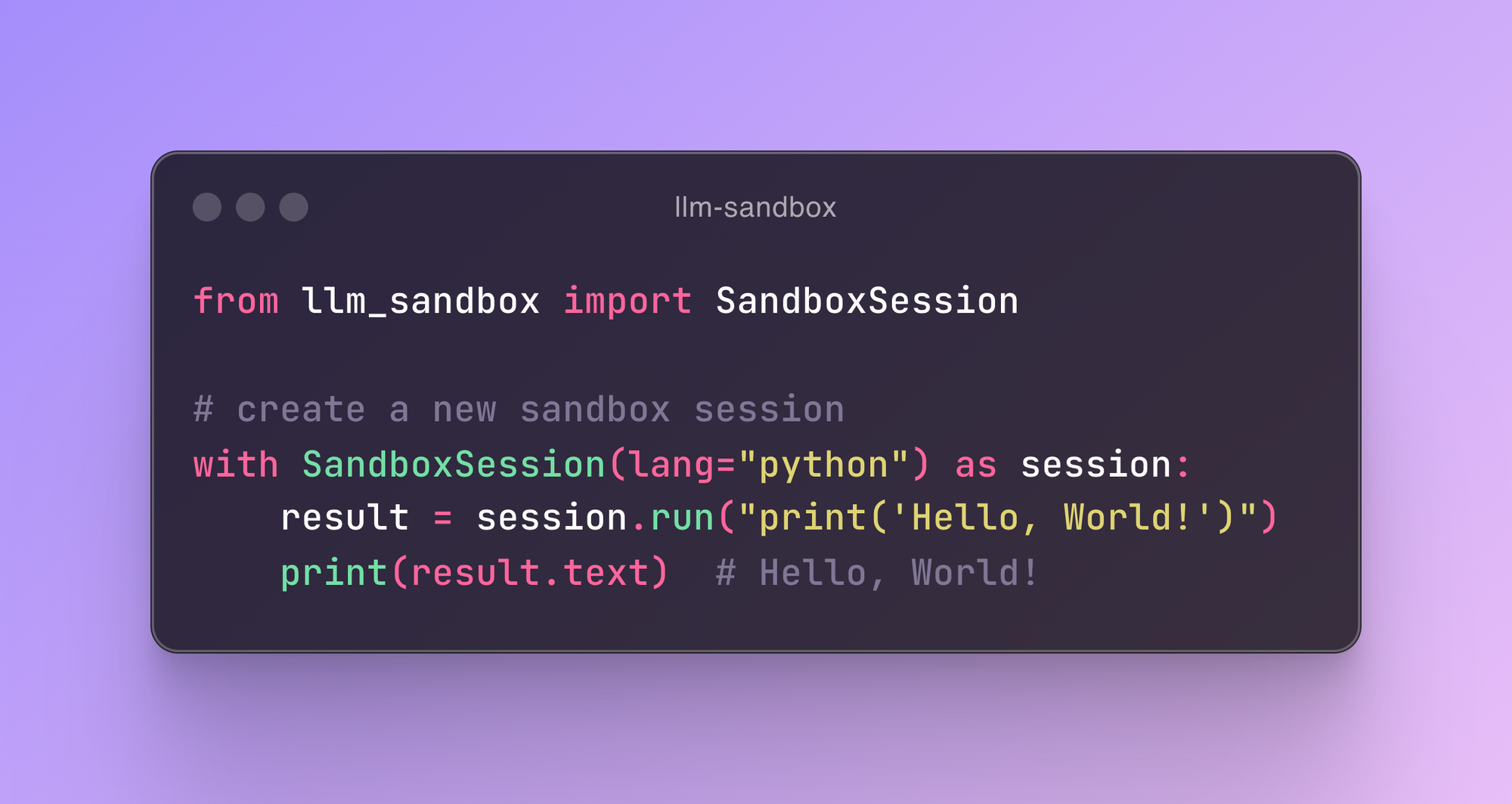
Features
- Easy Setup: Quickly create sandbox environments with minimal configuration.
- Isolation: Run your code in isolated Docker containers to prevent interference with your host system.
- Flexibility: Support for multiple programming languages.
- Portability: Use predefined Docker images or custom Dockerfiles.
- Scalability: Support Kubernetes and remote Docker host.
Installation
Using Poetry
- Ensure you have Poetry installed.
- Add the package to your project:
poetry add llm-sandbox # or poetry add llm-sandbox[kubernetes] or poetry add llm-sandbox[podman] or poetry add llm-sandbox[docker]
Using pip
- Ensure you have pip installed.
- Install the package:
pip install llm-sandbox # or pip install llm-sandbox[kubernetes] or pip install llm-sandbox[podman] or pip install llm-sandbox[docker]
See CHANGELOG.md for more details.
Usage
Session Lifecycle
The SandboxSession class manages the lifecycle of the sandbox environment, including the creation and destruction of Docker containers. Here's a typical lifecycle:
- Initialization: Create a
SandboxSessionobject with the desired configuration. - Open Session: Call the
open()method to build/pull the Docker image and start the Docker container. - Run Code: Use the
run()method to execute code inside the sandbox. Currently, it supports Python, Java, JavaScript, C++, Go, and Ruby. See examples for more details. - Close Session: Call the
close()method to stop and remove the Docker container. If thekeep_templateflag is set toTrue, the Docker image will not be removed, and the last container state will be committed to the image.
Basic Example
from llm_sandbox import SandboxSession

# Create a new sandbox session
with SandboxSession(image="python:3.9.19-bullseye", keep_template=True, lang="python") as session:
    result = session.run("print('Hello, World!')")
    print(result)

# With custom Dockerfile
with SandboxSession(dockerfile="Dockerfile", keep_template=True, lang="python") as session:
    result = session.run("print('Hello, World!')")
    print(result)

# Or default image
with SandboxSession(lang="python", keep_template=True) as session:
    result = session.run("print('Hello, World!')")
    print(result)
LLM Sandbox also supports copying files between the host and the sandbox:
from llm_sandbox import SandboxSession

with SandboxSession(lang="python", keep_template=True) as session:
    # Copy a file from the host to the sandbox
    session.copy_to_runtime("test.py", "/sandbox/test.py")

    # Run the copied Python code in the sandbox
    result = session.execute_command("python /sandbox/test.py")
    print(result)

    # Copy a file from the sandbox to the host
    session.copy_from_runtime("/sandbox/output.txt", "output.txt")
Custom runtime configs
from llm_sandbox import SandboxSession

pod_manifest = {
    "apiVersion": "v1",
    "kind": "Pod",
    "metadata": {
        "name": "test",
        "namespace": "test",
        "labels": {"app": "sandbox"},
    },
    "spec": {
        "containers": [
            {
                "name": "sandbox-container",
                "image": "test",
                "tty": True,
                "volumeMounts": {
                    "name": "tmp",
                    "mountPath": "/tmp",
                },
            }
        ],
        "volumes": [{"name": "tmp", "emptyDir": {"sizeLimit": "5Gi"}}],
    },
}
with SandboxSession(
    backend="kubernetes",
    image="python:3.9.19-bullseye",
    dockerfile=None,
    lang="python",
    keep_template=False,
    verbose=False,
    pod_manifest=pod_manifest,
) as session:
    result = session.run("print('Hello, World!')")
    print(result)
Remote Docker Host
import docker
from llm_sandbox import SandboxSession

tls_config = docker.tls.TLSConfig(
    client_cert=("path/to/cert.pem", "path/to/key.pem"),
    ca_cert="path/to/ca.pem",
    verify=True
)
docker_client = docker.DockerClient(base_url="tcp://<your_host>:<port>", tls=tls_config)

with SandboxSession(
    client=docker_client,
    image="python:3.9.19-bullseye",
    keep_template=True,
    lang="python",
) as session:
    result = session.run("print('Hello, World!')")
    print(result)
Kubernetes Support
from kubernetes import client, config
from llm_sandbox import SandboxSession

# Use local kubeconfig
config.load_kube_config()
k8s_client = client.CoreV1Api()

with SandboxSession(
    client=k8s_client,
    backend="kubernetes",
    image="python:3.9.19-bullseye",
    lang="python",
    pod_manifest=pod_manifest, # None by default
) as session:
    result = session.run("print('Hello from Kubernetes!')")
    print(result)
Podman Support
from llm_sandbox import SandboxSession

with SandboxSession(
    backend="podman",
    lang="python",
    image="python:3.9.19-bullseye"
) as session:
    result = session.run("print('Hello from Podman!')")
    print(result)
Integration with AI Frameworks
Langchain Integration
from typing import Optional, List
from llm_sandbox import SandboxSession
from langchain import hub
from langchain_openai import ChatOpenAI
from langchain.tools import tool
from langchain.agents import AgentExecutor, create_tool_calling_agent


@tool
def run_code(lang: str, code: str, libraries: Optional[List] = None) -> str:
    """
    Run code in a sandboxed environment.
    :param lang: The language of the code.
    :param code: The code to run.
    :param libraries: The libraries to use, it is optional.
    :return: The output of the code.
    """
    with SandboxSession(lang=lang, verbose=False) as session:  # type: ignore[attr-defined]
        return session.run(code, libraries).text


if __name__ == "__main__":
    llm = ChatOpenAI(model="gpt-4o", temperature=0)
    prompt = hub.pull("hwchase17/openai-functions-agent")
    tools = [run_code]

    agent = create_tool_calling_agent(llm, tools, prompt)
    agent_executor = AgentExecutor(agent=agent, tools=tools, verbose=True)
    output = agent_executor.invoke(
        {
            "input": "Write python code to calculate Pi number by Monte Carlo method then run it."
        }
    )
    print(output)

    output = agent_executor.invoke(
        {
            "input": "Write python code to calculate the factorial of a number then run it."
        }
    )
    print(output)

    output = agent_executor.invoke(
        {"input": "Write python code to calculate the Fibonacci sequence then run it."}
    )
    print(output)
LlamaIndex Integration
from typing import Optional, List
from llm_sandbox import SandboxSession

from llama_index.llms.openai import OpenAI
from llama_index.core.tools import FunctionTool
from llama_index.core.agent import FunctionCallingAgentWorker


import nest_asyncio

nest_asyncio.apply()


def run_code(lang: str, code: str, libraries: Optional[List] = None) -> str:
    """
    Run code in a sandboxed environment.
    :param lang: The language of the code, must be one of ['python', 'java', 'javascript', 'cpp', 'go', 'ruby'].
    :param code: The code to run.
    :param libraries: The libraries to use, it is optional.
    :return: The output of the code.
    """
    with SandboxSession(lang=lang, verbose=False) as session:  # type: ignore[attr-defined]
        return session.run(code, libraries).text


if __name__ == "__main__":
    llm = OpenAI(model="gpt-4o", temperature=0)
    code_execution_tool = FunctionTool.from_defaults(fn=run_code)

    agent_worker = FunctionCallingAgentWorker.from_tools(
        [code_execution_tool],
        llm=llm,
        verbose=True,
        allow_parallel_tool_calls=False,
    )
    agent = agent_worker.as_agent()

    response = agent.chat(
        "Write python code to calculate Pi number by Monte Carlo method then run it."
    )
    print(response)

    response = agent.chat(
        "Write python code to calculate the factorial of a number then run it."
    )
    print(response)

    response = agent.chat(
        "Write python code to calculate the Fibonacci sequence then run it."
    )
    print(response)

    response = agent.chat("Calculate the sum of the first 10000 numbers.")
    print(response)
Contributing
We welcome contributions! Here are some areas we're looking to improve:
- Add support for more programming languages
- Enhance security scanning patterns
- Improve resource monitoring accuracy
- Add more AI framework integrations
- Implement container pooling for better performance
- Add support for distributed execution
- Enhance logging and monitoring features
License
This project is licensed under the MIT License. See the LICENSE file for details.
Changelog
See CHANGELOG.md for a list of changes and improvements in each version.
Release history Release notifications | RSS feed


Download files
Download the file for your platform. If you're not sure which to choose, learn more about installing packages.
Source Distribution
Built Distribution
Filter files by name, interpreter, ABI, and platform.
If you're not sure about the file name format, learn more about wheel file names.
Copy a direct link to the current filters
File details
Details for the file llm_sandbox-0.2.5.tar.gz.
File metadata
- Download URL: llm_sandbox-0.2.5.tar.gz
- Upload date:
- Size: 18.7 kB
- Tags: Source
- Uploaded using Trusted Publishing? No
- Uploaded via: poetry/1.7.0 CPython/3.11.6 Darwin/24.5.0
File hashes
| Algorithm | Hash digest | |
|---|---|---|
| SHA256 |
17b2e30e9a7453a17c0143dbc6253811df73780a16605dec5077ed13116ab31b
|
|
| MD5 |
a1b44b6595c845793d7ffc5f9e5fdeb3
|
|
| BLAKE2b-256 |
229d69843457b4ac8111e1b1453f87e2ffc396942bdb9f22a34812cb33dded44
|
File details
Details for the file llm_sandbox-0.2.5-py3-none-any.whl.
File metadata
- Download URL: llm_sandbox-0.2.5-py3-none-any.whl
- Upload date:
- Size: 21.7 kB
- Tags: Python 3
- Uploaded using Trusted Publishing? No
- Uploaded via: poetry/1.7.0 CPython/3.11.6 Darwin/24.5.0
File hashes
| Algorithm | Hash digest | |
|---|---|---|
| SHA256 |
88367690533e26d568df43abc9b7ad2ec3ce0d3bde5194532a2abfaa41a4db74
|
|
| MD5 |
1e22f6d053de523426507715345d4355
|
|
| BLAKE2b-256 |
6bfda6bc8248386f088aa8edf3c9c952e01875616d84492c18b423417026bfa8
|






