
LlmEmbeddingXrVizualization

Google Colab Demostration https://colab.research.google.com/drive/1ngNpXc42u_02hHu2kFF3LyljNxWLAaaP#scrollTo=1uBORXM-ATLG
A package for visualizing Large Language Model (LLM) embedding spacese from Hugging Face models with just the model name as input!
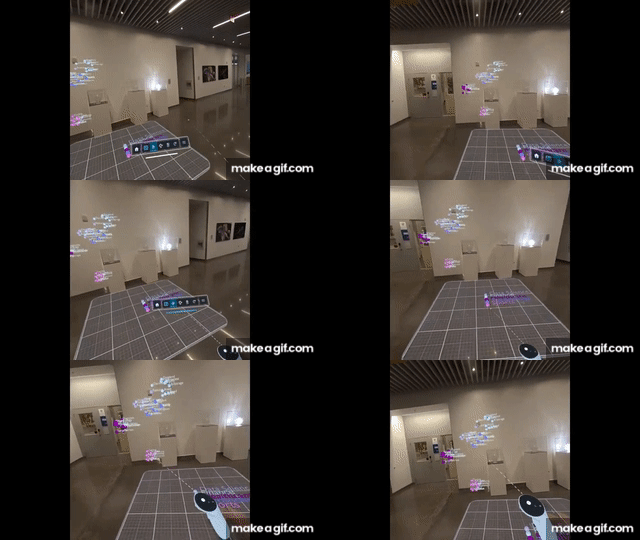
Inspired by the belief that data should be experienced, not just viewed, we're bridging the gap between 2D plots and spatial understanding in the LLM embeddings space. The fundamental limitation of 2D screens - trying to compress three dimensions into two - has always forced us to sacrifice either information or clarity. Our platform breaks free from these constraints, transforming raw datasets into immersive XR visualizations using nothing but the name of the model from Hugging Face. Every visualization is accessible on your Meta Quest XR Headsets. We're not just plotting data - we're creating a new way to discover insights through spatial exploration, one that respects the true dimensionality of our data.
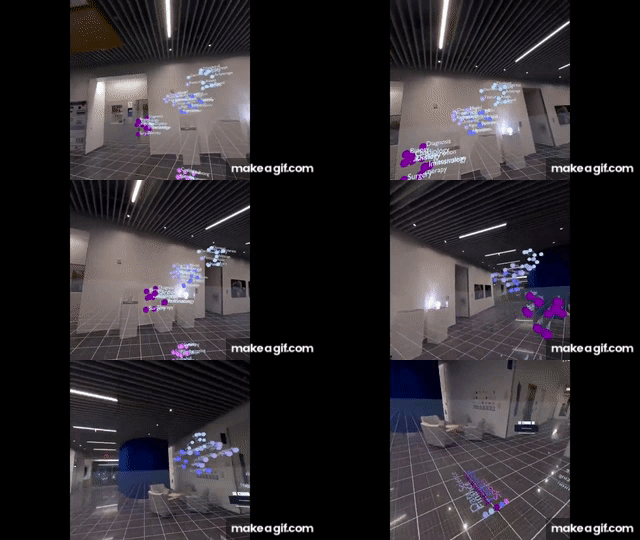
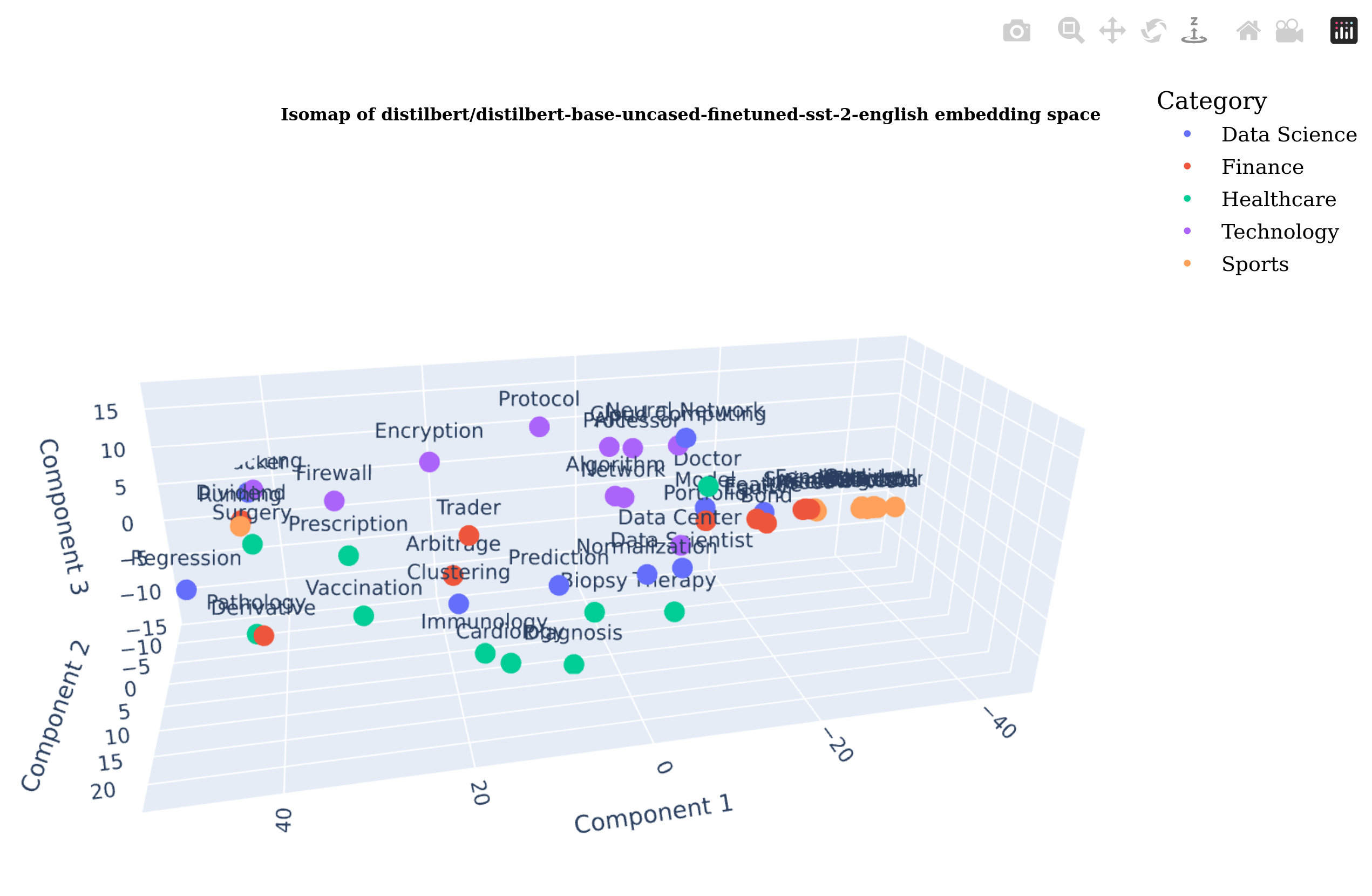
Each word/sentece embedding is meticulously positioned in virtual space, ensuring perfect spatial accuracy and true-to-scale representation. This precision becomes particularly powerful when visualizing LLM embedding spaces - allowing users to physically explore how concepts are related within these models. By walking through the three-dimensional embedding space, researchers can intuitively verify if semantically similar concepts cluster together and identify unexpected relationships that traditional 2D visualizations might miss.
Installation
pip install LlmEmbeddingXrVizualization
Usage
llm-embedding-viz --help
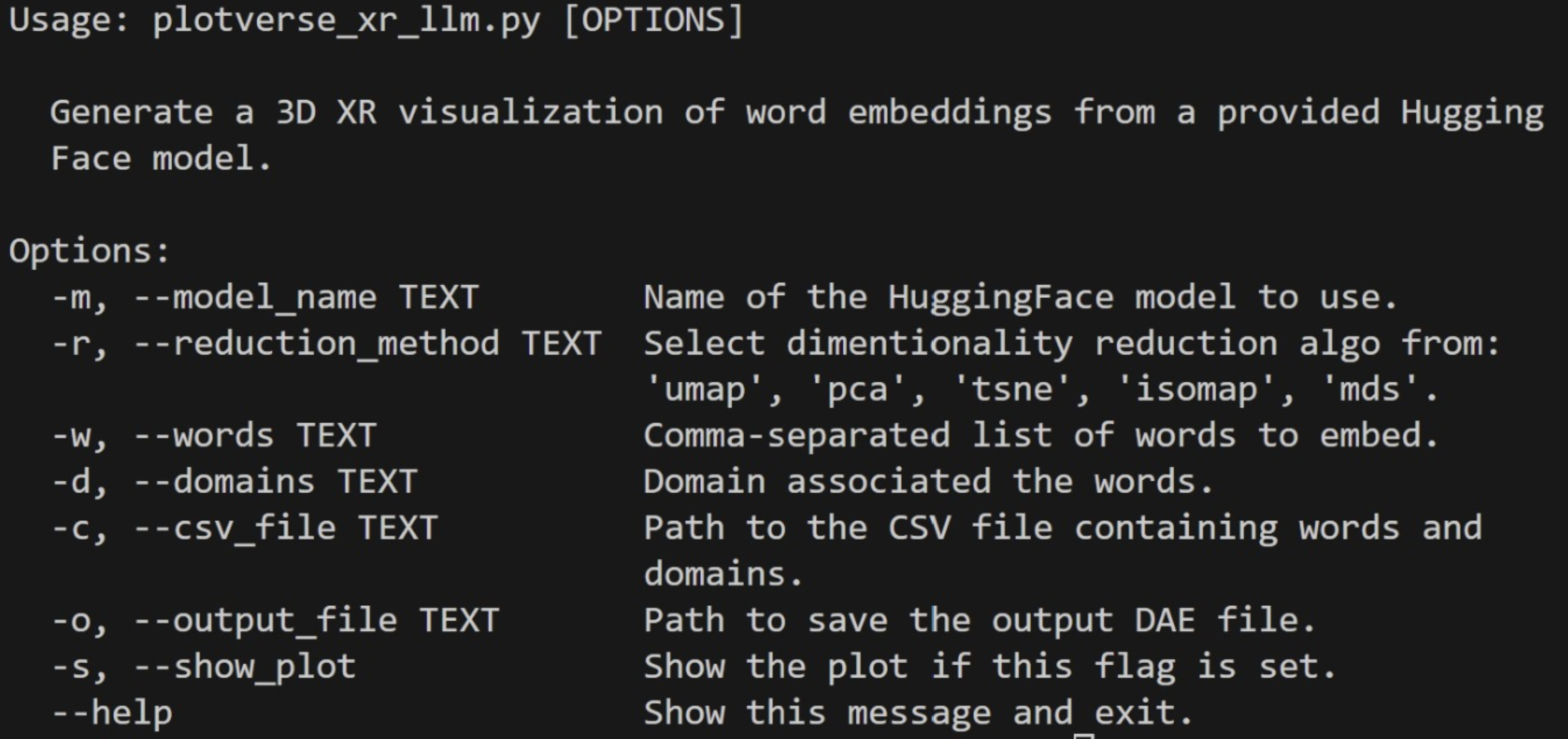
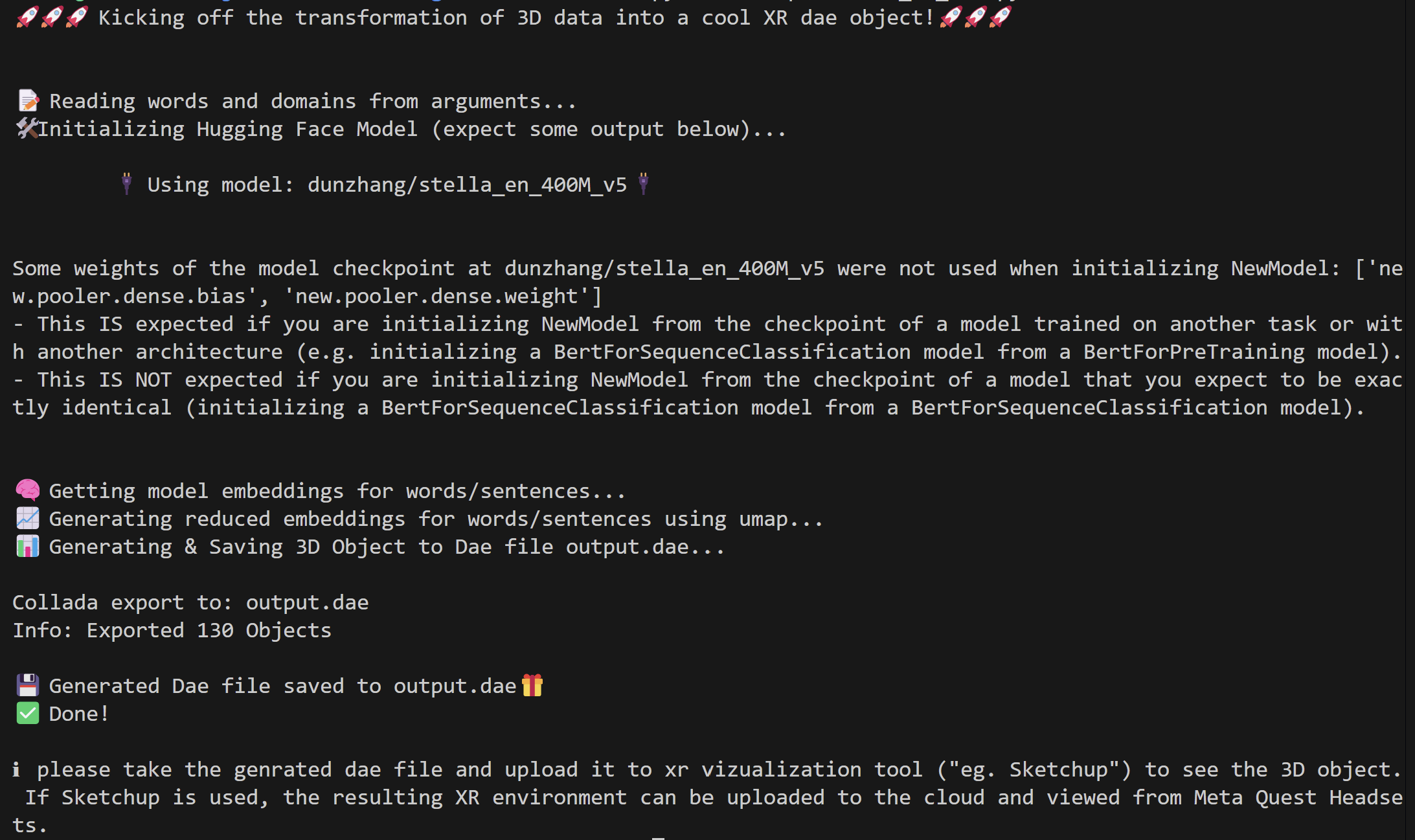
llm-embedding-viz
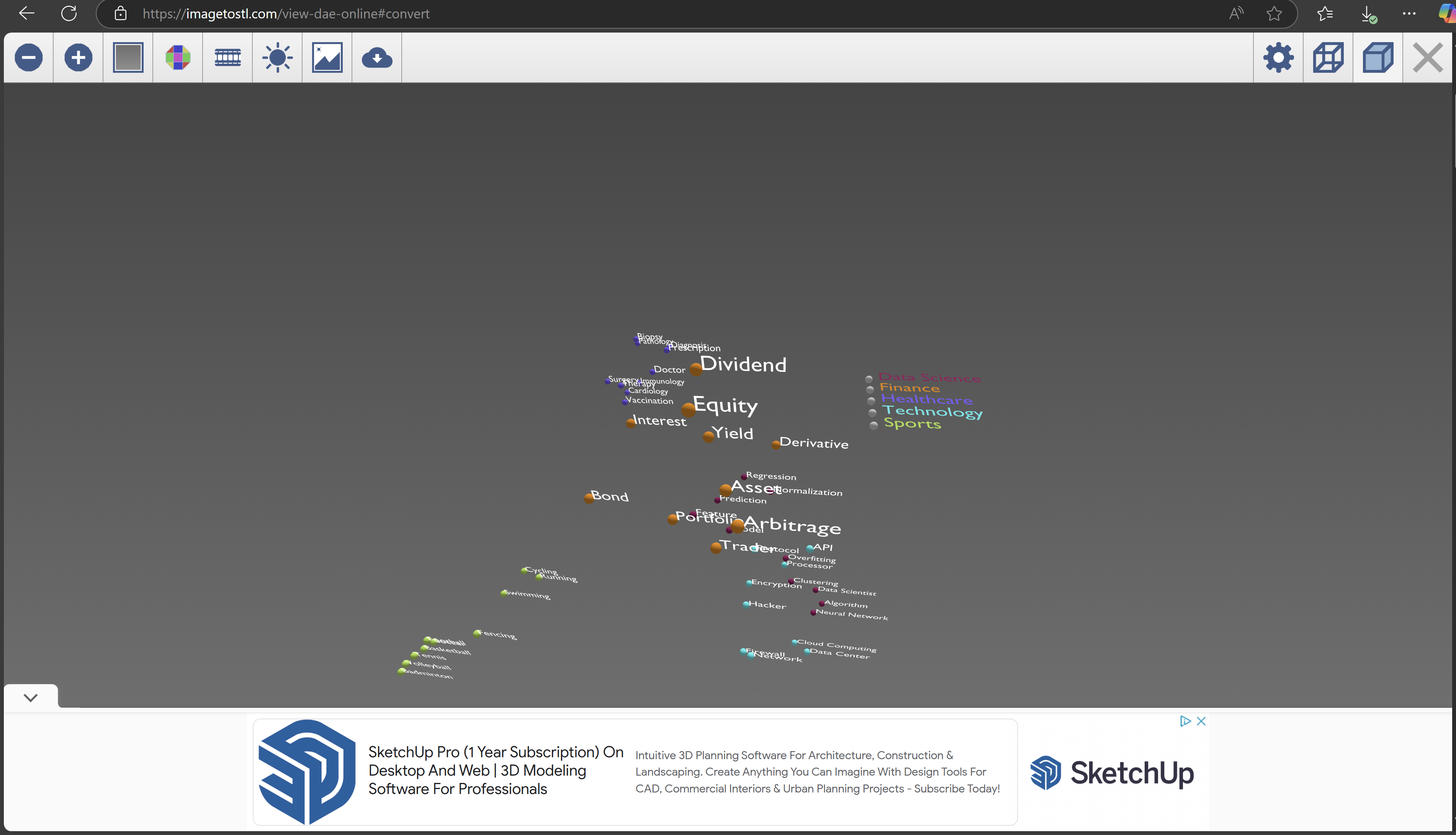
example website to open the generated 3d object ('.dae file').
example experience on meta quest 3
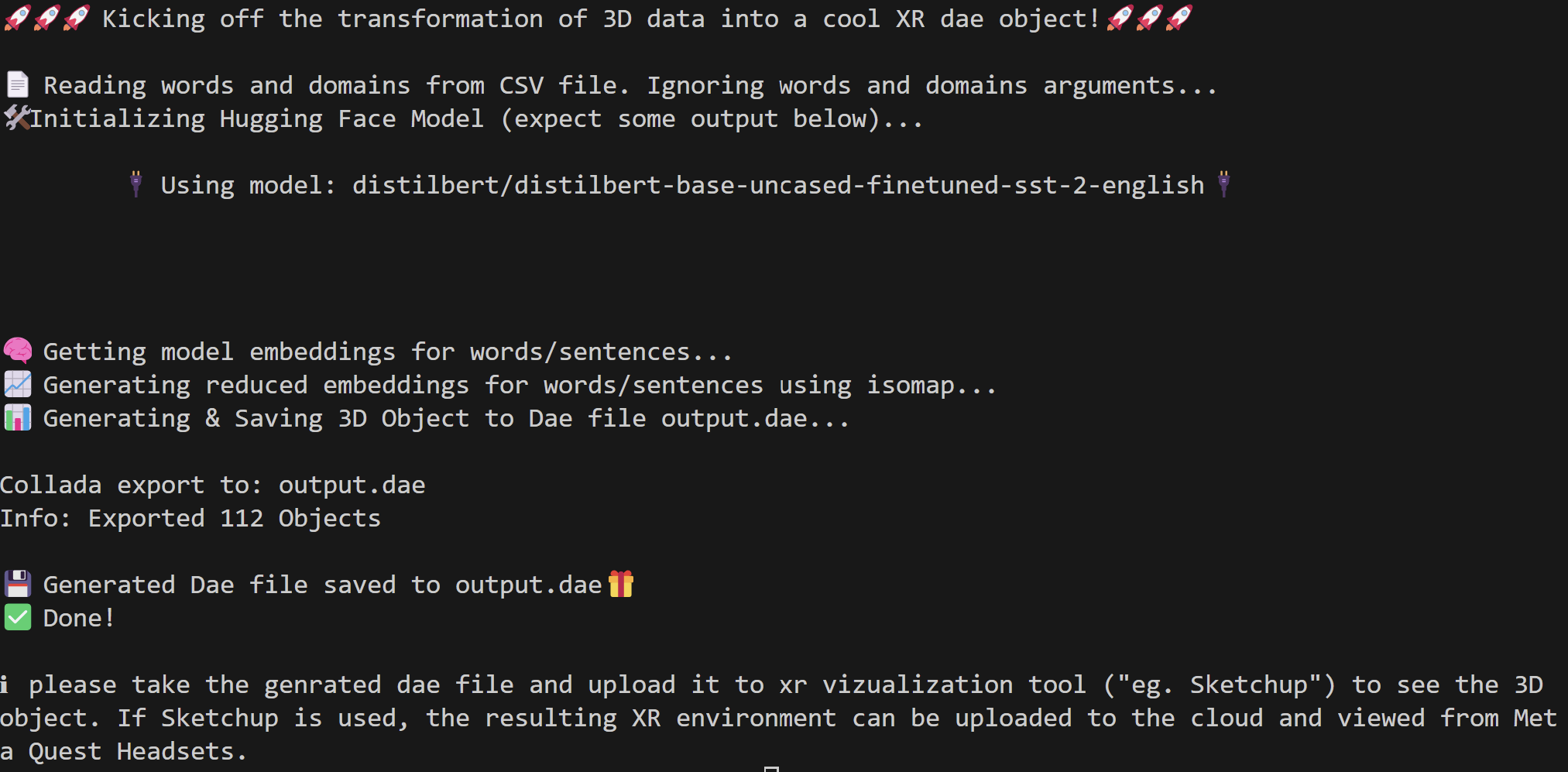
llm-embedding-viz --model_name "distilbert/distilbert-base-uncased-finetuned-sst-2-english" -c path_to_ur_labels_domains.csv -r isomap -s"
The csv file must have 'domains' and 'words' columns.
generated plot for -s flag
References
This idea started in a Hacathon: https://devpost.com/software/plotversexr.
Generative Ai such as Github Copilot and Chat GPT was used extensively in this project.
Duke University Xplainable Ai Class: AIPI 590.
1 maintainer

Metadata
1 maintainer
Release files for LlmEmbeddingXrVizualization 1.1.2
For a detailed explanation of source distributions (sdists) and built distributions (wheels), please see the package formats documentation.
Source distribution (sdist)
| File | Size | Uploaded | Provenance | Actions |
|---|---|---|---|---|
| LlmEmbeddingXrVizualization-1.1.2.tar.gz | 13.2 kB | Without provenance | Details for LlmEmbeddingXrVizualization-1.1.2.tar.gz |
Built distribution (wheel)
| File | Interpreter | ABI | Platform | Actions Reset |
|---|---|---|---|---|
| LlmEmbeddingXrVizualization-1.1.2-py3-none-any.whl | Python 3 | none | any | Details for LlmEmbeddingXrVizualization-1.1.2-py3-none-any.whl |
Total release size: 27.7 kB
Release files / LlmEmbeddingXrVizualization-1.1.2.tar.gz
| Download URL | LlmEmbeddingXrVizualization-1.1.2.tar.gz |
|---|---|
| Size | 13.2 kB |
| Tags | Source |
|
SHA-256 checksum How to use checksums |
f4c048ebbd952906e60b700c361dd2663a8aee8270f0a1c56e61515835def021
|
|
BLAKE2b-256 checksum How to use checksums |
341e74476d775445f6712df47caf328bd0151441851f4809cab23133d2048cb2
|
| Upload date | |
|
Uploaded using Trusted Publishing? What is trusted publishing? |
No |
| Uploaded via |
twine/6.0.1 CPython/3.10.12
|
Release files / LlmEmbeddingXrVizualization-1.1.2-py3-none-any.whl
| Download URL | LlmEmbeddingXrVizualization-1.1.2-py3-none-any.whl |
|---|---|
| Size | 14.5 kB |
| Tags | Python 3 |
|
SHA-256 checksum How to use checksums |
a36a67d350507b834c01e16c5a33e5064954dc38113d335e3b2456f74ee961cb
|
|
BLAKE2b-256 checksum How to use checksums |
cbe4fac7290eaee90fd0f1bd3853fd60d4a7af67fbb3ae25dda1c6c62b702d85
|
| Upload date | |
|
Uploaded using Trusted Publishing? What is trusted publishing? |
No |
| Uploaded via |
twine/6.0.1 CPython/3.10.12
|
Security for LlmEmbeddingXrVizualization 1.1.2
Provenance
Provenance describes where a file came from. On PyPI, provenance is shared via attestations, which provide a verifiable record of the build or publishing details. View details, limitations and caveats.
No provenance found
None of the files in this release were uploaded with provenance metadata.
A note on package security
PyPI is a repository for distributing packages, not a service for auditing them. While third-party security researchers and our staff do their best to detect and remove malicious packages, PyPI cannot guarantee the quality, security or suitability of any given package.
To learn more about protecting yourself from malicious actors, visit our package security documentation.














