llmprof
pprof for your LLM context. See where every token and dollar goes.




▶ Try the live dashboard in your browser - no install, a real recorded session.

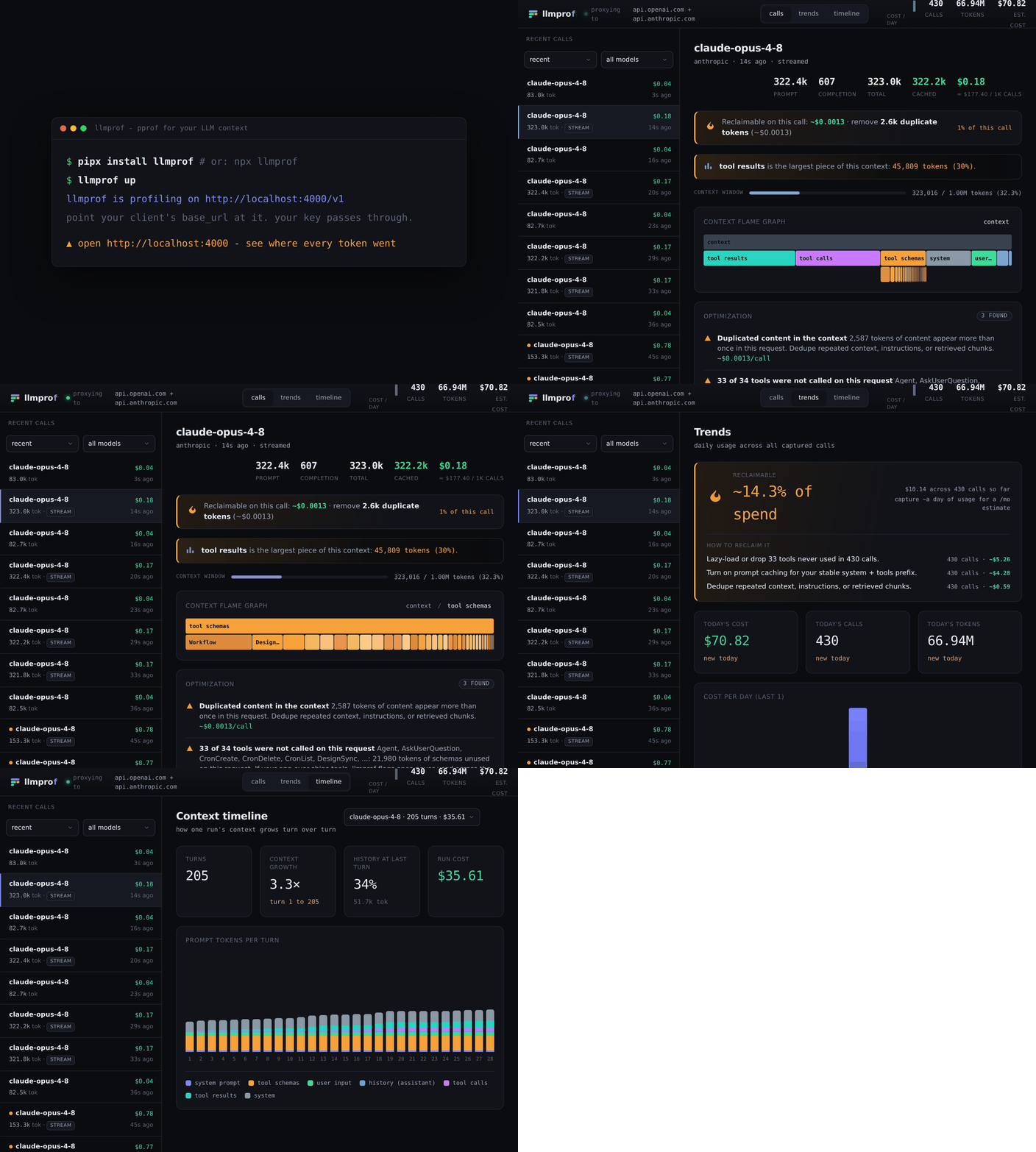
lossless animation; a GIF version is also available · open the interactive demo
You profile CPU and memory. Why fly blind on the most expensive resource in your
AI app, the context window? Your billing page is a meter - it says how much you
spent. llmprof is a profiler - it says where each request's tokens went
(system prompt vs. tool schemas vs. RAG vs. history), prices the call,
flame-graphs it, and tells you what to cut.
pipx install llmprof && llmprof up # or, no Python: npx llmprof up
Point your client's base URL at http://localhost:4000/v1 (your API key passes
straight through) and open http://localhost:4000.
Private by design. llmprof is fully self-hosted: it runs on your machine (or your own server), and your prompts, completions, and API keys are only ever sent to the upstream provider you already use. Nothing is sent to llmprof, a third party, or any cloud. The trace database is a local file you own. Safe to run against production traffic and client data with no new data-sharing concerns.
What you see
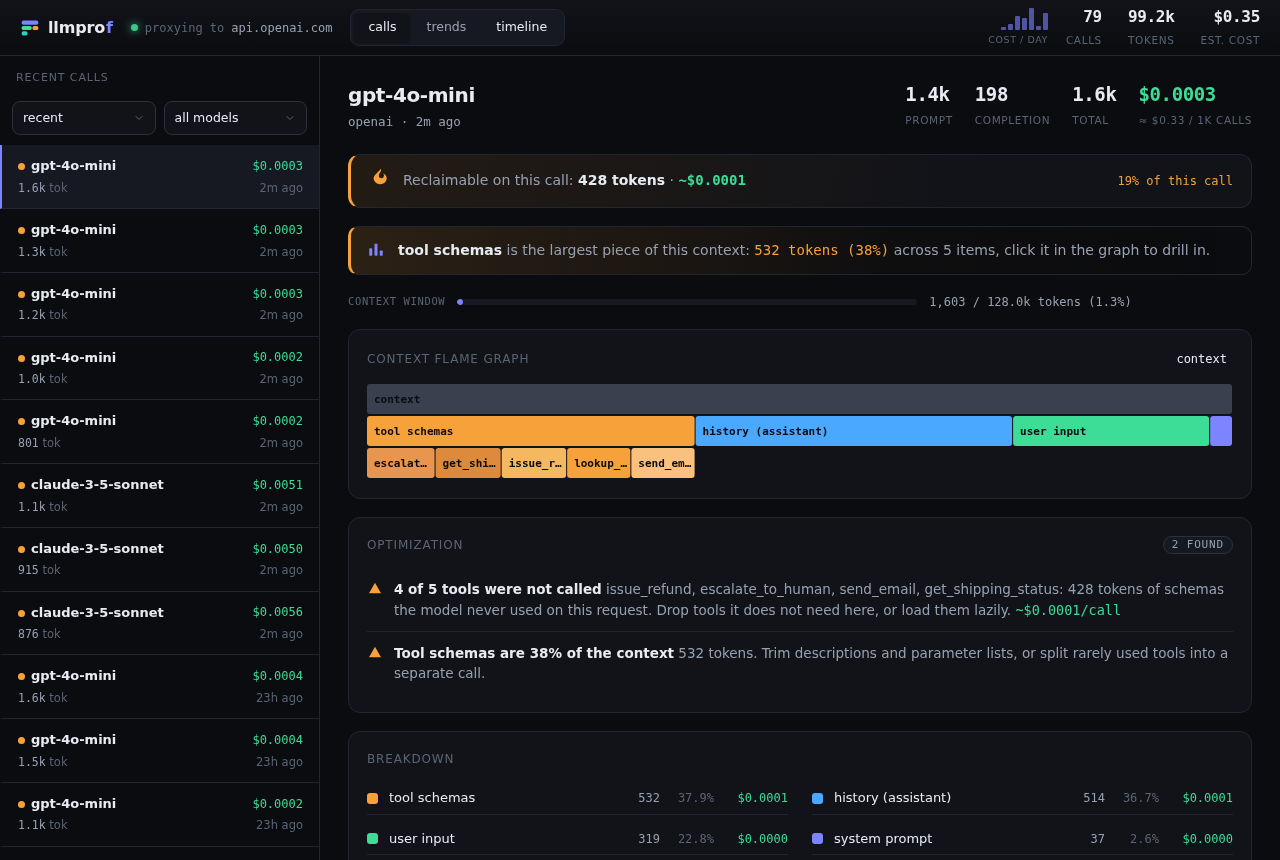
A flame graph of one request's tokens, with the optimization findings and the dollars you can reclaim on the call:
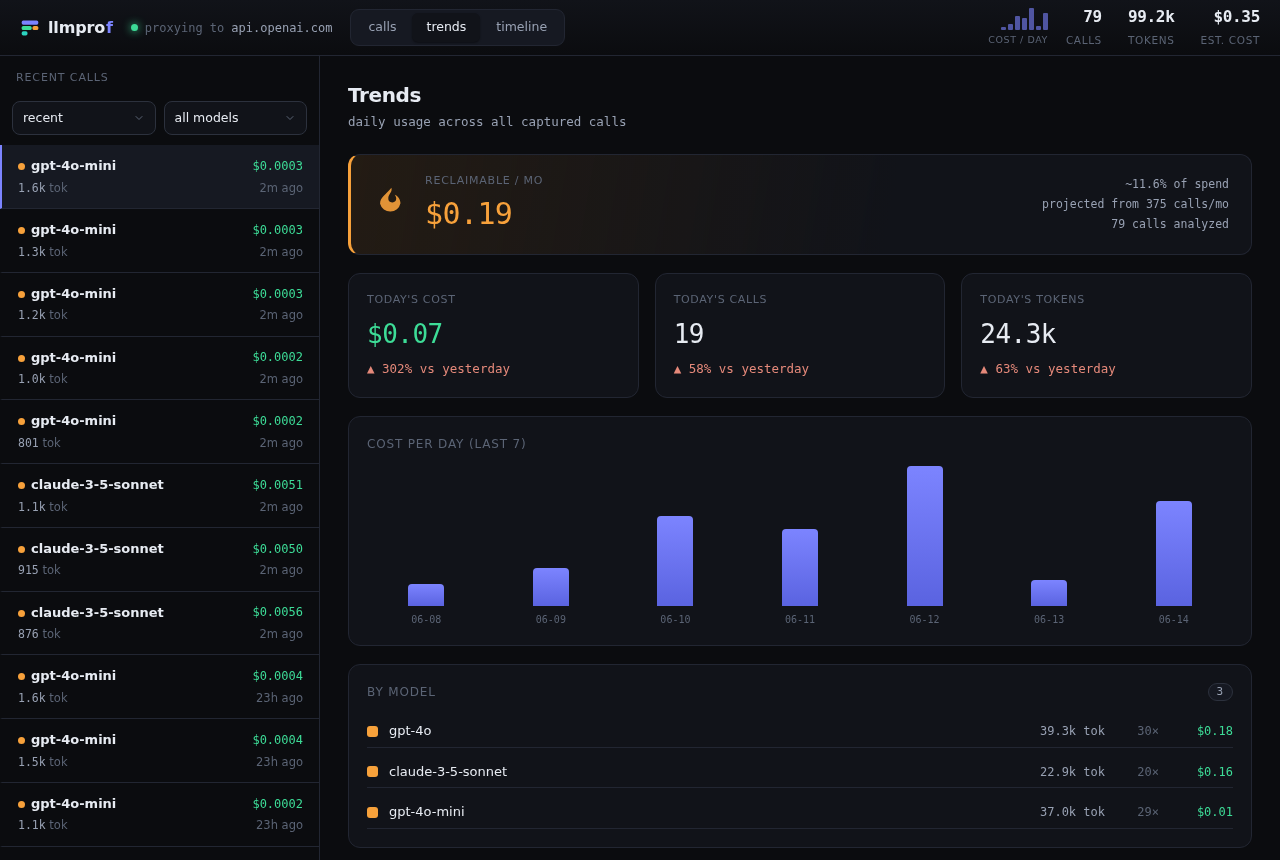
The headline number across all your calls, projected to a month, plus day-over-day trends and a most-expensive-prompts leaderboard:
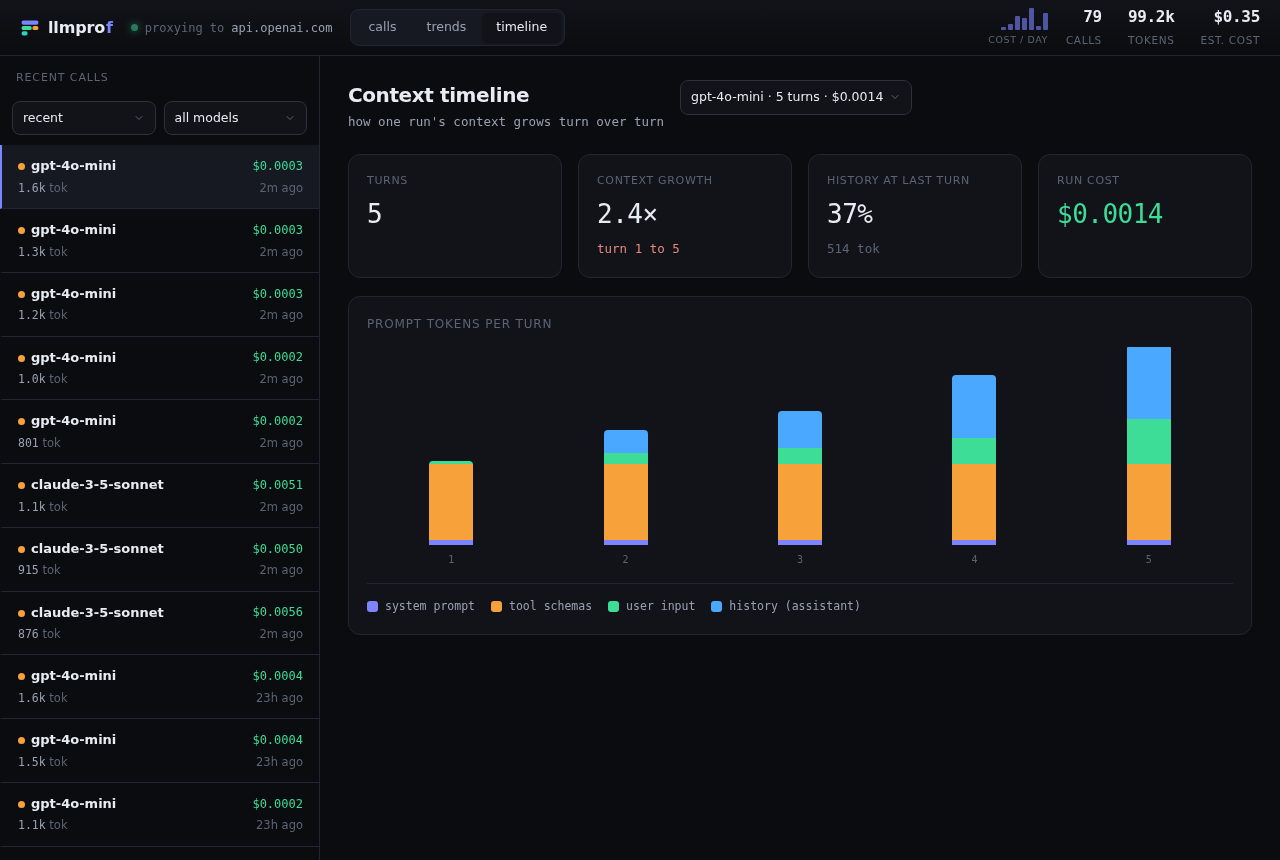
Context creep across an agent's turns - history balloons while the system prompt and tools stay flat:
Quickstart
from openai import OpenAI
client = OpenAI(base_url="http://localhost:4000/v1")  # the only change
client.chat.completions.create(model="gpt-4o", messages=[...], tools=[...])
One proxy profiles both providers (and Codex + Claude Code) at once - for
Anthropic just set the base URL (no /v1):
from anthropic import Anthropic
client = Anthropic(base_url="http://localhost:4000")
Then open the dashboard, or llmprof traces for a terminal summary. Full docs:
https://luthrag.github.io/llmprof.
Features
- Context flame graph - per-request token breakdown with per-tool drill-down.
- Waste detector - duplicated content, unused tool schemas, and uncached prefixes, rolled into a "$X/mo reclaimable" headline.
- Context timeline - how context grows turn over turn across an agent run.
- Cost leaderboard - which prompt template (system prompt + tools) drives the bill, not just which model.
- Cost for 1000+ models from a bundled LiteLLM snapshot (offline, no fetch),
with curated rates for the newest flagships and
LLMPROF_PRICINGoverrides. - Runs local, single SQLite file, with a pluggable backend for a shared database.
Works with
- Any OpenAI-compatible API via
/v1/chat/completionsand/v1/responses. Defaults to OpenAI; to use another (Azure, Groq, Together, OpenRouter, DeepSeek, Fireworks, Gemini's OpenAI endpoint, local Ollama / vLLM) set--upstream. - Anthropic via
/v1/messages(auto-routed, no flag needed). - Claude Code and the Codex CLI - set their base URL to the proxy.
- Any language - the proxy is a local HTTP service; only the base URL changes.
SDKs
When the proxy's heuristics are not enough, label components yourself for precise attribution:
# Python
import llmprof
with llmprof.profile(model="gpt-4o") as p:
    p.add("system prompt", system_text)
    p.add("rag_chunk", doc, name="kb#42")
    p.add("tool", search_schema, name="search", called=True)
    p.usage(resp.usage)
// JavaScript / TypeScript  (npm i @llmprof/sdk)
import { profile } from "@llmprof/sdk";
await profile({ model: "gpt-4o" }, async (p) => {
  p.add("system prompt", systemText);
  p.add("rag_chunk", doc, { name: "kb#42" });
  p.add("tool", searchSchema, { name: "search", called: true });
  p.usage(resp.usage);
});
How it works
The proxy forwards your request unchanged and streams the response straight back; the analysis (tokenizing, attribution, pricing, waste detection) happens off the hot path, so it adds essentially no latency. See the architecture docs for the full picture.
Configuration
| What | Flag | Env var | Default |
|---|---|---|---|
| Bind host | --host |
LLMPROF_HOST |
127.0.0.1 |
| Bind port | --port |
LLMPROF_PORT |
4000 |
| Upstream API | --upstream |
LLMPROF_UPSTREAM |
OpenAI |
| Price overrides | LLMPROF_PRICING |
built-in table | |
| Data dir | LLMPROF_HOME |
~/.llmprof |
|
| Storage backend | LLMPROF_DB_URL |
SQLite (local file) |
What llmprof is not
Not a full observability platform (no eval suite, prompt management, or hosted
cloud, that is Langfuse / Phoenix). llmprof is the focused profiler: where
your tokens go, and what to cut.
Develop
python -m venv .venv && . .venv/bin/activate
pip install -e ".[dev]"
ruff check . && pytest
The dashboard is dependency-light vanilla JS/SVG; docs live in docs/ (Astro
Starlight). See Contributing
and the changelog. Runnable examples cover both
providers and both SDKs.
License
MIT (c) Gaurav Luthra
1 maintainer

Release files for llmprof 0.1.4
For a detailed explanation of source distributions (sdists) and built distributions (wheels), please see the package formats documentation.
Source distribution (sdist)
| File | Size | Uploaded | |
|---|---|---|---|
| llmprof-0.1.4.tar.gz | 94.7 kB | Details |
Built distribution (wheel)
| File | Interpreter | ABI | Platform | Reset |
|---|---|---|---|---|
| llmprof-0.1.4-py3-none-any.whl | Python 3 | none | any | Details |
Total release size: 165.5 kB
Release files / llmprof-0.1.4.tar.gz
| Download URL | llmprof-0.1.4.tar.gz |
|---|---|
| Size | 94.7 kB |
| Tags | Source |
|
SHA-256 checksum How to use checksums |
e665433d9eb626e71ba8ebe2917e339d99006c73a5ec1c4b641b35ccb710bf63
|
|
BLAKE2b-256 checksum How to use checksums |
3a78e1976abbab036f093af6d2110b5ba5615f3a0c1a3ab01d61048c72268972
|
| Upload date | |
|
Uploaded using Trusted Publishing? What is trusted publishing? |
No |
| Uploaded via |
twine/6.2.0 CPython/3.10.12
|
Release files / llmprof-0.1.4-py3-none-any.whl
| Download URL | llmprof-0.1.4-py3-none-any.whl |
|---|---|
| Size | 70.8 kB |
| Tags | Python 3 |
|
SHA-256 checksum How to use checksums |
c4ae09bcc6b733f2a13c9d333befb235c83c585cb61c1a8e29b8dad7e2a4032c
|
|
BLAKE2b-256 checksum How to use checksums |
fbb3e851759e177b4b3acbece3f1a8f7d6ac281b2e307edd7fabe27addd84f45
|
| Upload date | |
|
Uploaded using Trusted Publishing? What is trusted publishing? |
No |
| Uploaded via |
twine/6.2.0 CPython/3.10.12
|