








LLMScribe
The filesystem layer AI agents are missing.
An agent that wants to look at your code has one interface: the shell. ls, find,
grep, cat — built for a human reading a terminal, not for a program building a
model of a repository.
LLMScribe gives it one structured interface instead: the same seven operations, the same JSON, the same bytes, on Linux, macOS and Windows.
No AI. No embeddings. No hidden ranking. Apache-2.0, and it runs entirely on your machine — no network, no account.
Works with Cursor, Claude Code, Claude Desktop, Codex, VS Code, Windsurf, Zed,
Cline, Continue, JetBrains and LM Studio — any MCP client — plus pip install and a
standalone Windows EXE.

The problem: agents drive your OS through a human interface
| What the agent needs | Linux / macOS | Windows |
|---|---|---|
| list a directory | ls -la |
dir /a |
| find files by name | find . -name '*.py' |
Get-ChildItem -Recurse -Filter *.py |
| search inside files | grep -rn 'auth' . |
Select-String -Pattern auth |
| read a file | cat app.py |
type app.py |
| structural diff | diff -ru old new |
fc /r (no recursive equivalent) |
Three things go wrong every time:
- The output is for eyes, not parsers. Columns, colour, locale-dependent sort order, and warnings interleaved with results.
- The commands are not portable. An agent that works on your laptop fails in CI, or on a contributor's Windows machine.
- The agent has to interpret. Every one of those returns text it must re-parse, and re-parsing is where it drifts.
Proving it, not claiming it
scripts/cross_platform_check.py builds a fixed fixture project, runs map, overview,
search, read, read_many and dependencies over it, scrubs the absolute path, and
digests each result. The Cross-platform output
workflow runs that on Ubuntu, macOS and Windows and fails the build if the digests
differ:
llmscribe <version>
python 3.12
map            <sha256>
map_depth2     <sha256>
overview       <sha256>
search         <sha256>
read           <sha256>
read_many      <sha256>
dependencies   <sha256>
combined       <sha256>   <- must be identical on all three
The fixture is written as bytes, not text, so the files themselves are byte-identical on
every platform — write_text would turn \n into \r\n on Windows and the comparison
would be meaningless.
What that costs
Your agent does not have an intelligence problem. It has a retrieval problem — and no model upgrade fixes a context window filled with the wrong files.
On a 1.4-million-line codebase, one benchmark agent burned 6,000 seconds and produced nothing — no analysis, no output, zero score.
The same model, given structured code search instead of free-form file reading, finished the same task in 89 seconds and scored 0.90.
Across another benchmark, Codex CLI completed its entire turn sequence without ever reaching the file that would have solved the task in 27–29% of runs.
Handed the right context up front, its score nearly doubled.
The bottleneck is not the model. It is what goes into the context window.
What users keep reporting:
- The agent explores 200 files to change one line, and admits it is "looking at unnecessary files"
- Nine searches and fourteen files to find one constant, because the search itself is not ranked
- The same files re-read in a loop, with no reasoning between the reads
- Stale fixtures, mock data and outdated comments read as current truth
- Search reporting "no matches found" when a plain
grepfinds the text immediately - Truncation that hides itself, and build output filling the window with noise
What LLMScribe does about it
| The failure | What LLMScribe does |
|---|---|
| Reads 200 files to change one line | project_map returns the whole tree with contents excluded, before a single file is read |
| Re-reads the same files in a loop | Same input, same bytes, every run |
| Misses the file that actually mattered | project_dependencies resolves local, stdlib, external and unresolved imports, plus reverse dependencies |
| Search returns nothing when the text exists | search returns path, line, matched text and match type, or a stable error code — never a silent empty |
| Stale fixtures read as current truth | Nothing is inferred, embedded or ranked; you get the files as they are, plus a Git diff |
| Build output and binaries fill the context | Real .gitignore semantics; binaries and oversized files are skipped |
| Context silently truncated | Every cut is reported: truncated, truncation_note, omitted_files |
The file an agent needs next is usually the one structurally related to the file it is already looking at — a dependent, a sibling module, a test fixture. That is a graph question, not a similarity question, which is why LLMScribe ships dependency analysis and a real tree instead of embeddings.
Compression that is not a summary
--compress reduces Python files to their API surface — imports, signatures,
docstrings, class shape — and drops the bodies. On a typical module that is roughly half
the characters.
It is a fixed syntactic transform, not a summary: the standard library parser reads the file and re-serialises it. Nothing is inferred, nothing is ranked, and the same file always produces the same bytes. That is why it belongs here even though "no AI" is the whole point.
Three limits, stated plainly:
- Python only. A multi-language parser would mean a compiled dependency in a pure-Python package. Saying "Python only" is more honest than a claim to maintain.
- Formatting is normalised. The file is re-serialised, so
"may become'and blank lines collapse. Compressed output is for reading, not for diffing. - Files that do not parse are left exactly as they are. Never rewritten.
llmscribe overview --compress
llmscribe read src/service.py --compress
llmscribe overview --compress --max-tokens 20000
Budgets are spent in a fixed order
--max-tokens N stops once the content reaches roughly N tokens, taking files in
path order until the budget is gone. That is the whole rule, and it is the only
acceptable one: choose files by relevance and you are ranking, which is the thing this
project exists not to do.
The cost is honest — a budget can cut off a file that mattered. A predictable wrong answer beats an unpredictable right one, because you can always raise the budget or read a specific file. Token counts are estimated at four characters each; an exact count needs a model-specific vocabulary and would make the same file cost different amounts depending on which model you meant.
Secrets are masked before they leave
This tool exists to put your code in front of a model, which makes it the last place a credential should pass through untouched. Every result is scrubbed first — file contents, search hits, diffs — and the result tells you what it masked:
{ "content": "API_KEY = \"[REDACTED:openai_key]\"", "metadata": { "redacted": ["openai_key"] } }
Detected shapes include AWS keys, GitHub and Slack tokens, Stripe and Google keys, JWTs,
Authorization: Bearer headers, credentials inside connection strings, private-key
blocks, and password = "..." assignments. Matching is conservative on purpose:
high-confidence token shapes with fixed replacements, so ordinary code is left alone and
output stays repeatable.
On by default everywhere, including the MCP server. --no-redact (CLI) or
redact=False (Python) turns it off when you need the raw text. An agent cannot: one
that can see raw secrets will eventually read one.
Use it as a library, not just a server
pip install llmscribe installs one dependency (pathspec). The MCP server lives
behind an extra, because mcp alone pulls in 155 transitive packages and a framework
author embedding a file reader should not pay for a protocol server they never call:
pip install llmscribe            # core: tree, search, read, dependencies, diff
pip install 'llmscribe[server]'  # + the MCP server (llmscribe-mcp)
pip install 'llmscribe[adapters]'# + LangChain, PydanticAI and smolagents adapters
Register the tools in a framework that has never heard of LLMScribe:
from llmscribe import Repository, tool_schemas

schemas = tool_schemas("openai")        # or "anthropic", "mcp", "raw"
run = Repository(".").handlers()        # tool name -> callable

result = run["project_map"](depth=2)    # {'ok': True, 'data': {...}, ...}
Or skip the plumbing entirely:
from llmscribe import Repository
from llmscribe.adapters import as_langchain_tools, as_anthropic_tools

tools = as_langchain_tools(Repository("."))          # StructuredTool objects
defs, dispatch = as_anthropic_tools(Repository(".")) # Messages API shape
Adapters ship for LangChain, PydanticAI, smolagents and the Anthropic Messages API (no SDK needed). Each imports its framework lazily and, if it is missing, tells you which pip command to run.
Three promises that make it safe to depend on:
- Handlers never raise. A missing file comes back as
{"ok": False, "error": {...}}, so an agent loop is not broken by a bad path. pathis not a tool argument. A bound tool set cannot be repointed at another directory by the model.schema_versionis in every JSON envelope. It changes only for a breaking change to the output contract.
llmscribe schema --format openai prints the same definitions from the CLI.
Where this fits
There is already a filesystem MCP server — @modelcontextprotocol/server-filesystem.
It is a good tool, and it does something this deliberately does not: it writes.
write_file, edit_file, move_file, create_directory.
LLMScribe is the read half. Run both if your agent needs to change files as well as understand them:
| server-filesystem | LLMScribe | |
|---|---|---|
| read / write / move / create | yes | read only |
| binary and media reads | yes | opt-in (read --binary) |
| per-file size and mtime | get_file_info |
on every read, plus map --sizes |
.gitignore-aware |
no | yes, real pathspec semantics |
dependency graph (imports and used_by) |
no | yes |
| git diff and status | no | yes |
| truncation reported | no | yes, with omitted_files |
The trade is deliberate. An agent holding a write-capable filesystem server can delete
your repository; one holding LLMScribe structurally cannot. That is why VISION.md says
LLMScribe does not edit your code — it is a property, not a missing feature.
Feature Overview
Core Tools
| Feature | Description |
|---|---|
| Map | Generate a clean directory tree without dumping file contents |
| Search | Search file paths, file names, file contents, and individual lines |
| Read | Safely retrieve a specific file |
More
| Feature | Description |
|---|---|
| Read Many | Retrieve multiple files in a single operation |
| Dependencies | See what a file depends on and what depends on it |
| Diff | Inspect Git status and unified diffs |
| Overview | Export the complete structure and supported file contents |
Quick Start
Install LLMScribe from PyPI:
pip install llmscribe
Then point it at any project directory on your machine. No API key, no network access, no account.
The
project_map(...),search(...),read(...)snippets below show MCP tool calls. The same operations are available from the CLI (local directories) and from Python throughllmscribe.core(see Python API).
Map
Generate a clean directory tree without file contents. This is the best first step when exploring an unfamiliar repository.
project_map()
CLI / MCP
CLI
llmscribe map
llmscribe map --depth 2          # only the first two levels, like `tree -L 2`
llmscribe map --sizes            # add each file's size in bytes
llmscribe map --json
MCP
project_map
project_map(depth=2)
--depth N (or max_depth=N from Python) limits the listing to the first N path
levels. A top-level file is depth 1, so --depth 2 keeps a/b.py and drops
a/b/c.py. It prunes the tree and the file list, which means overview --depth 2
never reads the files it excluded — useful for fitting a large repository into a small
context window.
Output:
src/
├── api/
│   ├── routes.py
│   └── auth.py
├── models/
│   └── user.py
└── main.py
Search
Search across file paths, file names, file contents, and individual lines.
Search is intentionally literal: LLMScribe does not try to guess what you meant.
search(query="authentication")
CLI / MCP
CLI
llmscribe search "authentication"
llmscribe search "authentication" --json
MCP
search
Each match includes the file path, line number, the matching line, the matched text and the match type (filename or content).
Results are ordered by path then line, and limited to 1,000 matches. Binary and oversized files are skipped.
Output (--json, data.matches):
[
  {
    "file_path": "src/auth/service.py",
    "line_number": 12,
    "line_content": "def authenticate(user, password):",
    "match_type": "content",
    "matched_text": "authenticate"
  }
]
Read
Safely retrieve the contents of a specific file. LLMScribe validates paths and prevents path traversal outside the project.
read(file_path="src/auth/service.py")
CLI / MCP
CLI
llmscribe read src/auth/service.py
llmscribe read logo.png --binary      # base64 + media type, for images and PDFs
MCP
read
Every read also reports byte_size, line_count and modified (ISO 8601 UTC) for the
whole file, not just the part returned — so the agent can answer "how big is this" and "how many lines" without a
second command, and without being misled when the body was clipped. That is the
stat / wc -l / file information, in the same shape on every OS.
{ "file_path": "src/main.py", "byte_size": 2841, "line_count": 96, "modified": "2026-11-21T04:13:16+00:00", "truncated": false }
--binary is the one way to get a non-text file: content becomes base64 and
media_type carries the guessed MIME type. Binaries are still excluded from overview
and read_many, so they cannot quietly fill a context window.
Power Your Agent
Instead of throwing an entire repository into a context window, an agent can progressively retrieve exactly what it needs:
1. project_map()
      ↓
2. search("authentication")
      ↓
3. read("src/auth/service.py")
      ↓
4. project_dependencies("src/auth/service.py")
      ↓
5. read_many([...])
MCP
LLMScribe is a standard Model Context Protocol server that runs locally over stdio.
Any MCP-compatible client can use it against a project directory on your machine.
Install the server first. The MCP server lives behind an extra so the core package stays at one dependency:
pip install 'llmscribe[server]'Without it,
llmscribe-mcpprints that install line and exits rather than failing with an ImportError.
Config — put this in your client (see the per-app setup below):
{
  "mcpServers": {
    "llmscribe": {
      "command": "llmscribe-mcp"
    }
  }
}
Use the Python module instead of the command
If llmscribe-mcp is not on your PATH, point the client at the module:
{
  "mcpServers": {
    "llmscribe": {
      "command": "python",
      "args": ["-m", "llmscribe.mcp"]
    }
  }
}
Per-app setup
Each client reads a different configuration file. The blocks below were checked against each tool's official documentation.
Claude Desktop
Edit claude_desktop_config.json (in the app: Settings → Developer → Edit Config):
- macOS:
~/Library/Application Support/Claude/claude_desktop_config.json - Windows:
%APPDATA%\Claude\claude_desktop_config.json
{
  "mcpServers": {
    "llmscribe": {
      "command": "llmscribe-mcp"
    }
  }
}
Fully quit and reopen Claude Desktop after saving.
Claude Code
claude mcp add llmscribe -- llmscribe-mcp
Confirm with claude mcp list.
Add --scope user to make it available in every project, or --scope project to share it with your team via .mcp.json.
Cursor
Create .cursor/mcp.json in your project (or ~/.cursor/mcp.json for all projects):
{
  "mcpServers": {
    "llmscribe": {
      "command": "llmscribe-mcp"
    }
  }
}
Restart Cursor, then check Customize → MCPs.
VS Code (GitHub Copilot)
Create .vscode/mcp.json in your workspace. Note that VS Code uses servers, not mcpServers:
{
  "servers": {
    "llmscribe": {
      "type": "stdio",
      "command": "llmscribe-mcp"
    }
  }
}
Then open Copilot Chat in Agent mode and click the tools icon to start the server.
Windsurf (Cascade)
Edit ~/.codeium/mcp_config.json (in the app: Windsurf Settings → Cascade → MCP → View Raw Config):
{
  "mcpServers": {
    "llmscribe": {
      "command": "llmscribe-mcp"
    }
  }
}
Press the refresh button after saving.
Cline
Open the Cline panel → MCP Servers → Configure → Configure MCP Servers, then add:
{
  "mcpServers": {
    "llmscribe": {
      "command": "llmscribe-mcp"
    }
  }
}
Roo Code
Edit the global mcp_settings.json (Edit Global MCP), or create .roo/mcp.json in your project (Edit Project MCP):
{
  "mcpServers": {
    "llmscribe": {
      "command": "llmscribe-mcp"
    }
  }
}
LM Studio
In the app: Program tab → Install → Edit mcp.json.
The file is ~/.lmstudio/mcp.json on macOS/Linux, %USERPROFILE%\.lmstudio\mcp.json on Windows:
{
  "mcpServers": {
    "llmscribe": {
      "command": "llmscribe-mcp"
    }
  }
}
LM Studio follows Cursor's mcp.json notation.
Zed
Add to your Zed settings (in the app: Settings → AI → MCP Servers → Add Server, or zed: open settings file):
{
  "context_servers": {
    "llmscribe": {
      "command": "llmscribe-mcp",
      "args": [],
      "env": {}
    }
  }
}
Continue
Add to ~/.continue/config.yaml (or a standalone file under .continue/mcpServers/):
name: LLMScribe
version: 1.0.0
schema: v1
mcpServers:
  - name: LLMScribe
    command: llmscribe-mcp
Continue also picks up Cursor/Claude/Cline JSON configs dropped into .continue/mcpServers/.
JetBrains IDEs (IntelliJ, WebStorm, …)
Settings → Tools → AI Assistant → Model Context Protocol (MCP) → Add → As JSON:
{
  "mcpServers": {
    "llmscribe": {
      "command": "llmscribe-mcp"
    }
  }
}
You can also click Import from Claude to reuse an existing Claude Desktop configuration.
Goose
Add an extension to ~/.config/goose/config.yaml:
extensions:
  llmscribe:
    name: llmscribe
    enabled: true
    type: stdio
    cmd: llmscribe-mcp
    args: []
    timeout: 300
OpenAI Codex CLI
Add to ~/.codex/config.toml:
[mcp_servers.llmscribe]
command = "llmscribe-mcp"
Available tools
project_map
project_overview
search
read
read_many
project_dependencies
project_diff
More Tools
Read Many
Retrieve multiple files in a single operation. Partial success is supported, so one problematic file does not invalidate the entire request.
read_many([
    "src/auth/service.py",
    "src/auth/models.py",
    "src/api/login.py"
])
llmscribe read-many src/auth/service.py src/api/login.py
Dependencies
Inspect the dependency relationships around a file.
LLMScribe identifies local dependencies, external dependencies, unresolved dependencies, and the files that depend on this file.
project_dependencies("src/auth/service.py")
llmscribe dependencies src/auth/service.py --json
Output:
src/auth/service.py
│
├── depends on
│   ├── auth/models.py
│   ├── auth/config.py
│   └── auth/utils.py
│
└── used by
    ├── api/login.py
    └── tests/test_auth.py
This is particularly useful when determining the potential impact of modifying a file.
Diff
Inspect repository changes using Git. Supports Git status, unstaged changes, staged changes, specific commits, and unified diffs.
llmscribe diff
This lets applications and agents understand not only the current repository, but also what changed.
Overview
Generate a complete project snapshot containing the directory structure, supported text file contents, and structured project information.
llmscribe overview
Best for small and medium-sized projects. For large repositories, use the recommended workflow instead:
map → search → read
CLI
Every command can return machine-readable JSON with --json (-j), which makes the CLI a building block for scripts, automation, and developer tools.
llmscribe map
llmscribe overview
llmscribe search "authentication"
llmscribe read src/auth/service.py
llmscribe read-many src/auth/service.py src/api/login.py
llmscribe dependencies src/auth/service.py
llmscribe diff

# only the first two levels (like `tree -L 2`)
llmscribe map --depth 2
llmscribe overview --depth 3

# fit a context budget: takes files in path order until it is spent
llmscribe overview --max-tokens 20000

# machine-readable output
llmscribe map --json
llmscribe search "auth" --json
llmscribe dependencies src/auth/service.py --json
Paths are flexible. Every command takes an optional directory, so --path is never required:
llmscribe .                       # map the current directory
llmscribe ./src                   # map a specific directory
llmscribe map ./src               # the same thing, spelled out
llmscribe search "auth" ./src     # search inside a directory
Aliases for the verbs you already type:
| Alias | Command |
|---|---|
ls |
map |
tree |
overview |
grep, find |
search |
cat |
read |
deps |
dependencies |
read accepts several files and switches to a batch read automatically:
llmscribe cat src/main.py src/util.py
llmscribe -V prints the version.
Configuration
LLMScribe runs entirely on your machine and needs no configuration.
Two optional environment variables restrict which directories the MCP server may read:
| Variable | Description | Default |
|---|---|---|
MCP_ALLOWED_ROOTS |
Directories (separated by : on POSIX, ; on Windows) the tools may read |
all paths |
MCP_ALLOW_LOCAL_PATHS |
0 disables local path access entirely |
enabled |
Python API
from llmscribe import Repository, LLMScribeError

repo = Repository(".")                  # or Repository(Path("."))

print(repo.map().tree)                  # tree, no file contents
print(repo.search("auth").match_count)

match = repo.read("src/app.py")         # returns a result, never raises
if match.ok:
    print(match.content)

batch = repo.read_many(["README.md", "missing.py"])   # per-file errors, never raises
print(batch.success_count, batch.error_count)

deps = repo.dependencies("src/app.py")  # raises LLMScribeError
print(deps.file_dependencies.local_dependencies)
print(deps.used_by)                     # what imports it
Two error conventions, and the difference matters:
readandread_manyreturn results carryingokanderror_code, so a batch reports per-file failures instead of dying on the first one.dependenciesanddiffraiseLLMScribeError, whose.codeis a stable machine-readable string.
Every method returns the same dataclasses the CLI and MCP server produce, and each one
has .to_dict() for JSON. llmscribe.core still exposes the underlying functions if you
want to call them directly.
Runnable examples live in examples/: chunking a repo for a RAG pipeline,
reviewing what a change touches, and a repo summary.
Behavior reference
Ignore rules
Defaults (.git, node_modules, venv, dist, build, .env, *.log, …), the root .gitignore and nested .gitignore files are applied with real Git semantics: wildcards, directories, ! negation, and root-anchored patterns.
Hidden files are included unless ignored.
Symlinks are never followed or listed.
Supported text files
Known source, config and doc extensions, plus names such as Dockerfile, Makefile, LICENSE and .gitignore.
Other files appear in the tree, but cannot be read or searched.
Limits
One source of truth: llmscribe.core.limits.
- 400,000 content characters per
project_overview/read_many - 50 files per
read_many - 1,000 search matches
- 20,000 map entries
- 2 MiB per file
- 200,000 diff characters
- 100,000 scanned entries
Anything cut is reported: truncated, truncation_note, omitted_files.
Errors
Every failure has a stable, machine-readable code:
invalid_argument · invalid_path · file_not_found · unsupported_file_type · binary_file · file_too_large · read_error · not_a_repository · git_unavailable · unsupported_operation · internal_error
JSON errors look like this:
{"ok": false, "tool": "...", "error": {"code": "...", "message": "..."}}
Dependencies
Supported languages: Python, JavaScript/TypeScript, Java, Go, Rust, and C/C++.
Each reference is classified as one of:
local— resolved to a file or directory inside the projectstdlib— part of the language's standard libraryexternal— not in the project, assumed third-partyunresolved— a relative or local-looking reference that matches nothing
used_by lists the reverse dependencies.
Git diff
Runs git with an argument list, a 30 s timeout, a minimal environment, and without external diff/textconv drivers.
Migration notes
- Legacy tool names (
project_get_file,project_get_files,project_search,project_list_files) are gone; useread,read_many,search. - Error code
path_traversalis nowinvalid_path;not_text_fileisunsupported_file_type. project_dependenciesresults:all_local_files/all_external_deps/all_unresolvedwere replaced byused_byand per-category lists (stdlib_dependenciesadded).llmscribe.corefunctions raiseLLMScribeError(notFileNotFoundError) for a bad root.- 1.3.0: the online GitHub source was removed — LLMScribe is now local-only. The
repoandrefarguments, the in-memory snapshot cache, thellmscribe.githubpackage, and the hosted HTTP transport are gone. Point the tools at a localpath.
Architecture
All interfaces share one core engine, so behavior stays consistent everywhere.
                         Repository
                             │
                             ▼
                        Local Project
                             │
                             ▼
                     LLMScribe Core
                             │
       ┌─────────────────────┼─────────────────────┐
       │                     │                     │
       ▼                     ▼                     ▼
      CLI                   MCP                   GUI
       │                     │
       └──────────────┬──────┘
                      ▼
              Structured Output
                   / JSON
Philosophy
LLMScribe intentionally stays simple. The goal is not to make the repository "smarter." The goal is to make the repository accessible to software.
One consequence is worth stating precisely: LLMScribe is deterministic — the same input produces the same bytes on every run. An agent can rely on what it learned last turn, and you can diff two runs of the same command and see only what actually changed.
We provide
- Repository extraction
- Literal search
- Structured project data
- File retrieval
- Dependency information
- Git information
- Multiple interfaces
We don't provide
- ❌ AI-generated answers
- ❌ Embedding-based search
- ❌ Semantic ranking
- ❌ Autonomous coding
- ❌ An AI coding agent
- ❌ A generic Git client
Use Cases
- AI coding agents
- MCP applications
- Developer tools
- Code search interfaces
- Repository explorers
- Documentation systems
- Code analysis pipelines
- Automation scripts
- Local LLM applications
- Exploring unfamiliar open-source projects
Open Source
LLMScribe is open source under the Apache License 2.0. Inspect the source, modify it, and build your own integrations.
There is no hosted service and no telemetry. It reads your files, and nothing leaves your machine.
Resources
- Website: https://llmscribe.vercel.app
- GitHub: https://github.com/AMRITO-KUNDU/llmscribe
- PyPI: https://pypi.org/project/llmscribe/
- Official MCP Registry: https://registry.modelcontextprotocol.io/?q=llmscribe (
io.github.AMRITO-KUNDU/llmscribe) - Issues: https://github.com/AMRITO-KUNDU/llmscribe/issues
- Changelog: https://github.com/AMRITO-KUNDU/llmscribe/blob/main/CHANGELOG.md
- Support: https://github.com/AMRITO-KUNDU/llmscribe/blob/main/SUPPORT.md
- Contributing: https://github.com/AMRITO-KUNDU/llmscribe/blob/main/CONTRIBUTING.md
- Vision: https://github.com/AMRITO-KUNDU/llmscribe/blob/main/VISION.md
- Governance: https://github.com/AMRITO-KUNDU/llmscribe/blob/main/GOVERNANCE.md
- Code of Conduct: https://github.com/AMRITO-KUNDU/llmscribe/blob/main/CODE_OF_CONDUCT.md
- Accessibility: https://github.com/AMRITO-KUNDU/llmscribe/blob/main/ACCESSIBILITY.md
- Security: https://github.com/AMRITO-KUNDU/llmscribe/blob/main/SECURITY.md
Contributing
Contributions are welcome — whether that is repository extraction, search, dependency analysis, interfaces, integrations or documentation.
Start with the vision, which sets out what is in scope and what deliberately is not, then the contributing guide.
- A first response within about 7 days — this is a part-time project, and pinging a quiet thread is welcome.
- Issues labelled
good first issueare scoped to be self-contained. - Questions are best asked in an issue, so the next person can find the answer.
- LLMScribe is maintained by @AMRITO-KUNDU; GOVERNANCE.md describes how decisions are made.

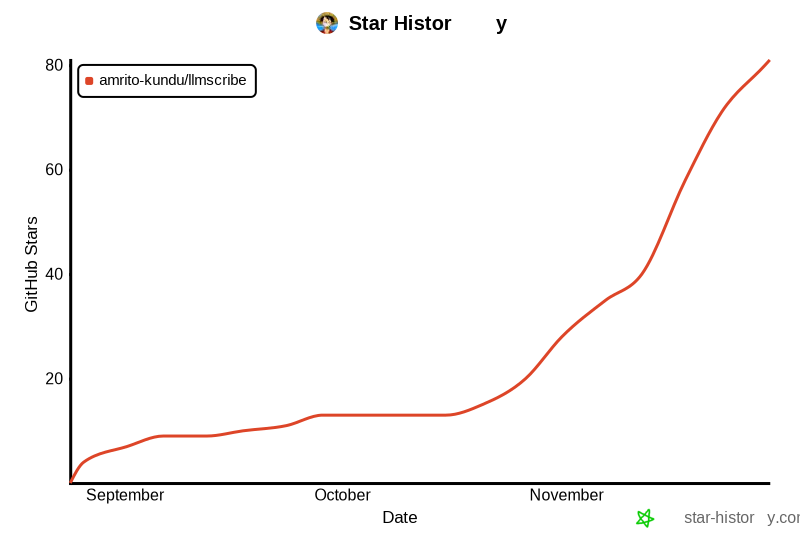
Star History
License
LLMScribe is licensed under the Apache License 2.0.
See the LICENSE file for details.
Repository data, structured.
1 maintainer

Metadata
1 maintainer
Release files for llmscribe 2.0.0
For a detailed explanation of source distributions (sdists) and built distributions (wheels), please see the package formats documentation.
Source distribution (sdist)
| File | Size | Uploaded | Provenance | Actions |
|---|---|---|---|---|
| llmscribe-2.0.0.tar.gz | 106.5 kB | With provenance | Details for llmscribe-2.0.0.tar.gz |
Built distribution (wheel)
| File | Interpreter | ABI | Platform | Actions Reset |
|---|---|---|---|---|
| llmscribe-2.0.0-py3-none-any.whl | Python 3 | none | any | Details for llmscribe-2.0.0-py3-none-any.whl |
Total release size: 185.6 kB
Release files / llmscribe-2.0.0.tar.gz
| Download URL | llmscribe-2.0.0.tar.gz |
|---|---|
| Size | 106.5 kB |
| Tags | Source |
|
SHA-256 checksum How to use checksums |
ac2fc921b3cdb1c21af01a4f742a68f9e3c2c86fc14f1eb6913272fc526fdd2e
|
|
BLAKE2b-256 checksum How to use checksums |
69c08b22881ec67693620c7b5042a7aabddd0f641405e09e559c588d37d81907
|
| Upload date | |
|
Uploaded using Trusted Publishing? What is trusted publishing? |
Yes |
| Uploaded via |
twine/7.0.0 CPython/3.13.16
|
Provenance
Provenance describes where a file came from. On PyPI, provenance is shared via attestations, which provide a verifiable record of the build or publishing details. View details, limitations and caveats.


PyPI Publish Attestation
PyPI verified that this artifact, at this checksum, originated from the publisher listed below.
Signed by GitHub Actions, verified by PyPI on Nov 26, 2026.
Transparency logRelease files / llmscribe-2.0.0-py3-none-any.whl
| Download URL | llmscribe-2.0.0-py3-none-any.whl |
|---|---|
| Size | 79.1 kB |
| Tags | Python 3 |
|
SHA-256 checksum How to use checksums |
a7831fcff1d1155361bb3344e984ab59f457a163cf77b48e002237b7e83a93cd
|
|
BLAKE2b-256 checksum How to use checksums |
3d95a462c940f20e13833cb7cf11027ce90c2d275660d8130f28a0fd4236b800
|
| Upload date | |
|
Uploaded using Trusted Publishing? What is trusted publishing? |
Yes |
| Uploaded via |
twine/7.0.0 CPython/3.13.16
|
Provenance
Provenance describes where a file came from. On PyPI, provenance is shared via attestations, which provide a verifiable record of the build or publishing details. View details, limitations and caveats.
PyPI Publish Attestation
PyPI verified that this artifact, at this checksum, originated from the publisher listed below.
Signed by GitHub Actions, verified by PyPI on Nov 26, 2026.
Transparency logSecurity for llmscribe 2.0.0
Provenance
Provenance describes where a file came from. On PyPI, provenance is shared via attestations, which provide a verifiable record of the build or publishing details. View details, limitations and caveats.
Full provenance
Both files in this release have been uploaded with provenance metadata.
Attestation for llmscribe-2.0.0.tar.gz
PyPI Publish Attestation
PyPI verified that this artifact, at this checksum, originated from the publisher listed below.
Signed by GitHub Actions, verified by PyPI on Nov 26, 2026.
Transparency logA note on package security
PyPI is a repository for distributing packages, not a service for auditing them. While third-party security researchers and our staff do their best to detect and remove malicious packages, PyPI cannot guarantee the quality, security or suitability of any given package.
To learn more about protecting yourself from malicious actors, visit our package security documentation.














