
 Neural Network Performance Analysis

short alias lmurs

The original version of the NN Stat project was created by Waleed Khalid at the Computer Vision Laboratory, University of Würzburg, Germany.
Overview 📖
Automated conversion of LEMUR data into Excel format with statistical visualizations. It is developed to support the NN Dataset and NNGPT projects.
Create and Activate a Virtual Environment (recommended)
For Linux/Mac:
python3 -m venv .venv
source .venv/bin/activate
For Windows:
python3 -m venv .venv
.venv\Scripts\activate
Environment for NN Stat Contributors
Run the following command to install all the project dependencies:
python -m pip install --upgrade pip
pip install -r requirements.txt
Installation with the LEMUR Dataset
pip install nn-stat[dataset]
Usage
python -m ab.stat.export
Data and statistics are stored in the stat directory in Excel files and PNG/SVG plots.
To use 'ab/stat/nn_analytics.ipynb' install jupyter:
pip install jupyter
and run jupyter notebook:
jupyter notebook --notebook-dir=.
Update of NN Dataset
Install from GitHub to get the most recent code and statistics updates:
rm -rf db
pip uninstall -y nn-dataset
pip install --no-cache-dir git+https://github.com/ABrain-One/nn-dataset
Installing the stable version:
rm -rf db
pip install nn-dataset --upgrade
Docker
All versions of this project are compatible with AI Linux and can be seamlessly executed within the AI Linux Docker container:
docker run -v /a/mm:. abrainone/ai-linux bash -c "PYTHONPATH=/a/mm python -m ab.stat.export"
Some recently added dependencies might be missing in the AI Linux. In this case, you can create a container from the Docker image abrainone/ai-linux, install the missing packages (preferably using pip install <package name>), and then create a new image from the container using docker commit <container name> <new image name>. You can use this new image locally or push it to the registry for deployment on the computer cluster.
Tasks & datasets
Current LEMUR Statistics
Image Classification
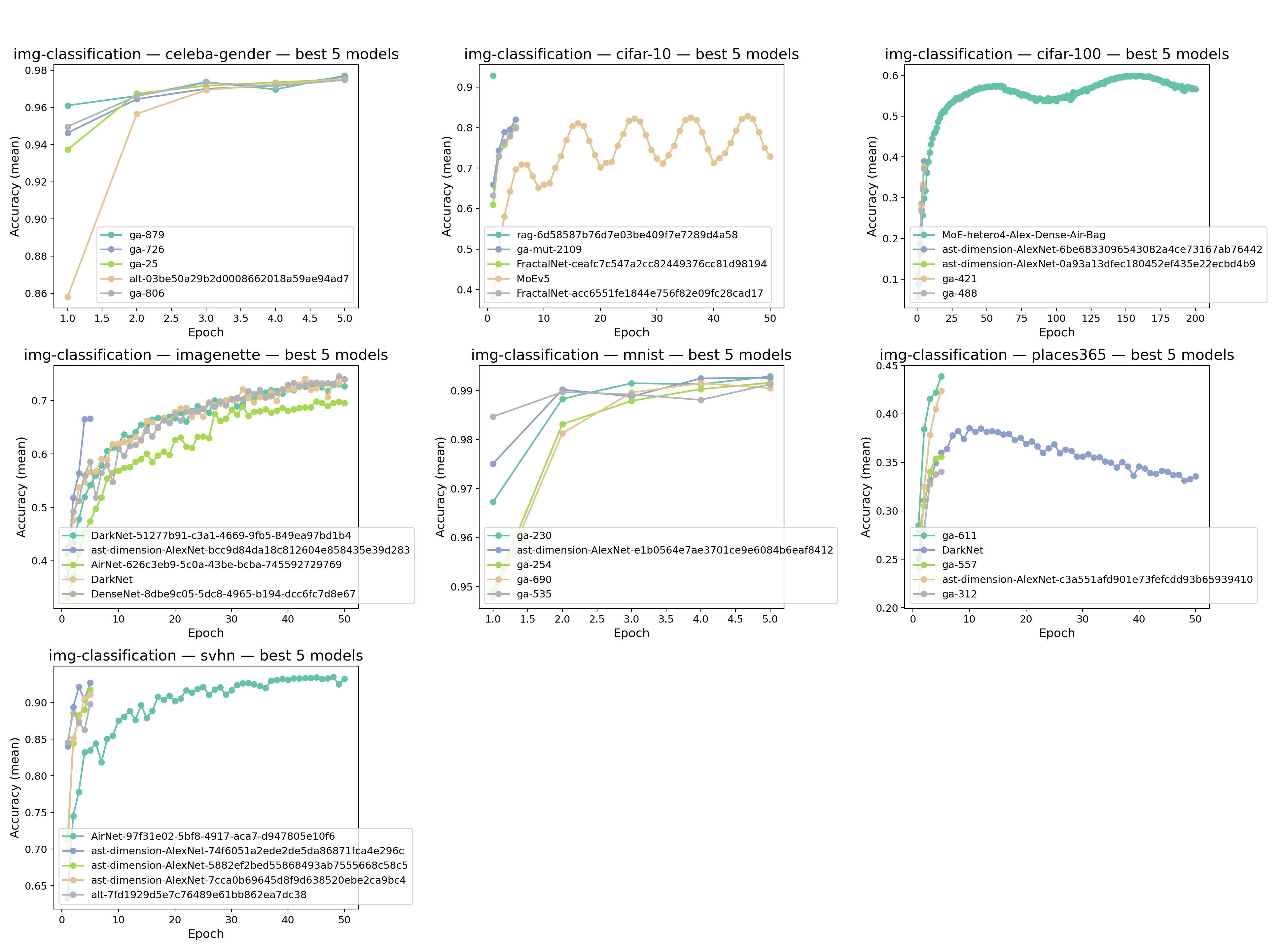
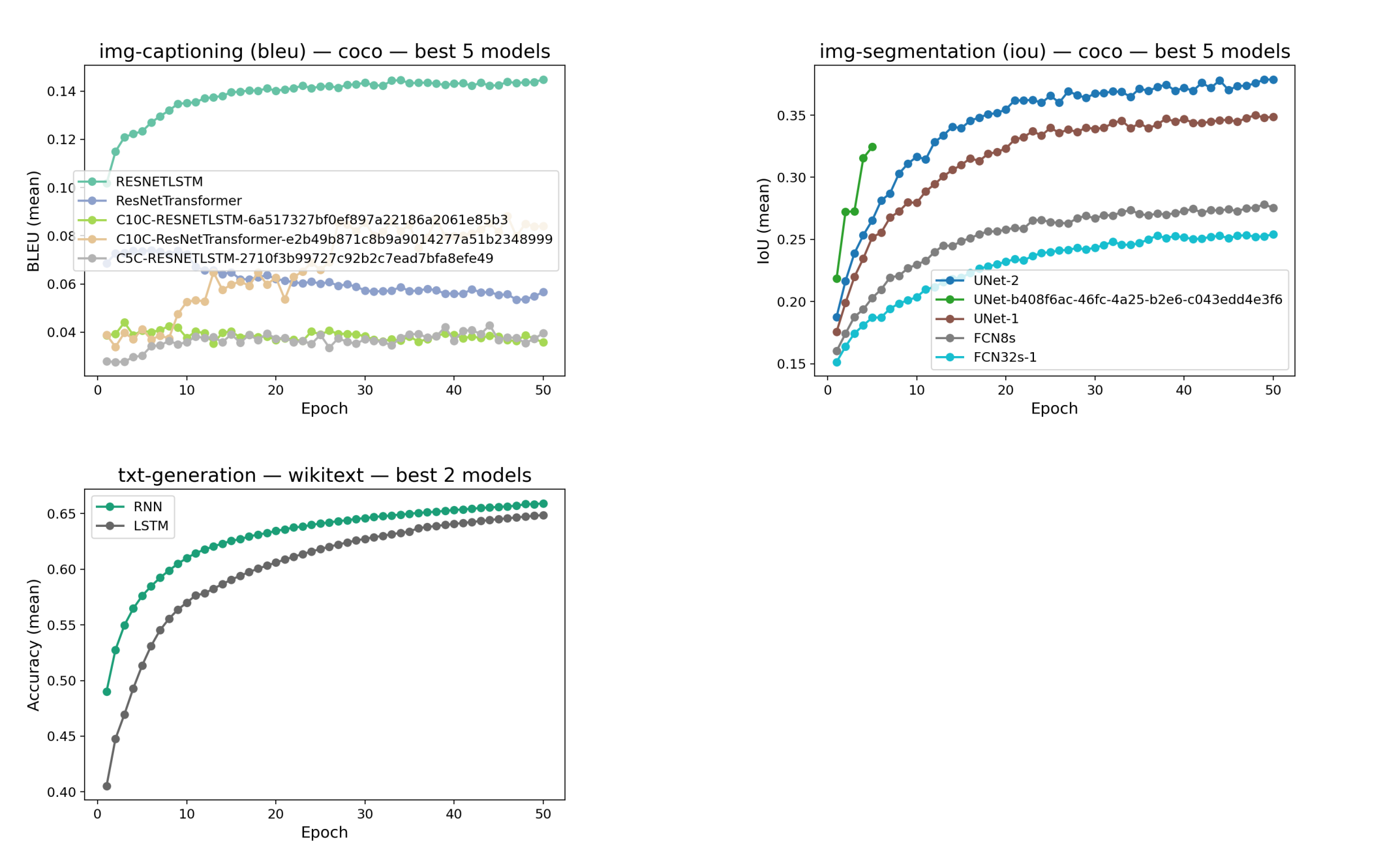
Image Captioning, Image Segmentation, Text Generation
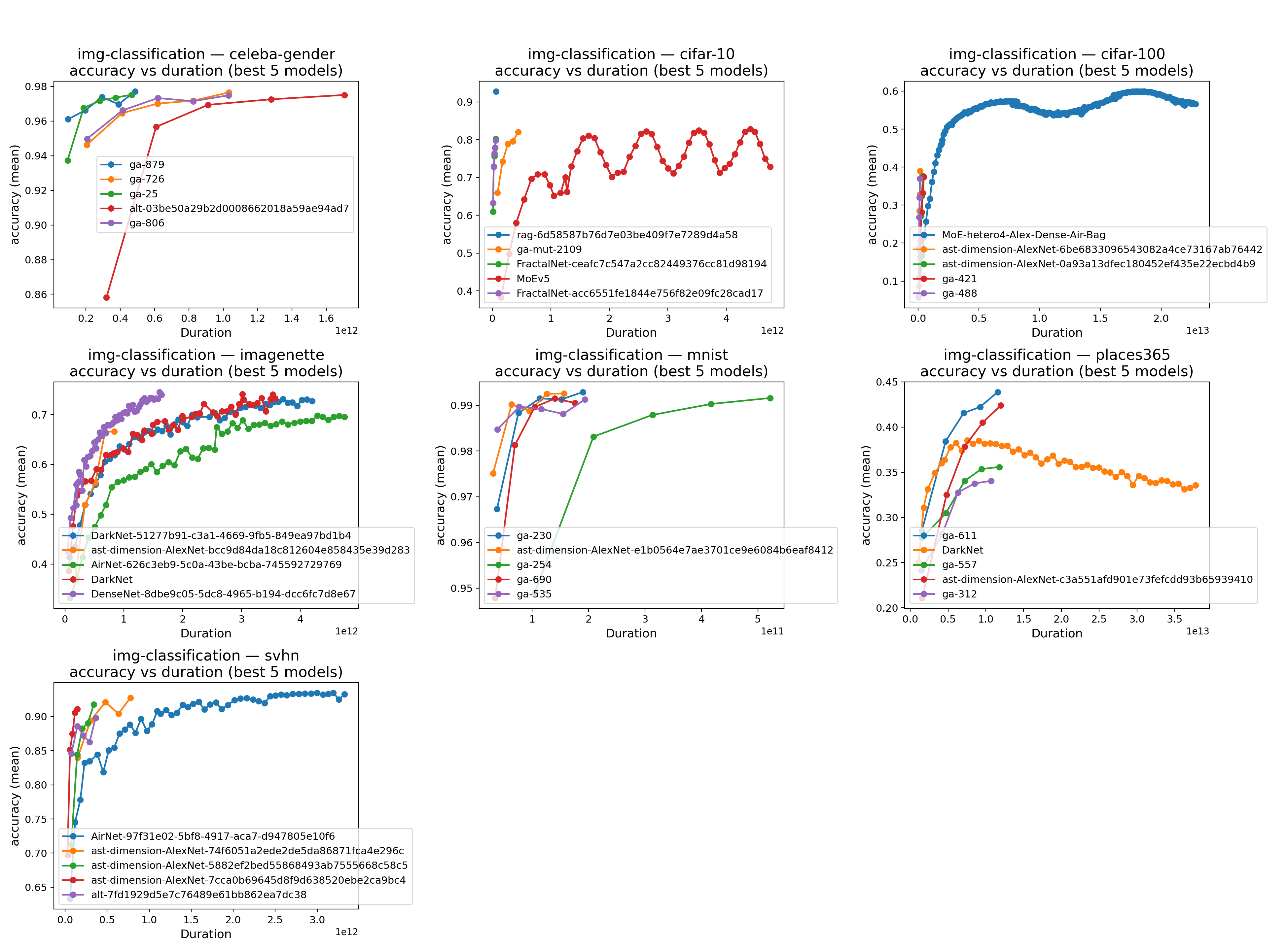
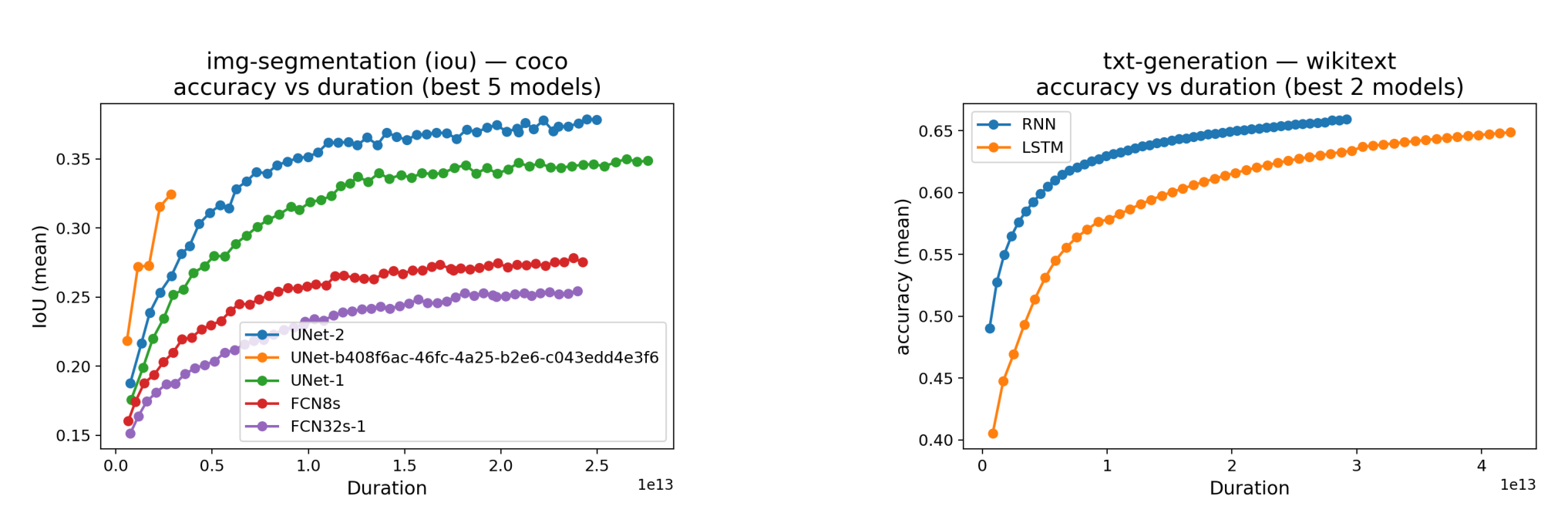
Accuracy VS Duration Best Models
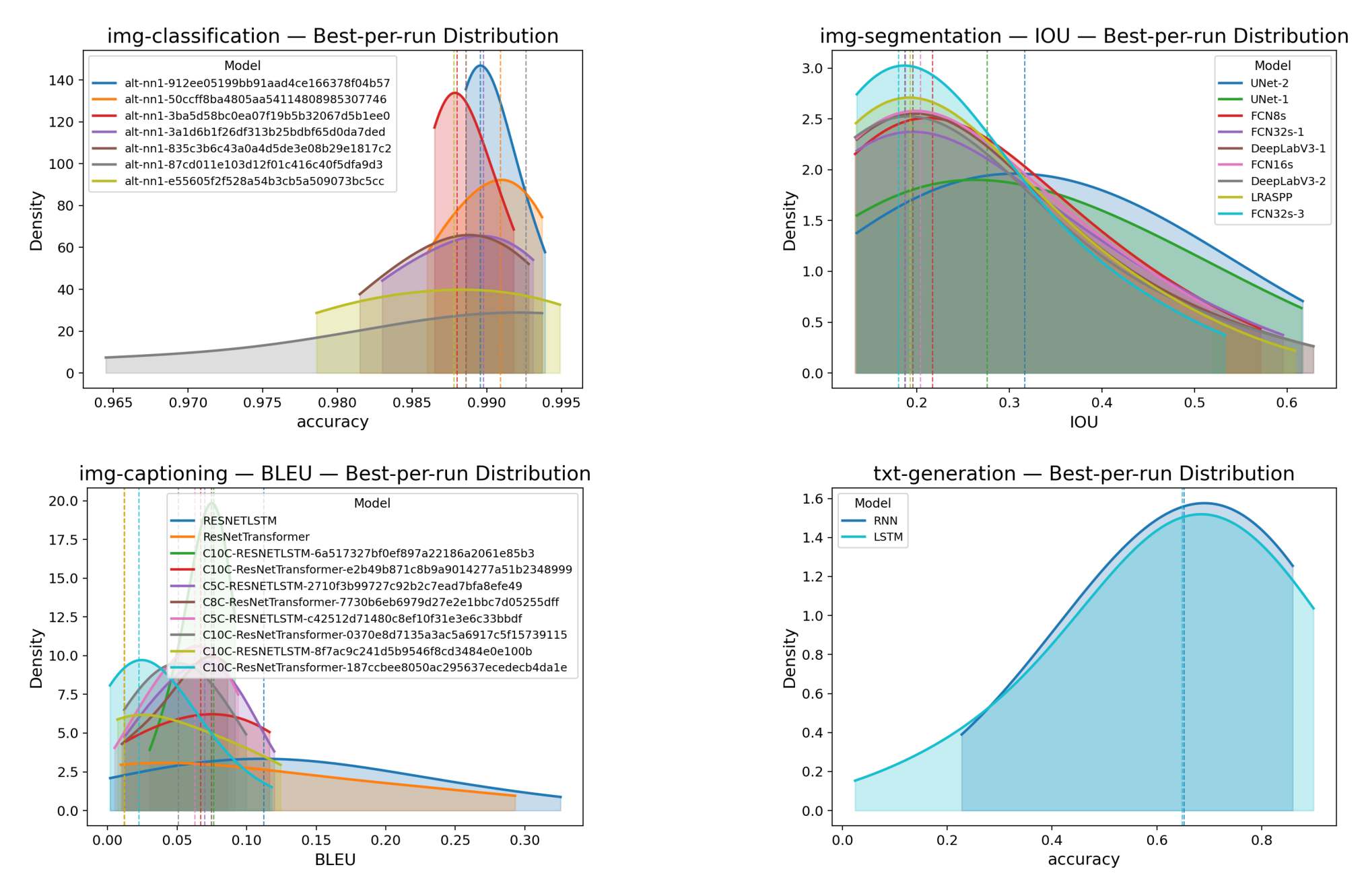
Best Per Run Distribution
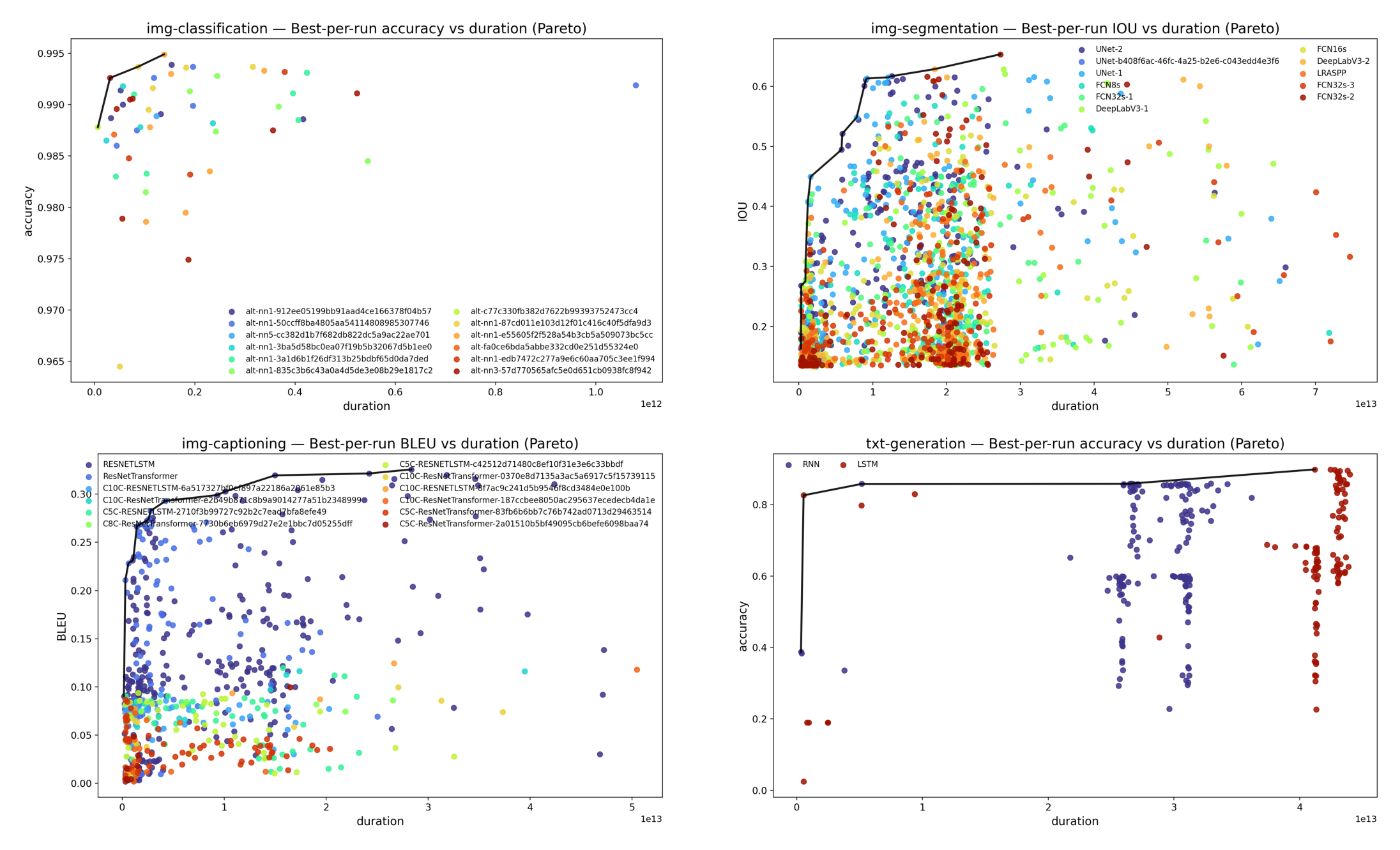
Best Per Run VS Duration
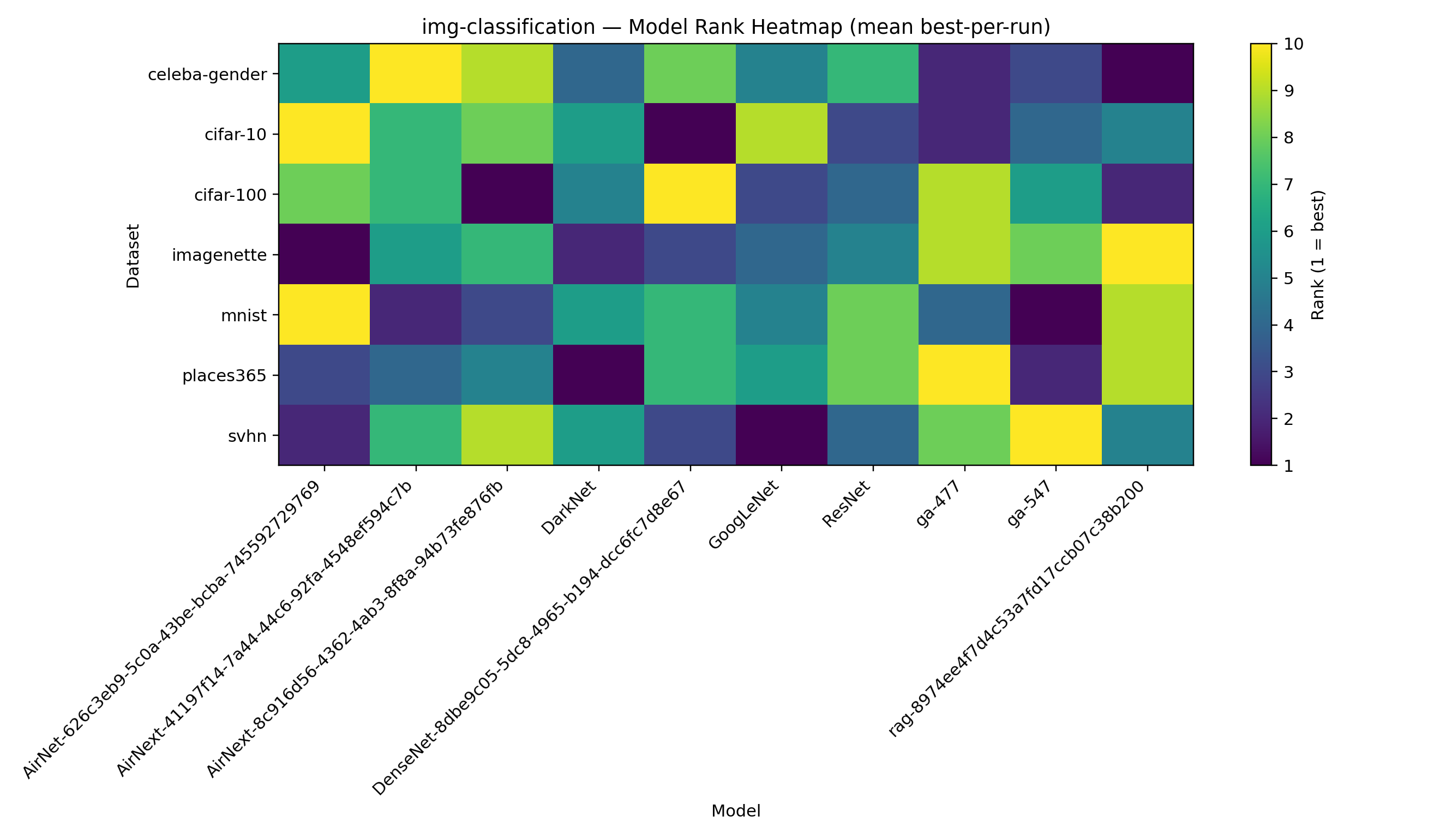
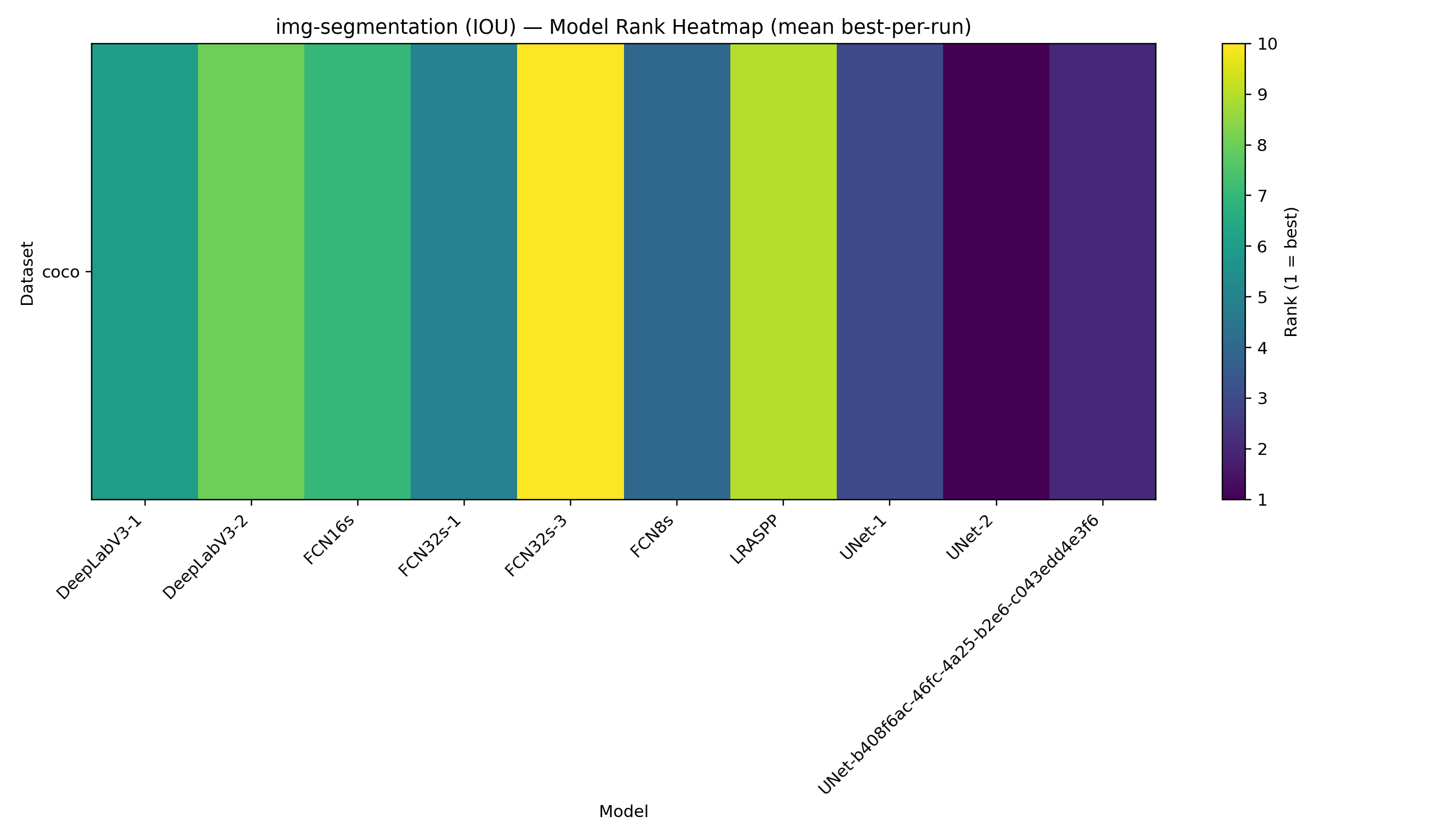
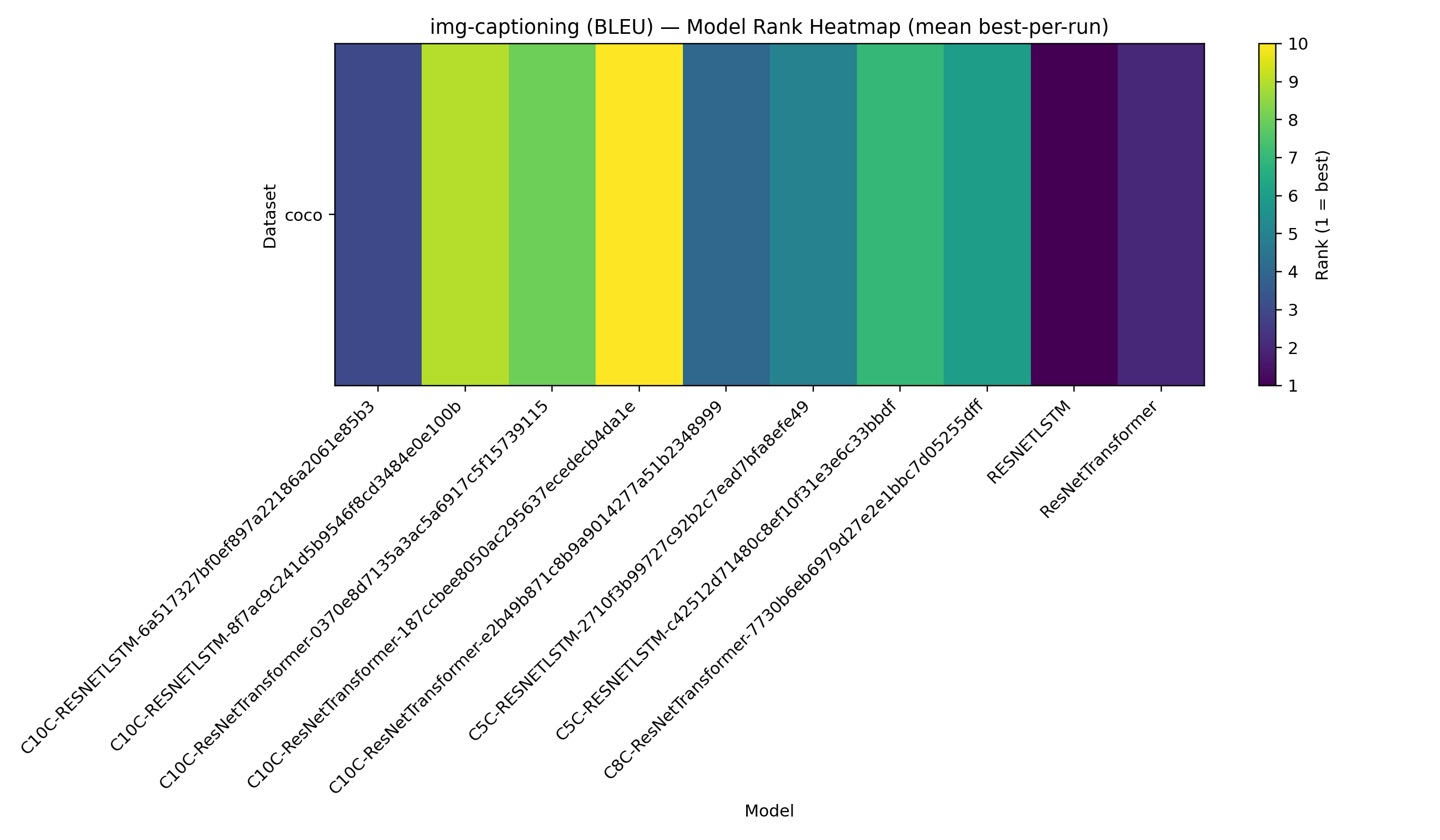
Model Rank Heatmap
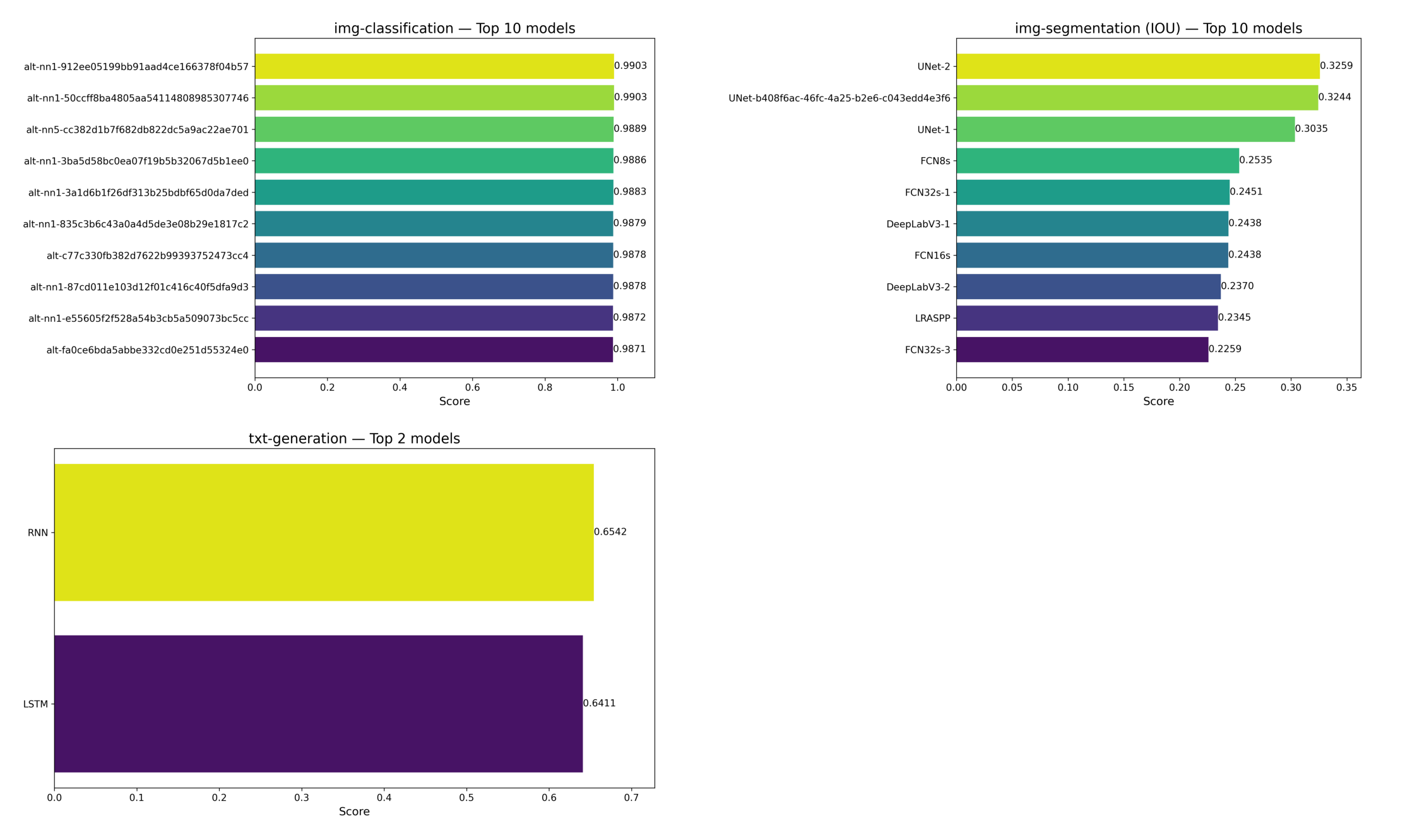
The best models for image classification, image segmentation and text generation tasks across all the datasets.
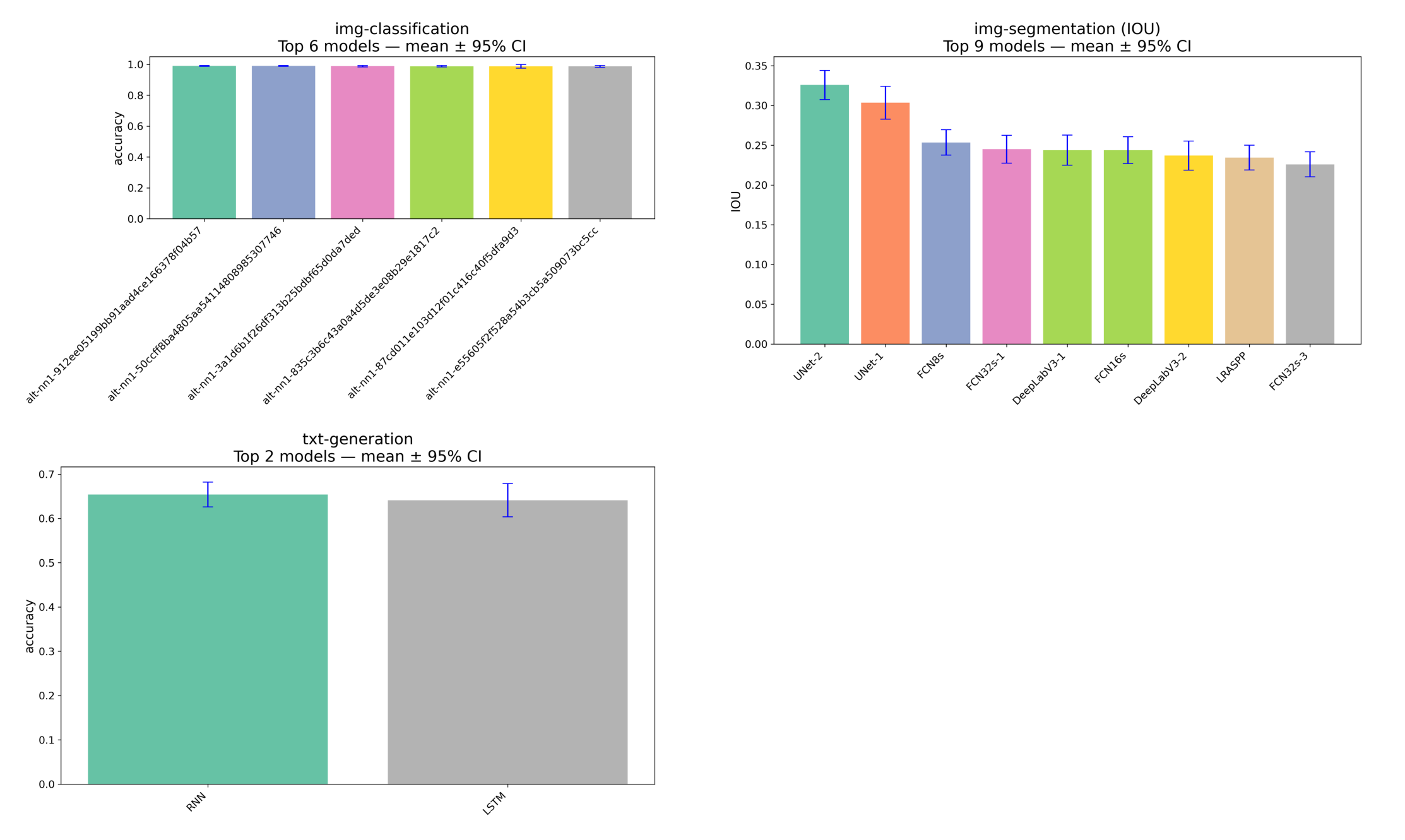
Model performance and variability across runs
The bars show the average result for each model, while the error bars indicate how much those results vary across different runs when enough data is available.
The plot shows how performance develops over time. Error bars reflect how much the results change across different runs with different settings, and they are only included when enough data is available.
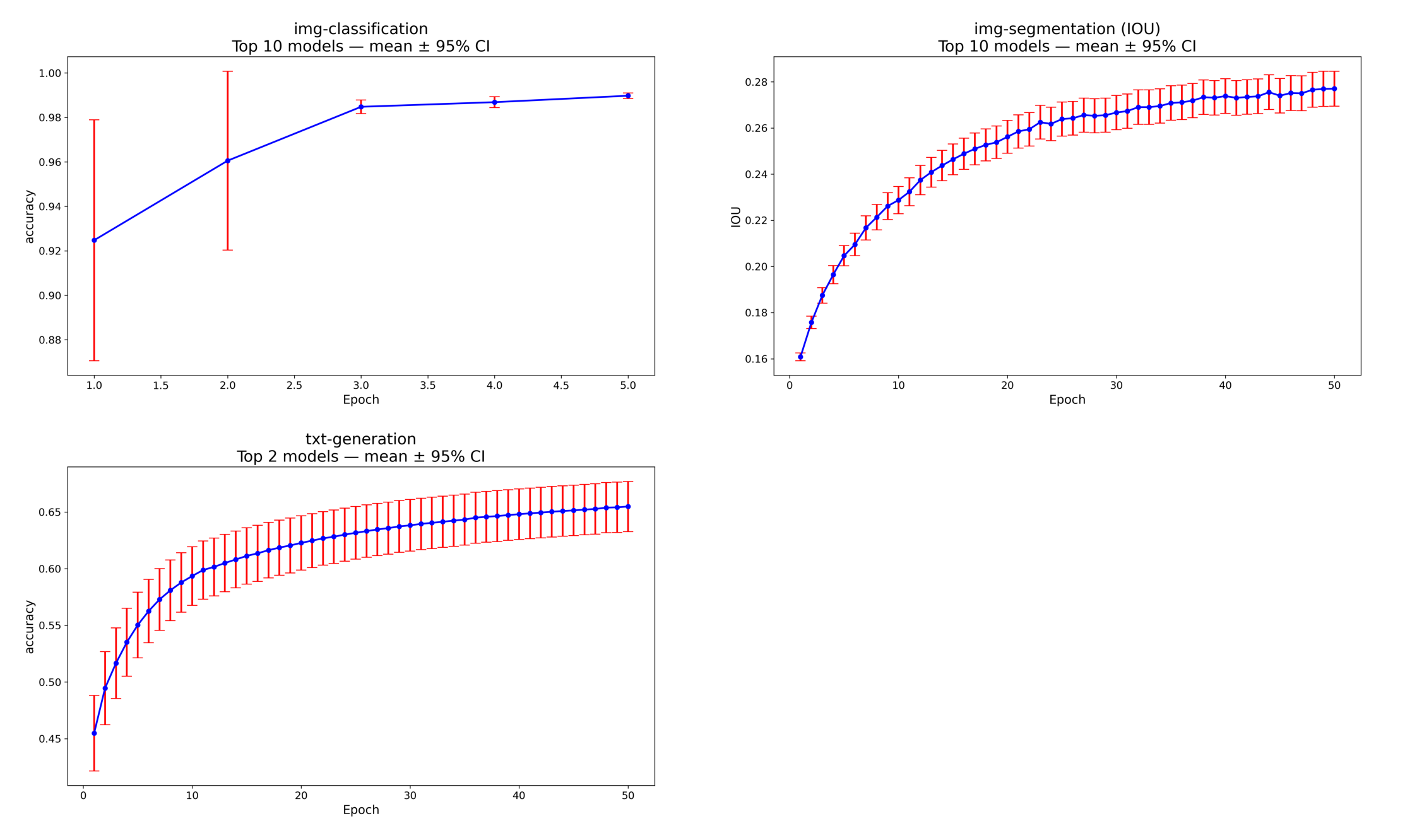
The confidence intervals show how much results vary across different runs. They are not meant to compare models statistically or indicate which model is significantly better.
The idea and leadership of Dr. Ignatov
1 maintainer

Metadata
1 maintainer
Release files for lmurs 2.2.7.1
For a detailed explanation of source distributions (sdists) and built distributions (wheels), please see the package formats documentation.
Source distribution (sdist)
| File | Size | Uploaded | |
|---|---|---|---|
| lmurs-2.2.7.1.tar.gz | 4.5 kB | Details |
Built distribution (wheel)
| File | Interpreter | ABI | Platform | Reset |
|---|---|---|---|---|
| lmurs-2.2.7.1-py3-none-any.whl | Python 3 | none | any | Details |
Total release size: 9.3 kB
Release files / lmurs-2.2.7.1.tar.gz
| Download URL | lmurs-2.2.7.1.tar.gz |
|---|---|
| Size | 4.5 kB |
| Tags | Source |
|
SHA-256 checksum How to use checksums |
c380f895f0df7cf6c54a9e5bd30371006954e9ea24c2359da00917202eec6551
|
|
BLAKE2b-256 checksum How to use checksums |
8eccd03f11104c07669d0e3b679df4c866288416ef4b8ab669a9197614293333
|
| Upload date | |
|
Uploaded using Trusted Publishing? What is trusted publishing? |
No |
| Uploaded via |
twine/6.2.0 CPython/3.13.5
|
Release files / lmurs-2.2.7.1-py3-none-any.whl
| Download URL | lmurs-2.2.7.1-py3-none-any.whl |
|---|---|
| Size | 4.8 kB |
| Tags | Python 3 |
|
SHA-256 checksum How to use checksums |
e45bfab11e4f2666c49b05b43986ae2697253c478ad19734ada5829f1e1954a7
|
|
BLAKE2b-256 checksum How to use checksums |
18d21210bdffb6f54425be2e97b19adab8921a88f1c31553b9a88451f3cb6770
|
| Upload date | |
|
Uploaded using Trusted Publishing? What is trusted publishing? |
No |
| Uploaded via |
twine/6.2.0 CPython/3.13.5
|














