










Getting started

LobsterPy is a package that enables automatic analysis of LOBSTER outputs to get summarized bonding information and relevant bond plots. Additionally, one can also generate features for machine learning studies from LOBSTER outputs. One can download LOBSTER from http://www.cohp.de.
Recently released LOBSTER 5.0 now generates POSCAR.lobster for any kind of LOBSTER calculation by default (This file has same format as the POSCAR from VASP). Thus, LobsterPy in principle, now supports usage with all DFT codes supported by LOBSTER and is no longer limited to VASP. Almost all of the core functionalities of LobsterPy could be used. The user must use POSCAR.lobster for path_to_poscar and -fstruct argument in python and cli interface, respectively.
The only functionality limited to VASP is DOS comparisons and basis set analysis in the calc_quality_summary method of the Analysis class, as it relies on VASP output files, namely vasprun.xml and POTCAR.
Please note that LobsterPy relies on the LOBSTER computation output files. Thus, it will be only able to analyze data that has been computed in the LOBSTER run.

Installation
Python version
Before the installation, please make sure that you are using one of the supported Python versions (see pyproject.toml).
Standard installation
Install using pip install lobsterpy
Installation with featurizer
Install using pip install lobsterpy[featurizer]
Contributing guidelines / Developers installation
A short guide to contributing to LobsterPy can be found here. Additional information for developers can be found here.
Basic usage
-
Automatic analysis and plotting of COHPs / COBIS / COOPs:
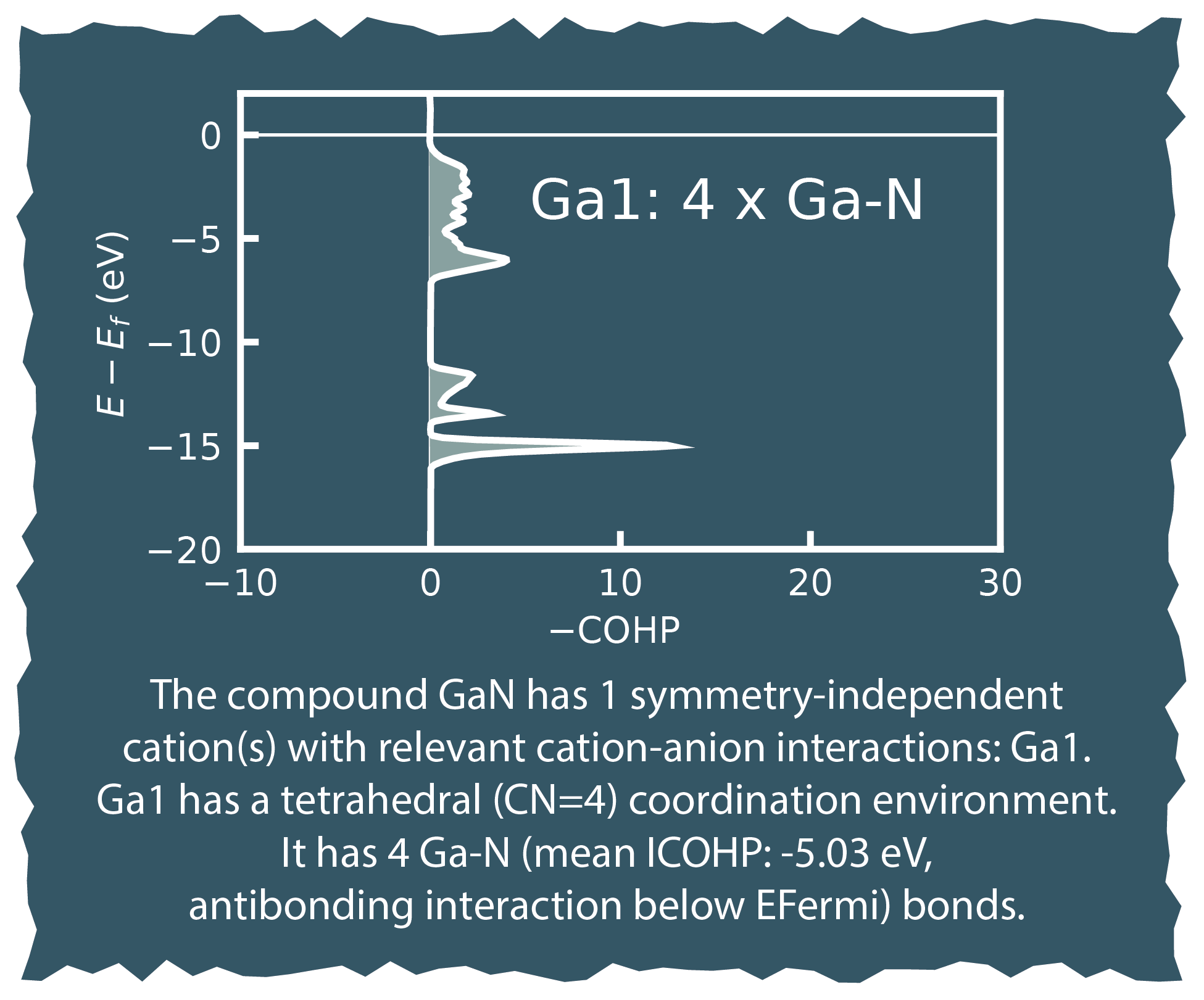
You can use lobsterpy description for an automated analysis of COHPs for relevant cation-anion bonds or lobsterpy automatic-plot to plot the results automatically.
It will evaluate all COHPs with ICOHP values down to 10% of the strongest ICOHP.
You can enforce an analysis of all bonds by using lobsterpy automatic-plot --allbonds.
You can also switch the automatic analysis to use the ICOBIs or ICOOPs. You need to add --cobis or --coops along with the mentioned commands
for e.g.like lobsterpy description --cobis
An interactive plotter is available via lobsterpy automatic-plot-ia.
Currently, the computed Mulliken charges will be used to determine cations and anions. If no CHARGE.lobster is available, the algorithm will fall back to the BondValence analysis from pymatgen.
Please be aware that LobsterPy can only analyze bonds that have been included in the initial Lobster computation. Thus, please use the cohpgenerator within Lobster (i.e., put cohpGenerator from 0.1 to 5.0 in the lobsterin).
It is also possible to start this automatic analysis from a Python script. See "examples" for scripts.
-
Plotting DOS from LOBSTER computations:
To plot densities of states obtained from LOBSTER use
lobsterpy plot-dos. -
Generic COHP/ COOP / COBI plotter:
We included options to plot COHPs/COBIs/COOPs from the command line.
lobsterpy plot 1 2will plot COHPs of the first and second bond fromCOHPCAR.lobster. It is possible to sum or integrate the COHPs as well (--summed,--integrated). You can switch to COBIs or COOPs by using--cobisor--coops, respectively. -
Other command line tools:
lobsterpy create-inputswill create standard inputs based on existing POSCAR, POTCAR, and INCAR files. It will allow testing for different basis sets that are available in Lobster. This feature is currently only available for PBE_54 POTCARs, as only the pbeVASPfit2015 basis in LOBSTER that has been fitted to PBE POTCARs includes additional orbitals relevant to solid-state materials. Please check out our publication https://doi.org/10.1002/cplu.202200123 and LOBSTER program manual for more information -
Further help?
You can get further information by using
lobsterpy --helpand also by typinglobsterpy description --help,lobsterpy automatic-plot --help,lobsterpy plot --help.
Documentation
- Checkout the documentation and tutorials for more details.
How to cite?
Please cite our papers:
- A. A. Naik, K. Ueltzen, C. Ertural, A. J. Jackson, J. George, Journal of Open Source Software 2024, 9, 6286. https://joss.theoj.org/papers/10.21105/joss.06286.
- J. George, G. Petretto, A. Naik, M. Esters, A. J. Jackson, R. Nelson, R. Dronskowski, G.-M. Rignanese, G. Hautier, ChemPlusChem 2022, 87, e202200123. https://doi.org/10.1002/cplu.202200123 (Information on the methodology of the automatic analysis)
If you use any of the following Featurizers, also cite the respective papers:
-
FeaturizeCharges: R. Nelson, C. Ertural, P. C. Müller, R. Dronskowski, in Comprehensive Inorganic Chemistry III, Elsevier, 2023, pp. 141–201. https://doi.org/10.1016/B978-0-12-823144-9.00120-5 -
FeaturizeIcoxxlist: V. L. Deringer, W. Zhang, M. Lumeij, S. Maintz, M. Wuttig, R. Mazzarello, R. Dronskowski, Angewandte Chemie International Edition 2014, 53, 10817–10820. https://doi.org/10.1002/anie.201404223Cite the following paper as well if using aysmmetry index:
- F. Belli, E. Zurek, I. Errea, 2025 https://arxiv.org/abs/2501.14420.
Please cite pymatgen, Lobster, and ChemEnv correctly as well.
LobsterPy is now a part of an atomate2 workflow
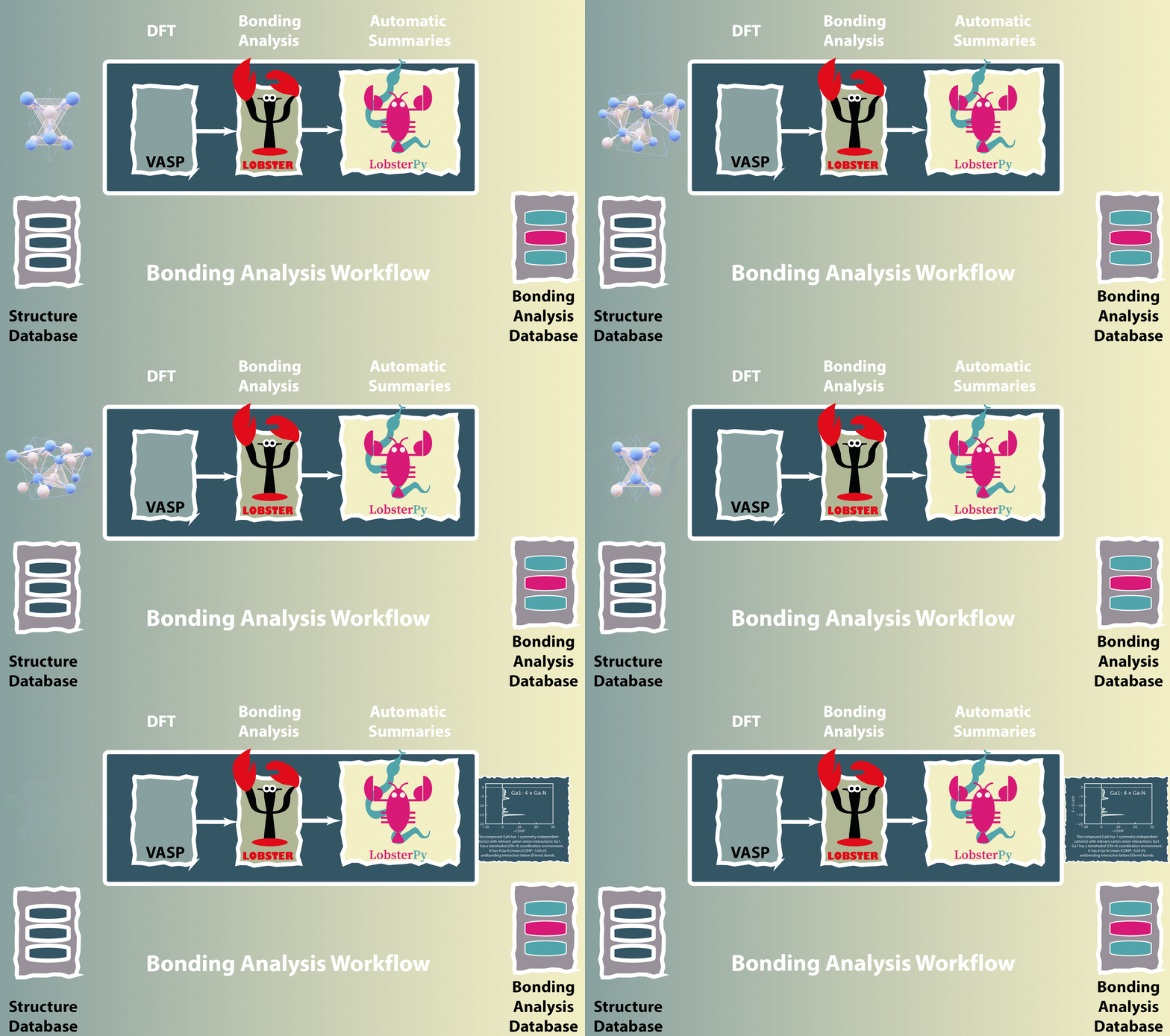
We have now also included the automatic analysis into a fully automatic workflow using VASP and Lobster in atomate2. More documentation and information will follow soon.
Acknowledgements
The development of the program has been supported by a computing time grant. We gratefully acknowledge the Gauss Centre for Supercomputing e.V. (www.gauss-centre.eu) for funding this project by providing computing time on the GCS Supercomputer SuperMUC-NG at Leibniz Supercomputing Centre (www.lrz.de) (project pn73da).


Release files for lobsterpy 0.6.1
For a detailed explanation of source distributions (sdists) and built distributions (wheels), please see the package formats documentation.
Source distribution (sdist)
| File | Size | Uploaded | Provenance | |
|---|---|---|---|---|
| lobsterpy-0.6.1.tar.gz | 257.8 kB | Without provenance | Details |
Built distribution (wheel)
| File | Interpreter | ABI | Platform | Reset |
|---|---|---|---|---|
| lobsterpy-0.6.1-py3-none-any.whl | Python 3 | none | any | Details |
Total release size: 346.5 kB
Release files / lobsterpy-0.6.1.tar.gz
| Download URL | lobsterpy-0.6.1.tar.gz |
|---|---|
| Size | 257.8 kB |
| Tags | Source |
|
SHA-256 checksum How to use checksums |
dd38695da64738a77d31dd91ed8608610a8a23b8885106a6bf87b751591c640c
|
|
BLAKE2b-256 checksum How to use checksums |
c8f0afcf3279f38946dd2b76e94625709f557064df790b705fb3729d614e371b
|
| Upload date | |
|
Uploaded using Trusted Publishing? What is trusted publishing? |
No |
| Uploaded via |
twine/6.1.0 CPython/3.13.12
|
Release files / lobsterpy-0.6.1-py3-none-any.whl
| Download URL | lobsterpy-0.6.1-py3-none-any.whl |
|---|---|
| Size | 88.7 kB |
| Tags | Python 3 |
|
SHA-256 checksum How to use checksums |
78ed2f913897efb747a6b0a386e958d631fec69247f4dd0d93754497423804d7
|
|
BLAKE2b-256 checksum How to use checksums |
52d608d85a6932720b643d07cef2b99a96121bbd33e5cb7f78f56053080414c1
|
| Upload date | |
|
Uploaded using Trusted Publishing? What is trusted publishing? |
No |
| Uploaded via |
twine/6.1.0 CPython/3.13.12
|
Security for lobsterpy 0.6.1
Provenance
Provenance describes where a file came from. On PyPI, provenance is shared via attestations, which provide a verifiable record of the build or publishing details. View details, limitations and caveats.
No provenance found
None of the files in this release were uploaded with provenance metadata.
A note on package security
PyPI is a repository for distributing packages, not a service for auditing them. While third-party security researchers and our staff do their best to detect and remove malicious packages, PyPI cannot guarantee the quality, security or suitability of any given package.
To learn more about protecting yourself from malicious actors, visit our package security documentation.














