

🔥 PⒶutoBot 🔥
Private AutoGPT Robot - Your private task assistant with GPT!
- 🔥 Chat to your offline LLMs on CPU Only. 100% private, no data leaves your execution environment at any point.
- 🔥 Ask questions to your documents without an internet connection. Engine developed based on PrivateGPT.
- 🔥 Automate tasks easily with PAutoBot plugins. Easy for everyone.
- 🔥 Easy coding structure with Next.js and Python. Easy to understand and modify.
- 🔥 Built with LangChain, GPT4All, Chroma, SentenceTransformers, PrivateGPT.
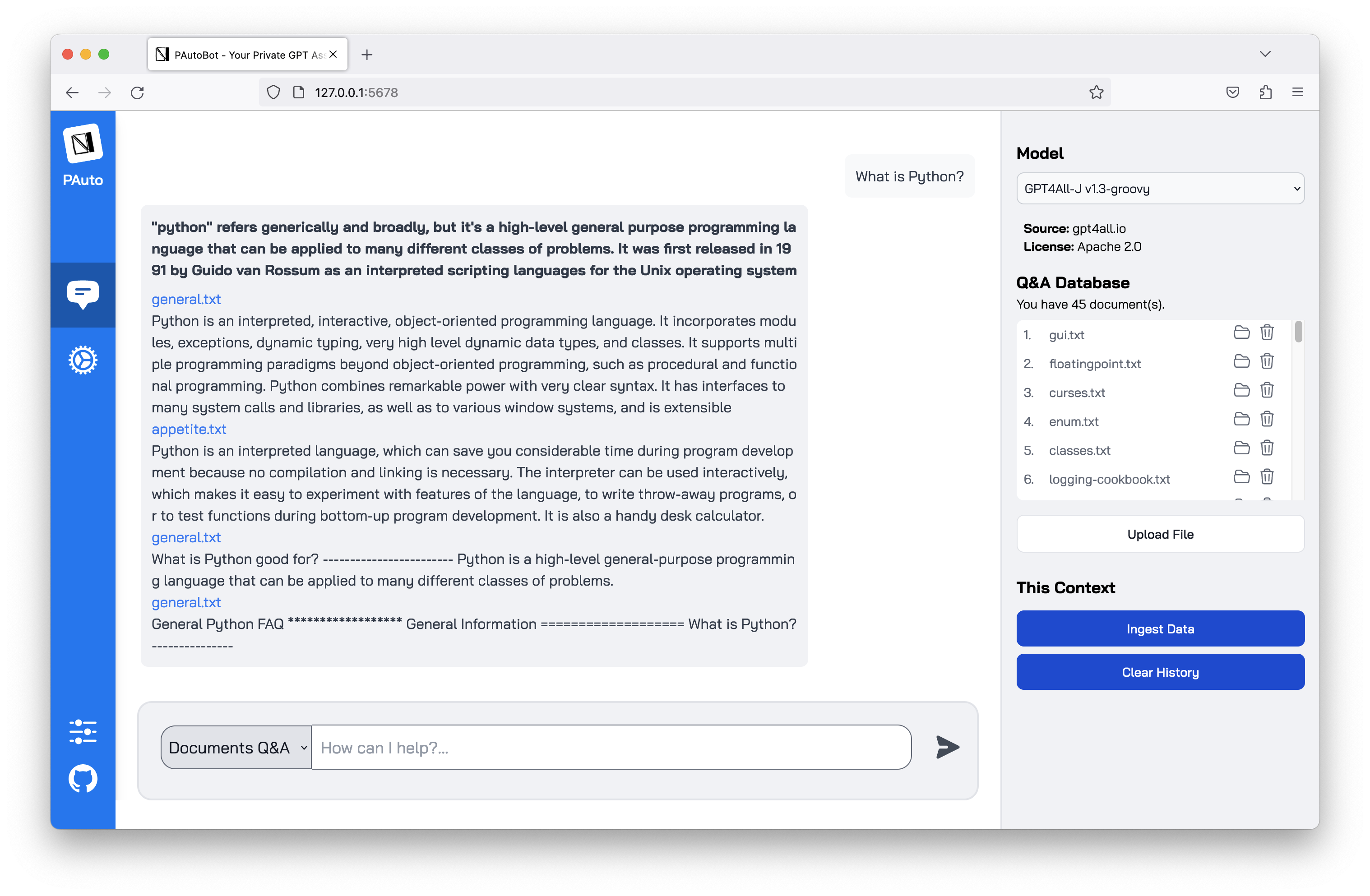
The supported extensions are:
.csv: CSV,.docx: Word Document,.doc: Word Document,.enex: EverNote,.eml: Email,.epub: EPub,.html: HTML File,.md: Markdown,.msg: Outlook Message,.odt: Open Document Text,.pdf: Portable Document Format (PDF),.pptx: PowerPoint Document,.ppt: PowerPoint Document,.txt: Text file (UTF-8),
I. Installation and Usage
1. Installation
- Python 3.8 or higher.
- Install PAutoBot:
pip install pautobot
2. Usage
- Run the app:
python -m pautobot.app
or just:
pautobot
- Go to http://localhost:5678/ to see the user interface. You can choose one of the two modes:
- Chat Only
- Documents Q&A
- Upload some documents to the app (see the supported extensions above). You can try docs/python3.11.3_lite.zip for a quick start. This zip file contains 45 files from the Python 3.11.3 documentation.
- Force ingesting documents with Ingest Data button.
You can also run PAutoBot publicly to your network or change the port with parameters. Example:
pautobot --host 0.0.0.0 --port 8080
II. Development
1. Clone the source code
git clone https://github.com/nrl-ai/pautobot
cd pautobot
2. Run your backend
- Python 3.8 or higher.
- To install Pautobot from source, from
pautobotsource code directory, run:
pip install -e .
- Run the app:
python -m pautobot.app
- Go to http://localhost:5678/ to see the user interface.
2. Run your frontend
- Install the dependencies:
cd frontend
npm install
- Run the app:
npm run dev
- Go to http://localhost:3000/ to see the user interface. Use this address to develop the frontend.
1 maintainer

Release files for localgpt 0.0.26
For a detailed explanation of source distributions (sdists) and built distributions (wheels), please see the package formats documentation.
Source distribution (sdist)
| File | Size | Uploaded | |
|---|---|---|---|
| localgpt-0.0.26.tar.gz | 373.5 kB | Details |
Built distribution (wheel)
| File | Interpreter | ABI | Platform | Reset |
|---|---|---|---|---|
| localgpt-0.0.26-py3-none-any.whl | Python 3 | none | any | Details |
Total release size: 757.6 kB
Release files / localgpt-0.0.26.tar.gz
| Download URL | localgpt-0.0.26.tar.gz |
|---|---|
| Size | 373.5 kB |
| Tags | Source |
|
SHA-256 checksum How to use checksums |
2b929c57a06eafeb37661a8e3a7bce7ab701225e48b76131f8e9832ad81521ee
|
|
BLAKE2b-256 checksum How to use checksums |
d4616510eecc795ba95505200d737541bcea4a49d0a5b870a7f15a0895432fcd
|
| Upload date | |
|
Uploaded using Trusted Publishing? What is trusted publishing? |
No |
| Uploaded via |
twine/4.0.2 CPython/3.10.11
|
Release files / localgpt-0.0.26-py3-none-any.whl
| Download URL | localgpt-0.0.26-py3-none-any.whl |
|---|---|
| Size | 384.1 kB |
| Tags | Python 3 |
|
SHA-256 checksum How to use checksums |
668b0d647dae54300287339111c26be16d4202e74b824af2ade3ce9d07a0b859
|
|
BLAKE2b-256 checksum How to use checksums |
0bfa4833813cbd16e575e14dc2f8dea402b20f78eac52367c344ef3465d270e8
|
| Upload date | |
|
Uploaded using Trusted Publishing? What is trusted publishing? |
No |
| Uploaded via |
twine/4.0.2 CPython/3.10.11
|













