
A utility to encrypt and decrypt env variables to safely store them in code repositories

Project description
lockenv - encrypt and decrypt env files easily
A Helper pip package for encrypting env's to be stored safely in code repositories
Assumptions:
- Assuming python3 is installed on your system.
- Nano is installed on your system
- If you have VScode installed, better !
Install lockenv on your system using :
pip install lockenv
Encryption Options
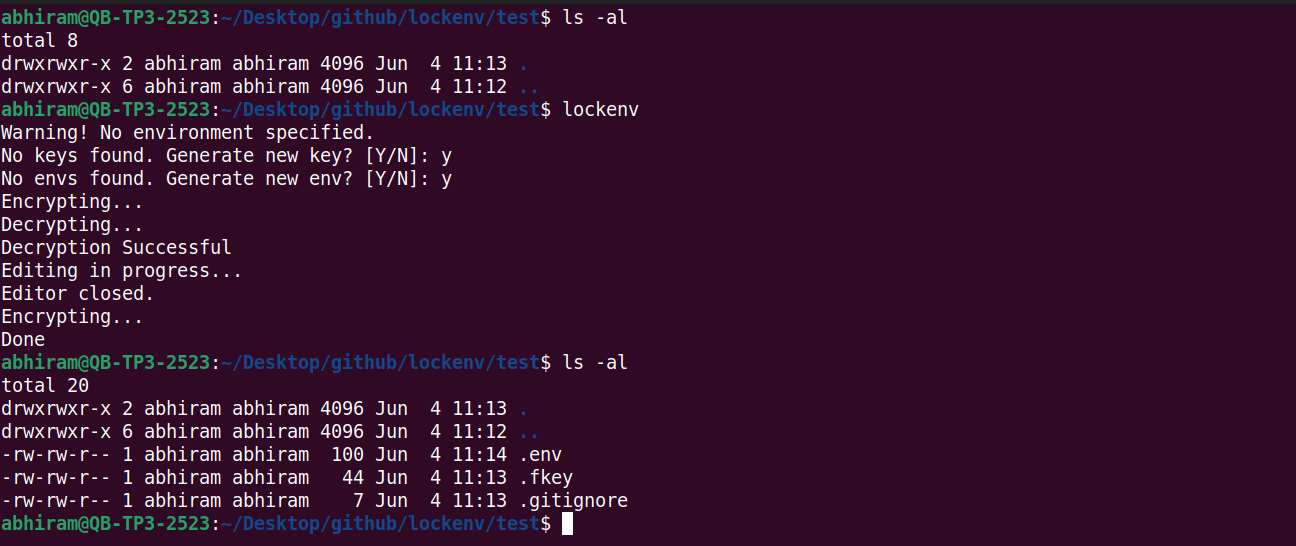
lockenv
-
The command will check for any 'fkey' files in the current path, if found will read the key, if not it will prompt to generate a new key
-
Secondly it will look for an env file in the current path, if found will read env, if nit will prompt to generate a new env
-
It will automatically open the decrypted version of env in Visual Studio Code, if it is not installed, it will open nano editor
-
After editing the env file save it and close the file, it will be encrypted automatically
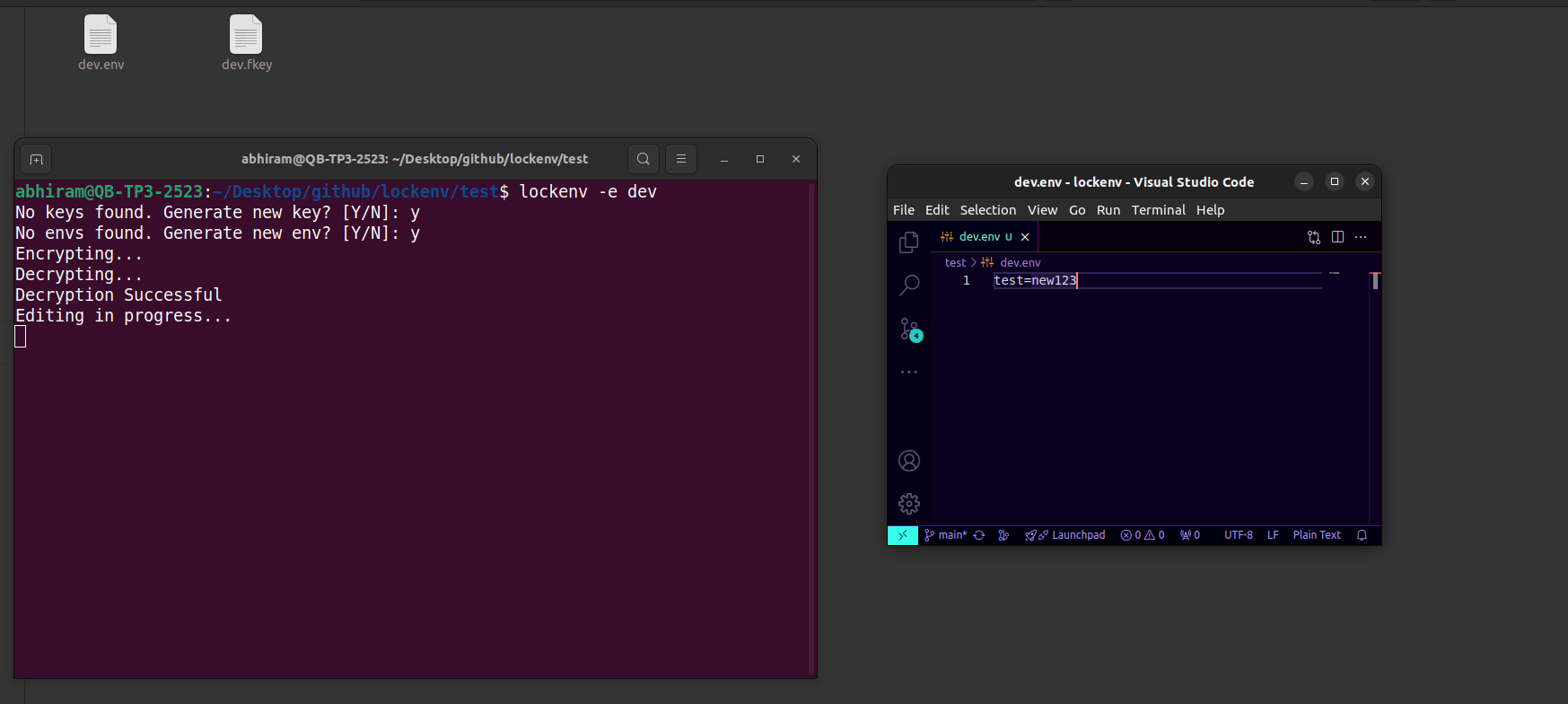
lockenv -e production
- You can specify an environment, and it will open the environment specific key and env file, if not exist will create
lockenv -e production -k keyfile or key-string
- You can also specify keys manually
- the key can be either the keyfile name or the key as a string
lockenv -e production -f envfile
- The env file can also be manually specified
Examples
lockenv -k N_Wctg1YY7uyUmD8Cs4bq3VY6IsOHVbbeElpC-tpvE4= -f test.env
- encrypting specifying key and env file manually
Decryption Options
lockenv -d
- It will decypt the env file, if multiple env or keys are found it will prompt to choose one
lockenv -d -e production
- You can specify an environment
- Recomended option if using inside pipelines or scripts
Examples
lockenv -d -k N_Wctg1YY7uyUmD8Cs4bq3VY6IsOHVbbeElpC-tpvE4= -f test.env
- Decrypting specifying key and env file manually


Download files
Download the file for your platform. If you're not sure which to choose, learn more about installing packages.
Source Distributions
Built Distribution
Filter files by name, interpreter, ABI, and platform.
If you're not sure about the file name format, learn more about wheel file names.
Copy a direct link to the current filters
File details
Details for the file lockenv-1.2-py3-none-any.whl.
File metadata
- Download URL: lockenv-1.2-py3-none-any.whl
- Upload date:
- Size: 4.7 kB
- Tags: Python 3
- Uploaded using Trusted Publishing? No
- Uploaded via: twine/5.1.0 CPython/3.10.12
File hashes
| Algorithm | Hash digest | |
|---|---|---|
| SHA256 |
12b054931526e5fe1f787e081cca8d3ec44c05dd449886e2f432eac5441c6a30
|
|
| MD5 |
d7a3c73ff722a615cf495b51dba2e3cd
|
|
| BLAKE2b-256 |
82bbe0414c805f2a759fe6eeda1d9a903eaf2072c36ac3a4883ad27dc91a7b4b
|






