
A CLI/TUI tool for viewing and filtering log lines

Project description
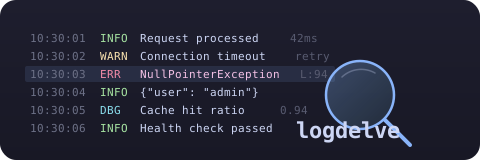







logdelve
A terminal UI tool for viewing, filtering, and analyzing log lines. Built for outage investigation — find the needle in the haystack across thousands of log lines from multi-component applications.

Features
- Log level detection: Automatic extraction from JSON fields and text patterns, color-coded line backgrounds
- Multiple file input: Merge multiple log files chronologically with per-file component tagging
- Component detection: Kubernetes pods, Docker Compose services, JSON fields — with color-coded tags
- Anomaly detection: Baseline comparison to find log patterns that are new or changed (
--baseline) - Message analysis: Group log messages by event pattern, analyze JSON field value distributions
- Search: Multi-pattern search with up to 10 simultaneous patterns, each highlighted in a distinct color — with per-pattern n/N navigation control
- Interactive filtering: Filter by text, regex, JSON key-value, component, or log level — tabbed dialog with multi-select
- Filter management: Reorder, toggle, edit, delete, suspend/resume all filters with cursor preservation
- Bookmarks & Annotations: Mark lines, attach notes, navigate between bookmarks, persisted in sessions
- Sessions: Save, load, rename, delete named sessions — persists filters, bookmarks, and search patterns with auto-save
- Streaming large files: Chunked background loading for files up to 2-3GB with instant startup and progress display
- Live tailing: Follow growing log files in real-time with pause/resume
- Flexible time parsing: Natural language dates ("yesterday at 8am", "friday", "2 days ago")
- Themes: Choose from all built-in Textual themes with persistent preference
- Configurable Keybindings: Remap any keybinding via
config.tomlwith validation, symbol aliases, and dynamic help screen - AWS CloudWatch: Download and list CloudWatch log groups, streams, and events with stream names
📖 Full User Guide — detailed documentation for all features with examples
🎬 Demo Videos — step-by-step workflow walkthroughs: You Just Got Paged · What Changed? · Post-Mortem
Installation
Requires Python 3.13+.
# Recommended: install with uv
uv tool install logdelve

# With AWS CloudWatch support
uv tool install logdelve[aws]

# No uv? Install it first
curl -LsSf https://astral.sh/uv/install.sh | sh

# Alternative: pip
pip install logdelve
Quick Start
# View a log file
logdelve inspect app.log

# Merge multiple log files chronologically
logdelve inspect api.log worker.log scheduler.log

# Pipe logs from kubectl
kubectl logs deploy/my-app --since=1h | logdelve inspect

# Download and view CloudWatch logs
logdelve cloudwatch get /aws/ecs/my-service prefix -s 1h | logdelve inspect

# Filter by time range
logdelve inspect --start "14:30" --end "14:35" app.log

# Export filtered lines to file
logdelve inspect --session my-session --output export.log app.log

# Compare against a known-good baseline
logdelve inspect --baseline yesterday.log today.log
UI Layout
┌─────────────────────────────────────────────────────────────────────────────┐
│ f filter-in  F filter-out  x filters off  │  a analyze  │  / search         │ ← Toolbar
├──┬──┬────┬──────────┬───────────────────────────────────────────────────────┤
│▌ │E │·1  │ 10:30:01 │ {"event": "Connection refused", "host": "10.0.1.5"}   │ ← Anomaly + Level + Component + Time + Content
│  │I │·2  │ 10:30:02 │ {"event": "Request processed", "status": 200}         │
│  │I │·1  │ 10:30:03 │ {"event": "Health check passed"}                      │
│▌ │E │·1  │ 10:30:04 │ {"event": "Timeout after 5000ms", "path": "/api"}     │ ← Error background
│  │D │·3  │ 10:30:05 │ {"event": "Cache hit", "key": "user:42"}              │ ← Debug (dim)
│  │I │·2  │ 10:30:06 │ {"event": "Request processed", "status": 200}         │
├──┴──┴────┴──────────┴───────────────────────────────────────────────────────┤
│ 500 lines  E:12 W:3  A:2                                      app.log       │ ← Status bar
├─────────────────────────────────────────────────────────────────────────────┤
│ s Sessions  q Quit  h Help                                                  │ ← Footer
└─────────────────────────────────────────────────────────────────────────────┘
 ▲  ▲   ▲       ▲                            ▲
 │  │   │       │                            │
 │  │   │       │                            └─ Content (JSON or text)
 │  │   │       └─ Compact timestamp (HH:MM:SS)
 │  │   └─ Component tag (color-coded, c to cycle: tag/full/off)
 │  └─ Log level badge (E=error, W=warn, I=info, D=debug)
 └─ Anomaly marker (▌ = new pattern not in baseline)
Use Cases
Outage Investigation with CloudWatch
# 1. Download baseline (yesterday, everything was fine)
logdelve cloudwatch get /aws/ecs/my-service "" \
  -s "yesterday 6:00" -e "yesterday 8:00" > baseline.log

# 2. Download current logs (outage happening now)
logdelve cloudwatch get /aws/ecs/my-service "" -s 1h > current.log

# 3. Compare — automatically shows only anomalous lines
logdelve inspect --baseline baseline.log current.log

# 4. In the TUI:
#    - Anomaly filter is auto-enabled (! to toggle off)
#    - Press 'a' to analyze message groups
#    - Press 'e' to filter by ERROR level
#    - Press 'x' to suspend all filters and see context around a line
CloudWatch Log Download
# Flexible time formats
logdelve cloudwatch get /aws/ecs/my-service prefix -s "2 days ago"
logdelve cloudwatch get /aws/ecs/my-service prefix -s "friday" -e "saturday"
logdelve cloudwatch get /aws/ecs/my-service prefix -s "yesterday at 8am"
logdelve cloudwatch get /aws/ecs/my-service prefix -s 1h          # shorthand
logdelve cloudwatch get /aws/ecs/my-service prefix -s "Feb 13 2026 7:58"

# List available log groups and streams
logdelve cloudwatch groups /aws/ecs/
logdelve cloudwatch streams /aws/ecs/my-service

# Live tail CloudWatch logs
logdelve cloudwatch get /aws/ecs/my-service prefix --tail | logdelve inspect

# Each line includes [stream-name] prefix for component detection
Analyzing Multi-Component Logs
# Pipe mixed logs from multiple pods
kubectl logs -l app=my-service --prefix --since=30m | logdelve inspect

# In the TUI:
#    - Component tags (·1, ·2) identify pods — press 'c' to see full names
#    - Press 'f'/'F' and switch to Component tab to filter by pod
#    - Press 'e' to filter by log level (ERROR → WARN → INFO)
#    - Press 'a' then 'm' to switch to field analysis mode
#    - Select a field value to filter (e.g., http_status: 500)
Keybindings
| Key | Action | Key | Action | |
|---|---|---|---|---|
f / F |
Filter in / out | / / ? |
Search forward / backward | |
e |
Cycle level filter | n / N |
Next / previous match | |
Ctrl+D |
Clear all search patterns | |||
! |
Toggle anomaly filter | j |
Toggle JSON pretty-print | |
x |
Suspend / resume filters | c |
Cycle component display | |
m |
Manage filters | a |
Analyze messages | |
1-9 |
Toggle individual filter | s |
Session manager | |
p |
Pause / resume tailing | h |
Help screen | |
r |
Show related (trace ID) | : |
Go to line number | |
b / B |
Bookmark / list | A |
Annotate bookmark | |
[ / ] |
Prev / next bookmark | @ |
Jump to timestamp | |
Ctrl+E |
Export filtered lines | t |
Select theme | |
Ctrl+L |
Clear all lines |
📖 Full keyboard reference in the User Guide
Configurable Keybindings
Remap any keybinding by adding a [keybindings] section to your config file (Linux: ~/.config/logdelve/config.toml, macOS: ~/Library/Application Support/logdelve/config.toml):
[keybindings]
search_forward = "ctrl+f"
quit = "Q"
filter_in = "i"
Overridden bindings replace defaults; unspecified bindings keep their default keys. Both app-level and log-view-level bindings can be overridden from this single flat section.
Common symbol aliases are accepted: / for slash, ? for question_mark, ! for exclamation_mark, # for hash, @ for at, : for colon, [ / ] for bracket keys.
Validation: Invalid configs (duplicate keys, unknown actions, bad key format) are caught at startup with a clear error message before the TUI launches.
Print defaults: Run logdelve keybindings to print a valid TOML template with all configurable actions and their default keys.
📖 Full configuration guide in the User Guide
Development
# Clone the repo
git clone https://github.com/chassing/logdelve.git
cd logdelve

# Install dependencies
uv sync

# Run from source
uv run logdelve inspect sample.log

# Run all checks (lint, format, typecheck, tests)
make test

# Individual targets
make lint        # ruff check
make format      # ruff format
make typecheck   # mypy
make clean       # remove caches

# Performance benchmark
uv run python scripts/perf_test.py
Contributing
- Fork the repo and create a feature branch
- Install dependencies:
uv sync - Make your changes
- Run checks:
make test(runs lint, format check, type check, and tests) - Submit a pull request
Code style
- Python 3.13+ with type hints (strict mypy)
- Formatting and linting via Ruff
- Pydantic models for data structures
- Textual framework for the TUI
Releasing
See AGENT.md for the full release checklist.
# After updating version + changelog + README:
git push
gh release create vX.Y.Z --title "vX.Y.Z" --notes "See CHANGELOG.md"
The publish.yml workflow builds and publishes to PyPI automatically. Requires PYPI_TOKEN secret in the GitHub repo settings.
Alternatives
- lnav — Feature-rich log file navigator with SQL queries, automatic format detection, and timeline view. C++-based.
- tailspin — Log file highlighter with automatic pattern detection. Focused on making logs readable, no filtering or analysis.
- GoAccess — Real-time web log analyzer with terminal and HTML dashboards. Specialized for access logs (Apache, Nginx), not general-purpose.
- Textualog — Textual-based log viewer. Minimal feature set, no filtering or anomaly detection.
- jq — JSON processor. Powerful for one-off queries but no TUI, no live tailing, no session management.
License
MIT


Download files
Download the file for your platform. If you're not sure which to choose, learn more about installing packages.
Source Distribution
Built Distribution
Filter files by name, interpreter, ABI, and platform.
If you're not sure about the file name format, learn more about wheel file names.
Copy a direct link to the current filters
File details
Details for the file logdelve-0.4.1.tar.gz.
File metadata
- Download URL: logdelve-0.4.1.tar.gz
- Upload date:
- Size: 73.6 kB
- Tags: Source
- Uploaded using Trusted Publishing? No
- Uploaded via: uv/0.10.7 {"installer":{"name":"uv","version":"0.10.7","subcommand":["publish"]},"python":null,"implementation":{"name":null,"version":null},"distro":{"name":"Ubuntu","version":"24.04","id":"noble","libc":null},"system":{"name":null,"release":null},"cpu":null,"openssl_version":null,"setuptools_version":null,"rustc_version":null,"ci":true}
File hashes
| Algorithm | Hash digest | |
|---|---|---|
| SHA256 |
73c9c4327307b8d162f8ffe9c6f59a466b412acf235217f5c3878322860f6463
|
|
| MD5 |
567db69171add07def8d70267906cf4f
|
|
| BLAKE2b-256 |
a44f6bfa21d961436e297156ab1946eb33ac1b5e7e6833e045ca5890eb4b0884
|
File details
Details for the file logdelve-0.4.1-py3-none-any.whl.
File metadata
- Download URL: logdelve-0.4.1-py3-none-any.whl
- Upload date:
- Size: 95.9 kB
- Tags: Python 3
- Uploaded using Trusted Publishing? No
- Uploaded via: uv/0.10.7 {"installer":{"name":"uv","version":"0.10.7","subcommand":["publish"]},"python":null,"implementation":{"name":null,"version":null},"distro":{"name":"Ubuntu","version":"24.04","id":"noble","libc":null},"system":{"name":null,"release":null},"cpu":null,"openssl_version":null,"setuptools_version":null,"rustc_version":null,"ci":true}
File hashes
| Algorithm | Hash digest | |
|---|---|---|
| SHA256 |
b5066e0995c3f86754ebfaa7f3bb88a22869eab477452885fe4fa88a64b91b6e
|
|
| MD5 |
a6cabd592767a35f8ef89806ae9182b3
|
|
| BLAKE2b-256 |
26dcd7ed29c487bd7b35d4d85b1d82b86bbeadbd45983759b979fde83d1a2a41
|






