
Generate, Load, Develop and Test with consistent relational datasets!

Project description







lokii is a powerful package that enables the generation of relational datasets, specifically tailored to
facilitate the creation of robust development environments. With lokii, you can effortlessly generate diverse
datasets that mimic real-world scenarios, allowing for comprehensive end-to-end testing of your applications.
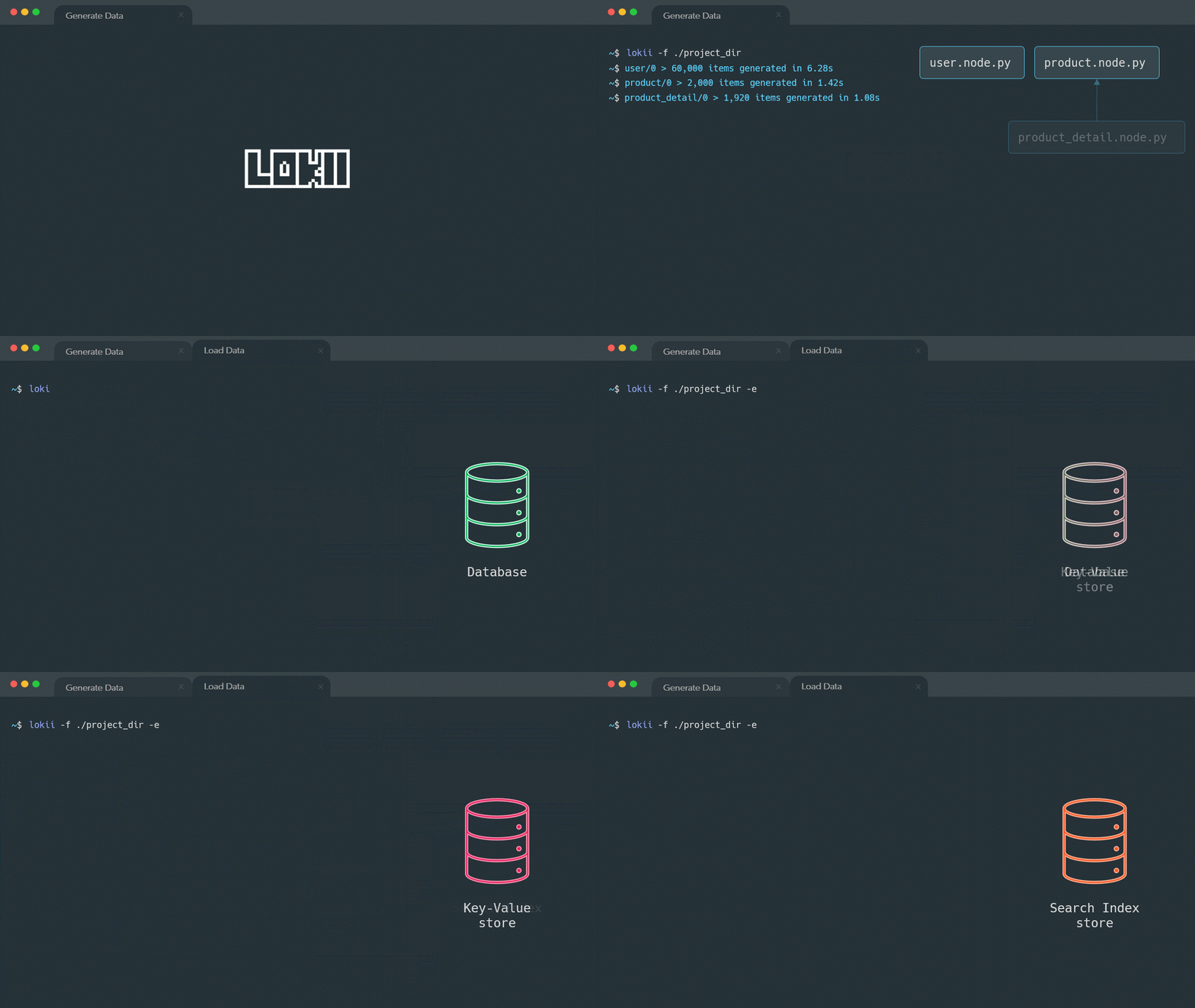
Project structure
lokii leverages the hierarchical structure of the file system to discover groups and nodes. Each dataset
consists of nodes, which are defined using .node.py files. For instance, in the context of a database, each
node represents a table. Furthermore, you can even group nodes under database schemas within the database. Groups
defines how generated node data will be exported. You can recognize group files by their .group.py file extension.
# example project directory structure
proj_dir
    ├── group_1
    │   ├── group_1.group.py
    │   ├── node_2.node.py
    │   └── node_2.node.py
    ├── group_2
    │   ├── node_3.node.py
    │   └── node_4.node.py
    ├── group_3.group.py
    ├── node_5.node.py
    └── node_6.node.py
Node Definition
Node file defines how each item will be generated. There are special variables and functions in node definition files.
name: Name of the node, filename will be used if not providedsource: Source query for retrieve dependent parameters for each itemitem: Generation function that will return each item in node
# offices.node.py
from faker import Faker

# use your favorite tools to generate data
# you can even use database connection, filesystem or AI
fake = Faker()

# if you want you can override the node name if not provided filename will be used
# can be used in source queries if you want to retrieve rows that depends on another node
# name = "business.offices"

# define a query that returns one or more rows
source = "SELECT * FROM range(10)"


# item function will be called for each row in `source` query result
def item(args):
    address = fake.address().split("\n")
    return {
        "officeCode": args["id"],
        "city": fake.city(),
        "phone": fake.phone_number(),
        "addressLine1": address[0],
        "addressLine2": address[1],
        "state": fake.city(),
        "country": fake.country(),
        "postalCode": fake.postcode(),
        "territory": fake.administrative_unit(),
    }
Group Definition
Group file defines how each node data will be exported. There are special functions in group definition files.
before: Called once before export operationexport: Called for every node in the groupafter: Called once after export operation
# filesystem.group.py
import os
import shutil
from csv import DictWriter

out_path = "out_data"


def before(args):
    """
    Executed before export function.
    :param args: contains node names that belongs to this group
    :type args: {"nodes": list[str]}
    """
    if os.path.exists(out_path):
        # always clear your storage before starting a new export
        shutil.rmtree(out_path)
    os.makedirs(out_path)


def export(args):
    """
    Executed for all nodes that belongs to this group
    :param args: contains node name, node columns and a batch iterator
    :type args: {"name": str, "cols": list[str], "batches": list[dict]}
    """
    node_name = args["name"]
    node_cols = args["cols"]
    batches = args["batches"]
    # out_data/offices.csv
    out_file_path = os.path.join(out_path, node_name + ".csv")
    with open(out_file_path, 'w+', newline='', encoding='utf-8') as outfile:
        writer = DictWriter(outfile, fieldnames=node_cols)
        writer.writeheader()
        for batch in batches:
            writer.writerows(batch)


def after(args):
    """
    Executed after export function.
    :param args: contains node names that belongs to this group
    :type args: {"nodes": list[str]}
    """
    pass
Upload to PyPI
You can create the source distribution of the package by running the command given below:
python3 setup.py sdist
Install twine and upload pypi for finnetdevlab username.
pip3 install twine
twine upload dist/*
Requirements
Package requirements are handled using pip. To install them do
pip install -r requirements.txt
pip install -r requirements.dev.txt
Tests
Testing is set up using pytest and coverage is handled with the pytest-cov plugin.
Run your tests with py.test in the root directory.
Coverage is run by default and is set in the pytest.ini file.
Release history Release notifications | RSS feed


Download files
Download the file for your platform. If you're not sure which to choose, learn more about installing packages.
Source Distribution
File details
Details for the file lokii-1.1.6.tar.gz.
File metadata
- Download URL: lokii-1.1.6.tar.gz
- Upload date:
- Size: 24.3 kB
- Tags: Source
- Uploaded using Trusted Publishing? No
- Uploaded via: twine/3.8.0 pkginfo/1.8.2 readme-renderer/34.0 requests/2.28.1 requests-toolbelt/0.9.1 urllib3/1.26.9 tqdm/4.65.0 importlib-metadata/4.11.3 keyring/21.3.1 rfc3986/2.0.0 colorama/0.4.3 CPython/3.8.10
File hashes
| Algorithm | Hash digest | |
|---|---|---|
| SHA256 |
6b73973e73d9deae19ae05b22441a383ad10a2ae80049d1cb01a7ca12f324b30
|
|
| MD5 |
965012413d68d611645f2d4e039f9a4d
|
|
| BLAKE2b-256 |
9f0055894d76b853409465a08f89f6db65b90244ea1b44ae2512d2afa5217680
|






