
No project description provided

Project description
1. Introduction
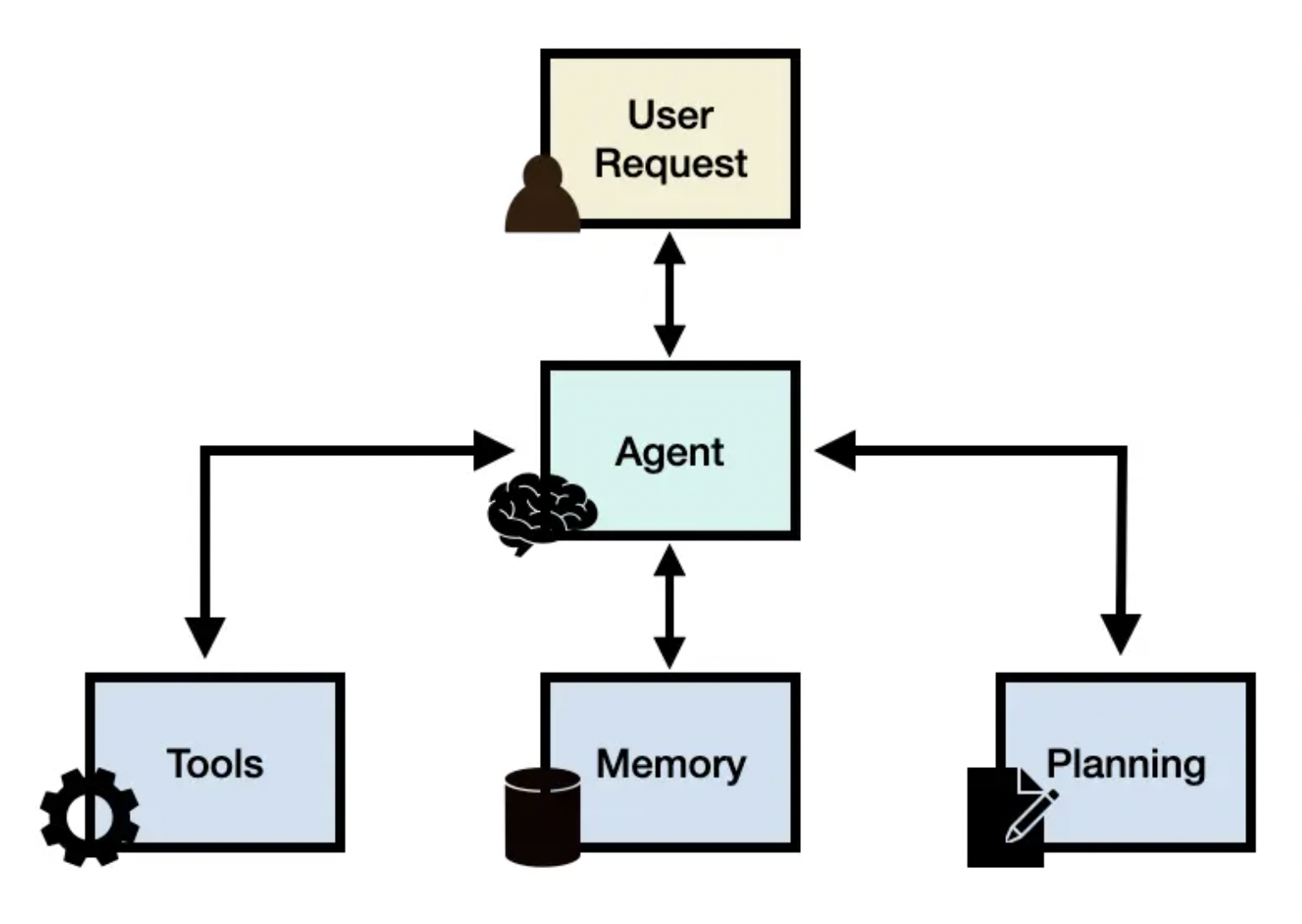
longquanagent is a lightweight and flexible library designed for building smart agent assistants across various industries. Whether you're creating an AI-powered customer service bot, a data analysis assistant, or a domain-specific automation agent, longquanagent provides a simple yet powerful foundation.
With its modular tool system, you can easily extend your agent's capabilities by integrating a wide range of tools. Each tool is self-contained, well-documented, and can be registered dynamically—making it effortless to scale and adapt your agent to new tasks or environments.
To install and use this library please following:
git@github.com:datascienceworld-kan/longquanagent.git
cd longquanagent
pip install -r requirements.txt
poetry install
To use a list of default tools inside longquanagent.tools you should set environment varibles inside .env including TOGETHER_API_KEY to use llm models at togetherai site and TAVILY_API_KEY to use tavily websearch tool at tavily site:
TOGETHER_API_KEY="Your together API key"
TAVILY_API_KEY="Your Tavily API key"
Let's create your acounts first and then create your relevant key for each website.
2. Set up Agent
longquanagent is a flexible library for creating intelligent agents. You can configure your agent with tools, each encapsulated in a Python module under longquanagent.tools. This provides a workspace of tools that agents can use to interact with and operate in the realistic world. Each tool is a Python file with full documentation and it can be independently ran. For example, the longquanagent.tools.websearch_tools module contains code for interacting with a search API.
from langchain_together import ChatTogether
from longquanagent.agent.agent import Agent
from dotenv import load_dotenv
load_dotenv()

llm = ChatTogether(
    model="meta-llama/Llama-3.3-70B-Instruct-Turbo-Free"
)

# Step 1: Create Agent with tools
agent = Agent(
    description="You are a Financial Analyst",
    llm = llm,
    skills = [
        "Deeply analyzing financial markets",
        "Searching information about stock price",
        "Visualization about stock price"],
    tools = ['longquanagent.tools.websearch_tools',
             'longquanagent.tools.yfinance_tools']
)

# Step 2: invoke the agent
message = agent.invoke("Who you are?")
If the answer is a normal message without using any tools, it will be an AIMessage. By contrast, it will have ToolMessage type. For examples:
message
AIMessage(content='I am a Financial Analyst.', additional_kwargs={'refusal': None}, response_metadata={'token_usage': {'completion_tokens': 7, 'prompt_tokens': 308, 'total_tokens': 315, 'completion_tokens_details': None, 'prompt_tokens_details': None, 'cached_tokens': 0}, 'model_name': 'meta-llama/Llama-3.3-70B-Instruct-Turbo-Free', 'system_fingerprint': None, 'finish_reason': 'stop', 'logprobs': None}, id='run-070f7431-7176-42a8-ab47-ed83657c9463-0', usage_metadata={'input_tokens': 308, 'output_tokens': 7, 'total_tokens': 315, 'input_token_details': {}, 'output_token_details': {}})
Access to content property to get the string content.
message.content
I am a Financial Analyst.
The following function need to use yfinancial tool, therefore the return value will be ToolMessage with the a stored pandas.DataFrame in artifact property.
df = agent.invoke("What is the price of Tesla stock in 2024?")
df
ToolMessage(content="Completed executing tool fetch_stock_data({'symbol': 'TSLA', 'start_date': '2024-01-01', 'end_date': '2024-12-31', 'interval': '1d'})", tool_call_id='tool_cde0b895-260a-468f-ac01-7efdde19ccb7', artifact=pandas.DataFrame)
To access pandas.DataFrame value:
df.artifact.head()

Another example, if you visualize a stock price using a tool, the output message is a ToolMessage with the saved artifact is a plotly plot.
# return a ToolMessage which we can access to plot by plot.artifact and content by plot.content.
plot = agent.invoke("Let's visualize Tesla stock in 2024?")

# return a ToolMessage which we can access to plot by plot.artifact and content by plot.content.
plot = agent.invoke("Let's visualize the return of Tesla stock in 2024?")

3. Register function tool
Function tools are registered directly in your runtime code by decorating them with the @function_tool without saving them into python module files.
from longquanagent.register.tool import function_tool
from typing import List

@function_tool
def sum_of_series(x: List[float]):
    return f"Sum of list is {sum(x)}"
INFO:root:Registered tool: sum_of_series (runtime)
message = agent.invoke("Sum of this list: [1, 2, 3, 4, 5, 6, 7, 8, 9, 10]?")
message
ToolMessage(content="Completed executing tool sum_of_series({'x': [1, 2, 3, 4, 5, 6, 7, 8, 9, 10]})", tool_call_id='tool_56f40902-33dc-45c6-83a7-27a96589d528', artifact='Sum of list is 55')
4. Advance Features
4.1. Deep Search
With longquanagent, you can invent a complex workflow by combining multiple tools into a single agent. This allows you to create a more sophisticated and flexible agent that can adapt to different task. Let's see how an agent can be created to help with financial analysis by using deepsearch tool, which allows you to search for information in a structured manner. This tool is particularly useful for tasks that require a deep understanding of the data and the ability to navigate through complex information.
from langchain_together import ChatTogether
from longquanagent.agent.agent import Agent
from dotenv import load_dotenv
load_dotenv()

llm = ChatTogether(
    model="meta-llama/Llama-3.3-70B-Instruct-Turbo-Free"
)

agent = Agent(
    description="You are a Financial Analyst",
    llm = llm,
    skills = [
        "Deeply analyzing financial markets",
        "Searching information about stock price",
        "Visualization about stock price"],
    tools = ['longquanagent.tools.deepsearch']
)

message = agent.invoke("Let's analyze Tesla stock in 2025?")
print(message.artifact)
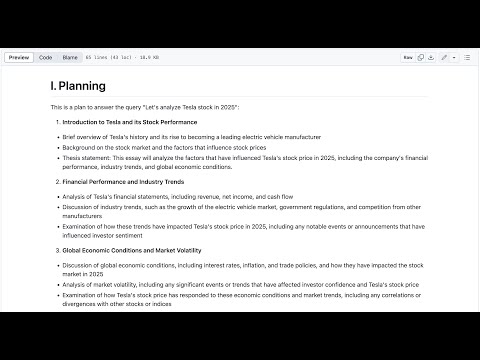
The output is available at longquanagent/examples/deepsearch.md
4.2. Trending Search
Exceptionally, longquanagent also offers a feature to summarize and highlight the top daily news on the internet based on any topic you are looking for, regardless of the language used. This is achieved by using the trending_news tool.
from langchain_together import ChatTogether
from longquanagent.agent.agent import Agent
from dotenv import load_dotenv
load_dotenv()

llm = ChatTogether(
    model="meta-llama/Llama-3.3-70B-Instruct-Turbo-Free"
)

agent = Agent(
    description="You are a Trending News Analyst",
    llm = llm,
    skills = [
        "Searching the trending news on realtime from google news",
        "Deeply analyzing top trending news"],
    tools = ['longquanagent.tools.trending_news']
)

message = agent.invoke("Tìm 5 tin tức nổi bật về tình hình giá vàng sáng hôm nay")
print(message.artifact)
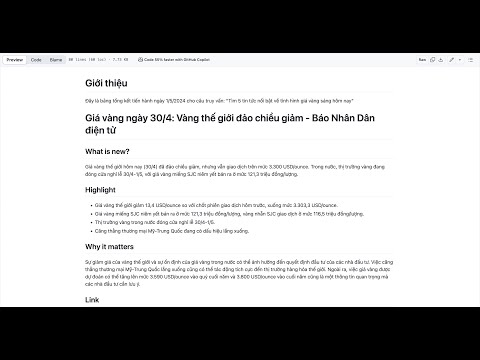
The output is available at longquanagent/examples/todaytrend.md
5. License
longquanagent is released under the MIT License. You are free to use, modify, and distribute the code for both commercial and non-commercial purposes.
6. Contributing
We welcome contributions from the community. If you would like to contribute, please read our Contributing Guide. If you have any questions or need help, feel free to join Discord Channel.
Release history Release notifications | RSS feed


Download files
Download the file for your platform. If you're not sure which to choose, learn more about installing packages.
Source Distribution
Built Distribution
Filter files by name, interpreter, ABI, and platform.
If you're not sure about the file name format, learn more about wheel file names.
Copy a direct link to the current filters
File details
Details for the file longquanagent-0.1.0.tar.gz.
File metadata
- Download URL: longquanagent-0.1.0.tar.gz
- Upload date:
- Size: 28.1 kB
- Tags: Source
- Uploaded using Trusted Publishing? No
- Uploaded via: poetry/2.1.2 CPython/3.13.3 Darwin/21.6.0
File hashes
| Algorithm | Hash digest | |
|---|---|---|
| SHA256 |
ff63c51937912ebfdc913193c78e98954ee343ffcc5e9e28abc34e7c8d338ce5
|
|
| MD5 |
788c841e9b6bcea6d9c167246e58dfea
|
|
| BLAKE2b-256 |
37fe901d0ba71267b56b1c413e3ae507e690232525d39ce32ac528db25faf79c
|
File details
Details for the file longquanagent-0.1.0-py3-none-any.whl.
File metadata
- Download URL: longquanagent-0.1.0-py3-none-any.whl
- Upload date:
- Size: 29.3 kB
- Tags: Python 3
- Uploaded using Trusted Publishing? No
- Uploaded via: poetry/2.1.2 CPython/3.13.3 Darwin/21.6.0
File hashes
| Algorithm | Hash digest | |
|---|---|---|
| SHA256 |
55543f41cda94d0b27260b444e781a349e5e4e589f34ae4be1c4f6f9ddfa76d9
|
|
| MD5 |
e0dc400ba5c8641bef69d1bb06f91d96
|
|
| BLAKE2b-256 |
5dc0af01026e3549be45b4a0a45e6b5212027604312a5be57c09c62a857576df
|






