
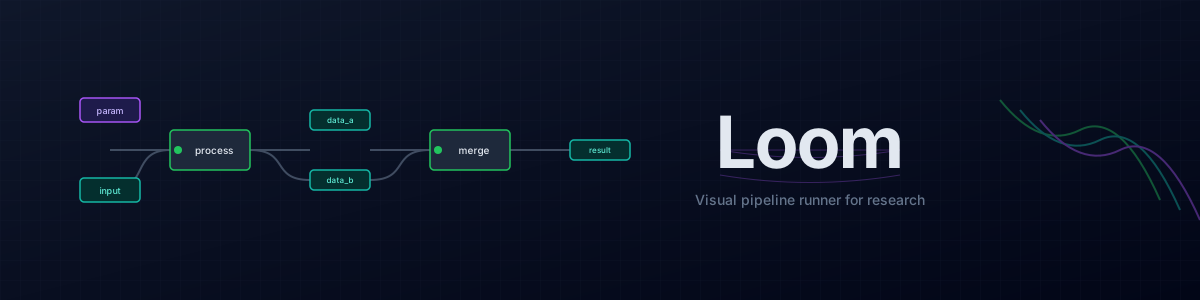


A lightweight visual pipeline runner for research.
Connect your Python scripts into a graph, tweak parameters, run experiments, see results — without setting up Airflow or learning a workflow framework.
Try the live demo — no installation required. Browse and run the example pipelines in your browser. (First load may take ~30s to wake up.)
Loom gives you a CLI runner and visual editor for pipelines defined in YAML. Your scripts stay as regular Python with argparse — no framework to learn, no rewrites needed.
It's designed for research workflows. For production orchestration, tools like Airflow or Kubeflow are better suited.
Installation
# Core runner only
pip install loom-pipeline

# With visual editor
pip install loom-pipeline[ui]
That's it. No configuration files to create, no external services to manage.
Quick Start
Clone the repo and try an example:
git clone https://github.com/ljubobratovicrelja/loom.git
cd loom
pip install -e .[ui,examples]

# Run a pipeline from the command line
loom examples/image-processing/pipeline.yml
Pipeline: 3 step(s) to run [parallel]
----------------------------------------
[RUNNING] grayscale
[grayscale] Converted to grayscale: .loom-url-cache/35bb4a6_Lenna.png -> data/grayscale.png
[SUCCESS] grayscale
[RUNNING] blur
[blur] Gaussian blur (radius=15): data/grayscale.png -> data/blurred.png
[SUCCESS] blur
[RUNNING] edge_detect
[edge_detect] Edge detection: data/grayscale.png -> data/edges.png
[SUCCESS] edge_detect
----------------------------------------
Completed: 3/3 steps succeeded
Or open it in the visual editor:
# Edit a single pipeline
loom-ui examples/image-processing/pipeline.yml

# Browse all example pipelines
loom-ui examples/
The editor opens in your browser where you can see the pipeline graph, run steps, and view outputs.
Building Your Own Pipeline
Add Loom to your project's environment:
pip install loom-pipeline[ui] # or just loom-pipeline for CLI only
Now you can run pipelines from within your project. Here's how to set one up.
1. Point it at your scripts
Say you have some Python scripts that process data:
tasks/
  extract_features.py    # Takes video, outputs CSV
  train_model.py         # Takes CSV, outputs model
  evaluate.py            # Takes model + test data, outputs metrics
2. Describe the pipeline in YAML
# experiment.yml
variables:
  video: data/raw/recording.mp4
  features: data/processed/features.csv
  model: models/classifier.pt
  metrics: results/metrics.json

parameters:
  learning_rate: 0.001
  epochs: 100

pipeline:
  - name: extract
    task: tasks/extract_features.py
    inputs:
      video: $video
    outputs:
      -o: $features

  - name: train
    task: tasks/train_model.py
    inputs:
      data: $features
    outputs:
      -o: $model
    args:
      --lr: $learning_rate
      --epochs: $epochs

  - name: evaluate
    task: tasks/evaluate.py
    inputs:
      model: $model
    outputs:
      -o: $metrics
3. Run it
# Run the full pipeline
loom experiment.yml

# Run just one step
loom experiment.yml --step train

# Run from a step onward
loom experiment.yml --from train

# Try different parameters
loom experiment.yml --set learning_rate=0.01 --set epochs=200

# Override file paths
loom experiment.yml --var video=other_recording.mp4

# Run steps in parallel
loom experiment.yml --parallel --max-workers 4

# Preview without executing
loom experiment.yml --dry-run

# Clean all data (move to trash) and re-run from scratch
loom experiment.yml --clean
loom experiment.yml

# Preview what would be cleaned
loom experiment.yml --clean-list
4. Or use the visual editor
loom-ui experiment.yml
This opens a browser-based editor where you can:
- See your pipeline as a visual graph
- Drag and drop to reorganize
- Run individual steps and see output in real-time
- Quickly see which outputs exist (green) vs missing (grey)
You can also point it at a directory to browse multiple pipelines:
loom-ui experiments/ # Browse all pipelines in a folder
Each pipeline should be in its own subdirectory with a pipeline.yml file inside. See examples/ for the expected structure.
How Scripts Work
Your scripts stay normal Python with argparse. Just add a YAML block in the docstring so Loom knows the interface:
"""Extract features from video.

---
inputs:
  video:
    type: video
    description: Input video file
outputs:
  -o:
    type: csv
    description: Output features
args:
  --sample-rate:
    type: int
    default: 30
    description: Frames to sample per second
---
"""

import argparse

def main():
    parser = argparse.ArgumentParser()
    parser.add_argument("video")
    parser.add_argument("-o", "--output", required=True)
    parser.add_argument("--sample-rate", type=int, default=30)
    args = parser.parse_args()
    # ... your code ...

if __name__ == "__main__":
    main()
The YAML frontmatter is optional but enables the editor to show input/output types and provide better validation.
Use Cases
Parameter exploration: Create parallel branches in your pipeline to test different configurations side by side.
Reproducible experiments: The YAML file captures your entire experiment setup. Commit it to git alongside your code.
Iterative development: Run just the steps you're working on. Loom tracks dependencies so upstream steps run only when needed.
Result organization: Variables point to file paths, so your outputs are organized by experiment configuration.
Philosophy
Loom is intentionally minimal:
- No database — Everything is files: your scripts, YAML configs, and outputs
- No external services — The visual editor runs a local server that stops when you close it
- No lock-in — Your scripts work with or without Loom
- No magic — Loom just builds shell commands and runs them
This makes it easy to adopt incrementally. Start with one experiment, see if it helps, expand from there.
License
MIT License — see LICENSE for details.
Built for researchers who want to see their experiments, not manage infrastructure.
1 maintainer

Metadata
1 maintainer
Release files for loom-pipeline 0.7.0
For a detailed explanation of source distributions (sdists) and built distributions (wheels), please see the package formats documentation.
Source distribution (sdist)
| File | Size | Uploaded | |
|---|---|---|---|
| loom_pipeline-0.7.0.tar.gz | 318.6 kB | Details |
Built distribution (wheel)
| File | Interpreter | ABI | Platform | Reset |
|---|---|---|---|---|
| loom_pipeline-0.7.0-py3-none-any.whl | Python 3 | none | any | Details |
Total release size: 585.9 kB
Release files / loom_pipeline-0.7.0.tar.gz
| Download URL | loom_pipeline-0.7.0.tar.gz |
|---|---|
| Size | 318.6 kB |
| Tags | Source |
|
SHA-256 checksum How to use checksums |
391b6aa806fc370d31650f3eb4d0a64afcd485559e1d6c934c80a6a927979350
|
|
BLAKE2b-256 checksum How to use checksums |
39f497923e11460d4eedcd910492ec10a0607bc5bc1d872398a2eed7279c03b4
|
| Upload date | |
|
Uploaded using Trusted Publishing? What is trusted publishing? |
Yes |
| Uploaded via |
twine/7.0.0 CPython/3.13.14
|
Provenance
Provenance describes where a file came from. On PyPI, provenance is shared via attestations, which provide a verifiable record of the build or publishing details. View details, limitations and caveats.


PyPI Publish Attestation
PyPI verified that this artifact, at this checksum, originated from the publisher listed below.
Signed by GitHub Actions, verified by PyPI on Oct 4, 2026.
Transparency logRelease files / loom_pipeline-0.7.0-py3-none-any.whl
| Download URL | loom_pipeline-0.7.0-py3-none-any.whl |
|---|---|
| Size | 267.3 kB |
| Tags | Python 3 |
|
SHA-256 checksum How to use checksums |
cc19075b8c4bd022dc8bf7627cc0bf816fee4c43438d244fe7d7a36d0cf8a1be
|
|
BLAKE2b-256 checksum How to use checksums |
0661f4dddc999cebf8c60c353082ec139f8b71c3dcbd0bc87b44c73ad014fef2
|
| Upload date | |
|
Uploaded using Trusted Publishing? What is trusted publishing? |
Yes |
| Uploaded via |
twine/7.0.0 CPython/3.13.14
|
Provenance
Provenance describes where a file came from. On PyPI, provenance is shared via attestations, which provide a verifiable record of the build or publishing details. View details, limitations and caveats.
PyPI Publish Attestation
PyPI verified that this artifact, at this checksum, originated from the publisher listed below.
Signed by GitHub Actions, verified by PyPI on Oct 4, 2026.
Transparency log













