
loopview
Debug your AI agents as a live graph, whatever framework they're built with.
See which agent ran, what it thought, which tool failed, what it did next, and what it cost. LangGraph, Pydantic AI, CrewAI, the OpenAI Agents SDK or your own loop: one view, from standard OpenTelemetry, on your machine.
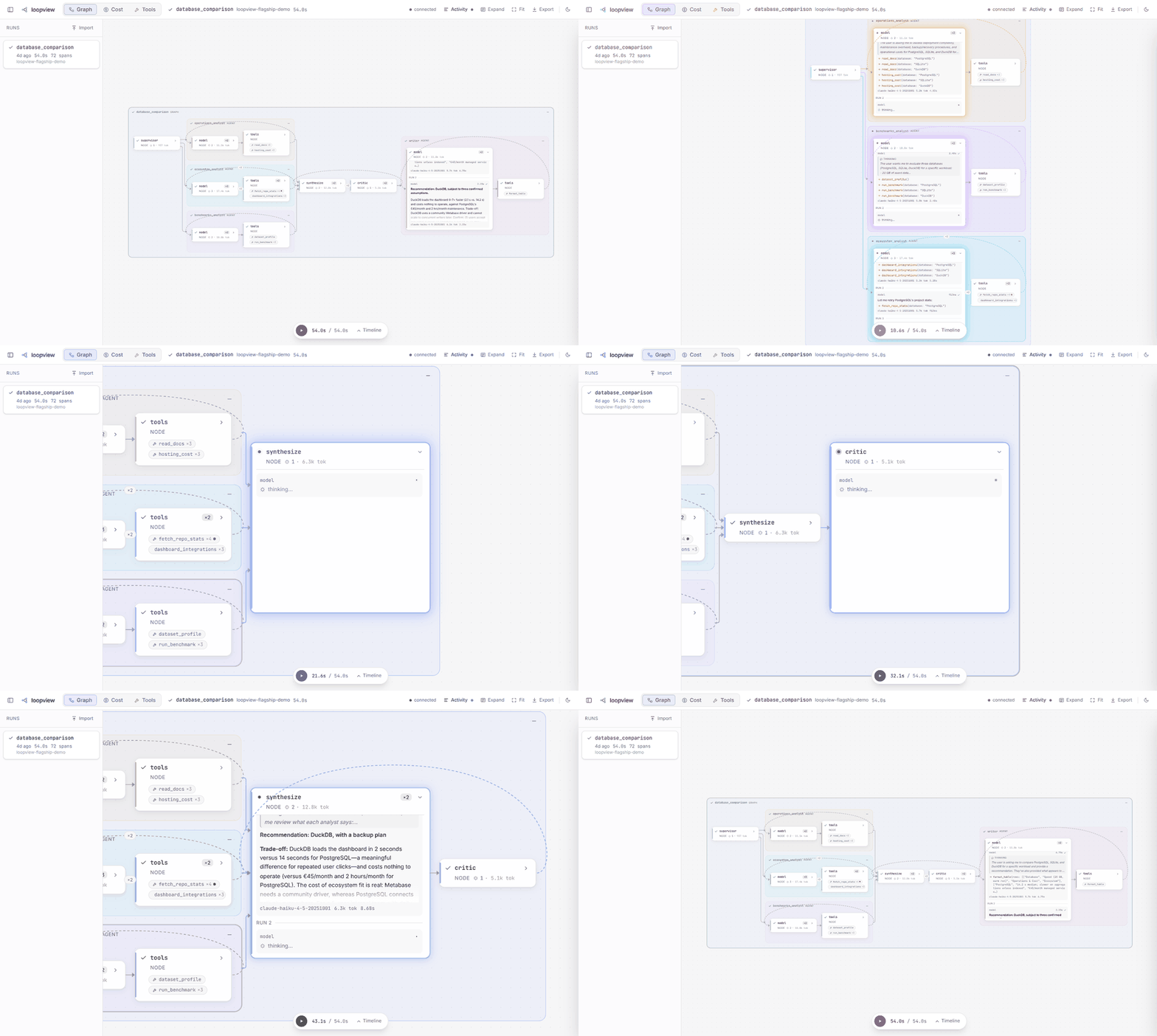
Try it
uvx loopview demo
Your browser opens on a recorded multi-agent run. No API key needed.
Watch your own agent
uvx loopview # UI and OTLP endpoint on http://127.0.0.1:4318
In your agent's environment:
pip install loopview-sdk
import loopview_sdk

loopview_sdk.connect()  # at the start of your program
connect() switches on the OpenTelemetry instrumentation of every agent framework and model
SDK it finds installed. Agents in other languages can send OTLP over HTTP to
http://127.0.0.1:4318/v1/traces.
Which instrumentation package each framework needs, and everything else, is in the README on GitHub.
1 maintainer

Metadata
1 maintainer
Release files for loopview 0.1.0
For a detailed explanation of source distributions (sdists) and built distributions (wheels), please see the package formats documentation.
Source distribution (sdist)
| File | Size | Uploaded | |
|---|---|---|---|
| loopview-0.1.0.tar.gz | 1.4 MB | Details |
Built distribution (wheel)
| File | Interpreter | ABI | Platform | Reset |
|---|---|---|---|---|
| loopview-0.1.0-py3-none-any.whl | Python 3 | none | any | Details |
Total release size: 2.9 MB
Release files / loopview-0.1.0.tar.gz
| Download URL | loopview-0.1.0.tar.gz |
|---|---|
| Size | 1.4 MB |
| Tags | Source |
|
SHA-256 checksum How to use checksums |
e9ebae9ed6b6d9b90e4b99d00d61d147c3294a8c1ce3d7c1eabb114f3774de4d
|
|
BLAKE2b-256 checksum How to use checksums |
4b1f5d50f811d775ae96f2aebd3f8ca9a22f942879d0ad874c7aafc051f4af31
|
| Upload date | |
|
Uploaded using Trusted Publishing? What is trusted publishing? |
Yes |
| Uploaded via |
twine/7.0.0 CPython/3.13.14
|
Provenance
Provenance describes where a file came from. On PyPI, provenance is shared via attestations, which provide a verifiable record of the build or publishing details. View details, limitations and caveats.


PyPI Publish Attestation
PyPI verified that this artifact, at this checksum, originated from the publisher listed below.
Signed by GitHub Actions, verified by PyPI on Oct 7, 2026.
Transparency logRelease files / loopview-0.1.0-py3-none-any.whl
| Download URL | loopview-0.1.0-py3-none-any.whl |
|---|---|
| Size | 1.5 MB |
| Tags | Python 3 |
|
SHA-256 checksum How to use checksums |
88d51a1baf495f89f9a1906058076ef764bdc0206724033f7f579ff7e11f2160
|
|
BLAKE2b-256 checksum How to use checksums |
ac350d8c887765f73cf0ee13b779cb5e2a3eec8b9317804d0298f47c7f449ce5
|
| Upload date | |
|
Uploaded using Trusted Publishing? What is trusted publishing? |
Yes |
| Uploaded via |
twine/7.0.0 CPython/3.13.14
|
Provenance
Provenance describes where a file came from. On PyPI, provenance is shared via attestations, which provide a verifiable record of the build or publishing details. View details, limitations and caveats.
PyPI Publish Attestation
PyPI verified that this artifact, at this checksum, originated from the publisher listed below.
Signed by GitHub Actions, verified by PyPI on Oct 7, 2026.
Transparency log













