
Terminal UI for PyTorch Lightning CSVLogger metrics.
Verified details
These details have been verified by PyPIProject links
GitHub Statistics
Maintainers

Project description
ltui


TensorBoard-like live monitoring for PyTorch Lightning CSVLogger metrics, directly in the terminal.
ltui turns Lightning metrics.csv files into a focused terminal plot for live monitoring, inspection, and run comparison, similar in spirit to tools like TensorBoard. Because it runs entirely in the terminal, it is especially useful for headless monitoring on remote machines over SSH, inside tmux, and without a browser or server process.
Showcase
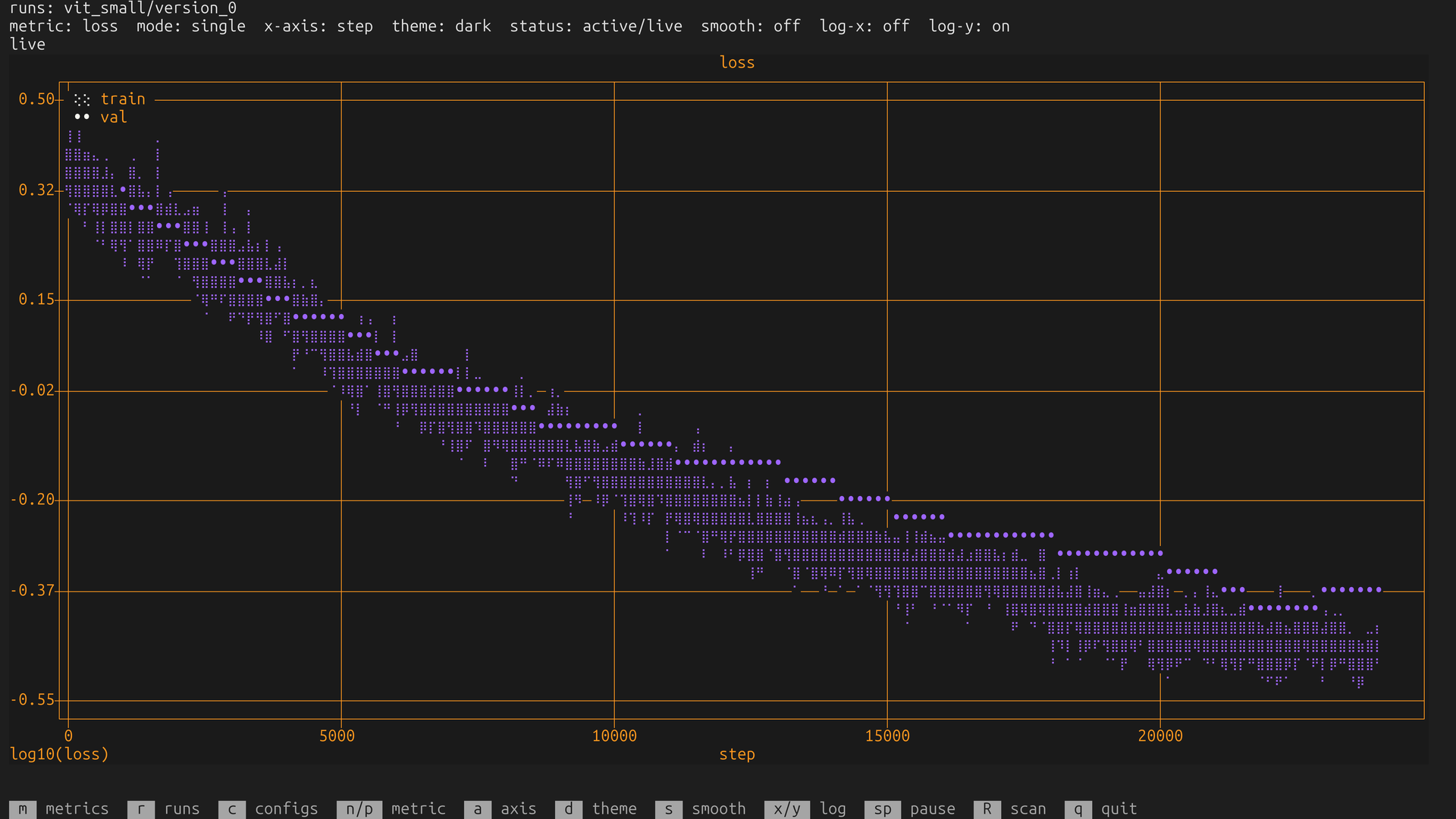
Live loss monitoring: train and validation loss in one terminal plot, with log scaling enabled. |
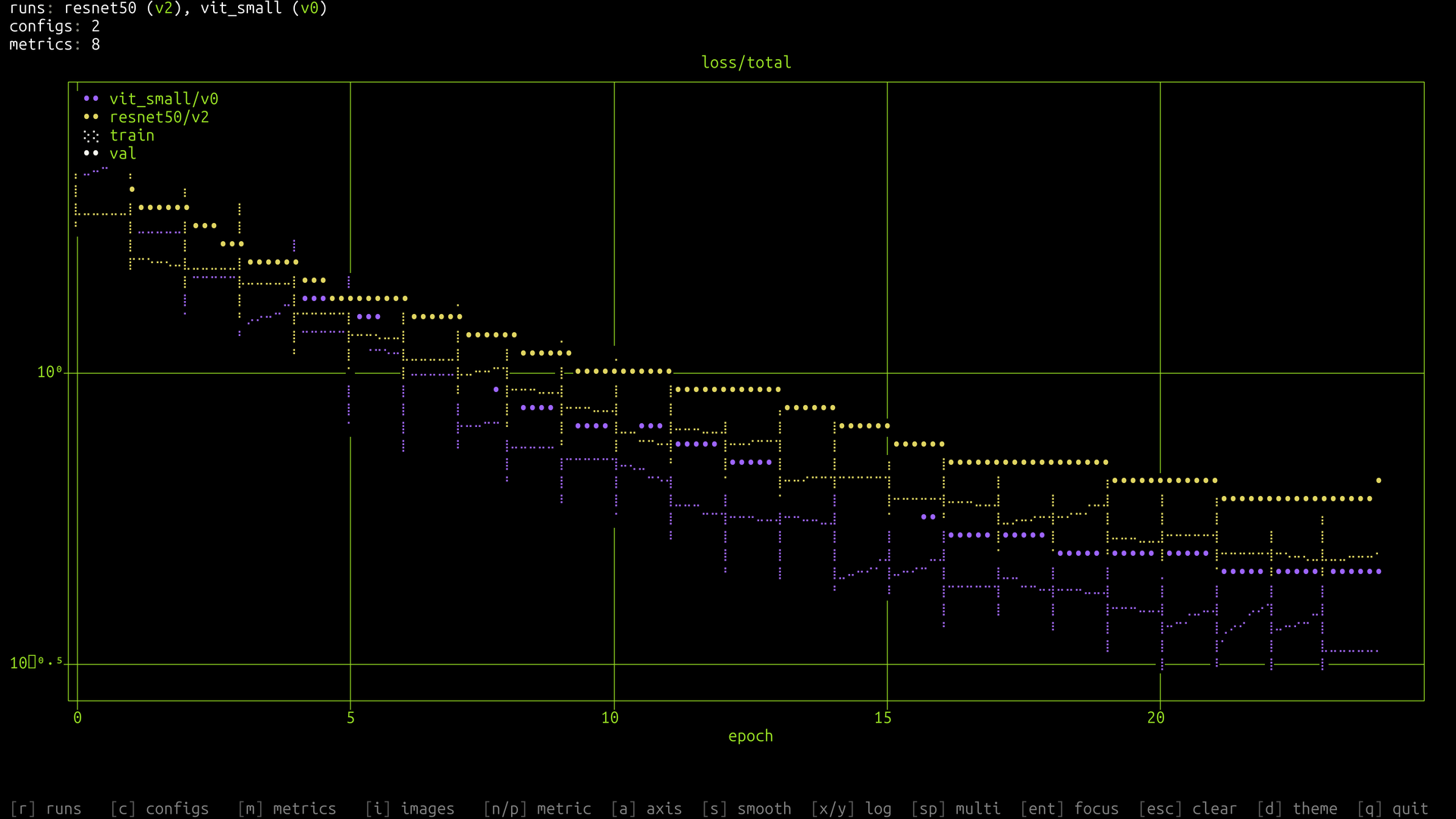
Run comparison: multiple Lightning versions overlaid on an epoch axis with separate run and train/val legends. |
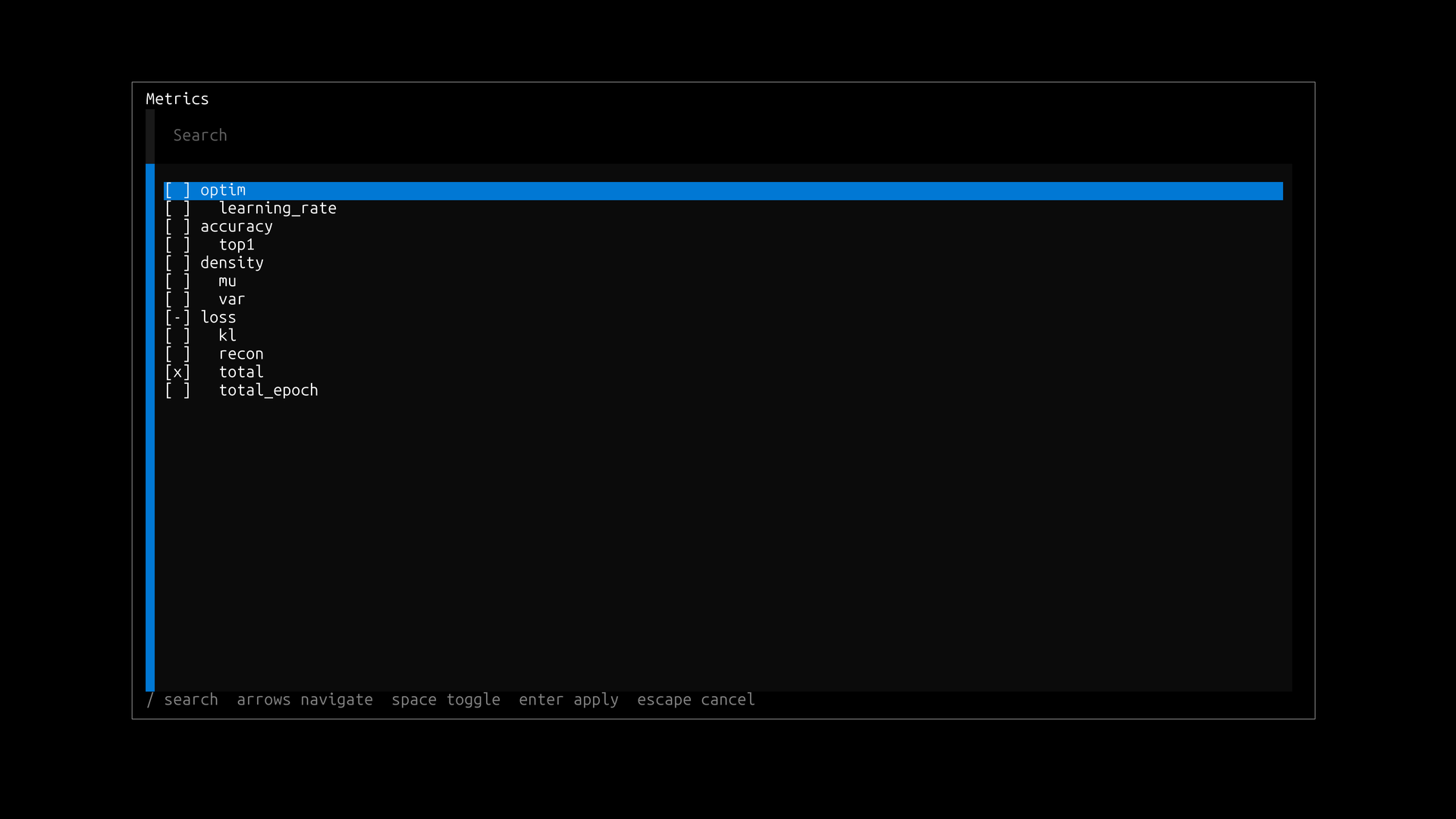
Metric selection: fuzzy, keyboard-first selection over grouped train/validation metric families. |
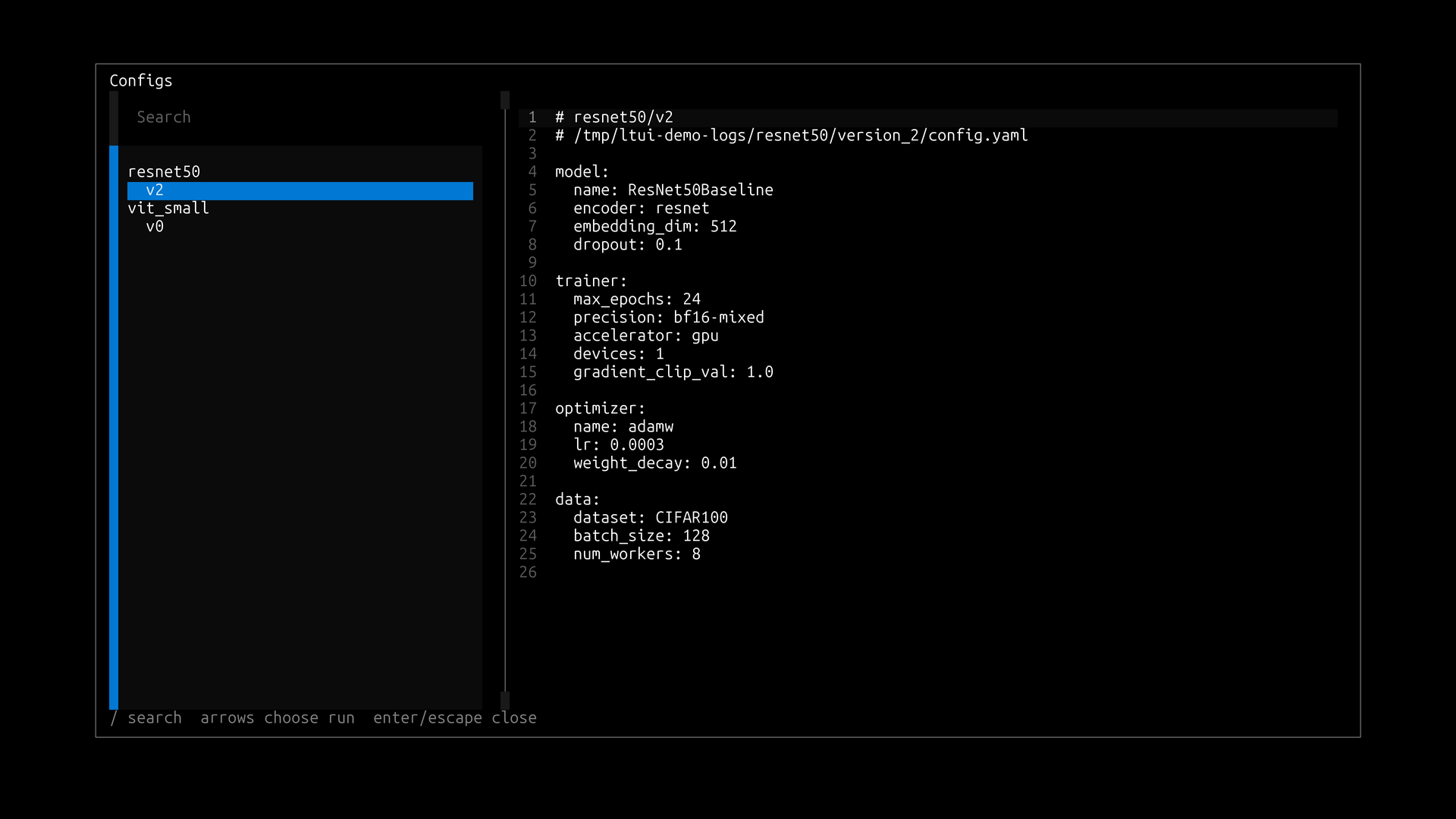
Config inspection: inspect the YAML config associated with a selected Lightning run without leaving the terminal. |
Highlights
- Live in-terminal visualization of PyTorch Lightning training metrics
- Automatic train/validation metric grouping in one plot
- Multi-run comparison with readable run legends
- Step and epoch x-axis modes with Lightning-friendly alignment
- Log scaling and EMA smoothing for noisy or wide-range metrics
- YAML config inspection for runs with associated model/training configs
- Keyboard-first selectors with fuzzy search
Installation
pip install ltui
Quick Start
Point ltui at any directory containing Lightning CSV logs:
ltui /path/to/log/root
Examples:
ltui ./lightning_logs
ltui /data/experiments/my_model
ltui ~/runs/my_experiment
On startup, ltui recursively discovers metrics.csv files, selects the latest modified run, and chooses a loss metric when one is available.
What It Reads
ltui targets PyTorch Lightning CSVLogger output. Each discovered metrics.csv is treated as one selectable run/version.
Supported layouts include:
lightning_logs/version_0/metrics.csv
run_a/version_0/metrics.csv
run_a/lightning_logs/version_0/metrics.csv
experiments/group_1/run_a/lightning_logs/version_3/metrics.csv
Display names are derived from paths relative to the scanned root.
Metric Grouping
Train/validation grouping is enabled by default. Metrics are grouped when they use the standard prefixes:
train_
val_
For example:
train_loss + val_loss -> loss
train_recon_loss + val_recon_loss -> recon_loss
train_kl + val_kl -> kl
Lightning step/epoch suffixes are handled as part of the same family, so train_loss_step, train_loss_epoch, and val_loss appear as loss.
When the x-axis is step, validation epoch metrics use the step value from their CSV row. This places validation points at the training step where validation was logged.
Controls
| Key | Action |
|---|---|
m |
Open metric selector |
r |
Open run/version selector |
c |
Open config viewer for runs with a unique YAML config |
/ |
Fuzzy search inside selector |
arrow keys |
Navigate selector |
space |
Toggle selection in selector, pause/resume on main screen |
enter |
Apply selector |
n |
Next selected metric/family |
p |
Previous selected metric/family |
a |
Toggle x-axis between step and epoch |
d |
Toggle dark/light plot theme |
s |
Toggle smoothing |
x |
Toggle log-x |
y |
Toggle log-y |
R |
Force rescan |
q |
Quit |
Plot Behavior
- Preferred x-axis:
step - Fallback x-axis:
epoch - Final fallback: row index
- Step and epoch axes start at
0 - Numeric metric columns are plotted, excluding
stepandepoch - Rows with
NaNfor the selected metric are dropped - Points are sorted by x-axis before plotting
- Smoothing is EMA with alpha
0.2 - Log scaling drops nonpositive points and reports the count
- UI state is stored per root under
~/.local/state/ltui/
Project details
Verified details
These details have been verified by PyPIProject links
GitHub Statistics
Maintainers
Release history Release notifications | RSS feed


Download files
Download the file for your platform. If you're not sure which to choose, learn more about installing packages.
Source Distribution
Built Distribution
Filter files by name, interpreter, ABI, and platform.
If you're not sure about the file name format, learn more about wheel file names.
Copy a direct link to the current filters
File details
Details for the file ltui-0.1.1.tar.gz.
File metadata
- Download URL: ltui-0.1.1.tar.gz
- Upload date:
- Size: 18.3 kB
- Tags: Source
- Uploaded using Trusted Publishing? Yes
- Uploaded via: twine/6.1.0 CPython/3.13.12
File hashes
| Algorithm | Hash digest | |
|---|---|---|
| SHA256 |
5a3783d4ed517429e28b00dd1030203f8ab4d7182b6ef126963266e1a59d279d
|
|
| MD5 |
e54c12077fb3b55078d7247d7a68b903
|
|
| BLAKE2b-256 |
f646555ba4e9cdc5da49c54b8ba39bb79165080edb4b346db553b8a3939d2f7e
|
Provenance
The following attestation bundles were made for ltui-0.1.1.tar.gz:
Publisher:
publish.yml on erik-ayari/ltui
-
Statement:
-
Statement type:
https://in-toto.io/Statement/v1 -
Predicate type:
https://docs.pypi.org/attestations/publish/v1 -
Subject name:
ltui-0.1.1.tar.gz -
Subject digest:
5a3783d4ed517429e28b00dd1030203f8ab4d7182b6ef126963266e1a59d279d - Sigstore transparency entry: 1591872976
- Sigstore integration time:
-
Permalink:
erik-ayari/ltui@f0de39b9485885e23672b31ba6d76d143b7bb605 -
Branch / Tag:
refs/tags/v0.1.1 - Owner: https://github.com/erik-ayari
-
Access:
public
-
Token Issuer:
https://token.actions.githubusercontent.com -
Runner Environment:
github-hosted -
Publication workflow:
publish.yml@f0de39b9485885e23672b31ba6d76d143b7bb605 -
Trigger Event:
release
-
Statement type:
File details
Details for the file ltui-0.1.1-py3-none-any.whl.
File metadata
- Download URL: ltui-0.1.1-py3-none-any.whl
- Upload date:
- Size: 17.5 kB
- Tags: Python 3
- Uploaded using Trusted Publishing? Yes
- Uploaded via: twine/6.1.0 CPython/3.13.12
File hashes
| Algorithm | Hash digest | |
|---|---|---|
| SHA256 |
187b100a5bff560d15f87c80455f1c7fe43b20c28b118664b595c5e4a2a6c397
|
|
| MD5 |
6c5aba7a96c3c6d6e28977f7df8d7209
|
|
| BLAKE2b-256 |
ecfa0e0189f0ee0136611a030903ccf9ae0c3012138e8a177753cf512d2fc8b7
|
Provenance
The following attestation bundles were made for ltui-0.1.1-py3-none-any.whl:
Publisher:
publish.yml on erik-ayari/ltui
-
Statement:
-
Statement type:
https://in-toto.io/Statement/v1 -
Predicate type:
https://docs.pypi.org/attestations/publish/v1 -
Subject name:
ltui-0.1.1-py3-none-any.whl -
Subject digest:
187b100a5bff560d15f87c80455f1c7fe43b20c28b118664b595c5e4a2a6c397 - Sigstore transparency entry: 1591872984
- Sigstore integration time:
-
Permalink:
erik-ayari/ltui@f0de39b9485885e23672b31ba6d76d143b7bb605 -
Branch / Tag:
refs/tags/v0.1.1 - Owner: https://github.com/erik-ayari
-
Access:
public
-
Token Issuer:
https://token.actions.githubusercontent.com -
Runner Environment:
github-hosted -
Publication workflow:
publish.yml@f0de39b9485885e23672b31ba6d76d143b7bb605 -
Trigger Event:
release
-
Statement type:






