



A scriptable stream downloader for Qobuz, Tidal, Deezer and SoundCloud.
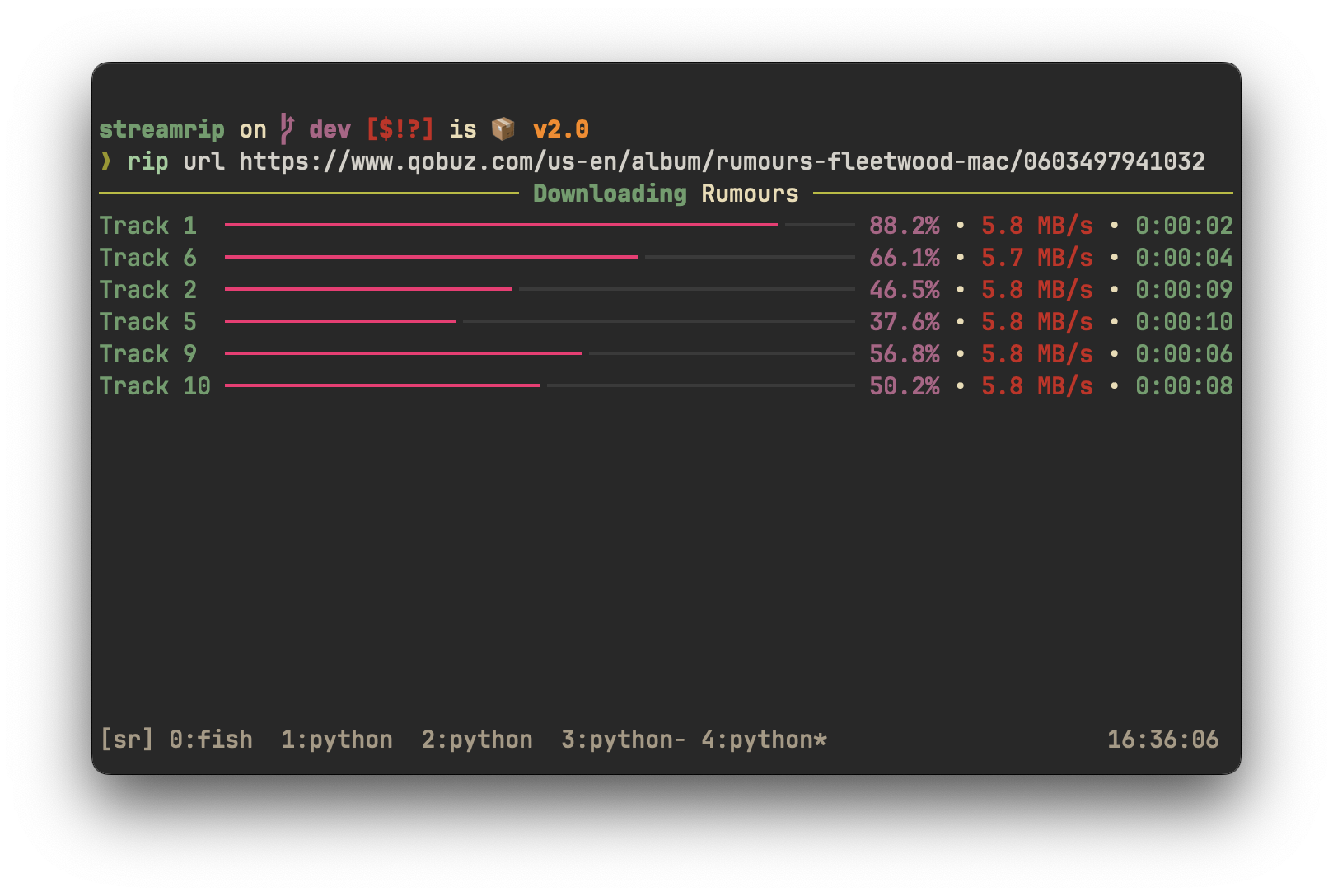
Features
- Fast, concurrent downloads powered by
aiohttp - Downloads tracks, albums, playlists, discographies, and labels from Qobuz, Tidal, Deezer, and SoundCloud
- Supports downloads of Spotify and Apple Music playlists through last.fm
- Automatically converts files to a preferred format
- Has a database that stores the downloaded tracks' IDs so that repeats are avoided
- Concurrency and rate limiting
- Interactive search for all sources
- Highly customizable through the config file
- Integration with
youtube-dl
Installation
First, ensure Python (version 3.10 or greater) and pip are installed. Then install ffmpeg. You may choose not to install this, but some functionality will be limited.
pip3 install streamrip --upgrade
If you run into issues, try installing directly from the dev branch:
pip3 install git+https://github.com/nathom/streamrip.git@dev
When you type
rip
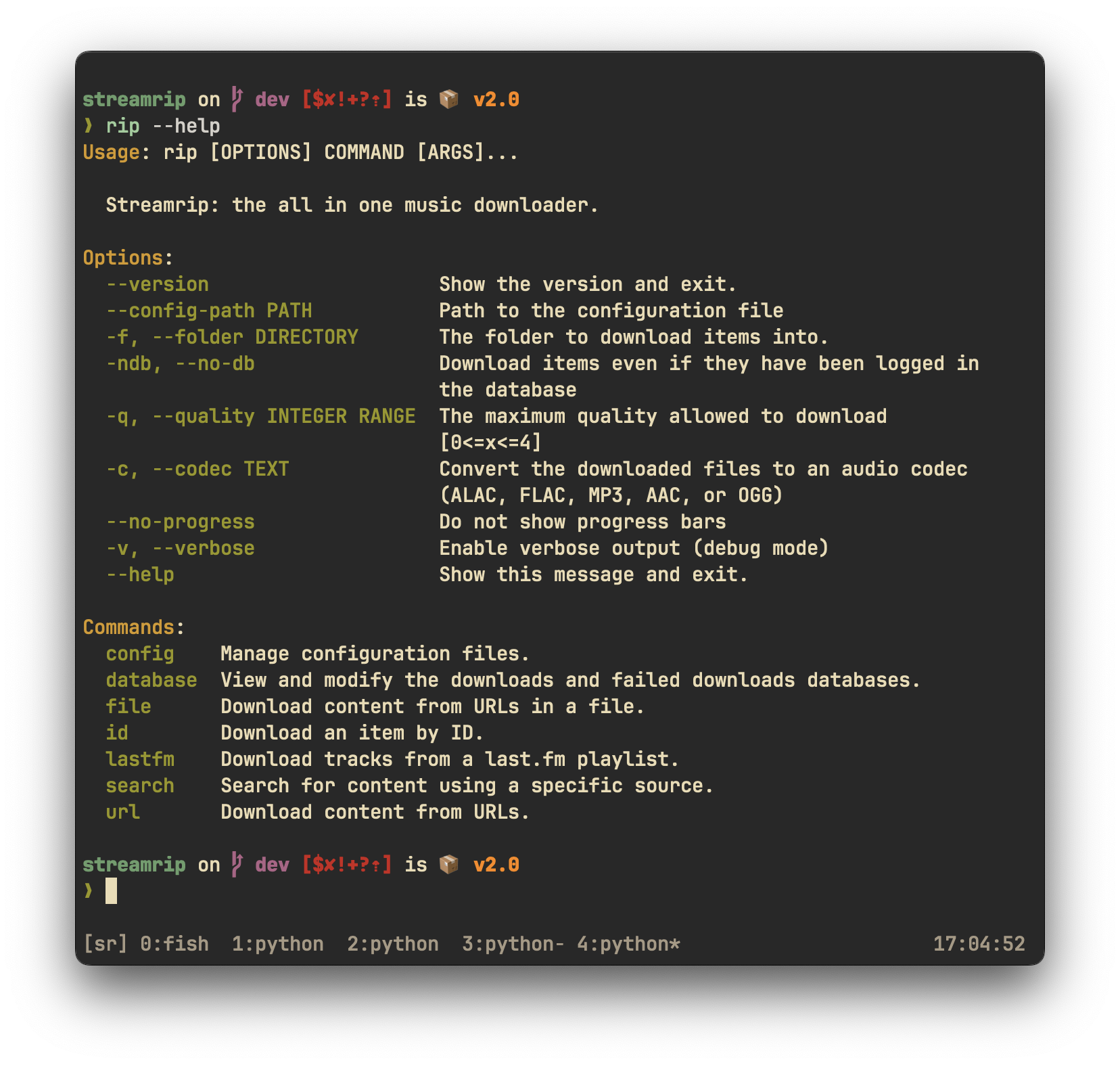
it should show the main help page. If you have no idea what these mean, or are having other issues installing, check out the detailed installation instructions.
For Arch Linux users, an AUR package exists. Make sure to install required packages from the AUR before using makepkg or use an AUR helper to automatically resolve them.
git clone https://aur.archlinux.org/streamrip.git
cd streamrip
makepkg -si
or
paru -S streamrip
Alternatively, for users of Homebrew, you can install streamrip through brew.
brew install streamrip
Streamrip beta
If you want to get access to the latest and greatest features without waiting for a new release, install
from the dev branch with the following command
pip3 install git+https://github.com/nathom/streamrip.git@dev
Example Usage
For Tidal and Qobuz, you NEED a premium subscription.
Download an album from Qobuz
rip url https://www.qobuz.com/us-en/album/rumours-fleetwood-mac/0603497941032
Download multiple albums from Qobuz
rip url https://www.qobuz.com/us-en/album/back-in-black-ac-dc/0886444889841 https://www.qobuz.com/us-en/album/blue-train-john-coltrane/0060253764852
Download the album and convert it to mp3
rip --codec mp3 url https://open.qobuz.com/album/0060253780968
To set the maximum quality, use the --quality option to 0, 1, 2, 3, 4:
| Quality ID | Audio Quality | Available Sources |
|---|---|---|
| 0 | 128 kbps MP3 or AAC | Deezer, Tidal, SoundCloud (most of the time) |
| 1 | 320 kbps MP3 or AAC | Deezer, Tidal, Qobuz, SoundCloud (rarely) |
| 2 | 16 bit, 44.1 kHz (CD) | Deezer, Tidal, Qobuz, SoundCloud (rarely) |
| 3 | 24 bit, ≤ 96 kHz | Tidal (MQA), Qobuz, SoundCloud (rarely) |
| 4 | 24 bit, ≤ 192 kHz | Qobuz |
rip --quality 3 url https://tidal.com/browse/album/147569387
Using
4is generally a waste of space. It is impossible for humans to perceive the difference between sampling rates higher than 44.1 kHz. It may be useful if you're processing/slowing down the audio.
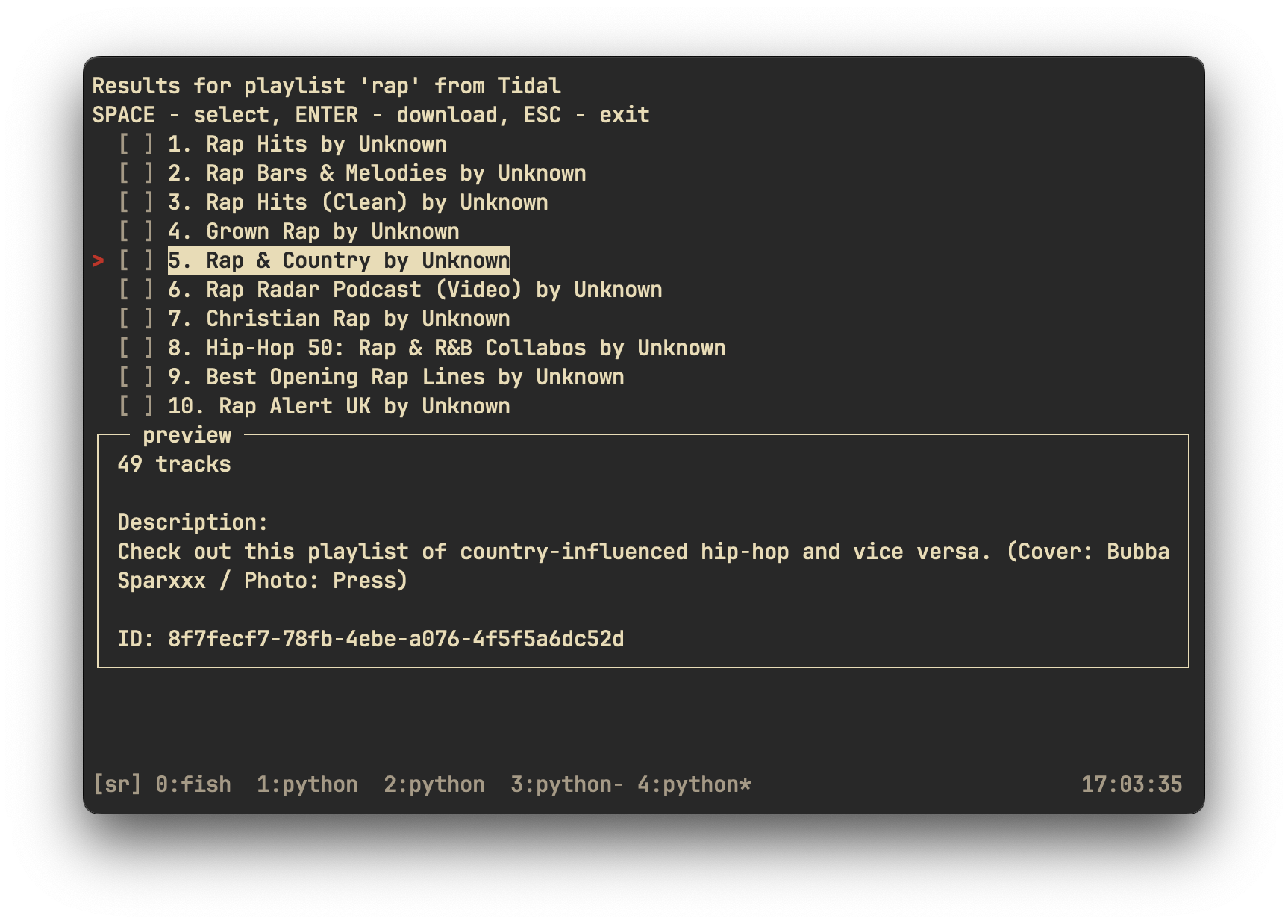
Search for playlists matching rap on Tidal
rip search tidal playlist 'rap'
Search for Rumours on Tidal, and download it
rip search tidal album 'fleetwood mac rumours'
Download a last.fm playlist using the lastfm command
rip lastfm https://www.last.fm/user/nathan3895/playlists/12126195
For more customization, see the config file
rip config open
If you're confused about anything, see the help pages. The main help pages can be accessed by typing rip by itself in the command line. The help pages for each command can be accessed with the --help flag. For example, to see the help page for the url command, type
rip url --help
Other information
For more in-depth information about streamrip, see the help pages and the wiki.
Contributions
All contributions are appreciated! You can help out the project by opening an issue or by submitting code.
Issues
If you're opening an issue use the Feature Request or Bug Report templates properly. This ensures that I have all of the information necessary to debug the issue. If you do not follow the templates, I will silently close the issue and you'll have to deal with it yourself.
Code
If you're new to Git, follow these steps to open your first Pull Request (PR):
- Fork this repository
- Clone the new repository
- Commit your changes
- Open a pull request to the
devbranch
Please document any functions or obscure lines of code.
The Wiki
To help out streamrip users that may be having trouble, consider contributing some information to the wiki.
Nothing is too obvious and everything is appreciated.
Acknowledgements
Thanks to Vitiko98, Sorrow446, and DashLt for their contributions to this project, and the previous projects that made this one possible.
streamrip was inspired by:
Disclaimer
I will not be responsible for how you use streamrip. By using streamrip, you agree to the terms and conditions of the Qobuz, Tidal, and Deezer APIs.
Sponsorship
Consider becoming a Github sponsor for me if you enjoy my open source software.
1 maintainer

Metadata
1 maintainer
Release files for lukeconnolly-streamrip 1.0.0
For a detailed explanation of source distributions (sdists) and built distributions (wheels), please see the package formats documentation.
Source distribution (sdist)
| File | Size | Uploaded | |
|---|---|---|---|
| lukeconnolly_streamrip-1.0.0.tar.gz | 75.0 kB | Details |
Built distribution (wheel)
| File | Interpreter | ABI | Platform | Reset |
|---|---|---|---|---|
| lukeconnolly_streamrip-1.0.0-py3-none-any.whl | Python 3 | none | any | Details |
Total release size: 168.3 kB
Release files / lukeconnolly_streamrip-1.0.0.tar.gz
| Download URL | lukeconnolly_streamrip-1.0.0.tar.gz |
|---|---|
| Size | 75.0 kB |
| Tags | Source |
|
SHA-256 checksum How to use checksums |
3f5af75ef340d30a969b1c47045dce22c0f1edc3bd8d8e83b00c64c9dac765ed
|
|
BLAKE2b-256 checksum How to use checksums |
99750544b60c525e50cc92d3687c314190c6f43dc77b3c5f603725c13848edfc
|
| Upload date | |
|
Uploaded using Trusted Publishing? What is trusted publishing? |
No |
| Uploaded via |
twine/4.0.2 CPython/3.11.0
|
Release files / lukeconnolly_streamrip-1.0.0-py3-none-any.whl
| Download URL | lukeconnolly_streamrip-1.0.0-py3-none-any.whl |
|---|---|
| Size | 93.3 kB |
| Tags | Python 3 |
|
SHA-256 checksum How to use checksums |
7b4ec945a41def13628dfacccaaa22e839e0264c061017fb32a4fe6c41783b7a
|
|
BLAKE2b-256 checksum How to use checksums |
ad1755e60f56ddb3eecdf11dbe95939c6d936d73eb72ef1e715d7de77edbc270
|
| Upload date | |
|
Uploaded using Trusted Publishing? What is trusted publishing? |
No |
| Uploaded via |
twine/4.0.2 CPython/3.11.0
|













