
Lumlflow
Local ML experiment tracking and model management.
Lumlflow gives you a lightweight, self-hosted dashboard to track machine learning experiments, organize them into groups, and manage associated models — all running locally with zero cloud dependencies.
Quickstart
pip install lumlflow
lumlflow ui
This starts the web UI at http://127.0.0.1:5000 and opens it in your browser automatically.
Usage
Lumlflow bundles the LUML SDK (luml), so you can start tracking experiments right away.
Classical ML example
The example below trains a gradient-boosted classifier on the Iris dataset (install scikit-learn to run it):
from sklearn.datasets import load_iris
from sklearn.ensemble import GradientBoostingClassifier
from sklearn.metrics import accuracy_score, log_loss
from sklearn.model_selection import train_test_split

from luml.experiments.tracker import ExperimentTracker

X, y = load_iris(return_X_y=True)
X_train, X_test, y_train, y_test = train_test_split(
    X, y, test_size=0.2, random_state=42
)

tracker = ExperimentTracker()

# Start an experiment
tracker.start_experiment(
    name="gbm_baseline",
    group="iris_classification",
    tags=["baseline", "gbm"],
)

# Log hyperparameters
tracker.log_static("n_estimators", 100)
tracker.log_static("learning_rate", 0.1)
tracker.log_static("max_depth", 3)

# Train the model
model = GradientBoostingClassifier(n_estimators=100, learning_rate=0.1, max_depth=3)
model.fit(X_train, y_train)

# Log metrics over training steps
for step, probs in enumerate(model.staged_predict_proba(X_test)):
    loss = log_loss(y_test, probs, labels=[0, 1, 2])
    acc = accuracy_score(y_test, probs.argmax(axis=1))
    tracker.log_dynamic("loss", loss, step=step)
    tracker.log_dynamic("accuracy", acc, step=step)

# Log the trained model
tracker.log_model(model, name="gbm_final", inputs=X_train)

# End the experiment
tracker.end_experiment()
LLM example
The example below evaluates an OpenAI model on a small Q&A dataset. Every LLM call is automatically captured as a trace, and each question is logged as an eval sample with a score (install luml-sdk[tracing], opentelemetry-instrumentation-openai, and openai, then set OPENAI_API_KEY to run it):
from dotenv import load_dotenv
from openai import OpenAI

from luml.experiments.tracker import ExperimentTracker
from luml.experiments.tracing import instrument_openai
from luml.experiments.evaluation.evaluate import evaluate
from luml.experiments.evaluation.scorers.base import (
    supervised_scorer,
    unsupervised_scorer,
)
from luml.experiments.evaluation.types import EvalItem

load_dotenv()

client = OpenAI()

tracker = ExperimentTracker("sqlite://./brandnew_experiments")
tracker.enable_tracing()
instrument_openai()

eval_dataset = [
    EvalItem(
        id="q0",
        inputs={"question": "What is 2 + 2?"},
        expected_output="4",
        metadata={"category": "math"},
    ),
    EvalItem(
        id="q1",
        inputs={"question": "What is the capital of France?"},
        expected_output="Paris",
        metadata={"category": "geography"},
    ),
]


def run_inference(inputs: dict) -> str:
    response = client.chat.completions.create(
        model="gpt-4o-mini",
        temperature=0.0,
        messages=[{"role": "user", "content": inputs["question"]}],
    )
    return response.choices[0].message.content.strip()


@supervised_scorer
def exact_match(inputs, expected, output):
    return expected.lower().strip() in output.lower()


@unsupervised_scorer
def answer_length(inputs, output):
    length = len(output.split())
    if length < 1:
        return 0.0
    if length > 50:
        return 0.5
    return 1.0


tracker.start_experiment(
    name="qa_gpt4_baseline",
    group="qa_evaluation",
    tags=["baseline", "gpt-4o-mini"],
)

tracker.log_static("model", "gpt-4o-mini")
tracker.log_static("temperature", 0.0)

eval_results = evaluate(
    eval_dataset=eval_dataset,
    inference_fn=run_inference,
    scorers=[exact_match, answer_length],
    dataset_id="qa_v1",
    experiment_tracker=tracker,
)

for key, value in eval_results.aggregated_scores.items():
    tracker.log_static(f"eval_{key}", value)

tracker.end_experiment()
All logged data is stored locally and visible in the web UI launched by lumlflow ui.
Overview
Lumlflow consists of two parts:
- CLI — a command-line interface to launch and configure the server
- Web UI — a browser-based dashboard for viewing and managing experiments
The server exposes a REST API that the UI consumes, so you can also integrate programmatically.
CLI Reference
lumlflow ui                          # Start UI at localhost:5000
lumlflow ui --port 8080              # Custom port
lumlflow ui --host 0.0.0.0           # Bind to all interfaces
lumlflow ui --no-browser             # Don't open browser automatically
lumlflow version                     # Show installed version
Features
Experiment Tracking
Run your ML experiments locally while seamlessly tracking their progress in a clear, real-time UI.
The platform gives you full visibility into every experiment as it executes. As your code runs, all experiment data is automatically captured and stored, allowing you to monitor progress, inspect intermediate results, and analyze outcomes in a structured way.
Each experiment can be easily identified by its name and tags, allowing you to quickly find relevant runs, filter them, and organize your workflow.
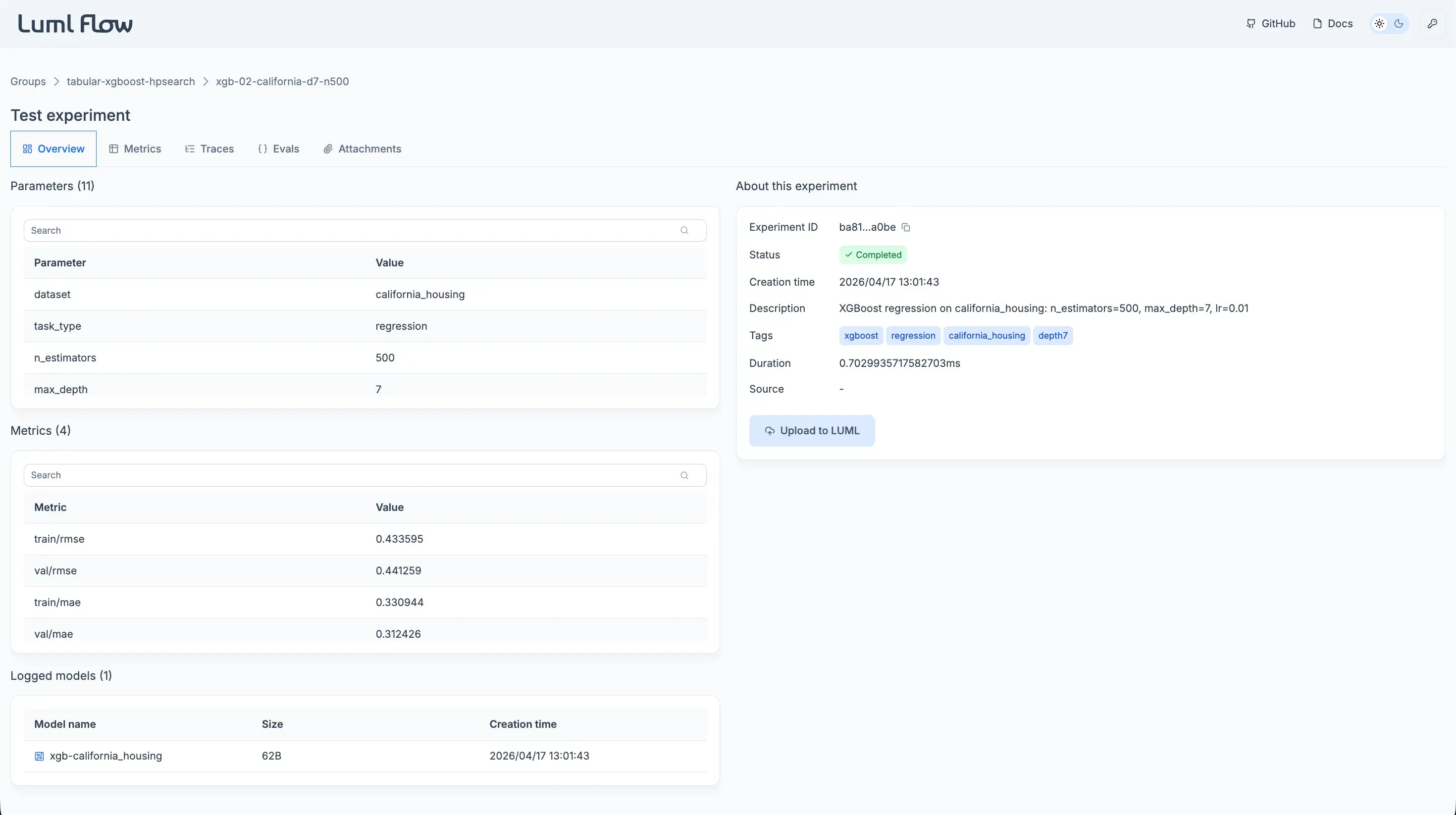
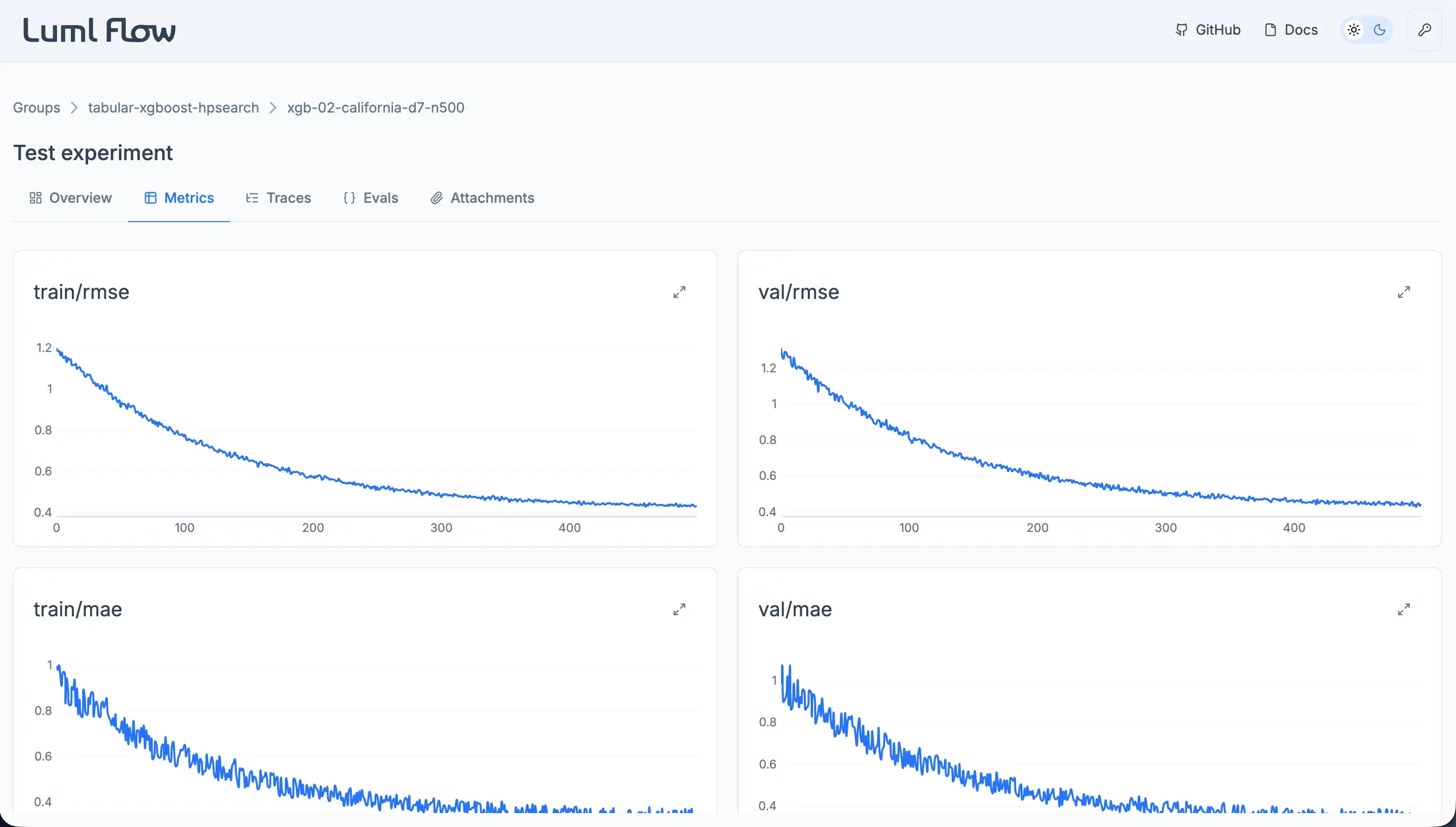
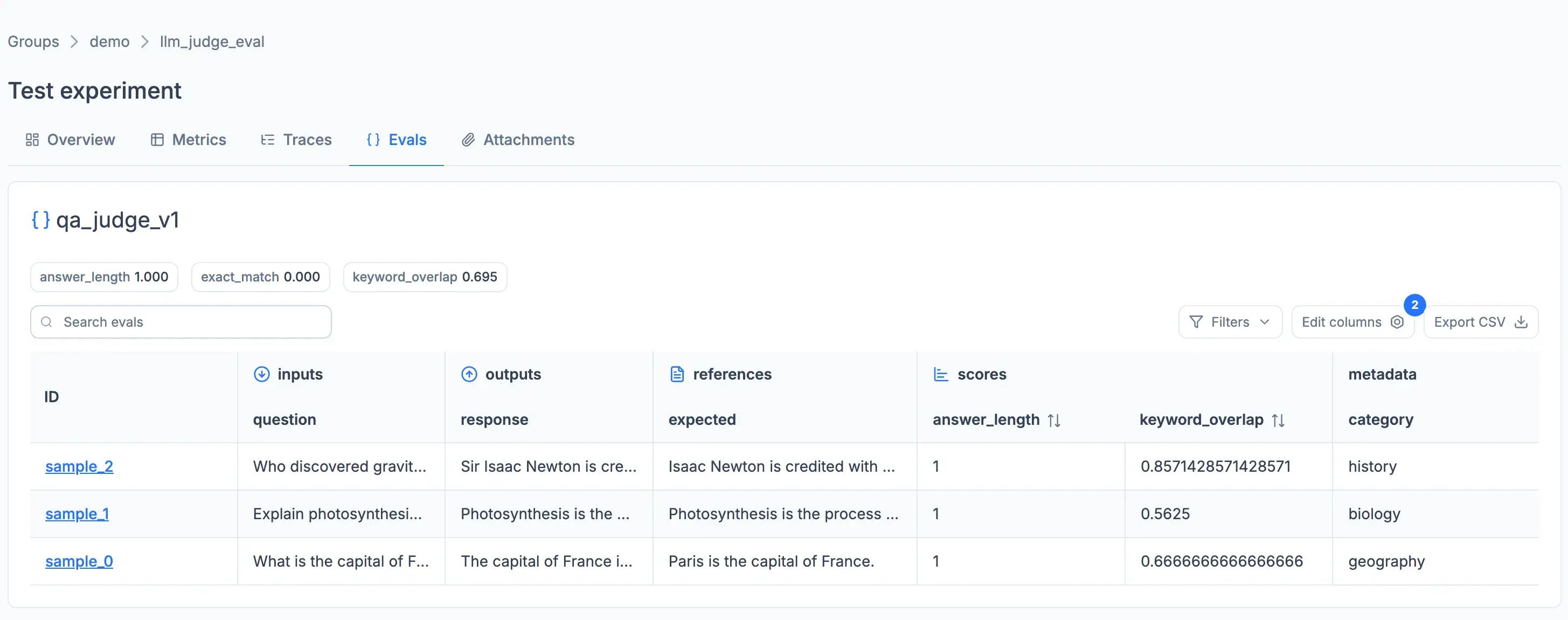
Each experiment serves as a complete record of a run and can include:
- Metrics — track performance over time (accuracy, loss, F1, etc.)
- Parameters — log hyperparameters and configuration settings
- Models — store produced models and link them to specific runs
- Evaluations (Evals) — record evaluation results and comparisons
- Traces — capture step-by-step execution details for deeper analysis
- Attachments — save artifacts like datasets, plots, or logs
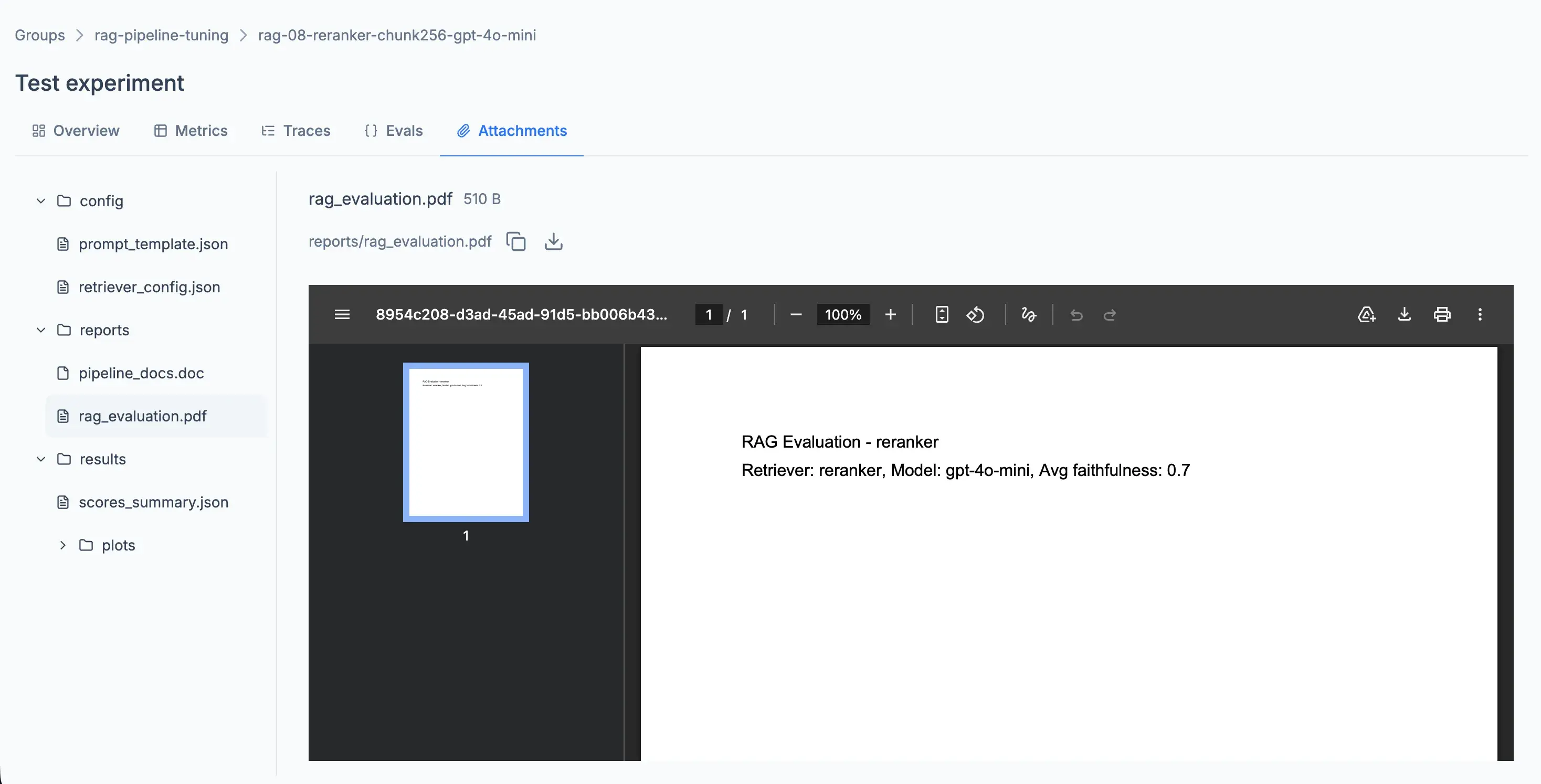
All of this is accessible through an interactive web UI where you can explore experiments, analyze metrics, inspect traces, and compare results.
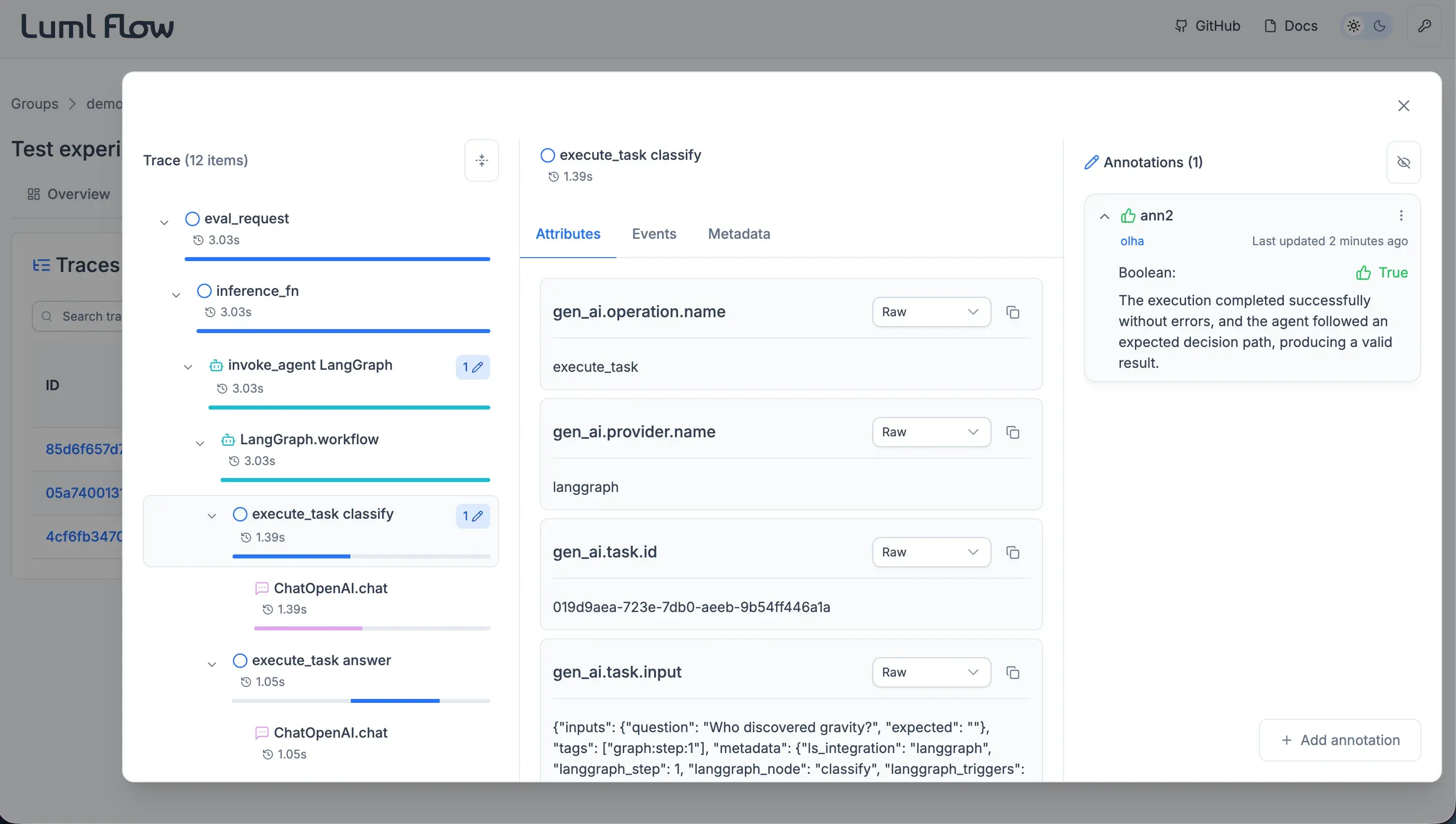
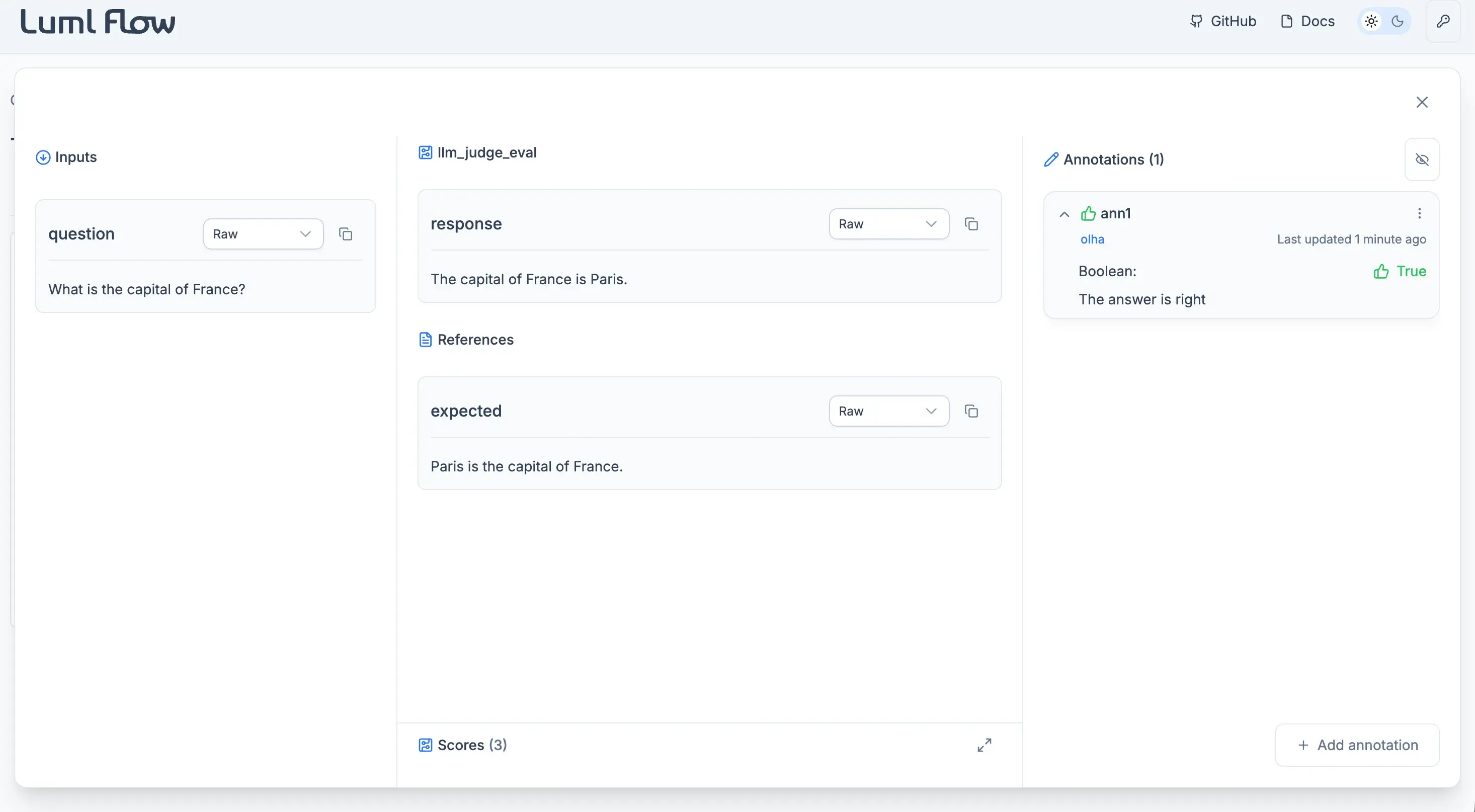
Annotations
Add annotations to evaluation samples and trace spans to capture feedback, expectations, or manual scores.
Use annotations to review experiment quality, document insights, or collaborate with teammates by leaving structured notes with optional rationale.
Annotations in trace span:
Annotations in eval sample:
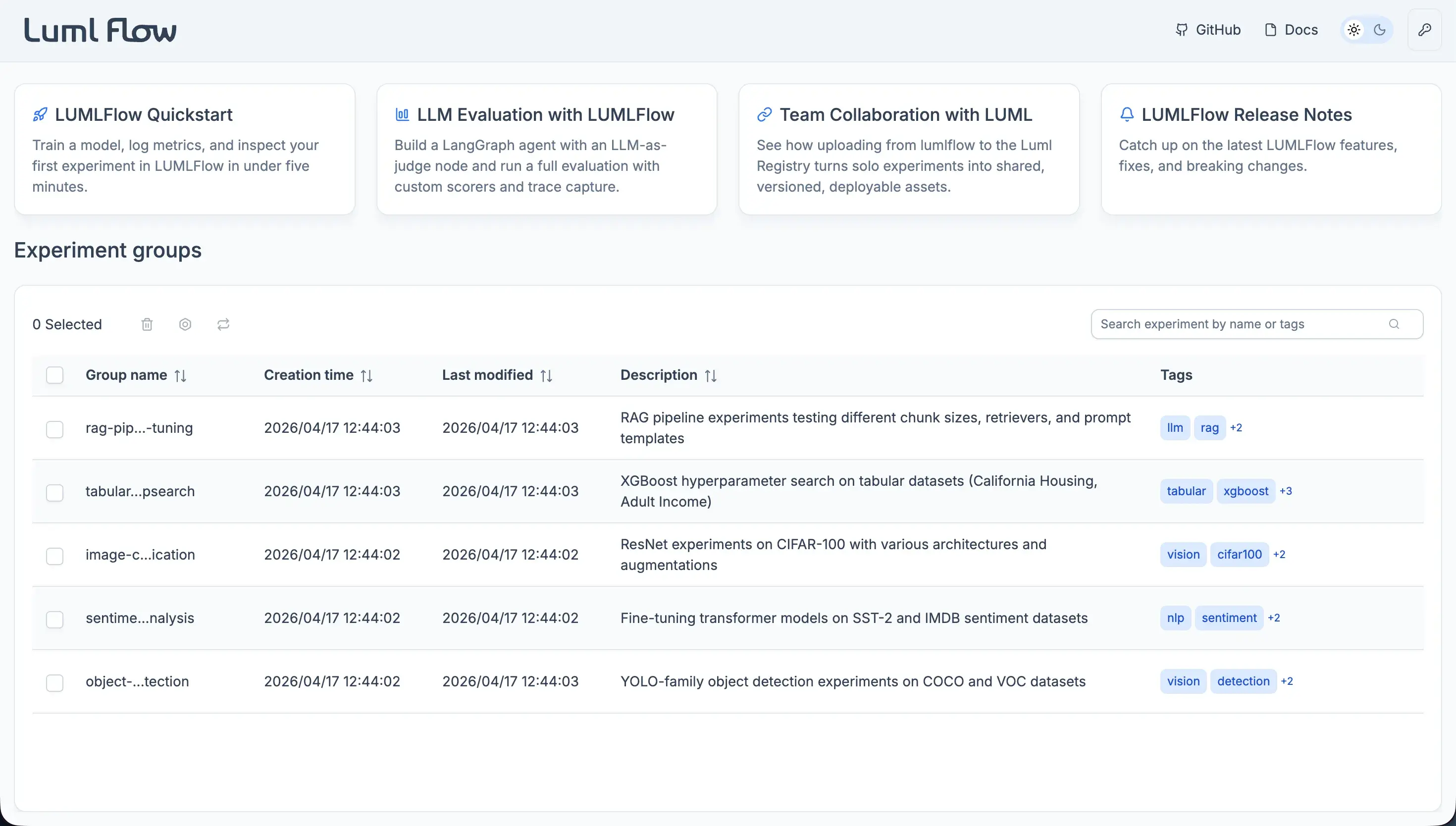
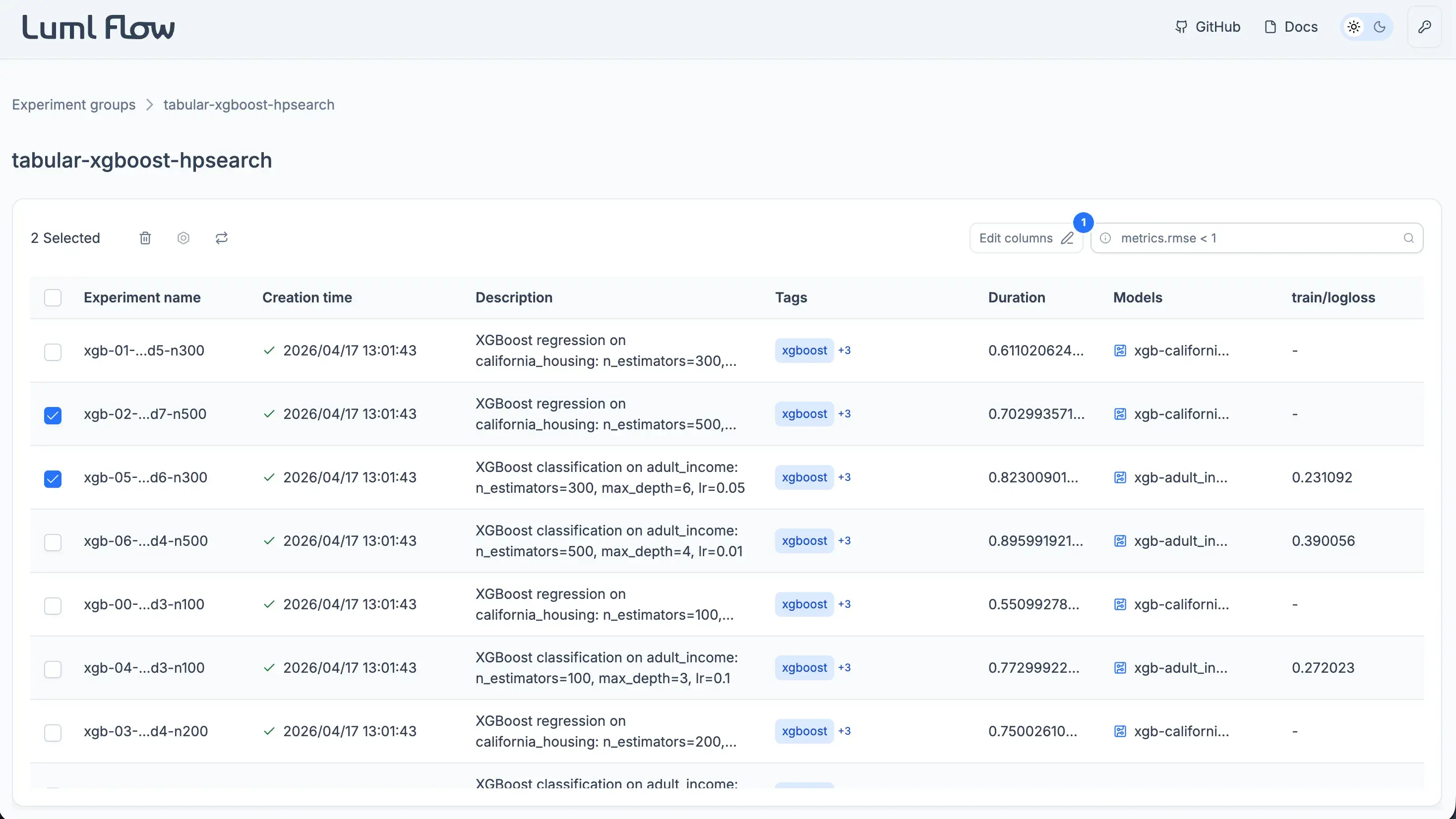
Experiment Groups
Organize related experiments into groups for easier navigation and comparison.
Uploading to LUML
Use your API key to upload experiments and models from your local environment to the LUML platform.
This allows you to move from local experimentation to shared cloud storage, making it easier to collaborate, persist results, and manage models centrally.
Requirements
- Python 3.12+
1 maintainer

Release files for lumlflow 0.2.0
For a detailed explanation of source distributions (sdists) and built distributions (wheels), please see the package formats documentation.
Built distribution (wheel)
| File | Interpreter | ABI | Platform | Reset |
|---|---|---|---|---|
| lumlflow-0.2.0-py3-none-any.whl | Python 3 | none | any | Details |
Release files / lumlflow-0.2.0-py3-none-any.whl
| Download URL | lumlflow-0.2.0-py3-none-any.whl |
|---|---|
| Size | 2.4 MB |
| Tags | Python 3 |
|
SHA-256 checksum How to use checksums |
3744d5ba2601c9897e749caa32c367157ddd318306602022ea5a398e6abf88f6
|
|
BLAKE2b-256 checksum How to use checksums |
a68636bfb224a844459a9b7534648d64de44c6cfcd118623c06c63cf9a02f839
|
| Upload date | |
|
Uploaded using Trusted Publishing? What is trusted publishing? |
No |
| Uploaded via |
uv/0.11.28 {"installer":{"name":"uv","version":"0.11.28","subcommand":["publish"]},"python":null,"implementation":{"name":null,"version":null},"distro":{"name":"Ubuntu","version":"24.04","id":"noble","libc":null},"system":{"name":null,"release":null},"cpu":null,"openssl_version":null,"setuptools_version":null,"rustc_version":null,"ci":true}
|














