
Lurkiti 👁️
Monitor → Click → Watch. No browser, no bullshit. → screenshots on GitHub
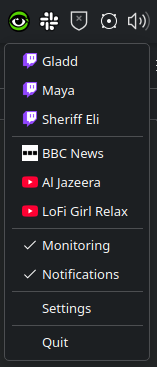
Lurkiti is a lightweight system-tray app that monitors livestreams and opens them with Streamlink.
Features
- 🔔 Real-time stream monitoring
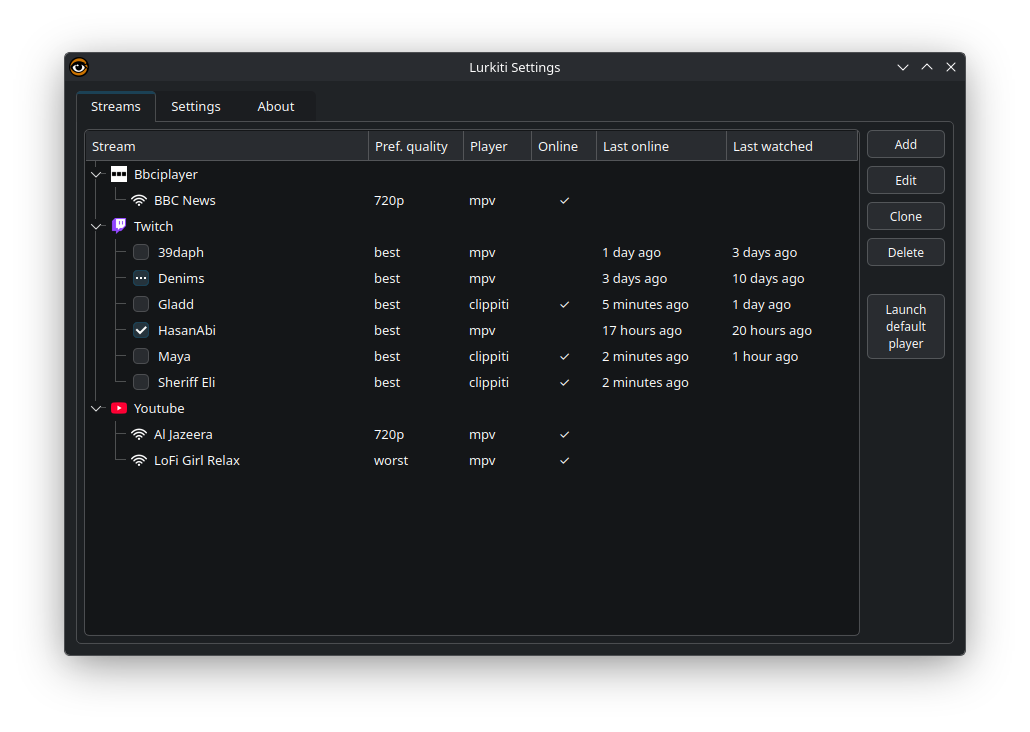
- 🎯 Multi-platform support (Twitch, YouTube, and other Streamlink-supported sites)
- 🖥️ System tray integration with status icons
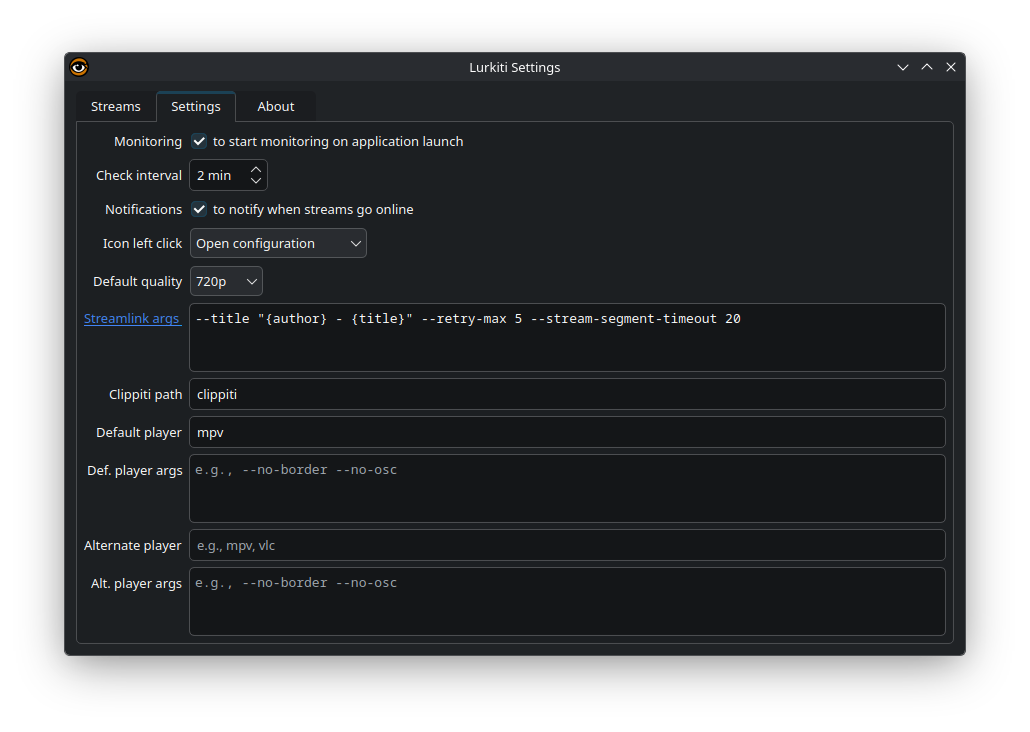
- 🎨 Custom player support (mpv, VLC, or your preferred player)
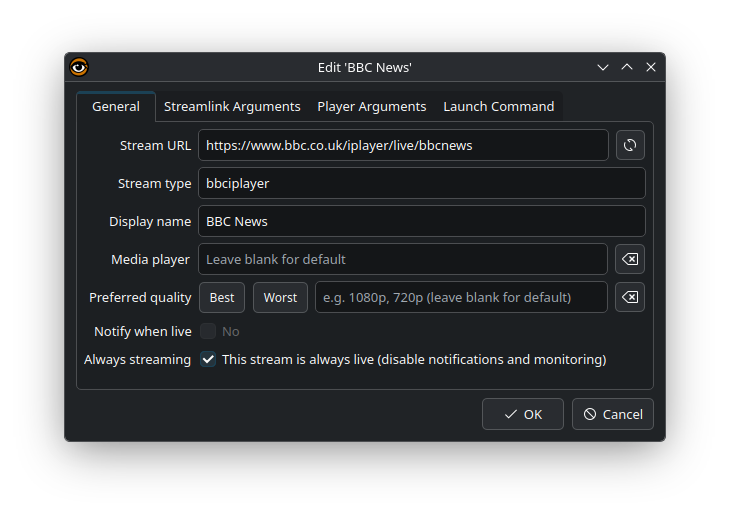
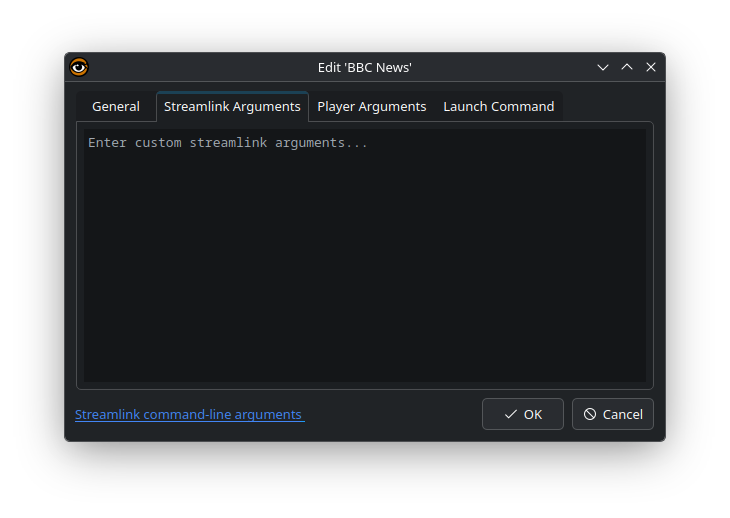
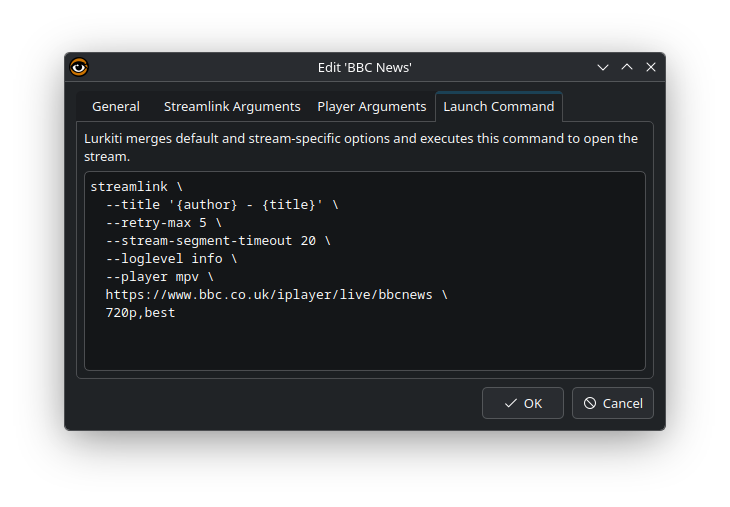
- ⚙️ Per-stream quality, notification, streamlink and player options overrides
- 🕒 Last online / last watched tracking
- 🌐 Favicon fetching and caching
- 📋 Quick launch from clipboard URL
Supported OS: Linux, Windows, macOS (desktop environments with a system tray)
Requirements
- Python 3.12+
- A desktop environment with system tray support
- Streamlink-compatible media player (optional, but recommended)
Install (PyPI)
pip install lurkiti
Run:
lurkiti
Run from source
git clone https://github.com/tarzasai/Lurkiti.git
cd Lurkiti
python3 -m venv .venv
source .venv/bin/activate
pip install -r requirements.txt -r requirements-dev.txt
pip install -e .
lurkiti
Alternative without editable install:
PYTHONPATH="$PWD/src" .venv/bin/python -m lurkiti.main
Command-line options
-c, --config PATH         Path to custom configuration file
-l, --log-level LEVEL     DEBUG | INFO | WARNING | ERROR (default: INFO)
    --denoise-logging     Reduce dependency log noise
Example:
lurkiti --log-level DEBUG --denoise-logging
Companion Player: Clippiti
If you want a media player made specifically for livestreams, check out my Clippiti.
Clippiti lets you record streams and cut clips locally on your machine, no external services and no accounts required.
Configuration
Lurkiti stores a JSON config file per user.
- Linux:
~/.config/Lurkiti.json - Windows:
%APPDATA%\Lurkiti.json - macOS:
~/Library/Application Support/Lurkiti.json
If the file does not exist, Lurkiti creates one with defaults.
Minimal example:
{
	"check_interval_mins": 5,
	"default_quality": "best",
	"default_notify": false,
	"streams": {
		"https://www.twitch.tv/some_channel": {
			"url": "https://www.twitch.tv/some_channel",
			"name": "some_channel",
			"type": "twitch"
		}
	}
}
Development
Bootstrap a local development environment:
./setup_dev.sh
Run tests (recommended from repository root):
PYTHONPATH=src .venv/bin/python -m pytest
Or use the helper script:
./run_tests.sh
Troubleshooting
- No tray icon: verify your desktop environment provides a system tray (some Wayland setups need extra integration).
- Stream does not open: ensure
streamlinkand your target media player are installed and available inPATH. - Plugin/auth-related issues: check your Streamlink user config and plugin setup.
- To troubleshoot with logs:
lurkiti --log-level DEBUG
Reporting issues
Open an issue at https://github.com/tarzasai/Lurkiti/issues and include:
- OS and desktop environment
- Steps to reproduce
- Relevant terminal logs
License
MIT License - see LICENSE for details.
Acknowledgments
- Streamlink
- PyQt6
- Contributors and testers
This is a third-party tool and is not affiliated with any streaming platform.
KDE Tip (Optional)
If you use KDE Plasma (KWin), you may also like Director: https://github.com/tarzasai/kwin-script-director
Director is a KWin script that automatically arranges windows, keeps one primary window large, parks the others on a screen edge so you can keep them visible, and provides keyboard shortcuts to swap the main window with parked windows in rotation order.
This is only relevant for KDE/KWin users.
Screenshots
1 maintainer

Metadata
1 maintainer
Release files for lurkiti 1.0.32
For a detailed explanation of source distributions (sdists) and built distributions (wheels), please see the package formats documentation.
Source distribution (sdist)
| File | Size | Uploaded | |
|---|---|---|---|
| lurkiti-1.0.32.tar.gz | 470.8 kB | Details |
Built distribution (wheel)
| File | Interpreter | ABI | Platform | Reset |
|---|---|---|---|---|
| lurkiti-1.0.32-py3-none-any.whl | Python 3 | none | any | Details |
Total release size: 607.5 kB
Release files / lurkiti-1.0.32.tar.gz
| Download URL | lurkiti-1.0.32.tar.gz |
|---|---|
| Size | 470.8 kB |
| Tags | Source |
|
SHA-256 checksum How to use checksums |
04f12d16a7285a7e93fd7ed1aeae7db2d5b8c9de5b84f63b4ed4793d8b3702f3
|
|
BLAKE2b-256 checksum How to use checksums |
6ffa8c93675a9b45447174363dbd453f8763ccb77cb7cd46a88802e87bc6b341
|
| Upload date | |
|
Uploaded using Trusted Publishing? What is trusted publishing? |
Yes |
| Uploaded via |
twine/7.0.0 CPython/3.13.14
|
Provenance
Provenance describes where a file came from. On PyPI, provenance is shared via attestations, which provide a verifiable record of the build or publishing details. View details, limitations and caveats.


PyPI Publish Attestation
PyPI verified that this artifact, at this checksum, originated from the publisher listed below.
Signed by GitHub Actions, verified by PyPI on Oct 4, 2026.
Transparency logRelease files / lurkiti-1.0.32-py3-none-any.whl
| Download URL | lurkiti-1.0.32-py3-none-any.whl |
|---|---|
| Size | 136.8 kB |
| Tags | Python 3 |
|
SHA-256 checksum How to use checksums |
b99742da4b8a42c05364e468993f547a3295a77d36710edbc4f658ae750a264b
|
|
BLAKE2b-256 checksum How to use checksums |
0fbc757028b92c3a2bf0da750c9b9b91fe69792ce8671f6d13975152507d48cd
|
| Upload date | |
|
Uploaded using Trusted Publishing? What is trusted publishing? |
Yes |
| Uploaded via |
twine/7.0.0 CPython/3.13.14
|
Provenance
Provenance describes where a file came from. On PyPI, provenance is shared via attestations, which provide a verifiable record of the build or publishing details. View details, limitations and caveats.
PyPI Publish Attestation
PyPI verified that this artifact, at this checksum, originated from the publisher listed below.
Signed by GitHub Actions, verified by PyPI on Oct 4, 2026.
Transparency log













