



lyrics-tool is a small, cross-platform suite that fetches synced lyrics,
prepares them into phrase- or word-level timing, and renders them live
in the terminal as block letters, synchronized to whatever your media player is
playing.
It follows your player natively on Linux (MPRIS / playerctl), Windows
(System Media Transport Controls) and macOS (nowplaying-cli) — one code
path, one snapshot, the right backend picked automatically for your OS. Works
with Spotify and any local player (mpv, VLC, rhythmbox, Apple Music, …);
auto-follows whatever is playing, or pin it with --player.
Contents
- Quick start
- The three commands
- Previews
- Features
- Platform support
- Installation
- Player backends
- Colour sources
- Usage
- How your lyrics are stored
- Configuration
- Troubleshooting
- Footprint
- Development & contributing
- Uninstall
Quick start
Once installed (see Installation), there is nothing to configure — every command falls back to a shared default location under your data directory, so the whole flow works with zero flags:
lyricsooo-fetch --audio-dir ~/Music   # 1. download synced lyrics for your library
lyricsooo-cook                         # 2. prepare them (split long lines, etc.)
lyricsooo                              # 3. play — synced to your current track
Or skip steps 1–2 entirely: just run lyricsooo and start playing music.
Missing lyrics are fetched and cached on the fly as each track plays.
lyricsooo # just works — fetches lyrics live as songs play
The three commands
| Command | What it does |
|---|---|
lyricsooo |
Live, terminal block-letter visualizer synced to the active player. |
lyricsooo-fetch |
Batch-download synced lyrics from LRCLIB / syncedlyrics. |
lyricsooo-cook |
Split long phrases; optionally convert to word-level (.wlrc). |
Every command supports --help.
Previews
Rendered straight from the real engine — regenerate any time with
python tools/generate_previews.py.
| Feature & Description | Visual Preview |
|---|---|
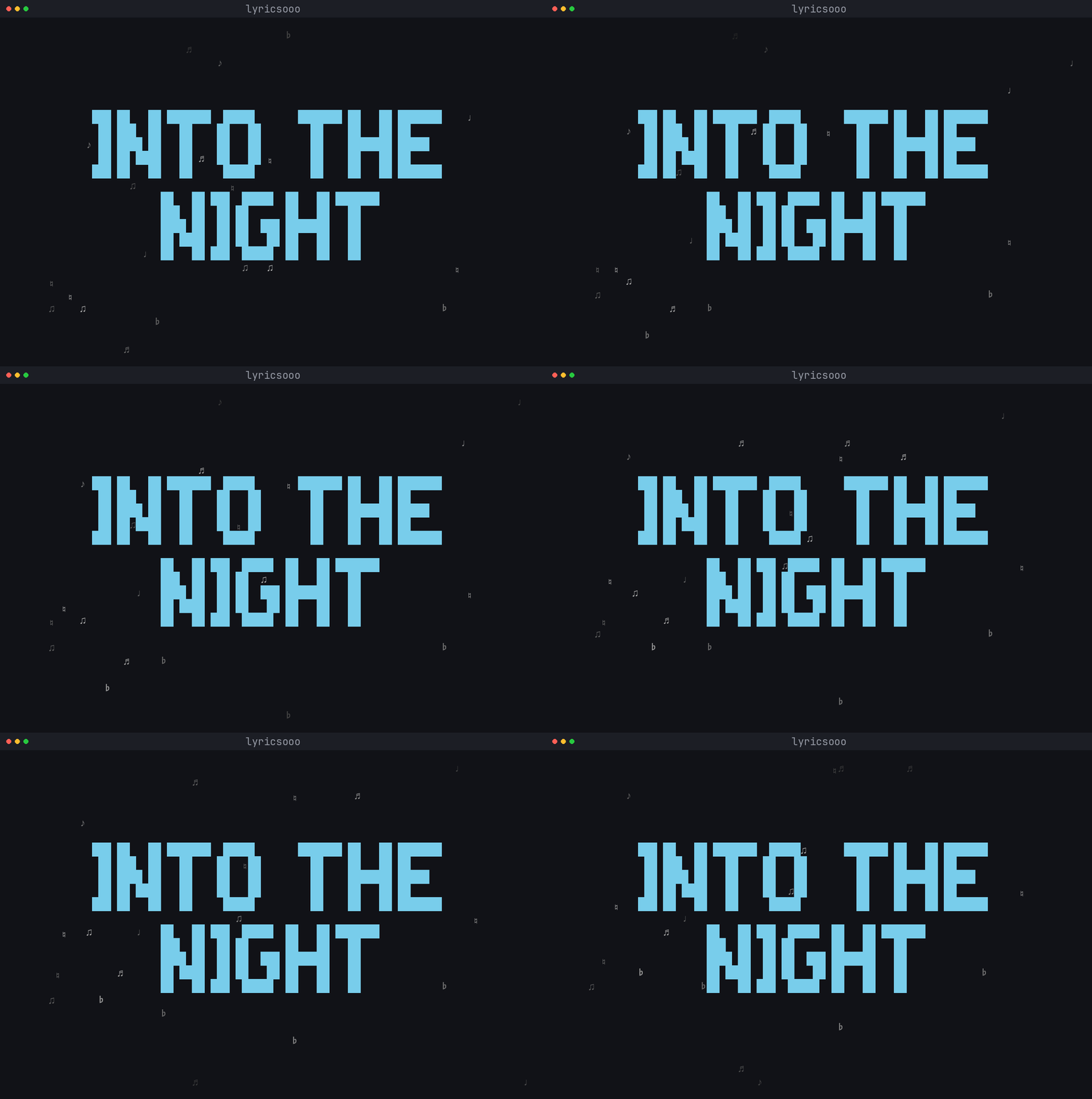
| Terminal Lyrics Visualizer The core visualizer rendering block-letter lyrics in the terminal. Custom fonts, dynamic resizing, ambient floating notes, and real-time player synchronization. |
 |
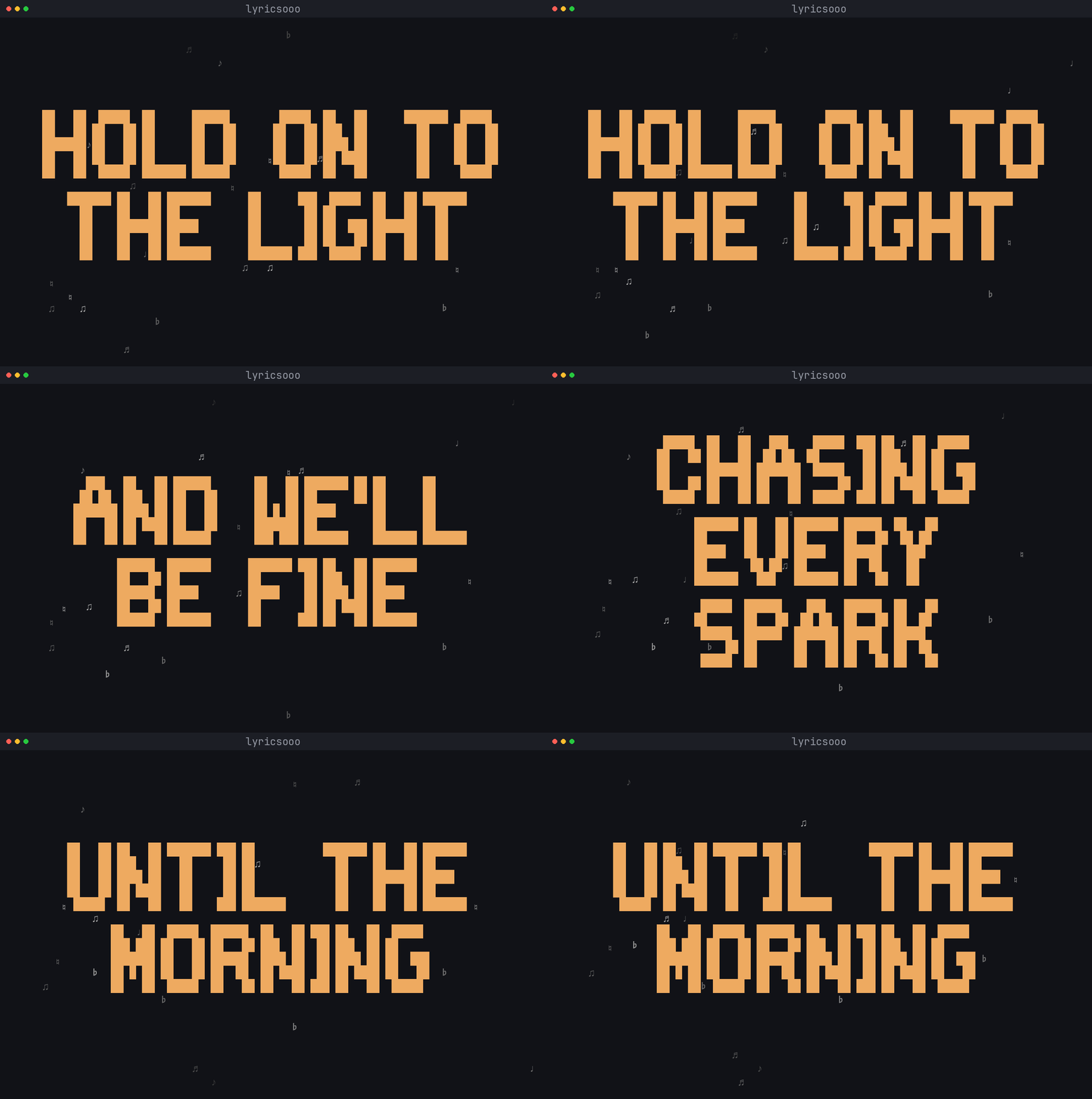
| Phrase-Level Playback Tracks the playing song line by line, matching vocal delivery. A phase-locked clock cancels player lag so lines land with the vocal. |
 |
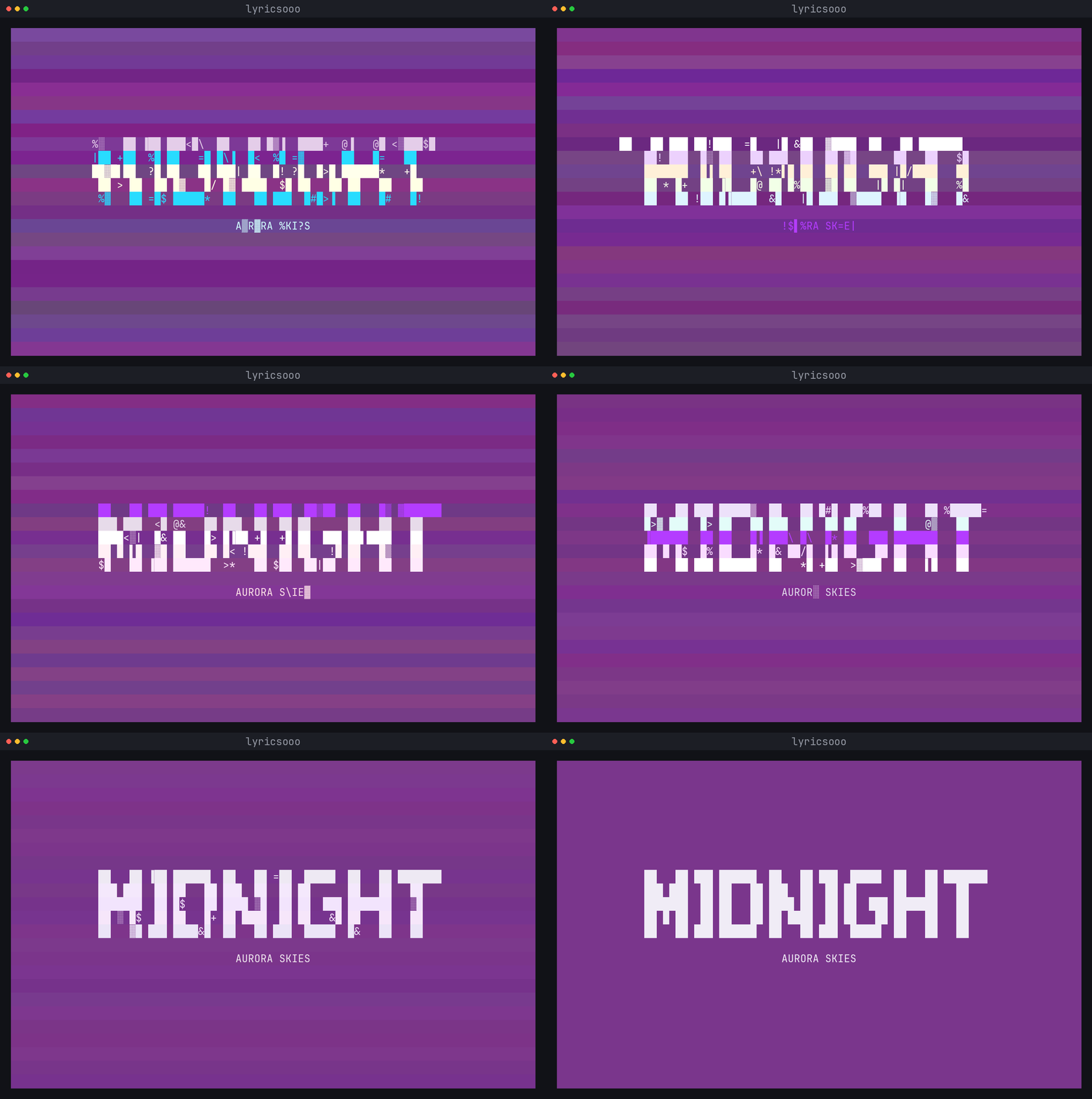
| Glitch Track Announce Every track change opens with a short glitch burst — band tears, scrambling letters, chromatic flicker — that resolves into the album info card. |
 |
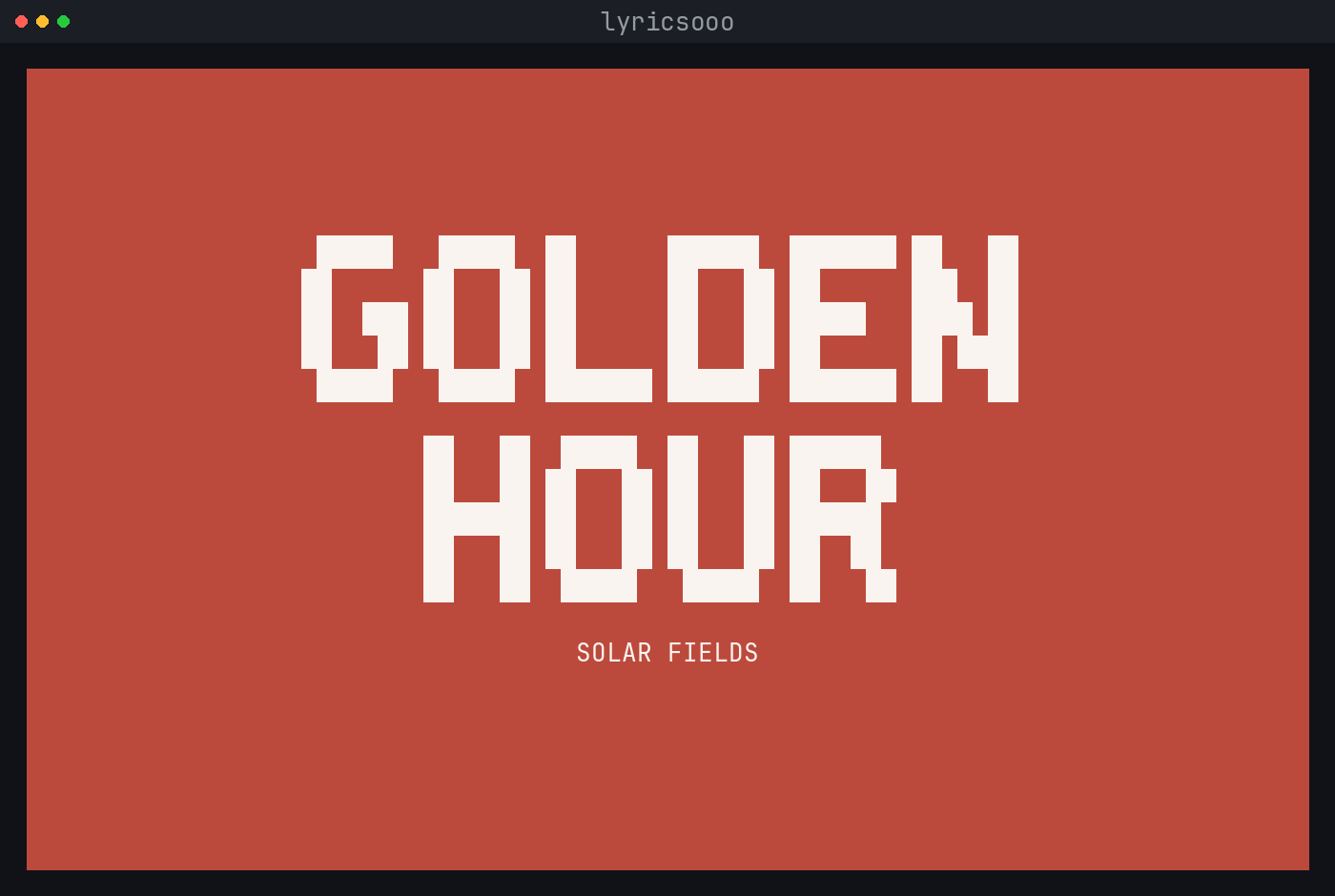
| Dynamic Colour Tinting Extracts the dominant colour from the album artwork and tints the now-playing card and lyrics to match the song — or follow your desktop theme instead. |
 |
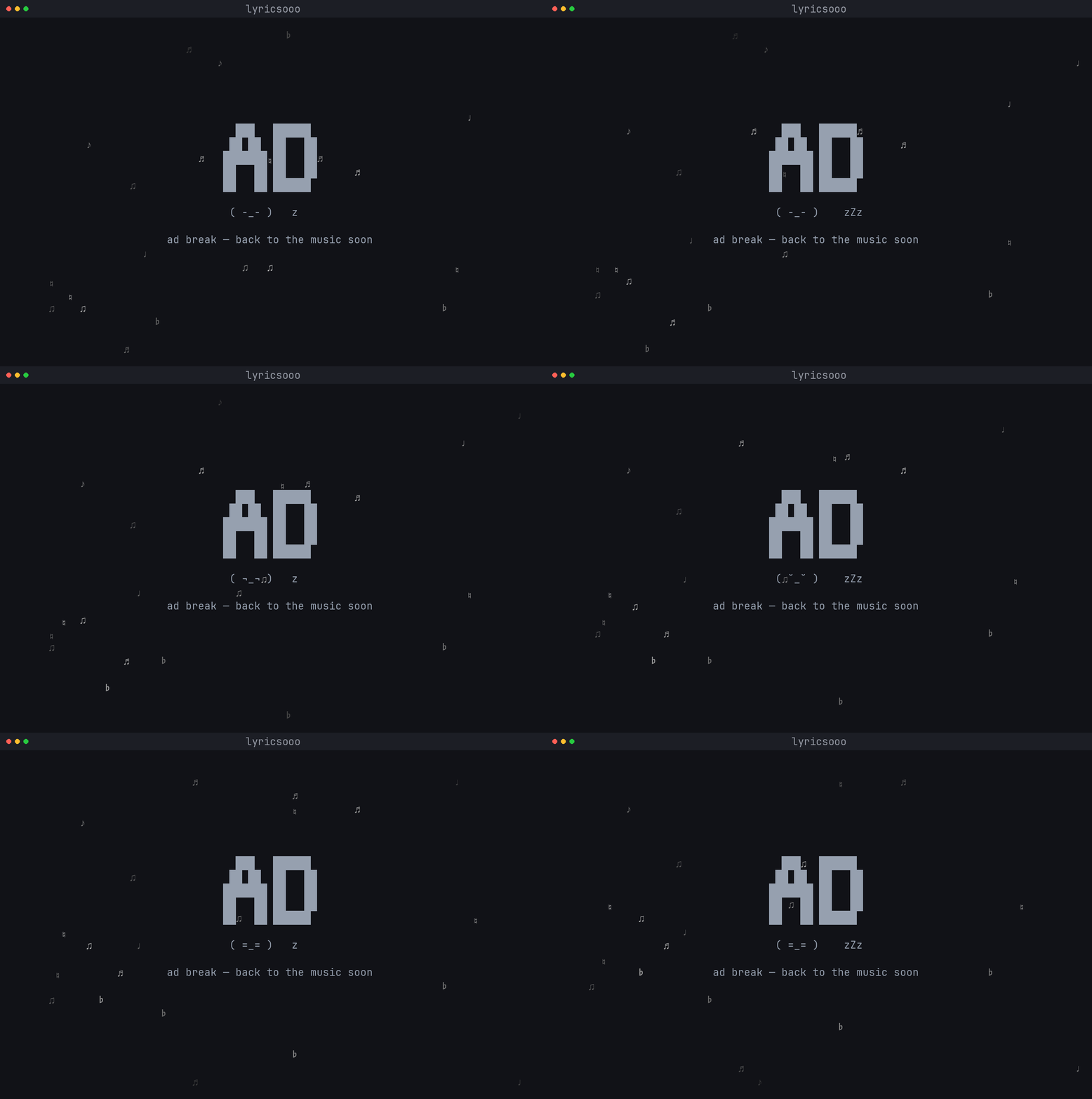
| Animated Ad-Break Screen Detects when Spotify plays an advertisement and shows an animated idle card, resuming lyrics immediately on the next song. |
 |
Features
- Cross-platform live sync — follows your player on Linux, Windows and macOS through one pluggable backend layer; the right one is auto-selected. See Platform support.
- Phrase and word-level sync —
.lrc(per line) and.wlrc(per word). - On-the-beat timing — a phase-locked playback clock continuously eases onto
the player's timeline and cancels reported-position lag, so lines land with
the vocal, not behind it. Nudge live with
-/+(saved), or set--offset. - Four line-reveal effects —
standard(instant),typewriter(char-by-char with a blinking cursor),fade(soft per-line fade-in) andglow(the active line gently breathes). Pick with--reveal, or open the themed--selectpicker to choose effect + style before you play. - Never blocks on the network — lyrics for the playing track are fetched in the background, so the display stays responsive and track switches register instantly. An animated finding lyrics screen shows while it searches; a calm no synced lyrics screen if a song genuinely has none.
- Universal colour sources — by default the card is painted in the album
cover's dominant colour and the lyrics tinted with a softer accent, but the
source is pluggable (
--color-source): followpywal,caelestia,matugen, afixed:#rrggbbaccent, orfile:PATHto track any JSON palette live. - Auto-follow any player — Spotify and local players out of the box; pin with
--player spotify/mpv. Prefers whatever is actually playing, and skips web browsers and chat/telephony apps by default, so a YouTube lecture or a Telegram voice message can't hijack the lyrics (--ignore-playerto customise). - Glitch track announce + ad-break screen + floating music notes —
ambient polish that keeps the view alive; disable with
--no-notes. - Responsive, diffed renderer — block letters wrap to fit and fall back to plain text when the window is tiny; repaints only when something changes, so a held line costs ~no CPU and never flickers.
- Offline word mode and custom fonts (supply your own block font via JSON).
Platform support
| Platform | Live visualizer (lyricsooo) |
Offline tools (-fetch / -cook) |
Backend |
|---|---|---|---|
| Linux / BSD | ✅ full (art + local files) | ✅ | playerctl (MPRIS) |
| Windows 10/11 | ✅ | ✅ | smtc (System Media Transport Controls, [windows] extra) |
| macOS | ✅¹ | ✅ | nowplaying-cli |
| WSL | ✅ (as Linux) | ✅ | playerctl |
The backend is auto-detected; override with --player-backend or
$LYRICSOOO_PLAYER_BACKEND. A truecolor, UTF-8 terminal is recommended
everywhere (Kitty, Alacritty, WezTerm, Windows Terminal, iTerm2, …); on Windows
the console is switched into ANSI/VT mode automatically.
¹ macOS live sync depends on the
nowplaying-clihelper; on macOS 15.4+ Apple restricted the underlying framework, so availability can vary by OS version and player. Album-art tinting works on Linux (MPRIS art URL) and macOS (nowplaying-cliartwork); on Windows it's best-effort from the SMTC thumbnail. If a track exposes no art, colour falls back to none — a theme source (--color-source pywal/caelestia/fixed:#…) always works.
Installation
Universal — works on every OS and distro
lyrics-tool is a pure-Python package, so pipx (or uv) is the
simplest install anywhere:
# From PyPI
pipx install lyrics-tool          # …or:  uv tool install lyrics-tool

# Bleeding edge — straight from GitHub main
pipx install "git+https://github.com/hamza-abdelmoumene/lyrics-tool.git"
Then open a new terminal and run lyricsooo --help. The lyricsooo,
lyricsooo-fetch, and lyricsooo-cook commands are now on your PATH.
Optional system dependencies
Only needed for the corresponding feature; the tool degrades gracefully without them.
Linux — live sync + audio durations
# Debian / Ubuntu
sudo apt install -y playerctl ffmpeg pipx && pipx ensurepath
# Arch
sudo pacman -S --needed playerctl ffmpeg python-pipx && pipx ensurepath
# Fedora
sudo dnf install -y playerctl ffmpeg pipx && pipx ensurepath
playerctl powers the live visualizer; ffmpeg (ffprobe) reads audio
durations when processing.
Windows — native live sync
Install the System Media Transport Controls backend with the [windows] extra:
pipx install "lyrics-tool[windows]"
# or from a local clone:  pipx install ".[windows]"
That pulls in winsdk. No playerctl needed — it reads Windows' global media
session directly. WSL users can instead follow the Linux steps for the full
MPRIS experience.
macOS — live sync helper
brew install nowplaying-cli      # enables live sync
brew install ffmpeg              # optional, for audio durations
pipx install lyrics-tool
Distro packages
| Method | Command |
|---|---|
| Arch (AUR) — latest release | yay -S lyrics-tool (or paru, or makepkg -si on packaging/aur) |
Arch (AUR) — build from main |
yay -S lyrics-tool-git |
From source (development)
git clone https://github.com/hamza-abdelmoumene/lyrics-tool.git
cd lyrics-tool
pip install -e '.[dev]'
Optional — high-accuracy word timing. Per-word onset detection uses
librosa(heavy, opt-in) — add the[onset]extra:pipx install "lyrics-tool[onset]".
Player backends
lyricsooo reads the active player through the backend that fits your OS. It's
picked automatically, but you can force one:
lyricsooo --player-backend playerctl        # Linux / MPRIS
lyricsooo --player-backend smtc             # Windows media session
lyricsooo --player-backend nowplaying-cli   # macOS
export LYRICSOOO_PLAYER_BACKEND=smtc        # …or pin it in your shell rc
The active backend is shown in the startup banner. If your platform has no
backend available, the offline lyricsooo-fetch / lyricsooo-cook tools still
work and the visualizer shows its idle screen with a hint. Adding a new platform
is a self-contained change — see CONTRIBUTING.
Colour sources
Where the lyric tint and now-playing card get their colour is fully pluggable.
Pick a source with --color-source (or set $LYRICSOOO_COLOR_SOURCE):
| Source | Colours follow | Needs |
|---|---|---|
art (default) |
the current track's album art | Pillow + a player/OS that exposes art (Linux, macOS; best-effort on Windows) |
none |
terminal default foreground | — |
pywal |
~/.cache/wal/colors.json |
you already run wal/pywal |
caelestia |
the Caelestia desktop scheme | Caelestia |
matugen |
~/.cache/matugen/colors.json |
matugen |
fixed:#RRGGBB |
one static accent you choose | — |
file:PATH |
any JSON palette (configurable key map) | — |
lyricsooo --color-source pywal            # match your wal palette, live
lyricsooo --color-source fixed:#89b4fa    # one fixed accent (great on Win/macOS)
export LYRICSOOO_COLOR_SOURCE=caelestia   # …or make it the default everywhere
Theme-file sources update live — retheme your desktop and the lyrics recolour under your feet, no restart.
Usage
# 1. Fetch lyrics for your library
lyricsooo-fetch --audio-dir ~/Music

# 2. Prepare: split long phrases (add --wlrc for word-level)
lyricsooo-cook --no-require-audio

# 3. Visualize, synced to the current track
lyricsooo                       # phrase mode
lyricsooo --wlrc                # word mode
lyricsooo --reveal glow         # breathing active line
lyricsooo --player spotify      # pin to one player
lyricsooo --select              # pick effect + style interactively
Useful flags: --player <name> to pin a player, --player-backend <name> to
force a backend, --reveal {standard,typewriter,fade,glow}, --select for the
picker, --color-source <src>, --no-cover-color / --no-notes to strip
effects, --offset <sec> to nudge sync (positive = earlier), --banner-hold <sec> for the title-card dwell. Press Ctrl+C to exit.
How your lyrics are stored
Unless you pass explicit --*-dir flags, everything lives under one root
(honouring $XDG_DATA_HOME, or the platform equivalent):
~/.local/share/lyrics-tool/
└── lyrics/
    ├── raw/         # lyricsooo-fetch downloads here  →  lyricsooo-cook's input
    └── processed/   # lyricsooo-cook writes here      →  lyricsooo reads here
Live-nudged sync offsets are kept separately under ~/.local/state/lyrics-tool/.
These directories are created automatically — you never have to mkdir
anything.
Configuration
Processing, visualizer and colour defaults can be set in a YAML file (see
src/lyrics_tool/config_example.yaml) and
passed with --config path/to/config.yaml. CLI flags override the file.
Troubleshooting
| Symptom | Cause & fix |
|---|---|
lyricsooo: command not found |
Your pipx/uv bin dir isn't on PATH. Run pipx ensurepath, then open a new terminal. |
| "no live-sync backend available" note | Install the backend for your OS: playerctl (Linux), pipx install 'lyrics-tool[windows]' (Windows), brew install nowplaying-cli (macOS). |
| Lyrics don't move / no sync | A player must be running. Check the startup banner's backend line; try pinning with --player spotify. |
no synced lyrics for a track |
That song has no synced lyrics on LRCLIB — playback continues normally. |
| Block letters look like boxes / no colour | Use a truecolor, UTF-8 terminal (Kitty, Alacritty, WezTerm, Windows Terminal, iTerm2, …). |
| Cover tint missing | Some tracks/players expose no art (esp. streamed audio on Windows). Use --color-source fixed:#RRGGBB or a theme source (pywal/caelestia/matugen) instead. |
ffprobe: not found when processing |
Install ffmpeg, or run lyricsooo-cook --no-require-audio to skip duration lookups. |
Footprint
It's light — a sleep-driven loop, not a busy renderer. The diff renderer only repaints when the lyric line, the notes, or the terminal size actually change, and playback position is extrapolated from the monotonic clock instead of polling the player every frame.
Measured on Linux / CPython 3.14, one lyricsooo process during continuous
playback:
| Metric | Idle / paused | 80×24 terminal | Large terminal (≈200×50) |
|---|---|---|---|
| Memory (RSS) | ~30 MiB | ~33 MiB | ~33 MiB |
| CPU | ~0% | ~1% of one core | ~3% of one core |
CPU scales with terminal size and --refresh-rate; memory is flat. --no-notes
trims steady-state CPU further. Numbers are approximate and hardware-dependent.
Development & contributing
pip install -e '.[dev]'
pytest                       # full suite — no playerctl, audio, or network needed
ruff check .                 # lint
mypy src                     # types (informational)
The test suite drives the visualizer loop with a stubbed player and unit-tests every OS backend through fakes, so it runs identically on Linux, Windows and macOS. See CONTRIBUTING.md for the full workflow and how to add a player backend, SECURITY.md for the security model and reporting, and CHANGELOG.md for release notes. By participating you agree to the Code of Conduct.
Uninstall
pipx uninstall lyrics-tool
rm -rf ~/.local/share/lyrics-tool ~/.local/state/lyrics-tool   # cached lyrics (optional)
Credits
Forked from tacos-terminal-lyrics; restructured into an installable,
cross-platform package with a pluggable backend layer, a responsive/diffed
renderer, offline word-mode, and a test suite.
License
MIT — see LICENSE.
1 maintainer

Metadata
1 maintainer
Release files for lyrics-tool 0.2.3
For a detailed explanation of source distributions (sdists) and built distributions (wheels), please see the package formats documentation.
Source distribution (sdist)
| File | Size | Uploaded | |
|---|---|---|---|
| lyrics_tool-0.2.3.tar.gz | 101.2 kB | Details |
Built distribution (wheel)
| File | Interpreter | ABI | Platform | Reset |
|---|---|---|---|---|
| lyrics_tool-0.2.3-py3-none-any.whl | Python 3 | none | any | Details |
Total release size: 189.9 kB
Release files / lyrics_tool-0.2.3.tar.gz
| Download URL | lyrics_tool-0.2.3.tar.gz |
|---|---|
| Size | 101.2 kB |
| Tags | Source |
|
SHA-256 checksum How to use checksums |
a81a0d130e7859edf0c102ea30bef91e3a452246fc50a640e3d5092b25ef9aef
|
|
BLAKE2b-256 checksum How to use checksums |
41953bb2a146e624a7cfb5702d44d4486741e88937c2289694d5abad1cea903a
|
| Upload date | |
|
Uploaded using Trusted Publishing? What is trusted publishing? |
Yes |
| Uploaded via |
twine/7.0.0 CPython/3.13.14
|
Provenance
Provenance describes where a file came from. On PyPI, provenance is shared via attestations, which provide a verifiable record of the build or publishing details. View details, limitations and caveats.


PyPI Publish Attestation
PyPI verified that this artifact, at this checksum, originated from the publisher listed below.
Signed by GitHub Actions, verified by PyPI on Sep 30, 2026.
Transparency logRelease files / lyrics_tool-0.2.3-py3-none-any.whl
| Download URL | lyrics_tool-0.2.3-py3-none-any.whl |
|---|---|
| Size | 88.7 kB |
| Tags | Python 3 |
|
SHA-256 checksum How to use checksums |
6162f524f7b5887f808a3d6bb8e22f7bff83106774b837b6a9436d007f86bf22
|
|
BLAKE2b-256 checksum How to use checksums |
550205010e8d5bd8bb60ac4fade082db6da61c3cc4bf9e48692e3ef86b3d2b31
|
| Upload date | |
|
Uploaded using Trusted Publishing? What is trusted publishing? |
Yes |
| Uploaded via |
twine/7.0.0 CPython/3.13.14
|
Provenance
Provenance describes where a file came from. On PyPI, provenance is shared via attestations, which provide a verifiable record of the build or publishing details. View details, limitations and caveats.
PyPI Publish Attestation
PyPI verified that this artifact, at this checksum, originated from the publisher listed below.
Signed by GitHub Actions, verified by PyPI on Sep 30, 2026.
Transparency log













