
Lysn - CLI Music Player






Demos
Installation
pip install lysn
Usage
Run the application:
lysn
Controls
See all
Navigation
| Key | Action |
|---|---|
| ↑ / ↓ | Move selection |
| Enter | Open / Confirm |
| Backspace | Go back |
Playback
| Key | Action |
|---|---|
| Space | Pause / Resume |
| S | Stop |
| R | Restart song |
| N | Next song |
| B | Previous song |
Seeking
| Key | Action |
|---|---|
| D | Forward 10 seconds |
| A | Backward 10 seconds |
Volume
| Key | Action |
|---|---|
| W | Volume up |
| X | Volume down |
| M | Mute toggle |
Album Actions
| Key | Action |
|---|---|
| P | Play album |
| Z | Shuffle album |
Quit
| Key | Action |
|---|---|
| Ctrl+Q | Exit application |
Music Directory
Place all your music inside the ~/Music directory on your system.
Albums are detected as subfolders inside ~/Music.
Supported formats depend on your system’s audio backend.
Interface Overview
See all
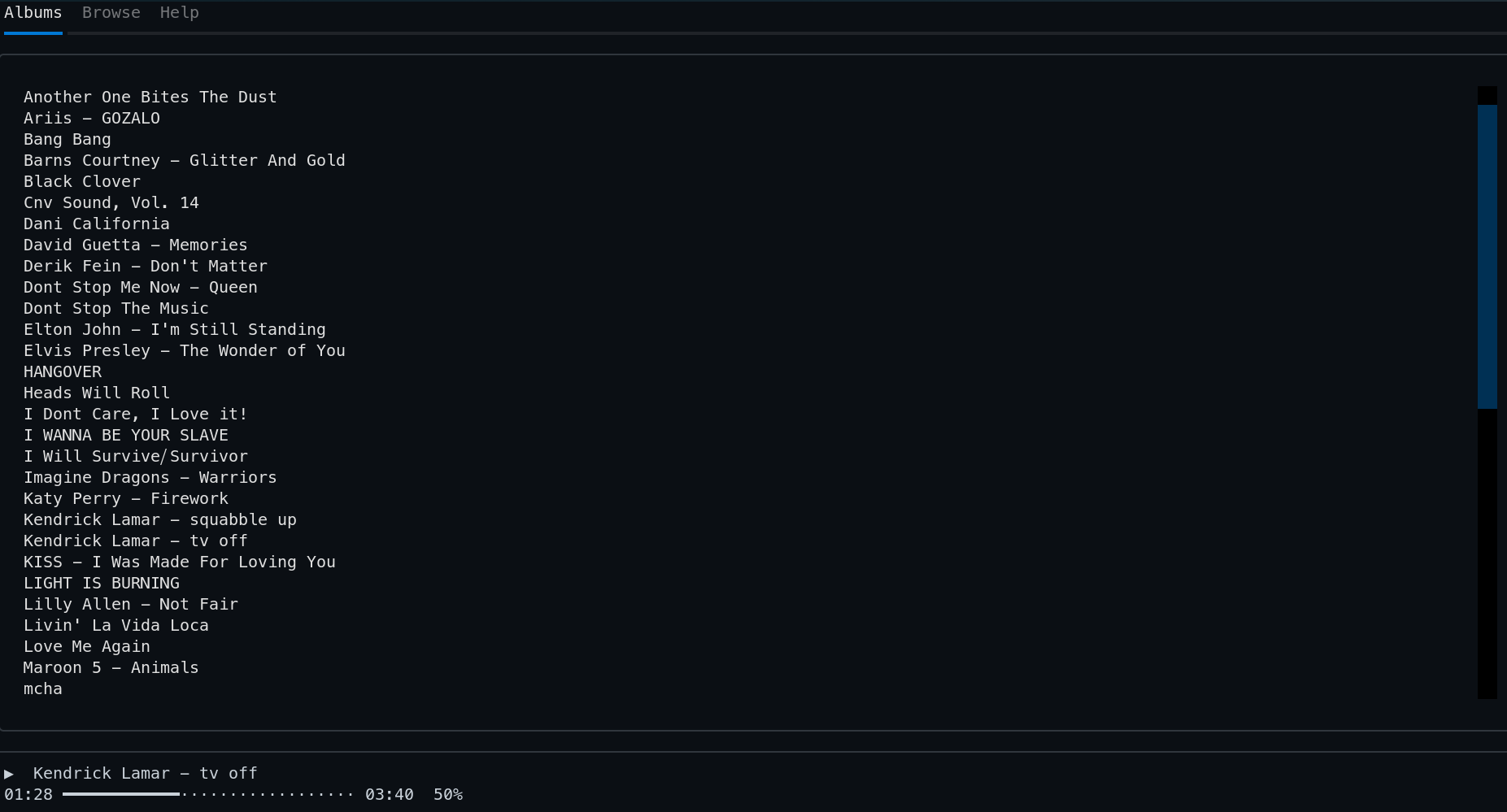
📀 Album Tab
- Reads your
~/Musicdirectory. - Subfolders are treated as albums.
- Enter an album to view tracks.
- Press:
- P → Play album
- Z → Shuffle album
- Press Backspace to return.
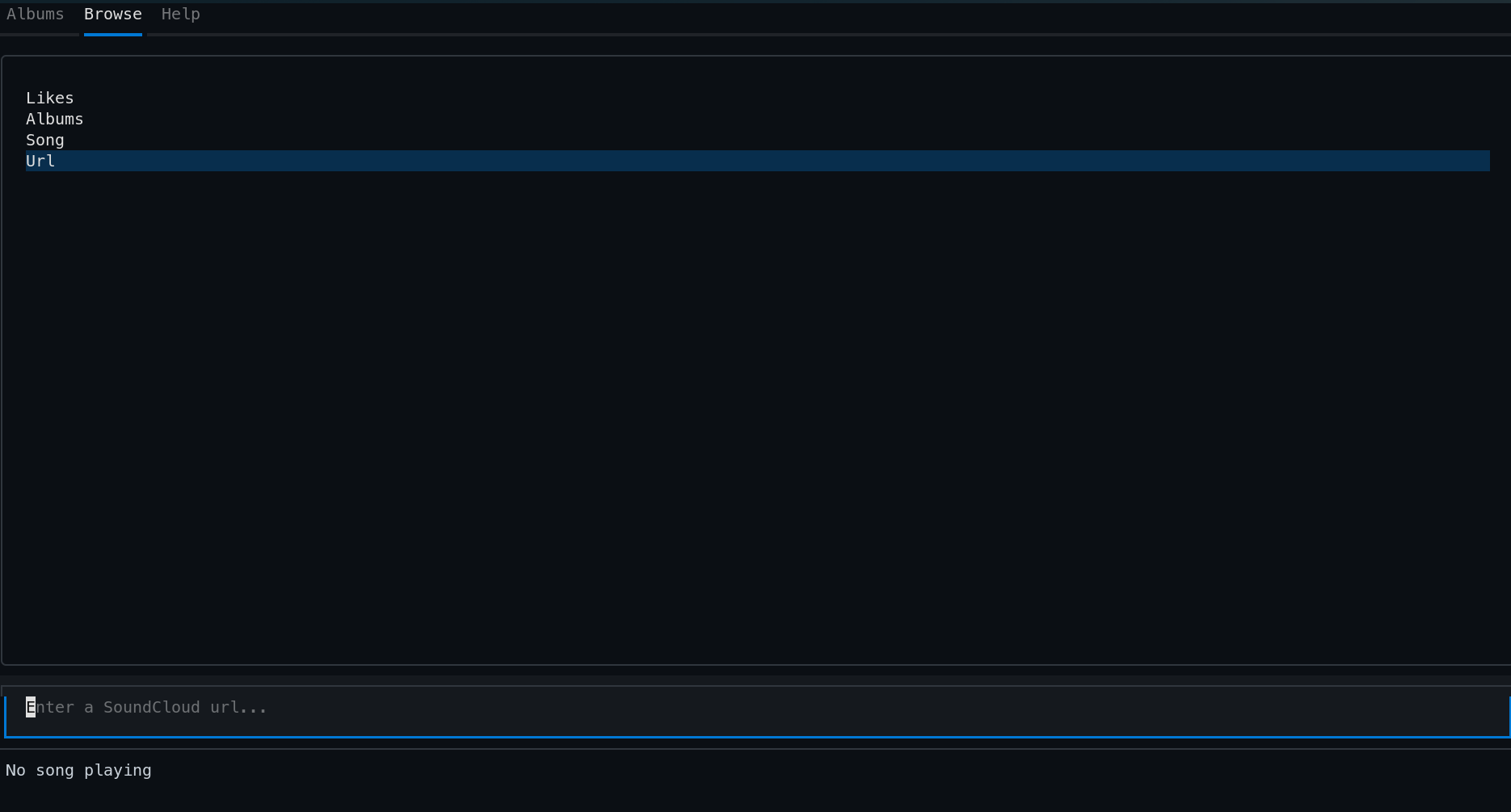
🌐 Browse Tab (Downloads)
Currently supports SoundCloud only.
Available options:
- Likes
- Playlists / Albums
- Single Song
Enter only the exact names from the URL. You can paste in with CTRL+V
Examples:
Likes:
url: https://soundcloud.com/mjimmortal/likes
username: mjimmortal
Playlist / Album:
url: https://soundcloud.com/mjimmortal/sets/thriller-40
username: mjimmortal
playlist/album: thriller-40
Song download:
url: https://soundcloud.com/mjimmortal/billie-jean-single-version
username: mjimmortal
song: billie-jean-single-version
Download Behavior
- Downloads go into
~/Music. - The app may appear frozen during download - this is normal.
- In some cases, progress may not appear in the UI.
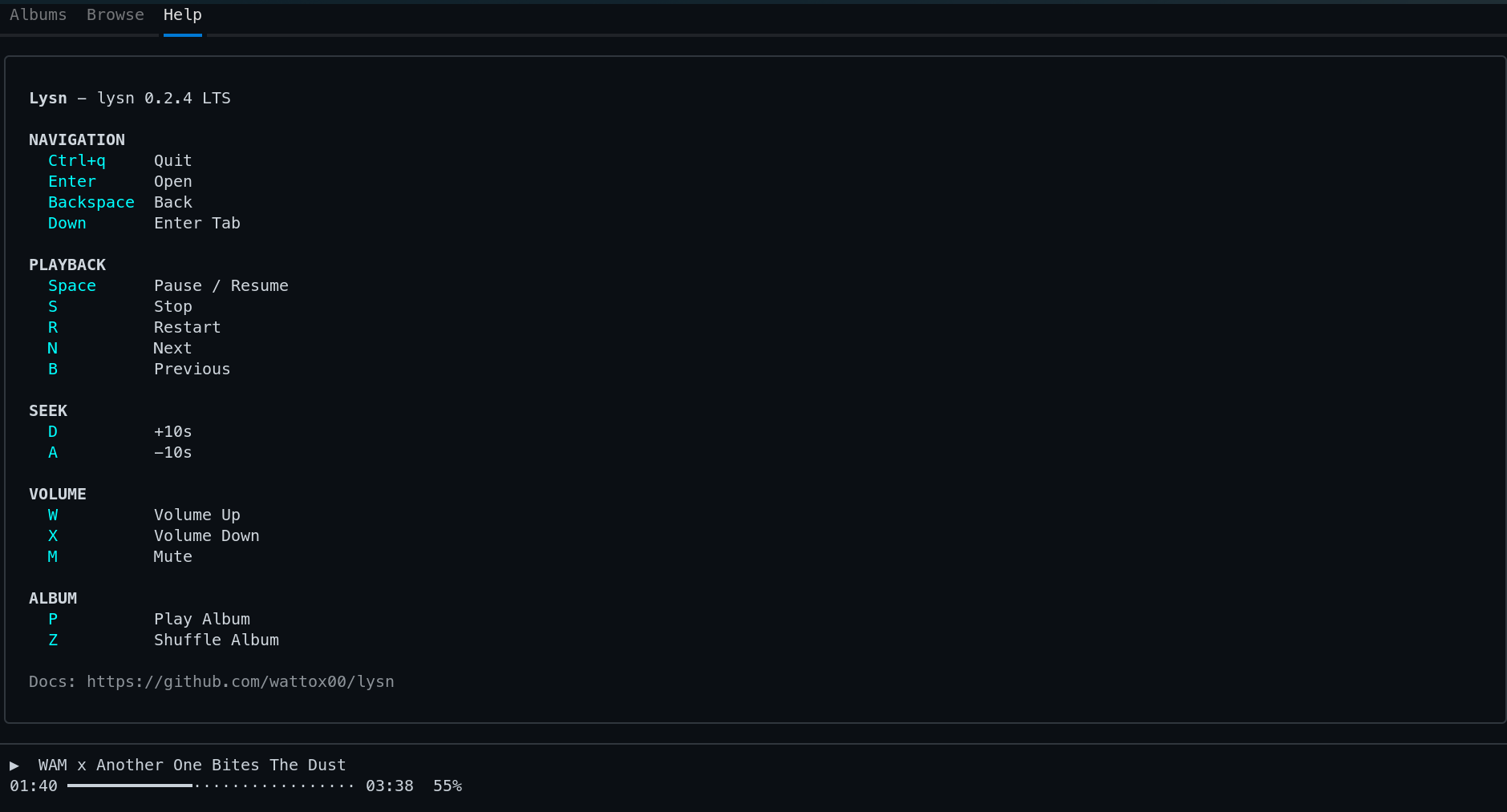
❓ Help Tab
- Displays all keybindings inside the app.
Flags
lysn --help
lysn --helpf
lysn --version
lysn --update
📝 Notes
- All downloaded content is saved to
~/Music. - Make sure names match exactly with SoundCloud URLs.
Enjoy your music - right from the terminal.
Support
If this project saved you time, taught you something, or made your day a little easier, you can support its development here:
Your support helps keep the project:
- Actively maintained
- Continuously improved
- Free and open source
Thanks for being part of the community 🤝
License
This project is licensed under the MIT License.
See the LICENSE file for full details.
1 maintainer

Metadata
1 maintainer
Release files for lysn 0.2.7
For a detailed explanation of source distributions (sdists) and built distributions (wheels), please see the package formats documentation.
Source distribution (sdist)
| File | Size | Uploaded | Provenance | Actions |
|---|---|---|---|---|
| lysn-0.2.7.tar.gz | 12.9 kB | Without provenance | Details for lysn-0.2.7.tar.gz |
Built distribution (wheel)
| File | Interpreter | ABI | Platform | Actions Reset |
|---|---|---|---|---|
| lysn-0.2.7-py3-none-any.whl | Python 3 | none | any | Details for lysn-0.2.7-py3-none-any.whl |
Total release size: 26.2 kB
Release files / lysn-0.2.7.tar.gz
| Download URL | lysn-0.2.7.tar.gz |
|---|---|
| Size | 12.9 kB |
| Tags | Source |
|
SHA-256 checksum How to use checksums |
deb6a37317f535c74bcaee763b0add6a24d21290be17ec478d32e94ef8b903ab
|
|
BLAKE2b-256 checksum How to use checksums |
f19ceacc1967b5f93f0d51b8e9fcc300ca1c3dffc5bdd223be5417a172b4fb6c
|
| Upload date | |
|
Uploaded using Trusted Publishing? What is trusted publishing? |
No |
| Uploaded via |
twine/6.2.0 CPython/3.14.4
|
Release files / lysn-0.2.7-py3-none-any.whl
| Download URL | lysn-0.2.7-py3-none-any.whl |
|---|---|
| Size | 13.3 kB |
| Tags | Python 3 |
|
SHA-256 checksum How to use checksums |
4f4ebdb92ea80cff820d54aaec123c08fb4d665df8beda7a25ac45e35be00285
|
|
BLAKE2b-256 checksum How to use checksums |
c29ce5bf99f48a427089070df4150052b23f2f13fe6a3664494b9725e6d53430
|
| Upload date | |
|
Uploaded using Trusted Publishing? What is trusted publishing? |
No |
| Uploaded via |
twine/6.2.0 CPython/3.14.4
|
Security for lysn 0.2.7
Provenance
Provenance describes where a file came from. On PyPI, provenance is shared via attestations, which provide a verifiable record of the build or publishing details. View details, limitations and caveats.
No provenance found
None of the files in this release were uploaded with provenance metadata.
A note on package security
PyPI is a repository for distributing packages, not a service for auditing them. While third-party security researchers and our staff do their best to detect and remove malicious packages, PyPI cannot guarantee the quality, security or suitability of any given package.
To learn more about protecting yourself from malicious actors, visit our package security documentation.














