
m4Bookmaker — filter fork
Convert a folder of audio files into a clean M4B audiobook — in seconds. This fork adds a fully offline language filter on top.






⭐ Watch this repo (Releases only) to get notified when a new version drops.
Docs · Releases · Report a Bug
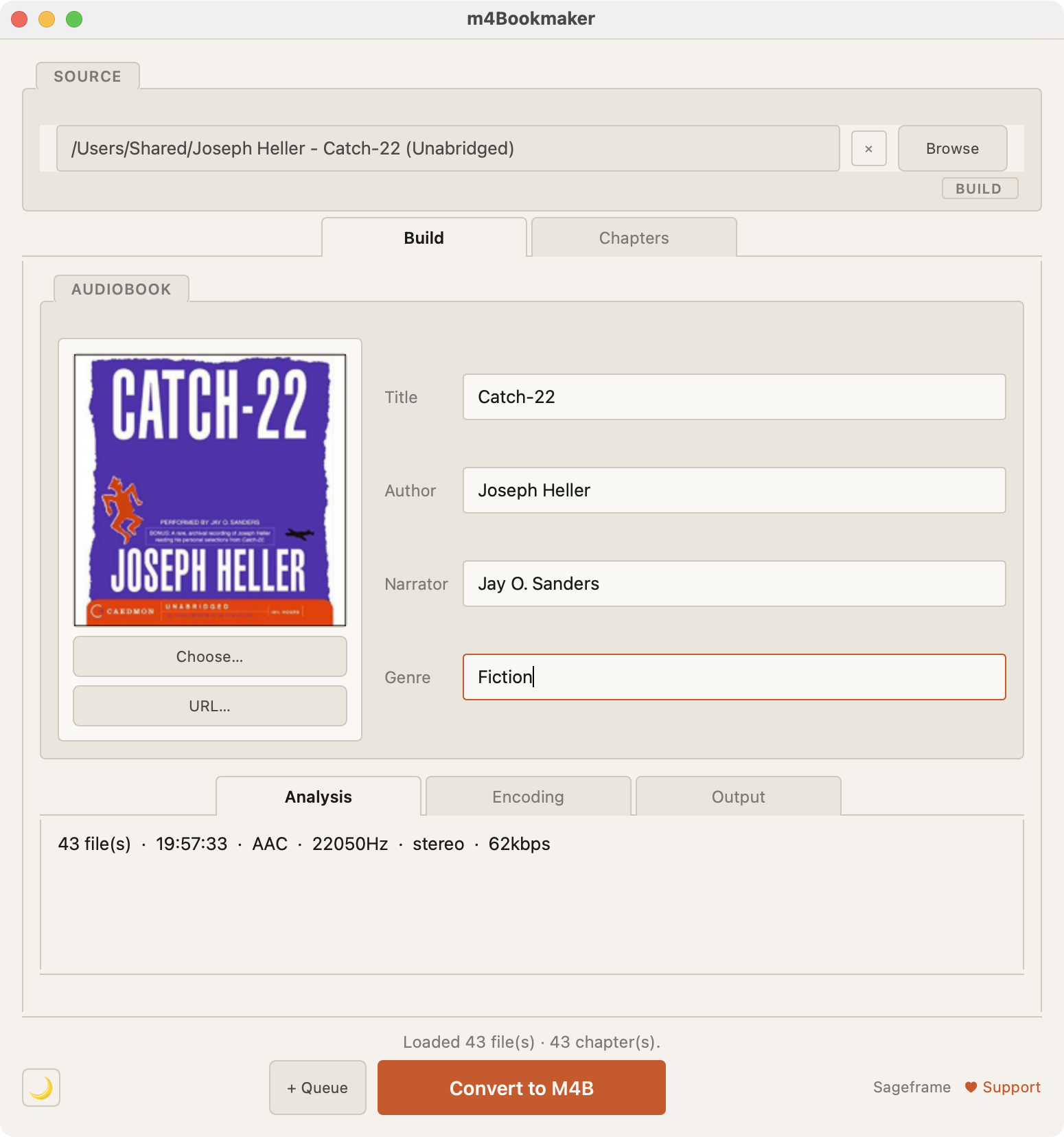
Drag in a folder, adjust your chapters, hit Convert. m4Bookmaker handles the rest — chapters, cover art, metadata, and even repairs broken audio files automatically. This fork adds an optional pass that scans the audio for words and phrases you configure, then produces a separate copy with those moments quietly attenuated — see Language filter below.
Docs · Releases · Report a Bug
About this fork
The base conversion app — chapters, cover art, metadata, audio repair, all of it — is m4Bookmaker by Sageframe. This repository is an independent fork that builds a language filter on top of it; it isn't affiliated with or endorsed by the original project. If you don't need the filter, use the original — it's simpler and more widely used.
This fork's own development follows the same discipline the base app documents in its own Development Process (the Ho System: a structured methodology for human-AI collaborative development, where a human makes every design decision and an AI implements under direction, with verification at every step). Every design decision in the filter feature is recorded as its own dated ADR under docs/adr/, with a running development log in docs/FORK.md and the original product requirements in docs/PRD.md.
What it does
- Automatic chapters from filenames — track numbers and prefixes stripped
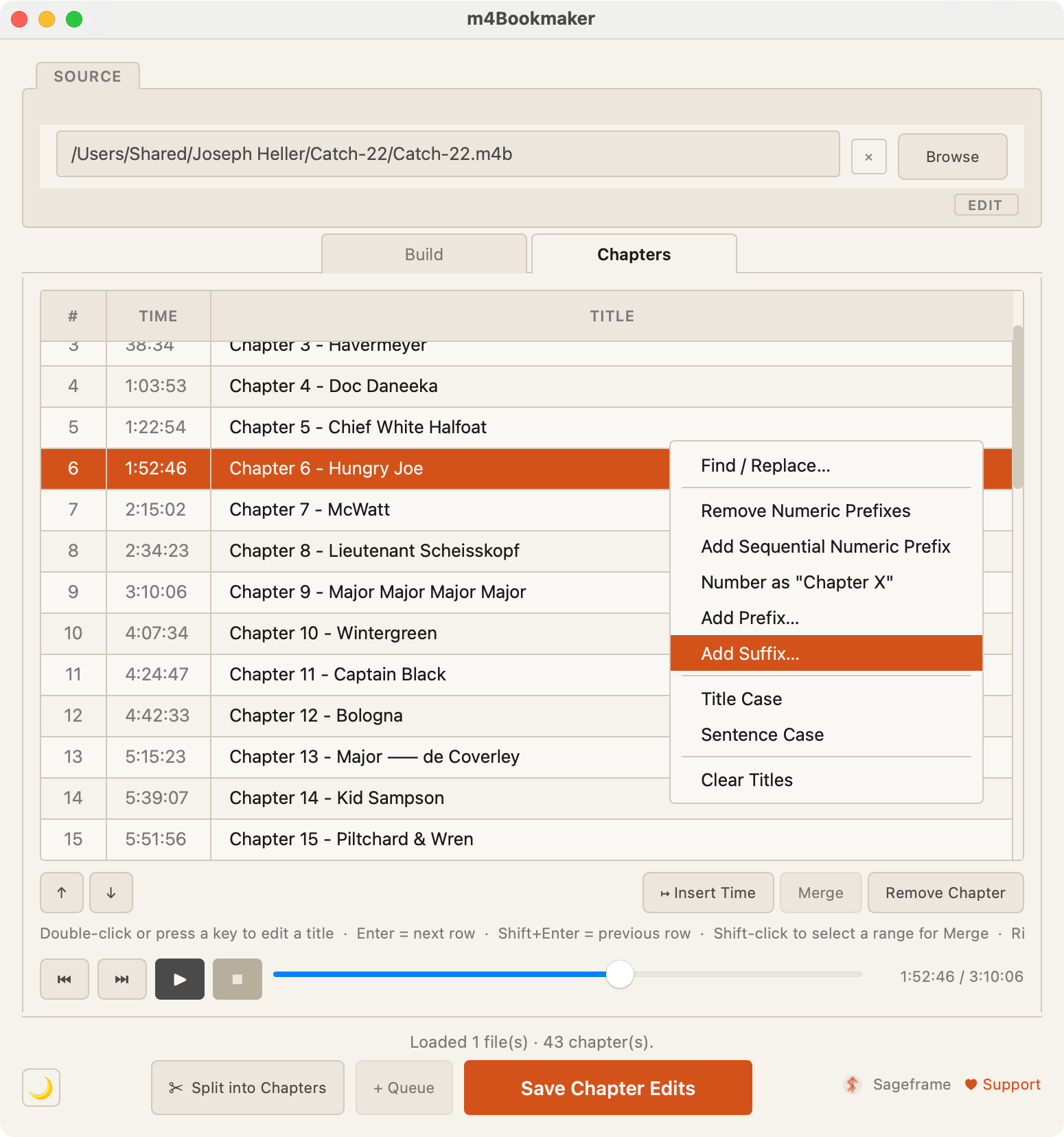
- Chapter editor — rename, reorder, merge, split, adjust timestamps inline
- Built-in audio player — scrub through source audio, seek to any chapter boundary
- Edit existing M4Bs — rename chapters and adjust timestamps without re-encoding
- Batch queue — stage multiple books and process them sequentially
- Audio repair — fixes corrupted MP3 frames, missing headers, inconsistent streams
- Automatic cover art — largest image in the directory is used
- Multiple windows — each encoding in parallel
- Full CLI — everything in the GUI is scriptable from the command line
Language filter
An optional, fully offline pass: transcribe a book locally, scan the transcript against words and phrases you choose, then render a separate copy with those moments faded down — never cut, spliced, or time-stretched, so chapter timestamps stay valid. Your original file is never modified, and nothing is ever uploaded anywhere.
- Fully offline — transcription and matching run entirely on your machine, using a local speech-recognition model you download once. No audio or transcript ever leaves your computer.
- Word List — build categories of words and phrases to filter, with optional masking for anything sensitive you'd rather not see spelled out in the review screens.
- Reusable filter profiles — save a named set of categories and an attenuation strength (how much the audio fades, and for how long around each match), and reuse it across every book you filter.
- Guided wizard — one screen per step: pick your source file, transcribe it, choose a profile, scan, review, render.
- Review before anything is rendered — every match shows in context, with a one-click audio preview of exactly what would be silenced, before you commit to it. Include or exclude individual matches, or act on a whole term or category at once.
- Full Transcript Review — an optional tab shows the entire chapter, not just what the scan flagged, so you can catch anything that slipped through and add it straight to your Word List.
- Import and export your Word List — back up your catalog as a JSON file, or bring in someone else's, with duplicates detected automatically.
- Never touches your original file — the source M4B is left exactly as it is; the app writes a separate filtered copy plus a local report describing exactly what was changed and why.
Status: work in progress, not yet recommended for general use. See docs/FORK.md for the full development history and docs/PRD.md for the complete requirements this feature is being built against.
Installation
Signed, notarized installers aren't built for this fork yet — install via PyPI or from source below. (The base app's own signed macOS/Windows installers, without the filter, are available from Sageframe's own site.)
From PyPI
Works on macOS, Windows, and Linux. Requires Python 3.11+ and ffmpeg.
pip install m4bmaker-filter
Or with the optional GUI:
pip install m4bmaker-filter[gui]
Install ffmpeg if you don't have it:
# macOS
brew install ffmpeg

# Ubuntu / Debian
sudo apt install ffmpeg

# Windows (winget)
winget install ffmpeg
From source
Requires Python 3.11+ and ffmpeg.
git clone https://github.com/nhowland/m4bmaker-filter.git
cd m4bmaker-filter
pip install -e .
Launch the GUI:
python -m m4bmaker.gui.app
Or use the CLI:
m4bmaker-filter ./MyBook --title "Dune" --author "Frank Herbert"
CLI reference
m4bmaker-filter <folder> [options]
| Flag | Description |
|---|---|
--title |
Book title |
--author |
Author name |
--narrator |
Narrator name |
--cover |
Path to cover image |
--output |
Output directory |
--bitrate |
AAC bitrate (default: matches source) |
--stereo |
Force stereo output |
--no-prompt |
Skip interactive prompts |
The language filter is GUI-only for now — it isn't exposed on the CLI yet.
Supported formats
Input: mp3 · m4a · aac · flac · wav · ogg — formats can be mixed in the same folder.
Output: .m4b (AAC in MP4 container with chapter metadata)
Privacy & network activity
m4Bookmaker is fully local — it never uploads your audio files or metadata. The language filter is the same: transcription, scanning, and rendering all happen on your machine.
Update checker: On startup, the GUI makes a single outbound request to the GitHub Releases API to check whether a newer version is available:
GET https://api.github.com/repos/nhowland/m4bmaker-filter/releases/latest
User-Agent: m4bmaker/<version>
This sends your IP address and the installed version number to GitHub's API. No other data is transmitted. The check runs silently in the background and fails silently if you are offline. The CLI (m4bmaker-filter command) makes no network calls at all.
Contributing
See CONTRIBUTING.md.
License
GPL-3.0 · Base app © 2026 Andrew T. Marcus (Sageframe) · Language filter additions © 2026 the contributors to this fork
This program is free software: you can redistribute it and/or modify it under the terms of the GNU General Public License as published by the Free Software Foundation, either version 3 of the License, or (at your option) any later version. See LICENSE for details.
Docs · Releases · Report a Bug
Base app by Sageframe · Language filter fork built independently
1 maintainer

Metadata
1 maintainer
Release files for m4bmaker-filter 1.1.1
For a detailed explanation of source distributions (sdists) and built distributions (wheels), please see the package formats documentation.
Source distribution (sdist)
| File | Size | Uploaded | |
|---|---|---|---|
| m4bmaker_filter-1.1.1.tar.gz | 307.9 kB | Details |
Built distribution (wheel)
| File | Interpreter | ABI | Platform | Reset |
|---|---|---|---|---|
| m4bmaker_filter-1.1.1-py3-none-any.whl | Python 3 | none | any | Details |
Total release size: 613.6 kB
Release files / m4bmaker_filter-1.1.1.tar.gz
| Download URL | m4bmaker_filter-1.1.1.tar.gz |
|---|---|
| Size | 307.9 kB |
| Tags | Source |
|
SHA-256 checksum How to use checksums |
e7093c57722d0d06cb010f2cf374361a2bac9f1711f5d5b1d58f6022375b2448
|
|
BLAKE2b-256 checksum How to use checksums |
ccfddee52484c8c0f21a7c83720b69f6bf9798db34aa9f68cf553585c67c2b5a
|
| Upload date | |
|
Uploaded using Trusted Publishing? What is trusted publishing? |
No |
| Uploaded via |
twine/7.0.0 CPython/3.12.14
|
Release files / m4bmaker_filter-1.1.1-py3-none-any.whl
| Download URL | m4bmaker_filter-1.1.1-py3-none-any.whl |
|---|---|
| Size | 305.7 kB |
| Tags | Python 3 |
|
SHA-256 checksum How to use checksums |
0300216b028d34de2fbc6e202212d57d7550e6c4fb96ff0e488e93764f9c69cc
|
|
BLAKE2b-256 checksum How to use checksums |
0354e457bafe7b0ded8b133d5e564e41e9b39ea6a26ca520823fa6dc1645fd0e
|
| Upload date | |
|
Uploaded using Trusted Publishing? What is trusted publishing? |
No |
| Uploaded via |
twine/7.0.0 CPython/3.12.14
|














