
Mac-OCR-CLI

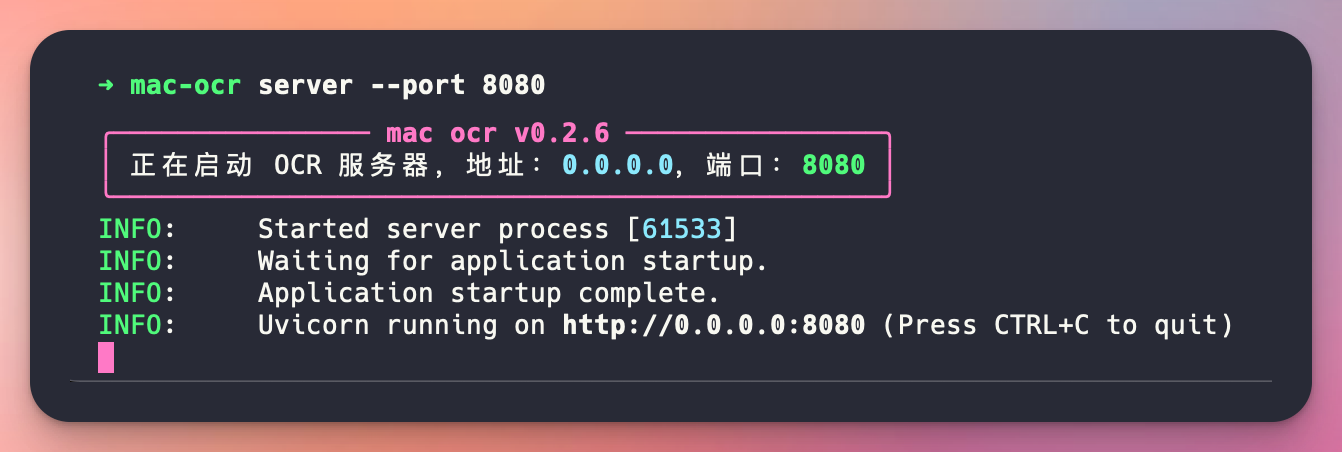
It leverages FastAPI, ocrmac, and Typer to provide a seamless OCR experience directly from your terminal or through a local API server.
Features
- Easy-to-use CLI for starting an OCR server
- RESTful API endpoint for OCR tasks
- Built on FastAPI for high performance
- Utilizes ocrmac for accurate OCR on macOS
- Supports base64 encoded image input
- Intelligent text merging by line
- Beautiful console output using Rich library
- Customizable server settings (port, host, log level)
Requirements
- Python 3.6+
- macOS (due to ocrmac dependency)
- pip (Python package installer)
Installation
-
Ensure you have Python 3.6+ installed on your macOS system.
-
Install MAC-OCR-CLI using pip:
pip install mac-ocr-cli
Usage
Starting the OCR CLI

mac-ocr file <your_image_path>
Starting the OCR Server
To start the OCR server with default settings:
mac-ocr server
You can customize the server settings using command-line options:
mac-ocr server --port 8080 --host 127.0.0.1 --log-level debug
Available options:
--portor-p: Set the server port (default: 8000)--hostor-h: Set the server host (default: 0.0.0.0)--log-levelor-l: Set the log level (default: info)--tokenor-t: Set the token (default: None)
Performing OCR
Once the server is running, you can perform OCR on an image using a POST request to the /ocr endpoint:
curl --location 'http://127.0.0.1:8080/ocr' \
--header 'Authorization: 123456' \
--header 'Content-Type: application/json' \
--data '{
    "image_path":"<your_image_path>"
}'
Replace your_image_path with your actual image path.
curl --location 'http://127.0.0.1:8080/ocr' \
--header 'Authorization: 123456' \
--header 'Content-Type: application/json' \
--data '{
    "image_base64":"<base64_encoded_image_data>"
}'
Replace <base64_encoded_image_data> with your actual base64-encoded image data.
The server will respond with the OCR results in JSON format:
{
    "code": 200,
    "message": "success",
    "data": {
        "annotations": [
            [
                "INTP女",
                1.0,
                [
                    0.15561960485546392,
                    0.8036144575052732,
                    0.6772334149494265,
                    0.1295751962317041
                ]
            ],
            [
                "为什么罕见",
                1.0,
                [
                    0.08933718939980283,
                    0.6463855410040755,
                    0.8213256246225845,
                    0.11870066631271181
                ]
            ]
        ],
        "fullText": [
            "INTP女",
            "为什么罕见"
        ]
    }
}
Note: The OCR results are returned in reverse order (bottom to top) of the original image.
Contributing
Contributions to MAC-OCR-CLI are welcome! Please follow these steps to contribute:
- Fork the repository
- Create a new branch for your feature or bug fix
- Make your changes and commit them with clear, descriptive messages
- Push your changes to your fork
- Submit a pull request to the main repository
Please ensure your code adheres to the project's coding standards and include tests for new features.
License
This project is licensed under the MIT License. See the LICENSE file for details.
1 maintainer

Metadata
1 maintainer
Release files for mac-ocr-cli 0.2.9
For a detailed explanation of source distributions (sdists) and built distributions (wheels), please see the package formats documentation.
Source distribution (sdist)
| File | Size | Uploaded | |
|---|---|---|---|
| mac-ocr-cli-0.2.9.tar.gz | 6.9 kB | Details |
Built distribution (wheel)
| File | Interpreter | ABI | Platform | Reset |
|---|---|---|---|---|
| mac_ocr_cli-0.2.9-py3-none-any.whl | Python 3 | none | any | Details |
Total release size: 14.4 kB
Release files / mac-ocr-cli-0.2.9.tar.gz
| Download URL | mac-ocr-cli-0.2.9.tar.gz |
|---|---|
| Size | 6.9 kB |
| Tags | Source |
|
SHA-256 checksum How to use checksums |
1bd7f7b757689f01dfdbbc0a47959f3e9bfe9c923df3ea363b49de33b9df3c72
|
|
BLAKE2b-256 checksum How to use checksums |
156a388d71762b02f331fa9d9ecde70ff733f242470aa316a3bee9f5fc1f098c
|
| Upload date | |
|
Uploaded using Trusted Publishing? What is trusted publishing? |
No |
| Uploaded via |
twine/5.1.1 CPython/3.12.1
|
Release files / mac_ocr_cli-0.2.9-py3-none-any.whl
| Download URL | mac_ocr_cli-0.2.9-py3-none-any.whl |
|---|---|
| Size | 7.5 kB |
| Tags | Python 3 |
|
SHA-256 checksum How to use checksums |
f579afaa603db52e3727d144fd981cfc33ae2b059e35f6c8f7d4d7ead42ca1e7
|
|
BLAKE2b-256 checksum How to use checksums |
78f0b5c4a9c06be101f94eb51842b7ff1168ecee08cbbe4db94308d12077f987
|
| Upload date | |
|
Uploaded using Trusted Publishing? What is trusted publishing? |
No |
| Uploaded via |
twine/5.1.1 CPython/3.12.1
|














