
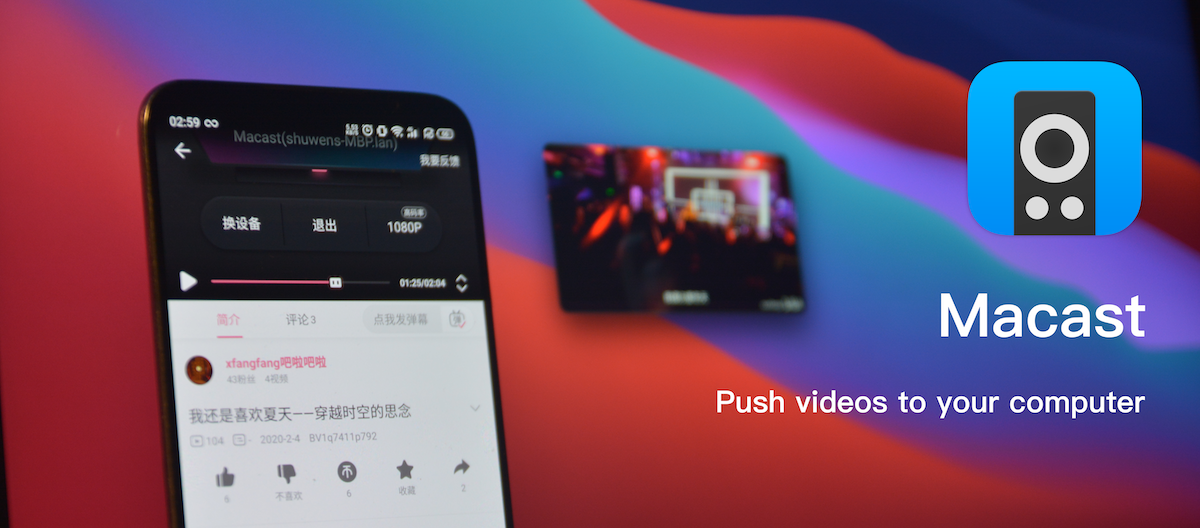
Macast










A menu bar application using mpv as DLNA Media Renderer. You can push videos, pictures or musics from your mobile phone to your computer.
Installation
-
MacOS || Windows || Debian
Download link: Macast release latest
-
Package manager
pip install macast
macast-gui # or macast-cli
Please see our wiki for more information(like aur support): #package-manager
Linux users may have problems installing using pip. Two additional libraries that I have modified need to be installed:pip install git+https://github.com/xfangfang/pystray.git pip install git+https://github.com/xfangfang/pyperclip.git
-
Build from source
Please refer to: Macast Development
Usage
-
For ordinary users
After opening this app, a small icon will appear in the menubar / taskbar / desktop panel, then you can push your media files from a local DLNA client to your computer. -
For advanced users
- By loading the Macast-plugins, Macast can support third-party players like IINA and PotPlayer.
For more information, see: #how-to-use-third-party-player-plug-in - You can modify the shortcut keys or configuration of the default mpv player by yourself, see: #how-to-set-personal-configurations-to-mpv
- By loading the Macast-plugins, Macast can support third-party players like IINA and PotPlayer.
-
For developer
You can use a few lines of code to add support for other players like IINA and PotPlayer or even add additional features, like downloading media files while playing videos.
Tutorials and examples are shown in: Macast/wiki/Custom-Renderer.
Fell free to submit a pull request to Macast-plugins.
FAQ
If you have any questions about this application, please check: Macast/wiki/FAQ.
If this does not solve your problem, please open a new issue to notify us, we are willing to help you solve the problem.
Screenshots
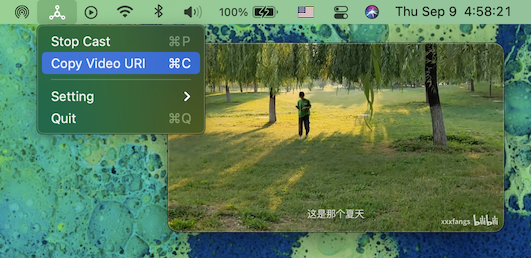
You can copy the video link after the video is casted:
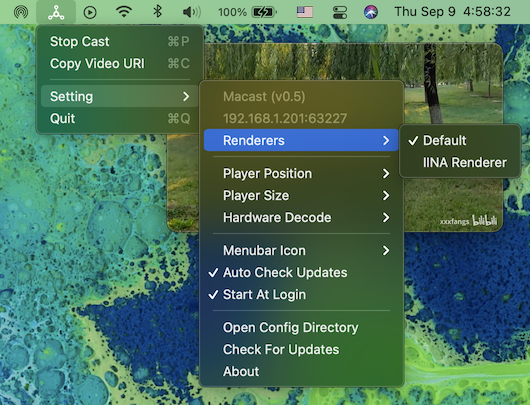
Or select a third-party player plug-in
Relevant links
UPnP™ ContentDirectory:1 service
1 maintainer

Metadata
1 maintainer
Release files for macast 0.65.post1
For a detailed explanation of source distributions (sdists) and built distributions (wheels), please see the package formats documentation.
Source distribution (sdist)
| File | Size | Uploaded | Provenance | |
|---|---|---|---|---|
| macast-0.65.post1.tar.gz | 442.2 kB | Without provenance | Details |
Release files / macast-0.65.post1.tar.gz
| Download URL | macast-0.65.post1.tar.gz |
|---|---|
| Size | 442.2 kB |
| Tags | Source |
|
SHA-256 checksum How to use checksums |
c13fe8b9d9c3893cf97d1bfd800bbadc8cc178f92f1c01209022a9a53c75d1b3
|
|
BLAKE2b-256 checksum How to use checksums |
476512ccbe62ee79483dd003bb3cac946b13d43a02538275b611ad4360a64443
|
| Upload date | |
|
Uploaded using Trusted Publishing? What is trusted publishing? |
No |
| Uploaded via |
twine/3.4.2 importlib_metadata/4.5.0 pkginfo/1.7.1 requests/2.25.1 requests-toolbelt/0.9.1 tqdm/4.62.2 CPython/3.7.10
|
Security for macast 0.65.post1
Provenance
Provenance describes where a file came from. On PyPI, provenance is shared via attestations, which provide a verifiable record of the build or publishing details. View details, limitations and caveats.
No provenance found
None of the files in this release were uploaded with provenance metadata.
A note on package security
PyPI is a repository for distributing packages, not a service for auditing them. While third-party security researchers and our staff do their best to detect and remove malicious packages, PyPI cannot guarantee the quality, security or suitability of any given package.














