
A package for rapidly prototyping a bot on Machaao platform

Project description
Machaao - Your one stop chatbot companion
A module for python developers looking to rapidly build, prototype and publish personalized chatbots

Full tutorial below to create your first bot
Live Web Demo
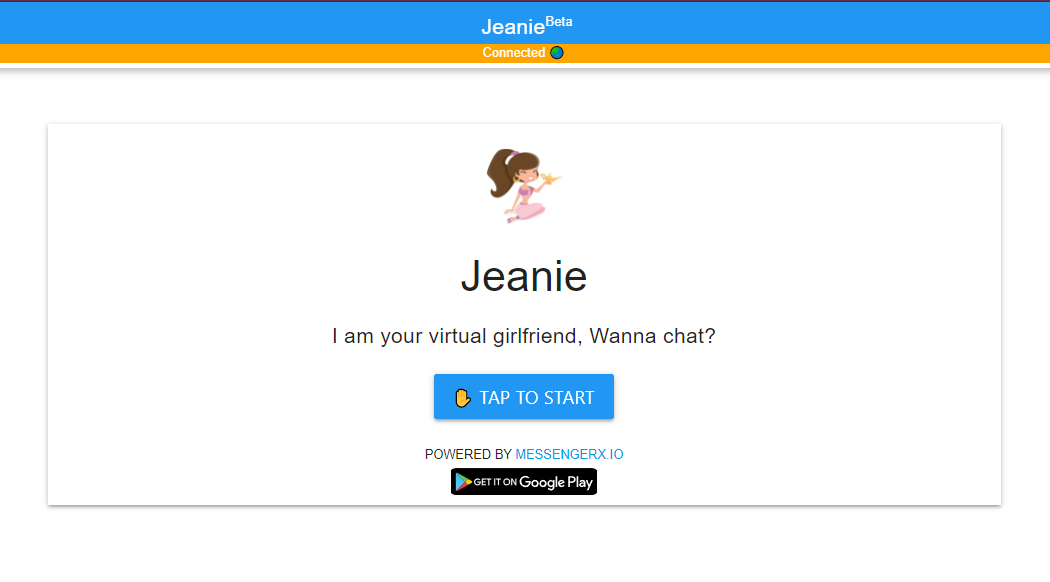
Jeanie is a GPT-J powered virtual girlfriend based on the module
Bot Creation
Create a python venv (Recommended)
# For Linux/MacOS
python3 -m venv env
source ./env/bin/activate

# For Windows
python -m venv env
env\Scripts\activate
Install machaao_client package
# For Linux/MacOS
pip3 install machaao_client

# For Windows
pip install machaao_client
Get MessengerX.io API Key
- Available on the MessengerX.io portal
- If you aren't registered, please create an account and login
- Set up your new bot by providing it a
Character NameandDescription.- Select
Custom Botoption - It should look something like this:
- Select
- Click on
Save. It will redirect you to your dashboard. - On your dashboard you can see your newly created bot
- Click on
Settingstab. It will open your bot configuration page. - On the configuration page you'd be able to see a string named
token. That's yourMachaao API Token


Create a new .env file in the same directory
nano -w .env
Put these key-value pairs in your .env file
API_TOKEN=<Machaao API Token>
ENV=dev
Change ENV=prod when you want to publish your bot
Create a python file - app.py and copy the following code
from datetime import datetime

import pytz
from flask import Flask, request
from machaao_client import MachaaoSession, QuickReply, MachaaoTextMessage

app = Flask(__name__)


@app.route('/machaao/hook', methods=['GET', 'POST'])
def receive():

    # Create a machaao session
    session = MachaaoSession(
        request,
        server_session_create_time=server_session_create_time
    )

    # Get user message
    text = session.user_message
    print(f"Text from user: {text}")

    # Reply to user
    reply = "Hi from Machaao!!"

    # Add Quick replies to your message
    hello_qr = QuickReply(content_type="text", title="Hello 👋", payload="Hello")
    quick_replies = [hello_qr]

    # Compose the text message
    msg = MachaaoTextMessage(text=reply, quick_replies=quick_replies, ads=True)

    # Reply back to the user
    return session.send_message(msg)


if __name__ == '__main__':
    server_session_create_time = datetime.now(
        tz=pytz.utc).replace(tzinfo=None)

    app.run(host="0.0.0.0", port=5000, debug=False)
Run your simple chatbot on your local server
# For Linux/MacOS
python3 app.py

# For Windows
python app.py
Start ngrok.io tunnel in a new terminal (local development)
ngrok http 5000
- You'll get a
ForwardingURL mentioned on the console as shown below - Copy the
ForwardingURL. In this example it would be:

https://26ea-150-107-177-46.ngrok-free.app
Update your webhook
Update your bot Webhook URL on the bot configuration page with the NGROK Forwarding URL
In this example your Webhook URL would be:
https://26ea-150-107-177-46.ngrok-free.app/machaao/hook
Refer to this screenshot below

Test your bot:
Click on Preview to chat with your bot
NOTE: UNDER ACTIVE DEVELOPMENT (ACCEPTING PULL REQUESTS)


Download files
Download the file for your platform. If you're not sure which to choose, learn more about installing packages.
Source Distribution
Built Distribution
Filter files by name, interpreter, ABI, and platform.
If you're not sure about the file name format, learn more about wheel file names.
Copy a direct link to the current filters
File details
Details for the file machaao_client-0.0.3.tar.gz.
File metadata
- Download URL: machaao_client-0.0.3.tar.gz
- Upload date:
- Size: 4.4 MB
- Tags: Source
- Uploaded using Trusted Publishing? No
- Uploaded via: twine/5.1.1 CPython/3.8.10
File hashes
| Algorithm | Hash digest | |
|---|---|---|
| SHA256 |
ccc94bbbfce049dce4ae245b4ff7828d1849ae4781e71919ebd96a75c6e7ed05
|
|
| MD5 |
a43101729627d6f777e79b81fdf8dd2a
|
|
| BLAKE2b-256 |
f585ab5d69daad6f5131d6e540f9e905e13e0575a72de893b24caaff4e4d77f6
|
File details
Details for the file machaao_client-0.0.3-py3-none-any.whl.
File metadata
- Download URL: machaao_client-0.0.3-py3-none-any.whl
- Upload date:
- Size: 5.2 MB
- Tags: Python 3
- Uploaded using Trusted Publishing? No
- Uploaded via: twine/5.1.1 CPython/3.8.10
File hashes
| Algorithm | Hash digest | |
|---|---|---|
| SHA256 |
a386bfeb63db91692cb74746e52d2d89a8ebbffc4f32f05e46de060dea024b05
|
|
| MD5 |
ff4c2ece1993c170c155d0a0c980699d
|
|
| BLAKE2b-256 |
c1275f8aacf9d60a9722e855877793b84e31451c88231680a8873e5ef17af049
|






