
Python Macro Studio




Limitless automation, powered by Python.
Macro Studio is a robust automation framework that bridges the gap between simple macro recorders and complex software development. Unlike traditional click-recorders, this engine allows you to script logic in pure Python, giving you access to the full power of the language—from computer vision (OpenCV) to API requests—while managing the lifecycle of your tasks through a sleek, user-friendly GUI.
⌨️ Code Example
Automating a simple click-loop is as easy as writing a Python generator:
def checkHealth(controller):
    # Sample a pixel and react in sub-milliseconds
    if captureScreenColor(controller.getVar("health_bar_pt")) == COLORS.RED:
        # Hold the key for 1 second, guaranteeing its release
        with holdKey("q"):
            yield from taskSleep(1)
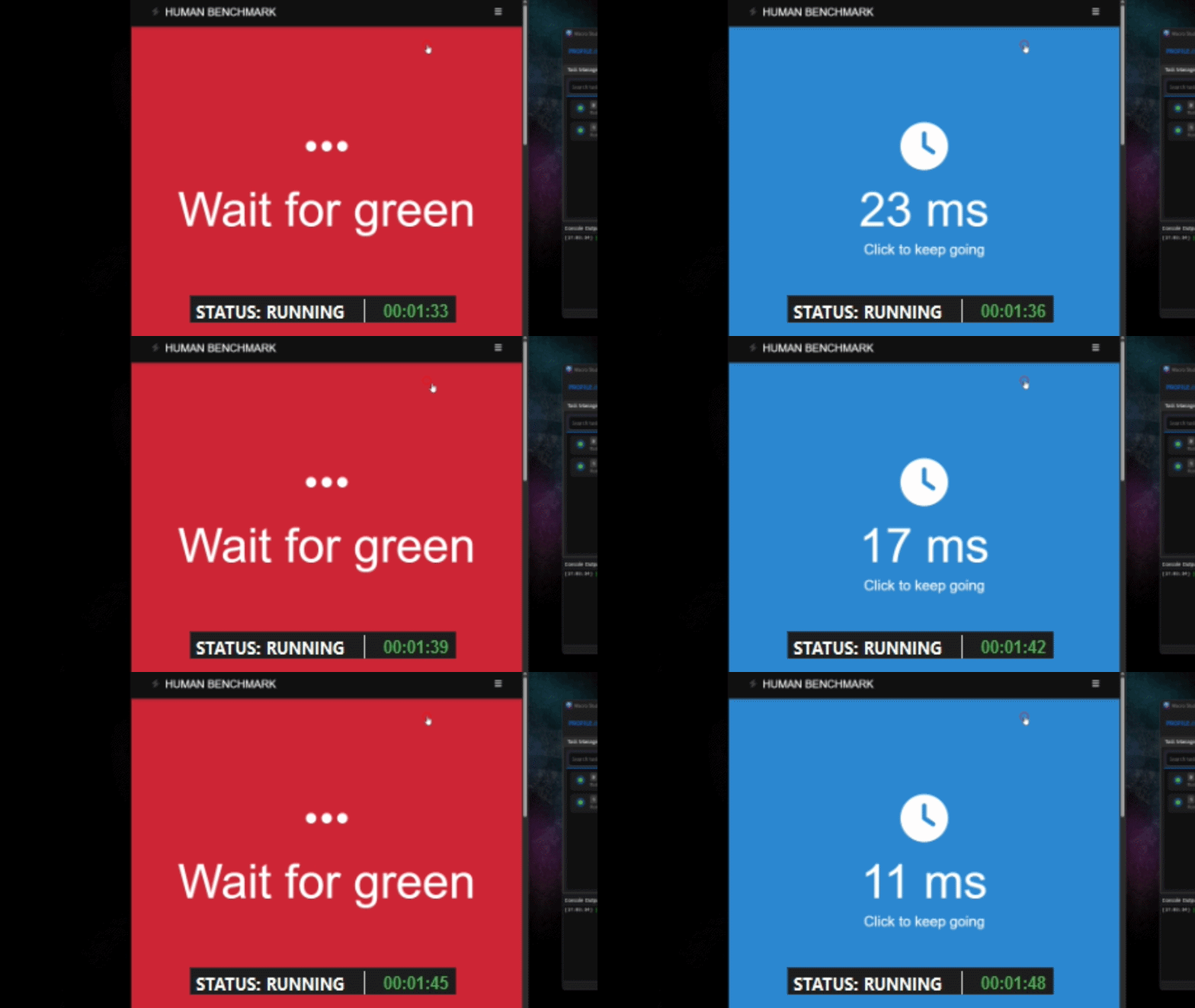
👉 Watch the Showcase on YouTube 👈
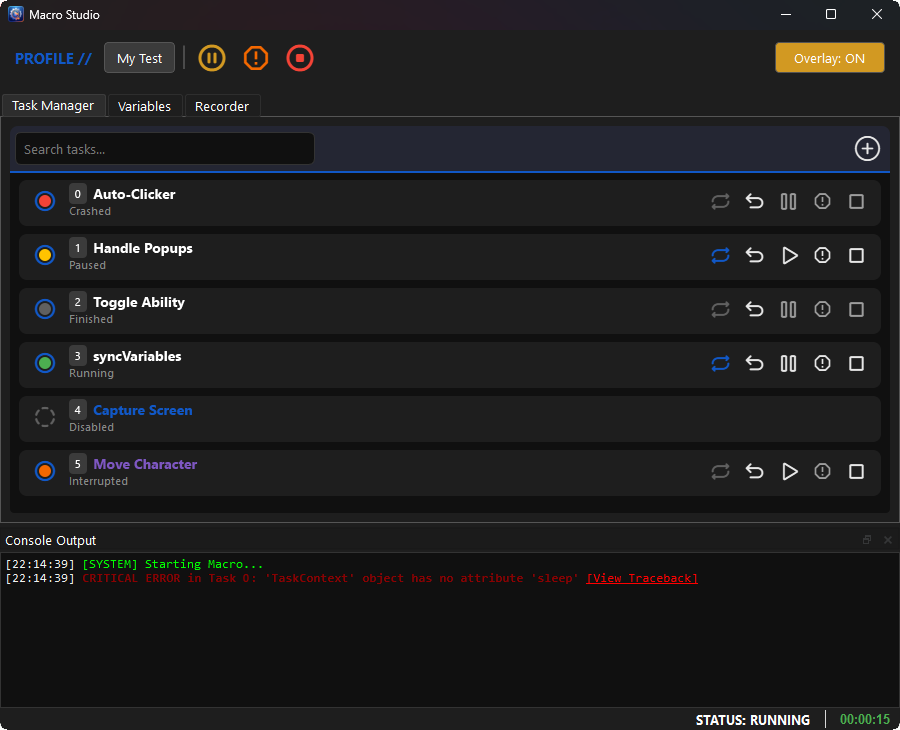
Main Page of the UI:
📚 Official Documentation
Read the full documentation here!
To keep this README clean, all tutorials, API references, and advanced guides have been moved to our official documentation site. Visit the link above to find:
- ⚙️ Engine API & Task Controllers: How to run, pause, and stop threaded Python tasks safely.
- 🖱️ Actions Library: Thread-safe mouse and keyboard simulators.
- 👁️ Vision Library: OpenCV and Tesseract OCR integration.
- 💡 Runnable Examples: Copy-pasteable scripts to jumpstart your development.
🚀 Key Features
- ♾️ Infinite Possibilities: Other macro recorders give you a tricycle; we are handing you the keys to a Saturn V rocket. If you can code it in Python, you can automate it.
- 🎛️ Visual Task Manager: Real-time, graphical interface for monitoring and controlling the execution flow of background threads.
- 📂 Profile & Variable Management: Expose script variables directly to the GUI so users can tweak settings without touching your code.
- 🎥 Visual Task Recorder: A built-in, no-code recorder that can export sequences directly into standalone Python scripts.
🧠 Why I Built Macro Studio
If you've ever tried to build a desktop bot in Python, you already know the pain points.
Standard automation libraries rely on sluggish screen-grabbing methods, and managing concurrent tasks usually means fighting Python's Global Interpreter Lock (GIL). You end up with heavy OS threads, time.sleep() bottlenecks, and a macro that either stutters or completely freezes your computer.
The alternative? Paying for expensive, clunky, closed-source macro recorders that haven't been updated in a decade and trap you in proprietary scripting languages.
I wanted an engine that respected Python's capabilities. Macro Studio was built to solve this by rethinking the architecture:
- Stackless Coroutines: Instead of heavy OS threads, basic tasks use a generator-based
yieldarchitecture for cooperative multitasking. This allows the engine to pause, resume, and interrupt tasks in fractions of a millisecond without burning CPU cycles. - O(1) Memory Polling: By bypassing artificial library delays and hooking directly into the Windows GDI via
mss, pixel-scanning happens at raw hardware speed. - 100% Python: No proprietary syntax. If you can write Python, you can integrate APIs, AI, or custom computer vision straight into your macros.
I built Macro Studio to be the tool I wished I had, and I'm keeping it free and open-source so the community finally has a modern, high-performance automation framework.
📦 Installation
Option 1: Install via pip (Recommended)
pip install macro-studio
Option 2: Standalone Executable (Windows)
If you prefer not to use Python environments, you can download the latest pre-compiled .exe from the GitHub Releases page.
- Download the
MacroStudio-Win64.zipfile. - Extract the ZIP folder.
- Double-click
MacroStudio.exeto launch.
(Note: You must install Tesseract OCR separately if you plan to use text-reading computer vision features!)
🤝 Contributing & Support
Contributions are welcome! Whether you are fixing bugs, adding new features, or creating example tasks, I would love to see your work.
- Fork the Project
- Create your Feature Branch (
git checkout -b feature/AmazingFeature) - Commit your Changes (
git commit -m 'Add some AmazingFeature') - Push to the Branch (
git push origin feature/AmazingFeature) - Open a Pull Request
If you find this studio helpful and want to support its development, consider buying me a coffee! It helps keep the updates coming.

📄 License
Distributed under the GNU GPLv3 License. See LICENSE for more information.
This means that if you modify and distribute this engine or build a product on top of it, you must keep it open-source.
1 maintainer

Metadata
1 maintainer
Release files for macro-studio 0.2.0
For a detailed explanation of source distributions (sdists) and built distributions (wheels), please see the package formats documentation.
Source distribution (sdist)
| File | Size | Uploaded | |
|---|---|---|---|
| macro_studio-0.2.0.tar.gz | 338.1 kB | Details |
Built distribution (wheel)
| File | Interpreter | ABI | Platform | Reset |
|---|---|---|---|---|
| macro_studio-0.2.0-py3-none-any.whl | Python 3 | none | any | Details |
Total release size: 697.0 kB
Release files / macro_studio-0.2.0.tar.gz
| Download URL | macro_studio-0.2.0.tar.gz |
|---|---|
| Size | 338.1 kB |
| Tags | Source |
|
SHA-256 checksum How to use checksums |
62cfe75625872866df09d172c5ecbc733d00251a0611a2a1f60a21a21021ec4f
|
|
BLAKE2b-256 checksum How to use checksums |
29819db11652c1cbd7a5cde0aa0f8d44d2cc2445f716607d741f151d0170e971
|
| Upload date | |
|
Uploaded using Trusted Publishing? What is trusted publishing? |
Yes |
| Uploaded via |
twine/6.1.0 CPython/3.13.7
|
Provenance
Provenance describes where a file came from. On PyPI, provenance is shared via attestations, which provide a verifiable record of the build or publishing details. View details, limitations and caveats.


PyPI Publish Attestation
PyPI verified that this artifact, at this checksum, originated from the publisher listed below.
Signed by GitHub Actions, verified by PyPI on Mar 6, 2026.
Transparency logRelease files / macro_studio-0.2.0-py3-none-any.whl
| Download URL | macro_studio-0.2.0-py3-none-any.whl |
|---|---|
| Size | 358.9 kB |
| Tags | Python 3 |
|
SHA-256 checksum How to use checksums |
dde3bd725bb6c8387578ced119918bca285841e03584902b7bec2af30e3bdc7a
|
|
BLAKE2b-256 checksum How to use checksums |
5b729a1f9162202bdc8e7975f072bf074517dfc1bec9f5b29e695f5a28e41bac
|
| Upload date | |
|
Uploaded using Trusted Publishing? What is trusted publishing? |
Yes |
| Uploaded via |
twine/6.1.0 CPython/3.13.7
|
Provenance
Provenance describes where a file came from. On PyPI, provenance is shared via attestations, which provide a verifiable record of the build or publishing details. View details, limitations and caveats.
PyPI Publish Attestation
PyPI verified that this artifact, at this checksum, originated from the publisher listed below.
Signed by GitHub Actions, verified by PyPI on Mar 6, 2026.
Transparency log













